Los 10 mejores softwares de transcripción IA para empresas
Resumen rápido
Esta guía de WhisperTranscribe analiza los mejores softwares de transcripción por IA para empresas. Comparamos 10 herramientas según precisión, idiomas, integración, precio y flujo de trabajo, incluyendo WhisperTranscribe, Otter.ai, Trint, Descript y Fireflies.ai.
Nuestras mejores elecciones incluyen:
WhisperTranscribe: El mejor para transcripción y reutilización de contenido en más de 57 formatos
Otter.ai: El mejor para transcripción de reuniones en vivo y resúmenes con IA
Trint: El mejor para edición colaborativa y flujos de trabajo de medios
Descript: El mejor para edición de pódcasts y videos mediante texto
Fireflies.ai: El mejor para equipos de ventas que necesitan integración de reuniones con CRM
Para más reseñas como esta, visita el blog de WhisperTranscribe.
¿Buscas el mejor software de transcripción con IA para tu empresa?
La mayoría de las conversaciones de negocios se graban pero rara vez se reutilizan. Las entrevistas, webinars y reuniones suelen quedar guardadas como archivos de audio difíciles de consultar cuando se necesitan datos específicos.
Cuando los equipos necesitan información, suelen perder tiempo buscando en las grabaciones o usando notas incompletas. Una buena herramienta de transcripción cambia esto. Convierte las conversaciones en texto editable y fácil de buscar, facilitando encontrar momentos clave y reutilizar contenido.
Esta guía de WhisperTranscribe analiza las 10 mejores herramientas de transcripción con IA para empresas, según su precisión, idiomas, integraciones, precio y flujos de trabajo reales.
¿Por qué confiar en nosotros?
En WhisperTranscribe nos enfocamos en una transcripción con IA rápida y precisa. Nuestra plataforma ayuda a miles de usuarios a convertir audio y video en transcripciones confiables y contenido reutilizable. Al trabajar en esto a diario, sabemos qué diferencia a las herramientas confiables de las que fallan cuando más importa.
¿Qué es un software de transcripción con IA para empresas?
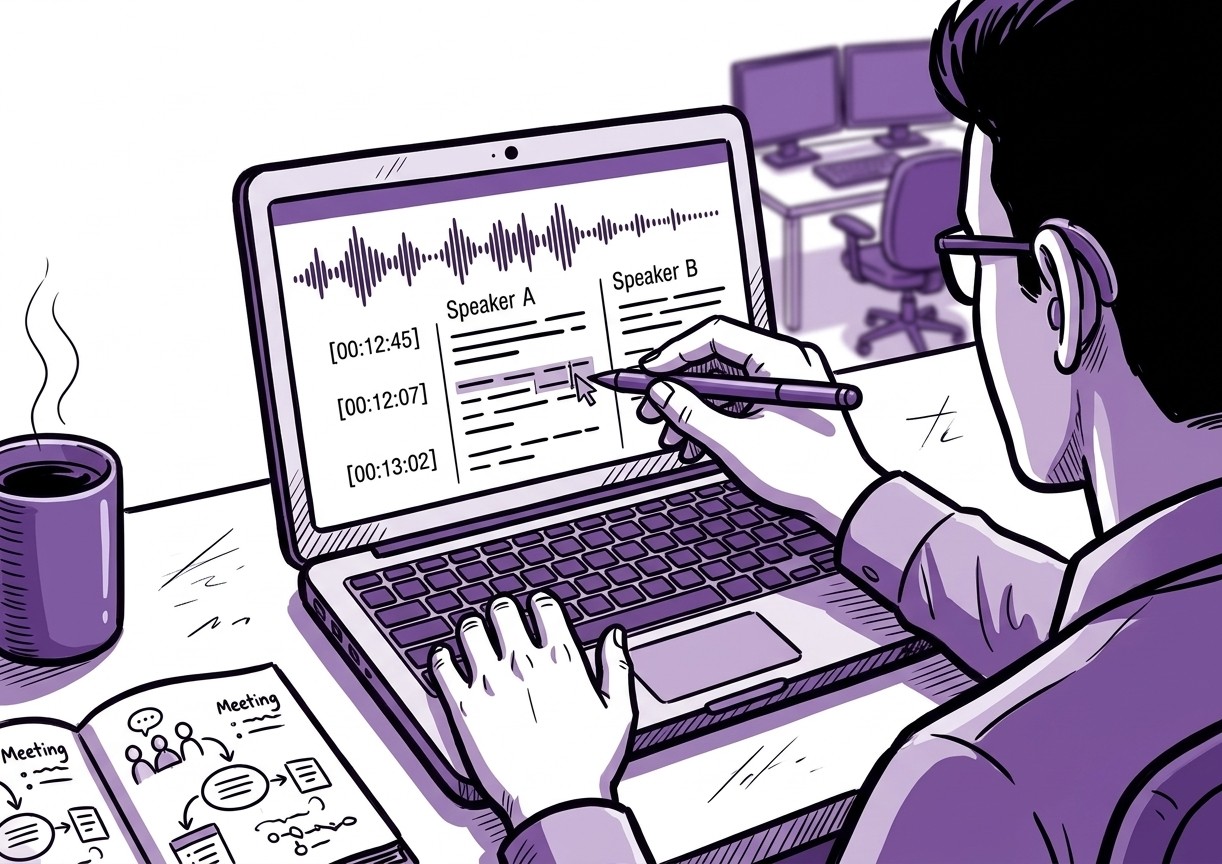
El software de transcripción con IA convierte reuniones grabadas, entrevistas, webinars, llamadas y videos en texto editable mediante modelos de reconocimiento de voz como Whisper de OpenAI.
Estas herramientas generan transcripciones tras la grabación, identificando varios hablantes y audio con ruido. Muchas también ofrecen etiquetas de voz, traducción, exportación de subtítulos y bibliotecas de transcripciones.
Qué buscar en un software de transcripción con IA para empresas
Las herramientas de transcripción con IA sirven para diferentes flujos de trabajo, desde reuniones hasta producción de medios y contenidos.
Antes de elegir una plataforma, considera:
Precisión de transcripción con ruido de fondo, acentos y varios hablantes
Idiomas compatibles para equipos bilingües y contenido internacional
Funciones colaborativas para revisar y editar transcripciones
Integraciones con CRM, plataformas de videoconferencia o almacenamiento en la nube
Formatos de exportación como DOCX, TXT, SRT o VTT
Herramientas adicionales como resúmenes, subtítulos o creación de contenido
Adapta las funciones a tus flujos antes de elegir una herramienta para asegurarte de que se ajusta a cómo graba, edita y usa las transcripciones tu equipo.
Los 10 mejores softwares de transcripción con IA para empresas
Esta tabla compara las 10 herramientas de transcripción con IA analizadas en esta guía.
Herramienta | Ideal para | Plataformas | Idiomas | Prueba gratis |
WhisperTranscribe | Transcripción + reutilización de contenido | Windows, Mac | 55+ para transcripción, 99+ para traducción | Sí (60 min) |
Otter.ai | Transcripción en directo y resúmenes | Web, iOS, Android, Escritorio (Mac & Windows) | 6 para transcripción | Sí (300 min/mes) |
Trint | Edición colaborativa | Web, iOS, Android, Escritorio (Mac & Windows) | 40+ para transcripción, 70+ para traducción | Limitada |
Descript | Edición de audio/video basada en texto | Web, Mac, Windows | 20+ para transcripción | Sí (plan gratuito) |
Rev | Transcripción híbrida (Humano + IA) | Web, iOS, Android | 35+ para transcripción 15+ para traducción | No |
Sonix | Velocidad + variedad de idiomas | Solo Web | 40+ para traducción y transcripción | Sí (30 min) |
Fireflies.ai | Reuniones inteligentes + sinc. CRM | Web, iOS, Android, Escritorio | Varios | Sí |
Happy Scribe | Subtítulos y traducción Humano + IA | Solo Web | 60+ para traducción 120+ idiomas para transcripción | Sí (limitada) |
Notta | Transcripción de reuniones en tiempo real | Web, iOS, Android | 50+ traducción 42+ para transcripción | Sí (plan gratuito) |
Castmagic | Conversión de audio a contenido con IA | Web, iOS (beta) | Varios | Sí (prueba de 7 días) |
1. WhisperTranscribe
WhisperTranscribe es una plataforma de transcripción con IA y creación de contenido para profesionales que necesitan transcripciones rápidas, precisas y reutilizables.
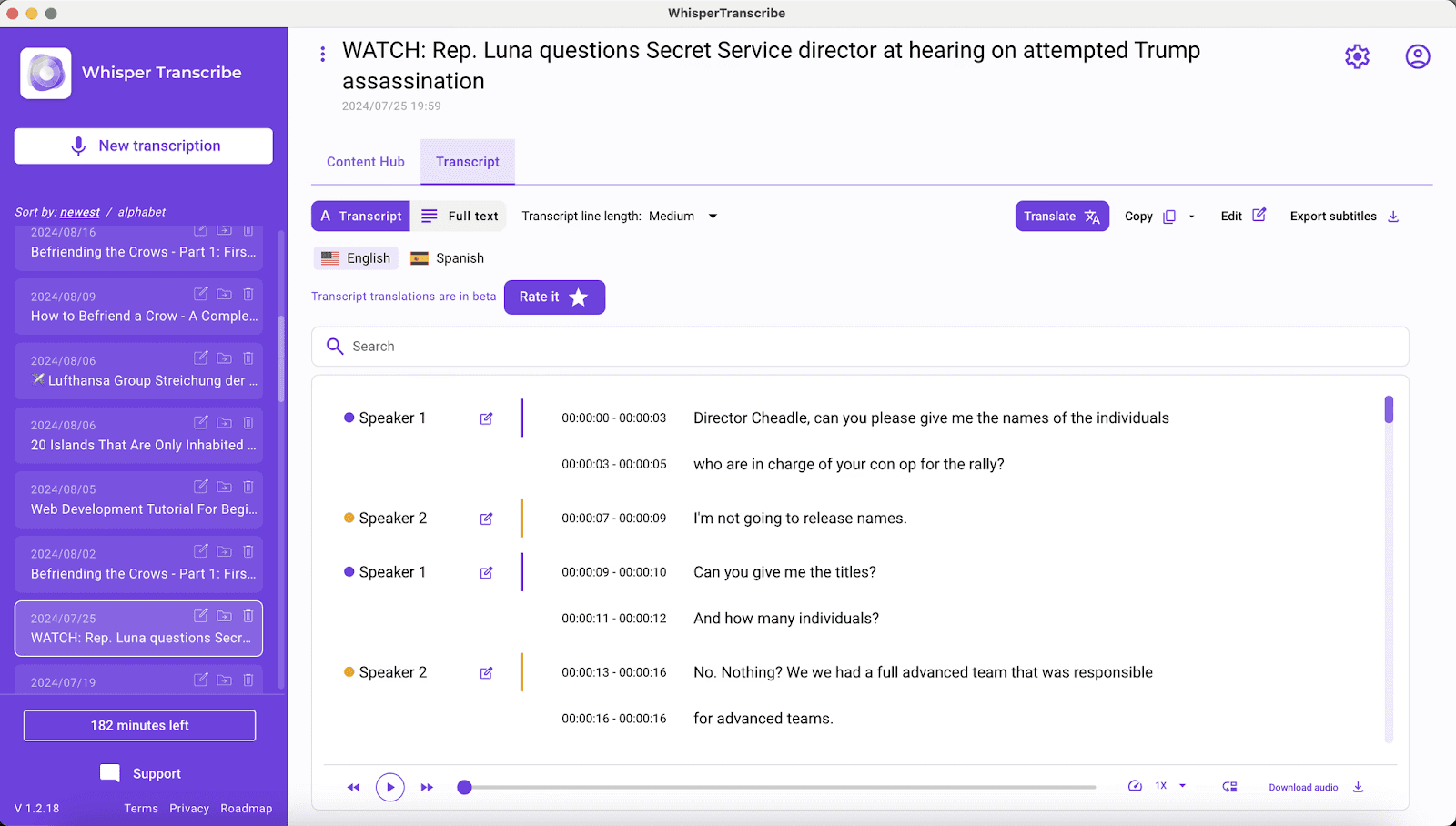
Utiliza el modelo Whisper de OpenAI para convertir audio y video en transcripciones precisas con un ~95% de exactitud, ideal para audio con ruido, acentos o varios hablantes. Soporta más de 55 idiomas para transcripción y traduce a más de 99 idiomas.
Además, convierte una grabación en artículos de blog, resúmenes, notas de reuniones, publicaciones de redes sociales, boletines, informes y más de 57 tipos de contenido. El Magic Chat del software permite consultar dudas directamente en la transcripción.
Está disponible como aplicación web y de escritorio para Mac y Windows, con almacenamiento local que mantiene seguros los archivos.
Características clave
Transcripción ~95% precisa: Gestiona ruido de fondo, acentos y voces simultáneas con alta fiabilidad.
Detección inteligente de hablantes: Identifica y etiqueta automáticamente a los participantes en las grabaciones.
Multilingüe (55+ transcripción, 99+ traducción): Optimizado para equipos globales y flujos de trabajo multilingües.
Magic Chat: Haz preguntas a tu transcripción para extraer resúmenes, ideas o datos clave al instante.
Más de 57 tipos de contenido: Transforma una grabación en blogs, publicaciones sociales, notas informativas y más.
Exportación flexible: Descarga transcripciones en formato Word, TXT, SRT o VTT según lo que necesites.
Archivos grandes: Soporta archivos de hasta 5 GB y procesa lotes de hasta 10 grabaciones a la vez.
Precios
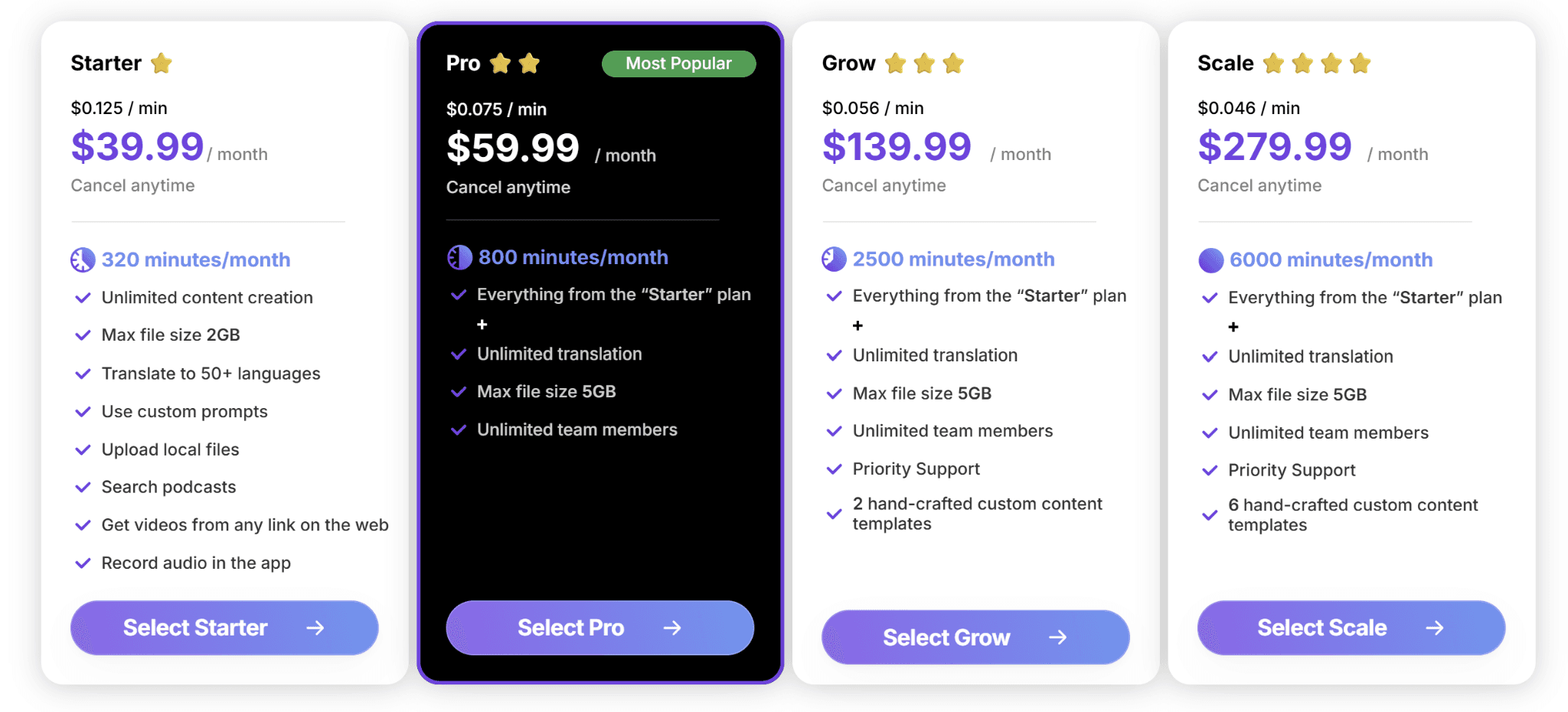
WhisperTranscribe ofrece una prueba gratuita con 60 minutos de transcripción incluidos, sin tarjeta de crédito. Los planes de pago están disponibles en nuestra página de precios.
Starter ($39.99/mes): 320 minutos, archivos de hasta 2GB, funciones principales.
Pro ($59.99/mes): 800 minutos, acceso para equipos, todas las funciones.
Grow ($139.99/mes): 2,500 minutos, soporte prioritario.
Scale ($279.99/mes): 6,000 minutos, soporte prioritario, plantillas personalizadas.
Todos los planes incluyen creación ilimitada de contenido y traducción multilingüe. También cuentas con opciones de pago por uso desde $9/hora para transcripciones ocasionales.
Ventajas
| Desventajas
|
2. Otter.ai
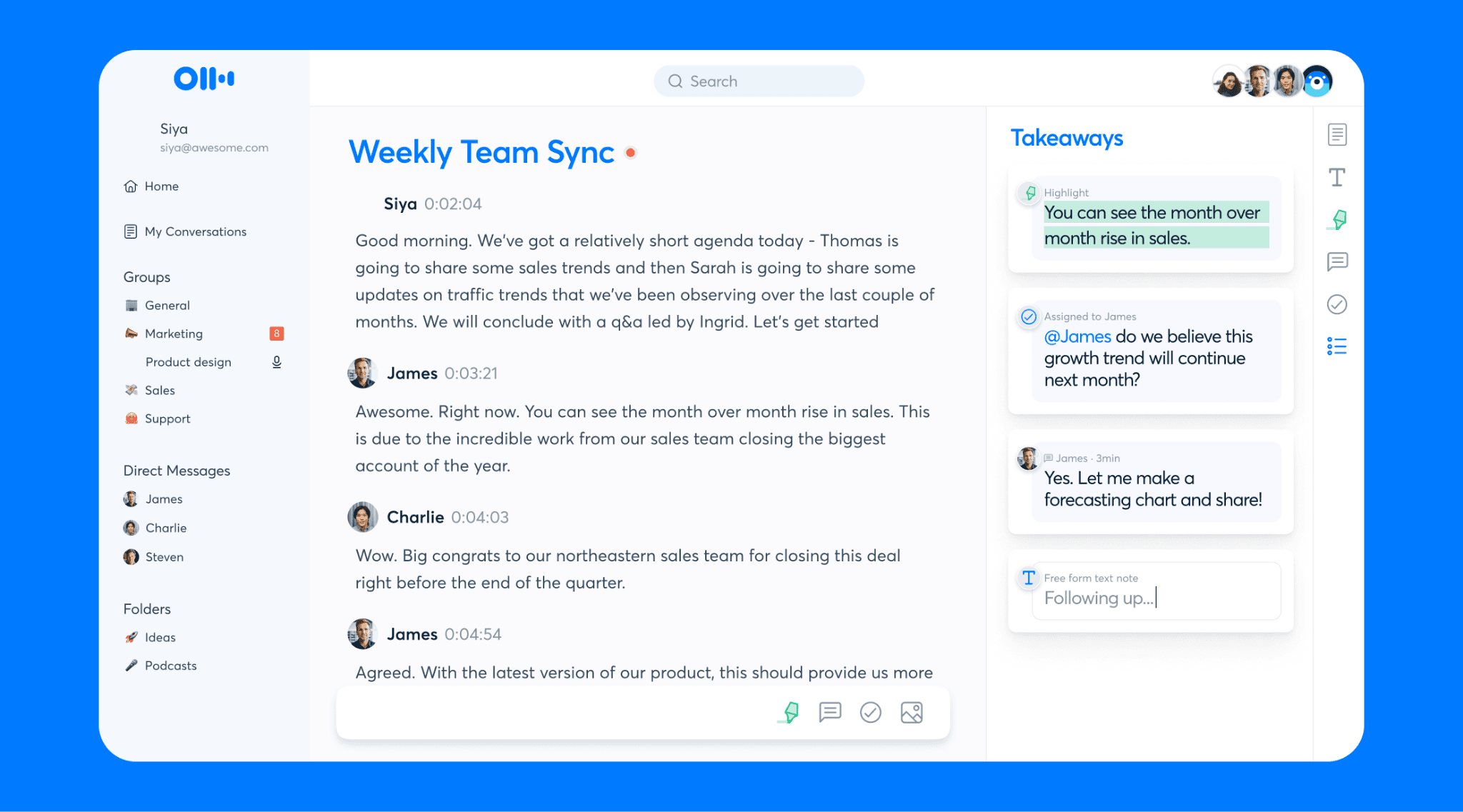
Otter.ai es uno de los servicios más populares para reuniones en Zoom, Google Meet o Microsoft Teams. Funciona como un asistente virtual que se une a tus llamadas corporativas, graba todo de manera automática y te entrega una transcripción estructurada con resúmenes rápidos.
Características clave
Resúmenes con IA: Transforma las reuniones en tareas claras y puntos de acción de forma automática.
Chat de IA por voz: Te permite hacer consultas sobre las reuniones pasadas de tu biblioteca.
Sincronización con calendario: Se conecta a tus llamadas agendadas de forma automática.
Precios
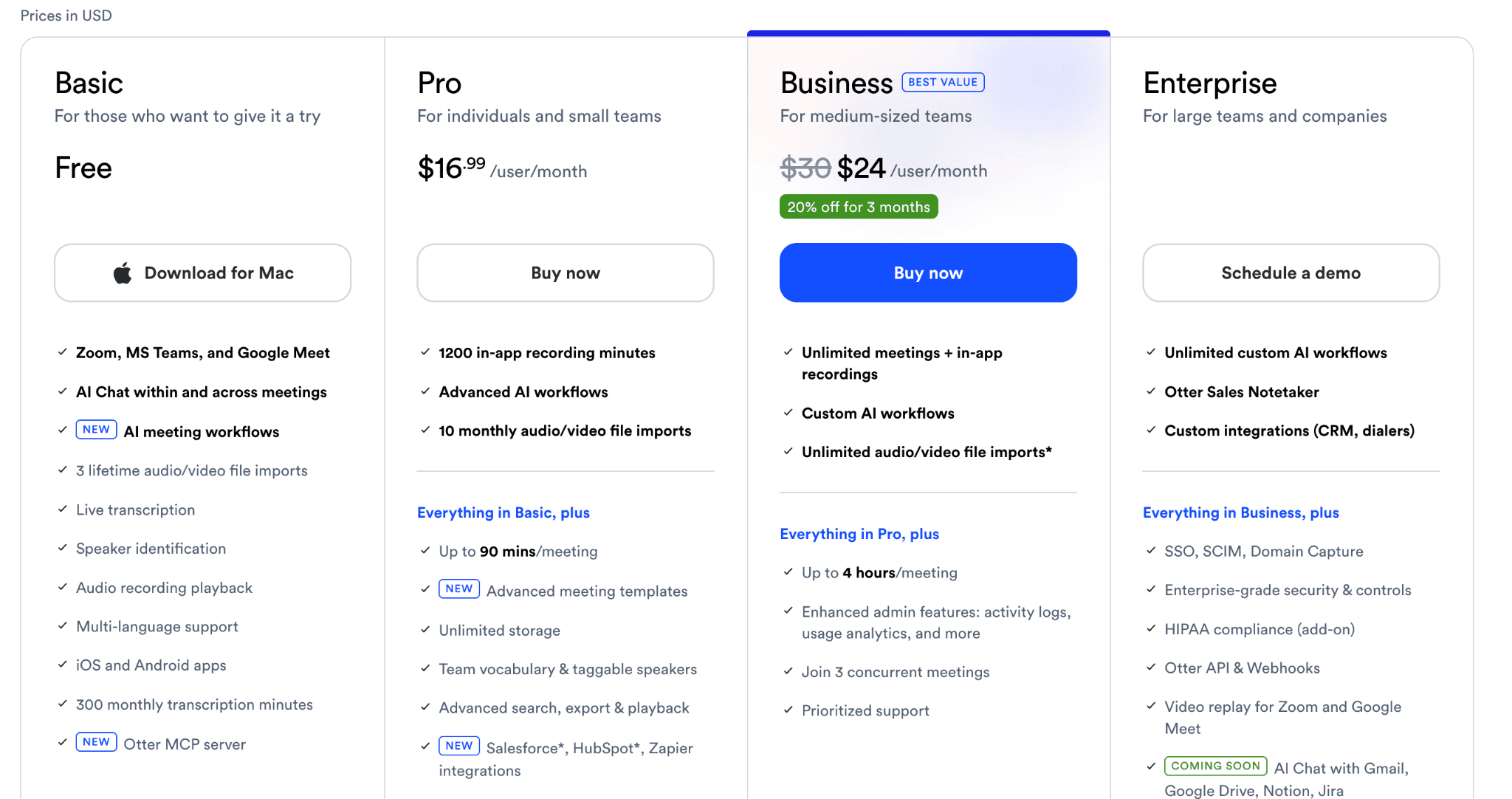
Basic: Gratis, hasta 300 minutos mensuales.
Pro: $16.99/usuario/mes por 1,200 minutos y espacio ilimitado.
Business: $24/usuario/mes para reuniones ilimitadas.
Enterprise: Precio personalizado con analíticas y controles avanzados de administración.
Ventajas
| Desventajas
|
3. Trint
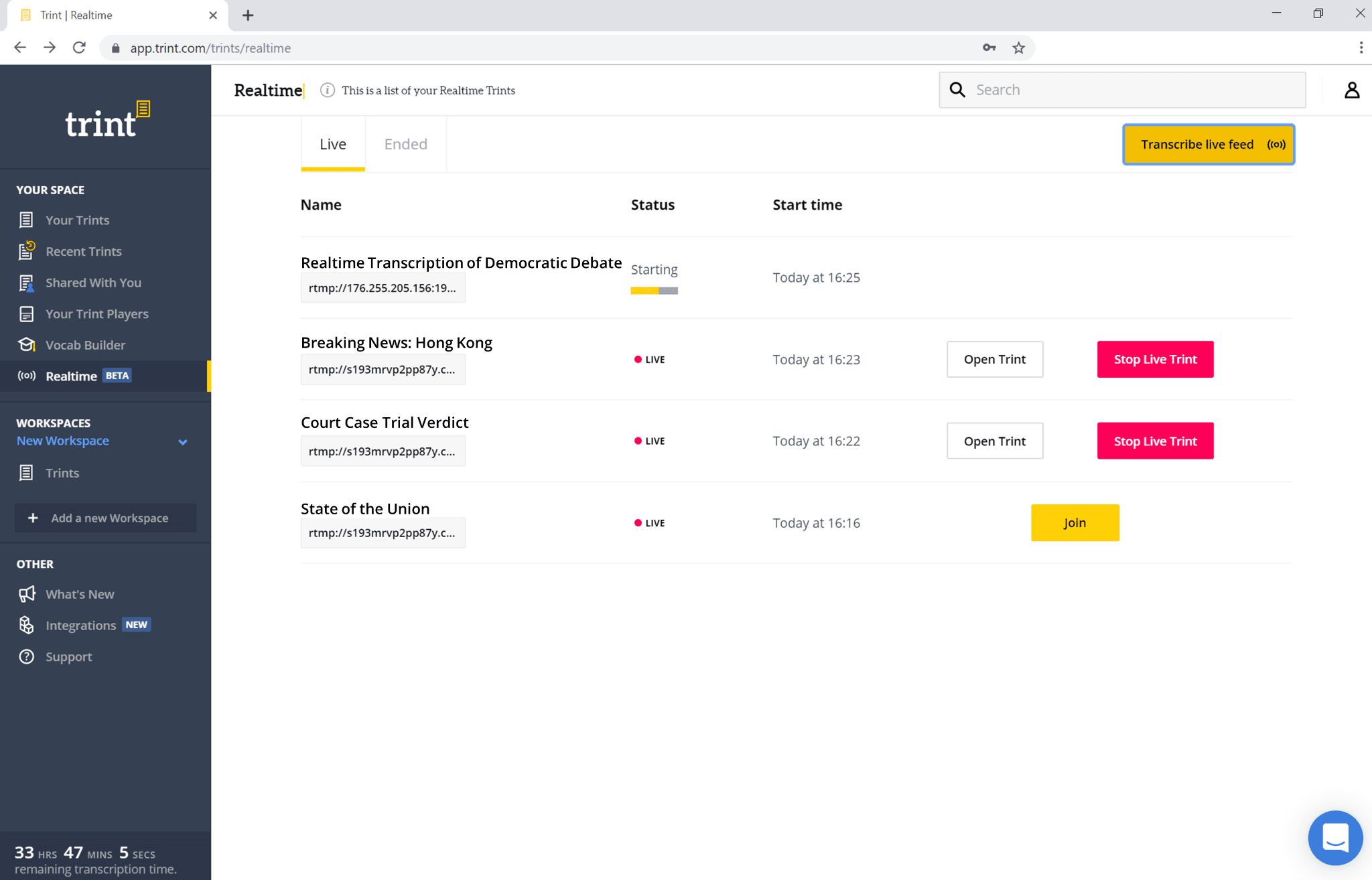
Trint está diseñado para periodistas y agencias de comunicación que trabajan juntos sobre textos. Ofrece traducción y transcripción de voz a texto con un editor integrado en la nube para trabajar en equipo.
Características clave
Edición en equipo: Múltiples profesionales pueden revisar e intervenir textos al mismo tiempo.
AI Story Builder: Combina citas de diferentes transcripciones en un solo guión organizador.
Seguridad corporativa: Certificación ISO 27001 con servidores en la Unión Europea y EE. UU.
Precios
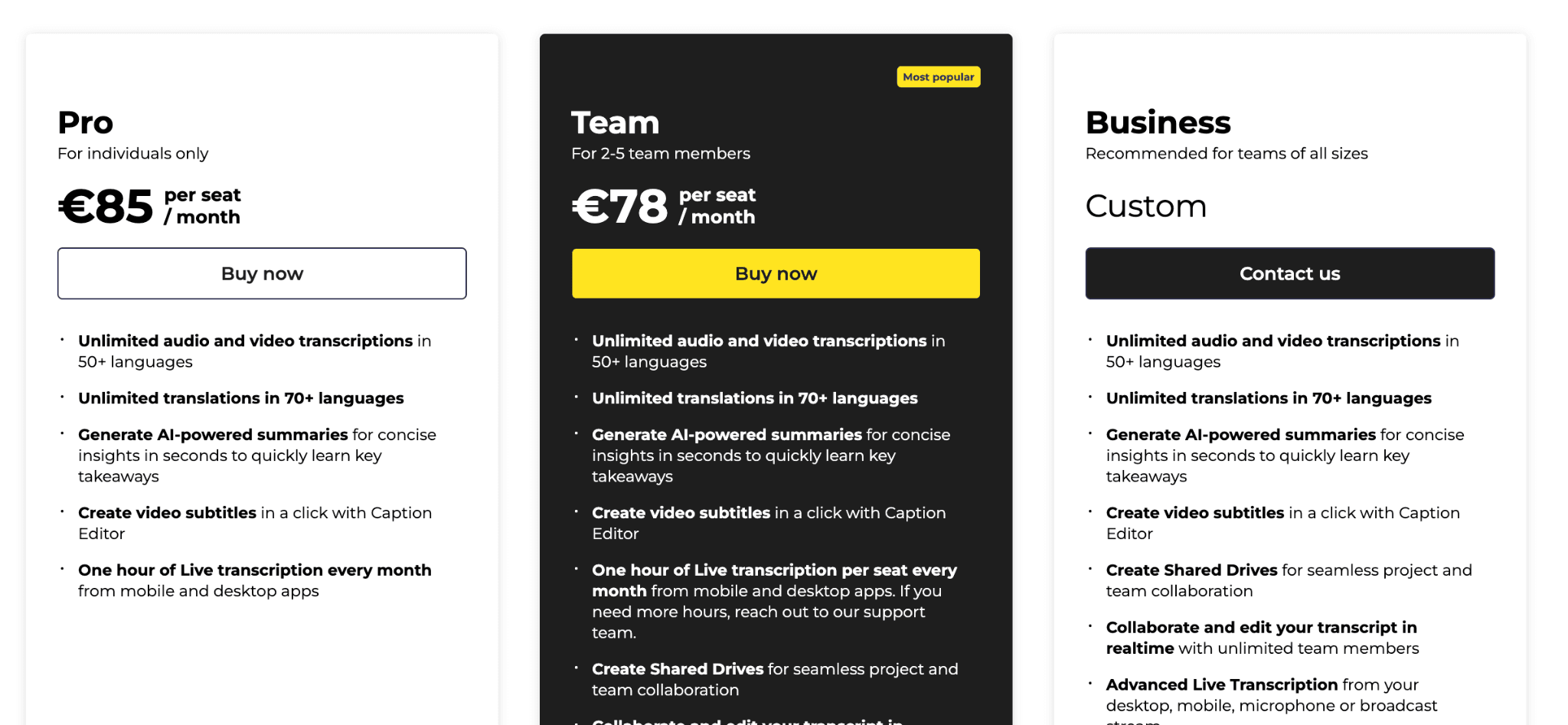
Pro: €85/usuario/mes (facturado anualmente)
Team: €78/usuario/mes (anual, de 2 a 5 integrantes).
Business: Precio para grandes corporaciones.
Ventajas
| Desventajas
|
4. Descript
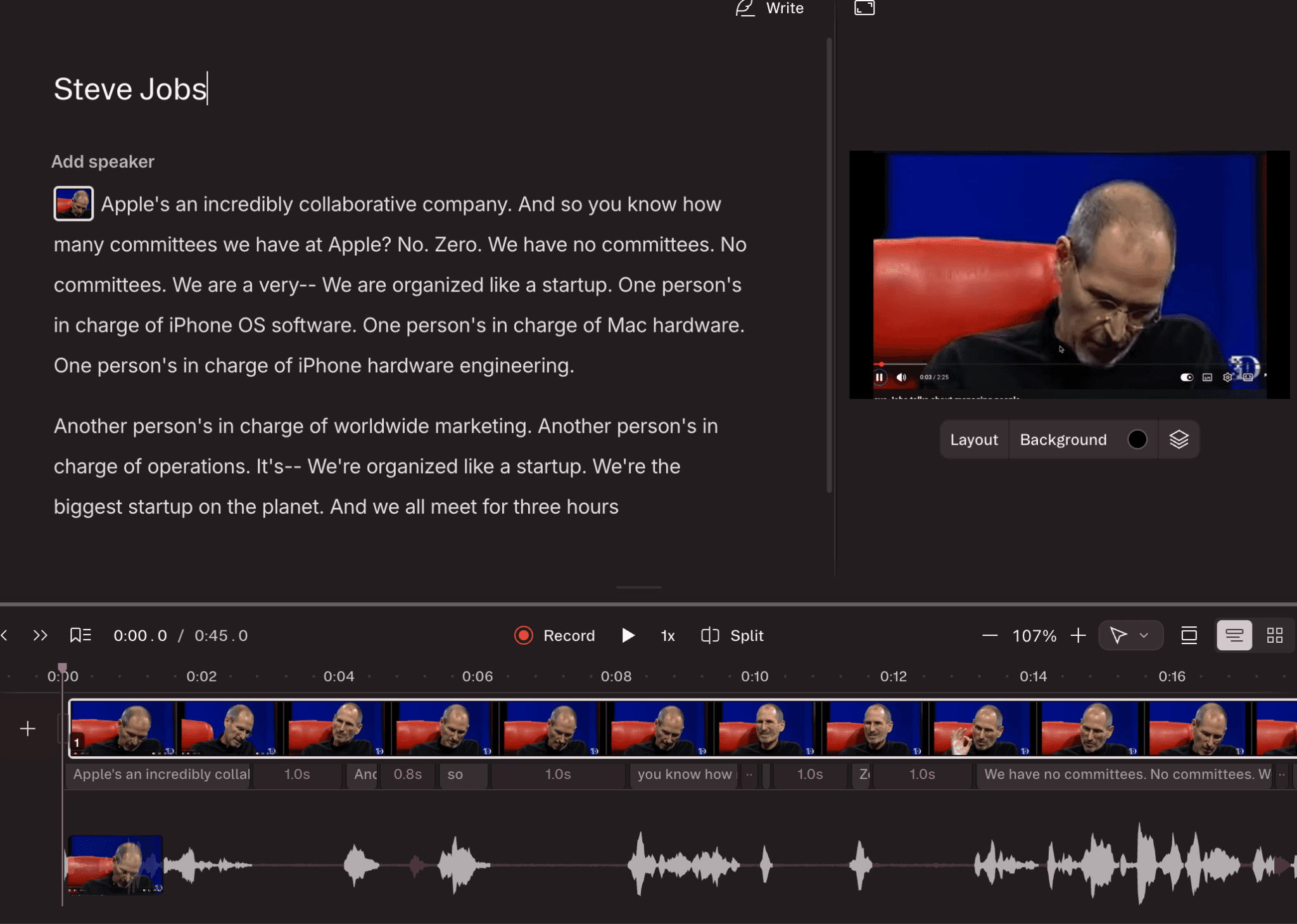
Descript integra transcripción automática con edición de video y audio. Permite editar grabaciones directamente modificando el texto de la pantalla, facilitando enormemente la producción multimedia.
Características clave
Edición basada en texto: Corta fragmentos de audio o video eliminando palabras del guión.
Eliminación de muletillas: Detecta y elimina