10 mejores alternativas a Otter AI para transcripciones en 2026
Resumen rápido
Esta guía analiza las mejores alternativas a Otter AI para transcribir reuniones y audios en texto preciso y buscable. Detalla los puntos fuertes y débiles de Otter.ai y compara las 10 mejores herramientas, como WhisperTranscribe, Notta y Fireflies.ai, en precisión, idiomas, precios, límites, grabación y flujos de trabajo.
Mejores opciones:
WhisperTranscribe: El mejor para privacidad y reutilizar contenido en más de 57 formatos
Descript: El mejor para podcasters y creadores de vídeo que editan mediante texto
Notta: El mejor para transcripción multilingüe en 58 idiomas
Fireflies.ai: El mejor para equipos de ventas que necesitan integración con CRM
Para ver más reseñas de este tipo, visita el blog de WhisperTranscribe.
¿Buscas las mejores alternativas a Otter AI?
Otter.ai transcribe bien las reuniones, pero sus límites aparecen rápido. El plan gratuito te limita a 300 minutos al mes y 30 minutos por llamada, mientras que el plan Pro solo admite inglés, francés y español. Cada grabación requiere que un bot de Otter se una a la reunión como participante.
Más allá de transcribir, ofrece pocas opciones para convertir grabaciones en artículos de blog, redes sociales o boletines. Para creadores, redactores, periodistas y equipos globales, esto frena la producción de contenido a gran escala.
En esta guía de WhisperTranscribe, comparamos las 10 mejores alternativas a Otter AI en 2026 según su precisión, idiomas, precios y flujos de trabajo.
¿Por qué confiar en nosotros?
En WhisperTranscribe, hemos ayudado a más de mil usuarios a convertir sus grabaciones en transcripciones buscables y contenido reutilizable. Trabajar con creadores, redactores, podcasters y equipos de investigación nos permite ver claramente las carencias de Otter.ai en proyectos reales.
Por qué buscar una alternativa a Otter AI
Límites de idioma: La transcripción se limita a seis idiomas, lo que frena a equipos multilingües, entrevistas internacionales o proyectos de investigación globales con ponentes de distintas regiones.
Límites de uso estrictos: El plan gratuito tiene 300 minutos al mes y el Pro 1.200 minutos. Los minutos no gastados no se acumulan, por lo que si tu carga de trabajo varía, te quedarás sin saldo o pagarás de más.
Llamadas con bot visible: Graba mediante un bot que se une como participante visible. Esto puede resultar molesto en llamadas con clientes, entrevistas o reuniones estratégicas privadas donde prefieres subir la grabación después.
Privacidad de datos: Los datos de usuario se usan para entrenar modelos de IA a menos que lo desactives. Para equipos con reuniones confidenciales o entrevistas de investigación, esto es un gran problema.
Pocas opciones de contenido: Genera textos y notas de reuniones, pero no ayuda a crear contenido. Quien prefiera convertir grabaciones en entradas de blog, posts para redes o boletines necesita otras herramientas de edición adicionales.
Las 10 mejores alternativas a Otter AI en 2026
Esta tabla compara las 10 mejores alternativas analizadas en la guía.
Herramienta | Especial para | Precio inicial | Idiomas | Ventaja clave |
Privacidad, reuniones, equipos y reutilizar contenidos | 39,99 $/mes | +55 (+99 de traducción) | +57 formatos desde una misma grabación | |
Notta | Reuniones internacionales | 13,49 $/mes | 58 | Transcripción en tiempo real de alta precisión |
Fireflies.ai | Equipos de ventas conectados a un CRM | 10 $/usuario/mes | +60 | Integración con HubSpot y Salesforce |
Descript | Podcasters y youtubers | 24 $/mes (plan Creador) | +30 | Edición de audio y vídeo mediante el texto |
Sonix | Creadores de contenido y periodistas | 10 $/hora (pago por uso) | +53 | Exportación con calidad de emisión profesional |
Rev | Proyectos de máxima precisión | 0,25 $/min (con IA) | +38 | Híbrido de IA más transcripción humana |
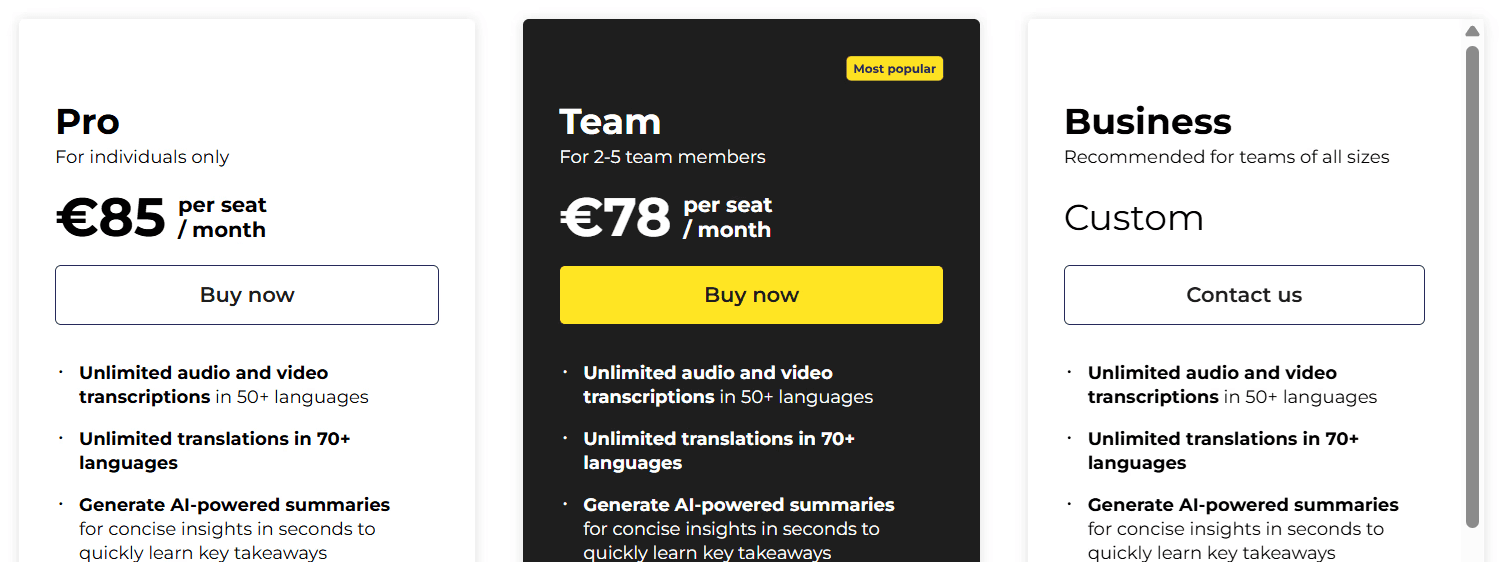
Trint | Equipos editoriales y prensa | 85 €/usuario/mes | +40 | Flujo de trabajo colaborativo para redacción |
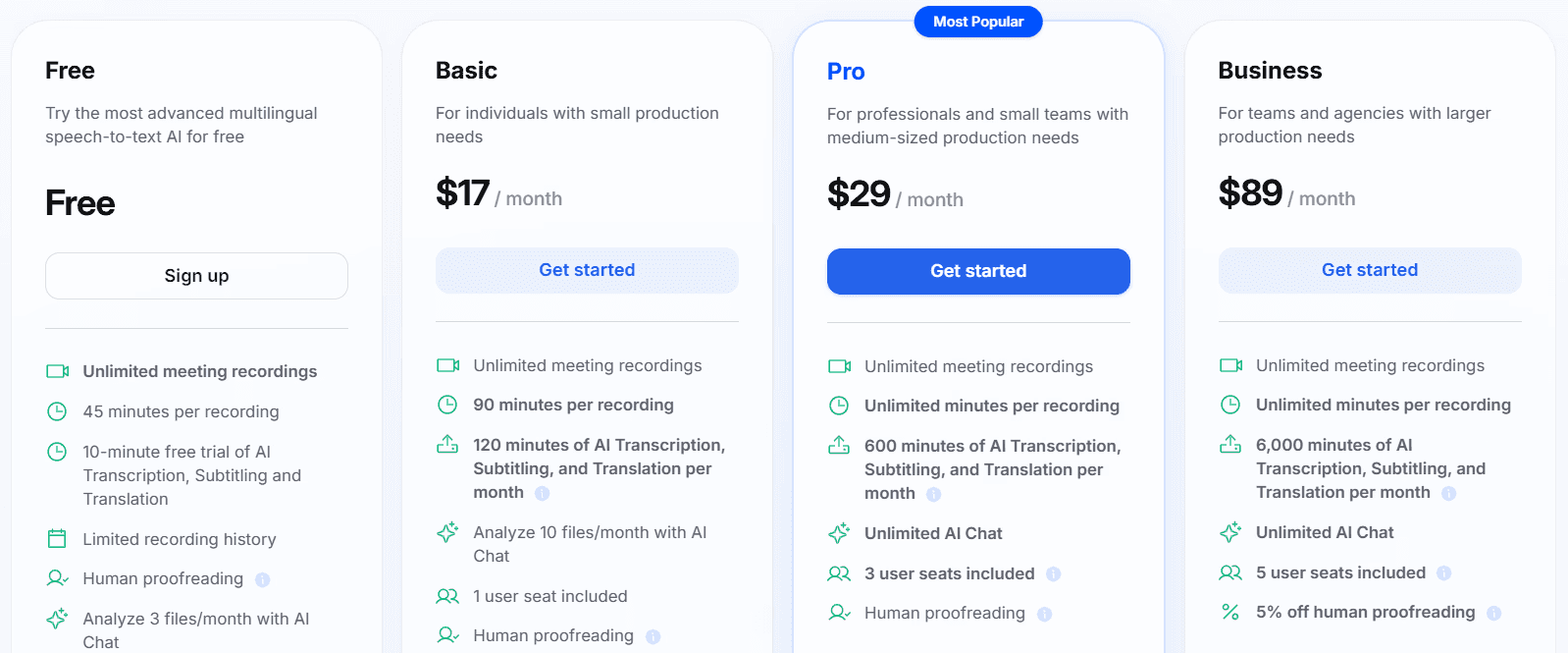
Happy Scribe | Creación de subtítulos | 17 $/mes | +60 | Editor enfocado primeramente en subtítulos |
MeetGeek | Documentar reuniones | 15,99 $/usuario/mes | +100 | Integración directa con CRM y flujos internos |
TurboScribe | Transcripción masiva de archivos | 10 $/mes (Ilimitado) | 98 | Procesado de archivos largos basado en Whisper |
Veamos ahora detalladamente cada herramienta.
1. WhisperTranscribe
WhisperTranscribe es la mejor opción entre las alternativas de Otter AI porque va mucho más allá de las simples anotaciones. Te permite transcribir de forma exacta y convertir grabaciones en diversos formatos en un mismo paso.
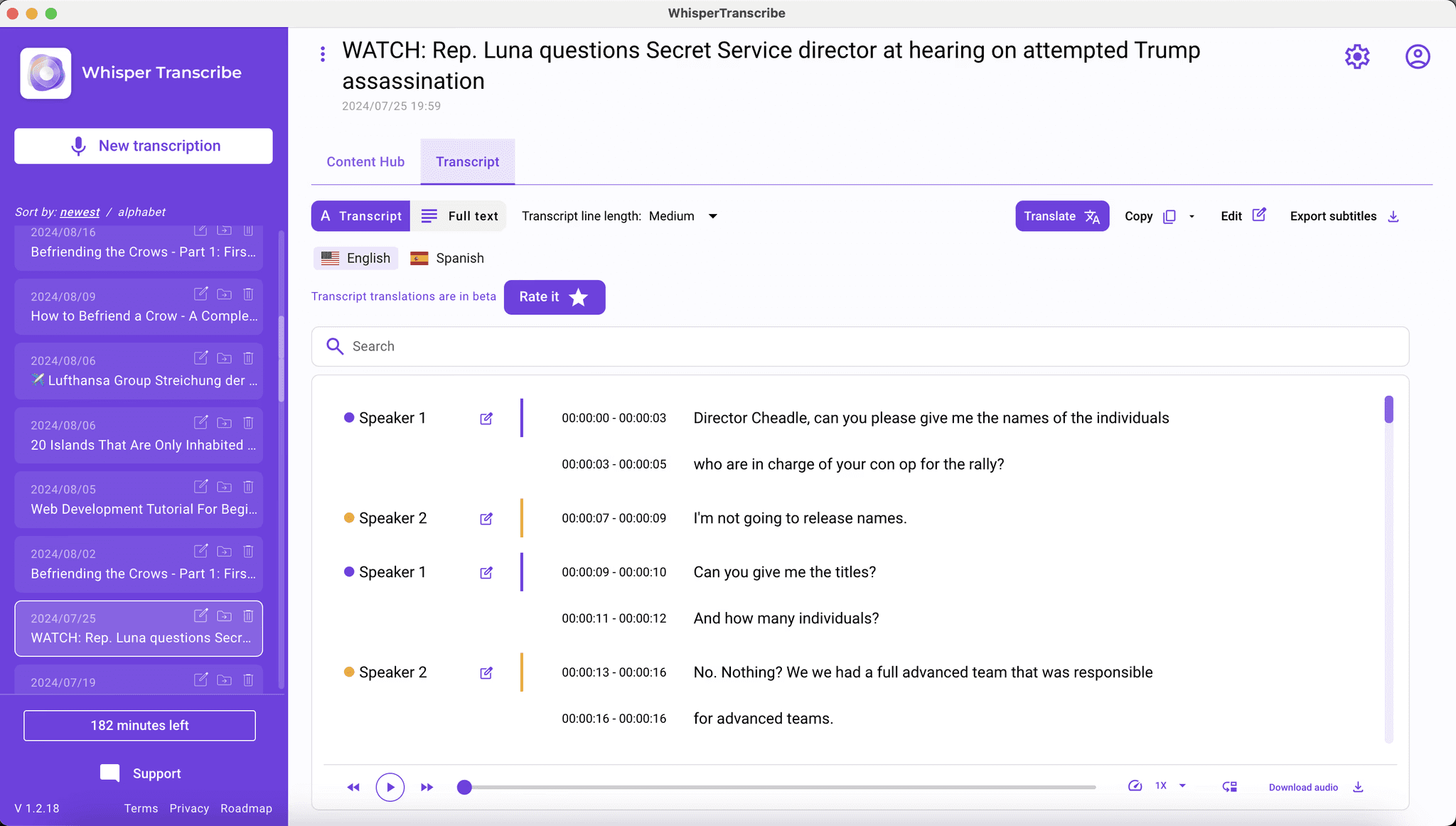
Basado en el modelo Whisper de OpenAI, WhisperTranscribe pasa tus audios y vídeos a texto con soporte para más de 55 idiomas y traducción inmediata a más de 99. Es perfecto para podcasts globales, entrevistas multiidioma y estudios internacionales donde Otter.ai se queda bastante corto.
A diferencia de Otter.ai, que se centra en el directo, WhisperTranscribe procesa archivos subidos y enlaces externos de plataformas como YouTube, Vimeo y podcasts. Sus apps de Mac y Windows permiten además trabajar en local, dándote un control total sobre tus grabaciones.
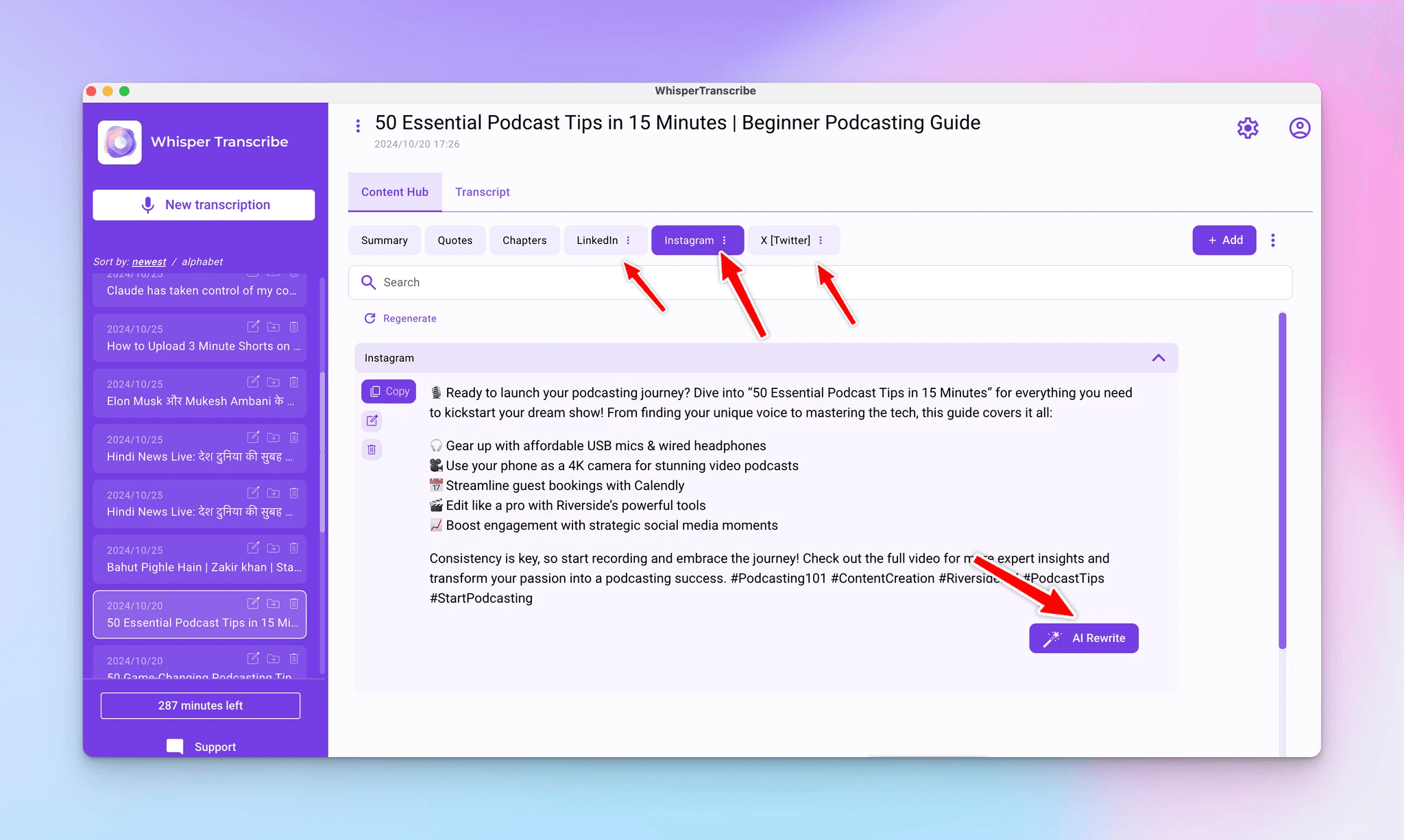
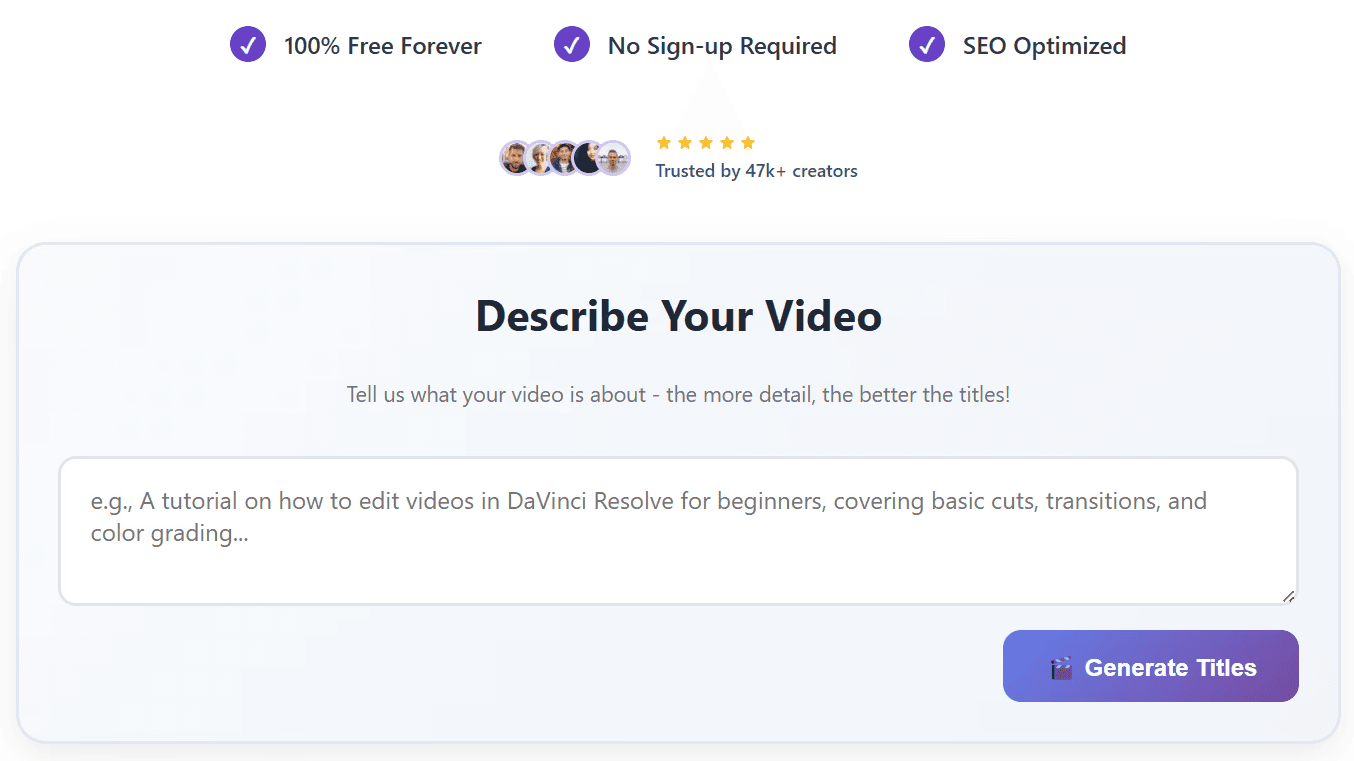
Tras subir el archivo, gestionas la transcripción, detección de hablantes y edición en un mismo panel. Puedes generar artículos de blog, resúmenes, notas de programas, posts para redes sociales y clips editables para TikTok o YouTube. Su chat integrado ('Magic Chat') te permite hacer preguntas directas al texto sin tener que volver a escuchar todo.
Características clave
95 % de precisión: Con tecnología OpenAI Whisper, ofrece textos limpios incluso con ruidos de fondo o acentos marcados.
Magic Chat para resolver dudas: Pregunta cosas del texto y obtén extractos del audio sin repasar la pista manualmente.
+57 formatos de contenido: Genera entradas de blog, notas del programa, subtítulos, redes y boletines sin cambiar de app.
Tono de marca personalizado: Entrena la IA con tus textos previos para clonar tu estilo en cada publicación.
Privacidad garantizada: Los archivos no salen de tu equipo, mantienes el 100 % de propiedad y los datos nunca entrenan IAs públicas.
Soporte lingüístico: Transcribe en más de 55 idiomas y traduce al instante a más de 99 de forma sincronizada con tus subtítulos.
Precios
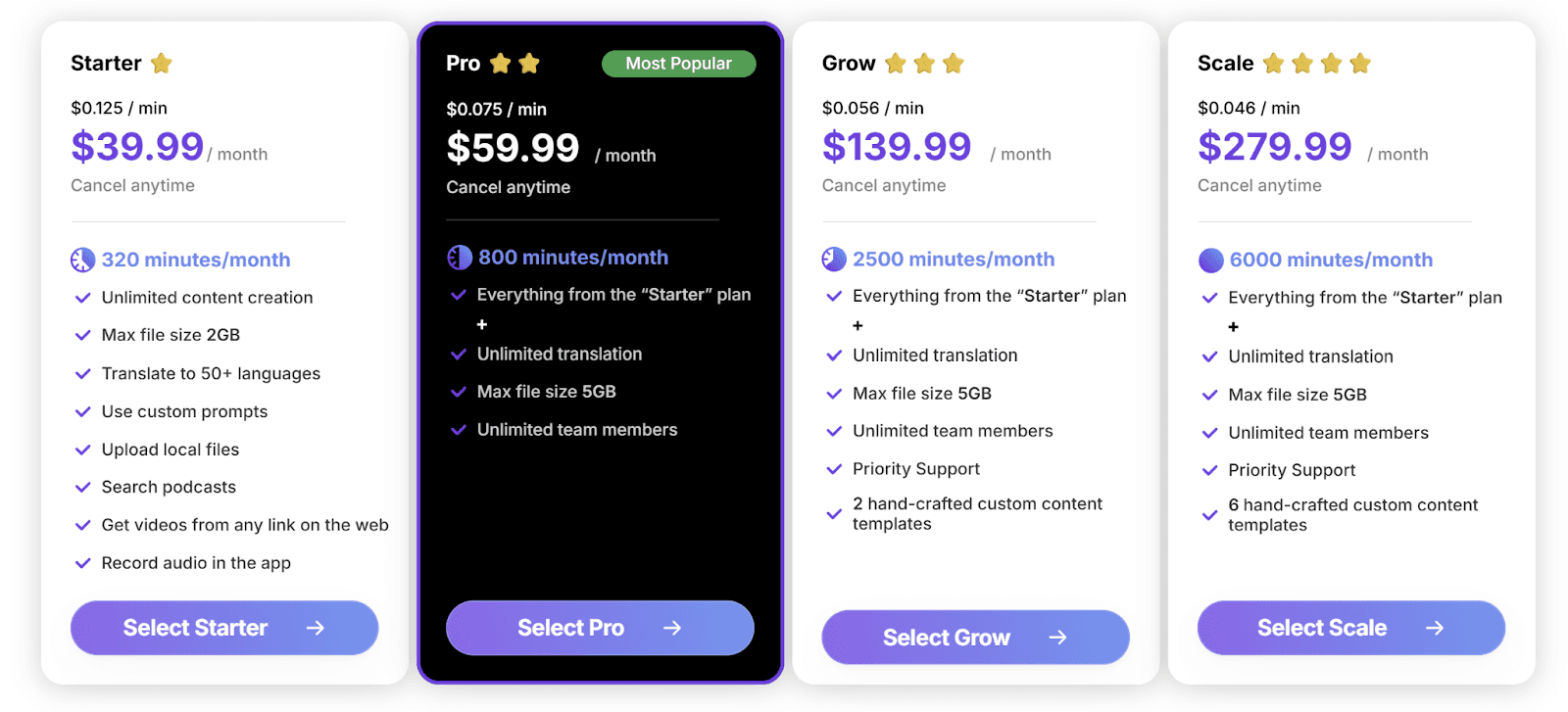
WhisperTranscribe tiene prueba gratuita de inicio, tras la cual puedes elegir de entre todos los planes disponibles.
Planes de pago:
Starter: 39,99 $/mes, 320 minutos, archivos de hasta 2 GB
Pro: 59,99 $/mes, 800 minutos, máx. 5 GB y equipo ilimitado
Grow: 139,99 $/mes, 2.500 minutos con soporte prioritario
Scale: 279,99 $/mes, 6.000 minutos y plantillas editoriales personalizadas
El pago anual ahorra hasta un 50 %. El pago por uso empieza en 9 $/hora. Hay disponibles planes corporativos y personalizados.
Pros
| Contras
|
2. Notta
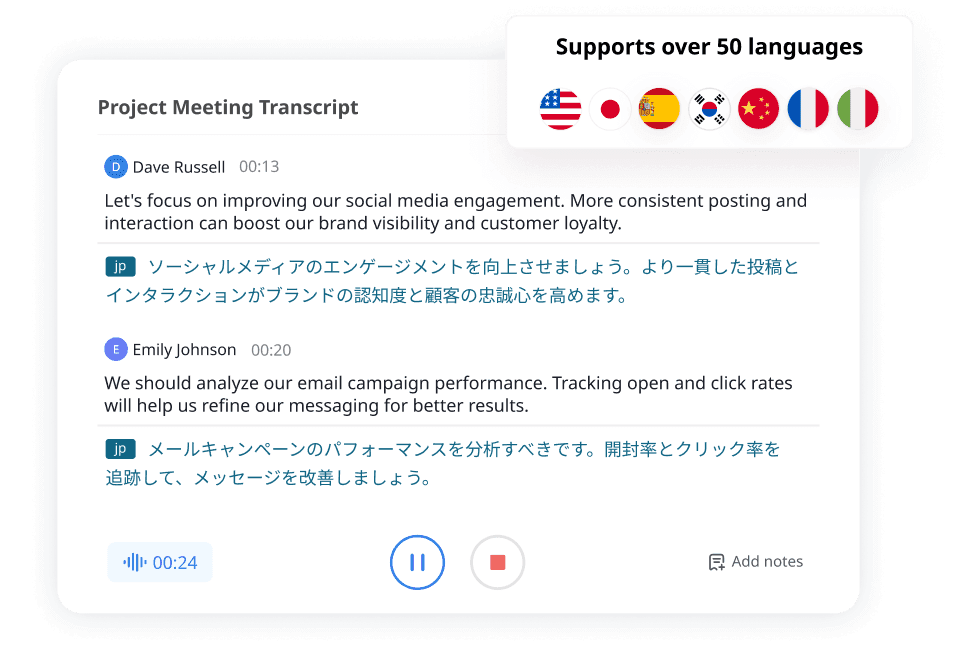
Notta es de las mejores opciones en reuniones y archivos de audio si buscas transcribir. Con más idiomas que Otter.ai, graba fácil en Zoom, Google Meet y Teams, exportando a formatos como TXT, DOCX, SRT y PDF, aunque está más enfocado a transcribir que a generar nuevos formatos.
Características clave
Soporte lingüístico amplio: Transcribe en 58 idiomas.
Robot de Notta: Entra de forma automatizada en tus reuniones virtuales.
Resúmenes inteligentes: Extrae rápidamente los puntos más importantes del acta.
Acceso multidispositivo: Usable en ordenador, móviles y Chrome.
Precios
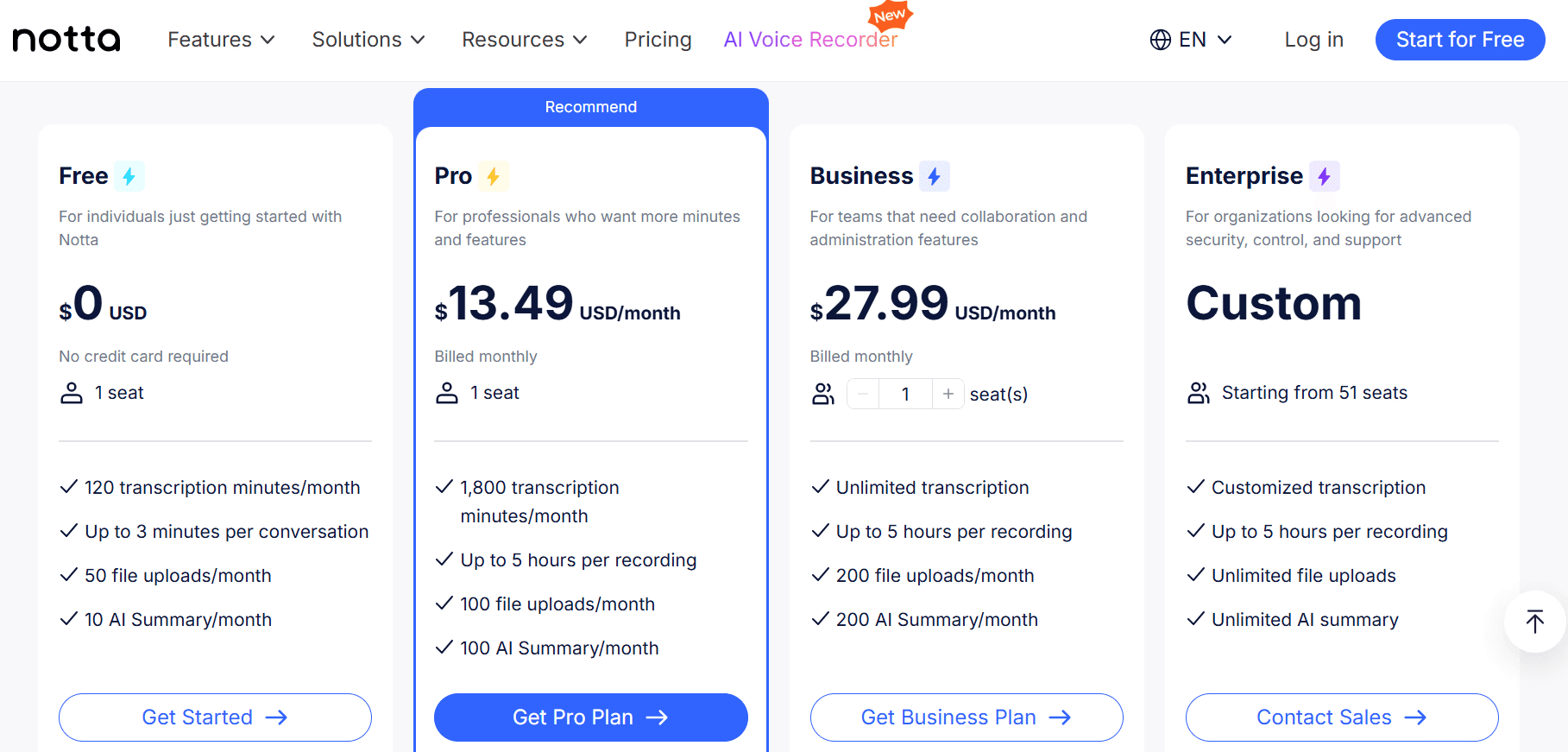
Versión gratis limitada. Plan Pro por 13,49 $/mes y Business por 27,99 $/usuario/mes.
Pros
| Contras
|
3. Fireflies.ai
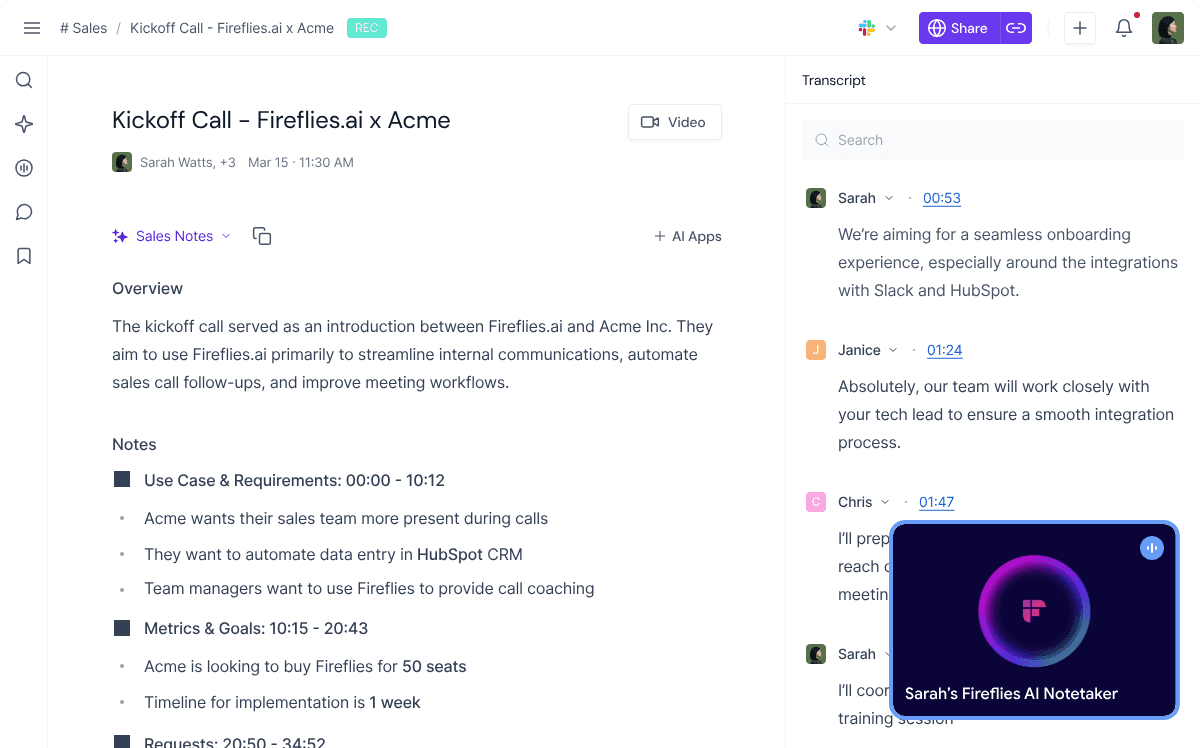
Fireflies.ai supera a Otter.ai en uso de ventas y gestión comercial. Registra videoconferencias en equipos habituales, cuenta con más de 60 idiomas e integra la información en CRM comunes como Salesforce, HubSpot o Pipedrive.
Los comerciales logran archivar historiales sin esfuerzo, agendar tareas y guardar los datos de seguimiento junto a sus oportunidades en curso.
Características clave
Asistente automatizado: Accede a las principales plataformas de reunión.
Volcado a CRM: Sube las actas a HubSpot, Salesforce y Pipedrive.
Buscador por IA: Consulta datos concretos en tu biblioteca mediante chat.
Métricas de voz: Analiza tiempos de charla, sentimientos e hitos de reunión.
Precios
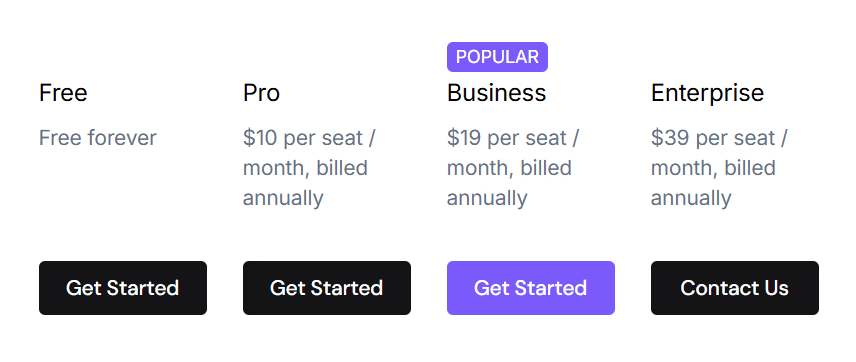
Tiene plan sin coste. Plan Pro por 10 $/usuario/mes, Business por 19 $/usuario/mes, Enterprise por 39 $/usuario/mes.
Pros
| Contras
|
4. Descript
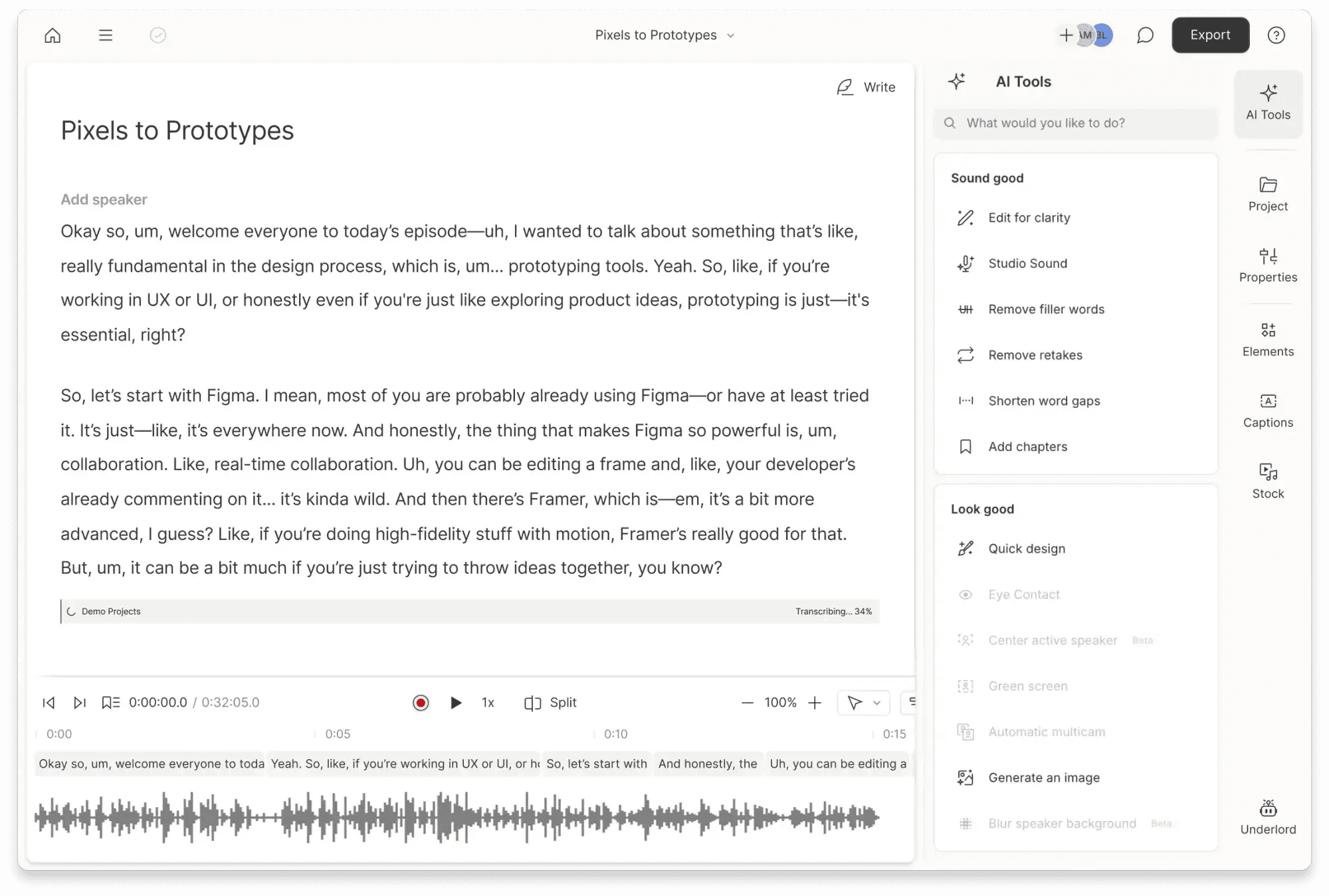
Descript propone un concepto distinto para edición. Tras pasar el audio a pantalla, el usuario puede manipular pistas, recortar silencios, pulir muletillas o crear subtítulos retocando directamente las palabras de los renglones.
Ofrece mayor margen de maniobra que el mero gestor de notas de Otter.ai. Es ideal para la producción de podcasts, vídeos de YouTube o entrevistas antes de lanzarlos al público.
Características clave
Editor de texto y audio vinculados: Monta multimedia reescribiendo.
Limpieza de muletillas: Suprime vacilaciones tipo "eh" con un clic.
Subtítulos de marca: Genera rótulos vistosos para RRSS y YouTube.
Módulo multilingüe: Múltiples lenguas para doblajes y traducciones rápidas.
Precios
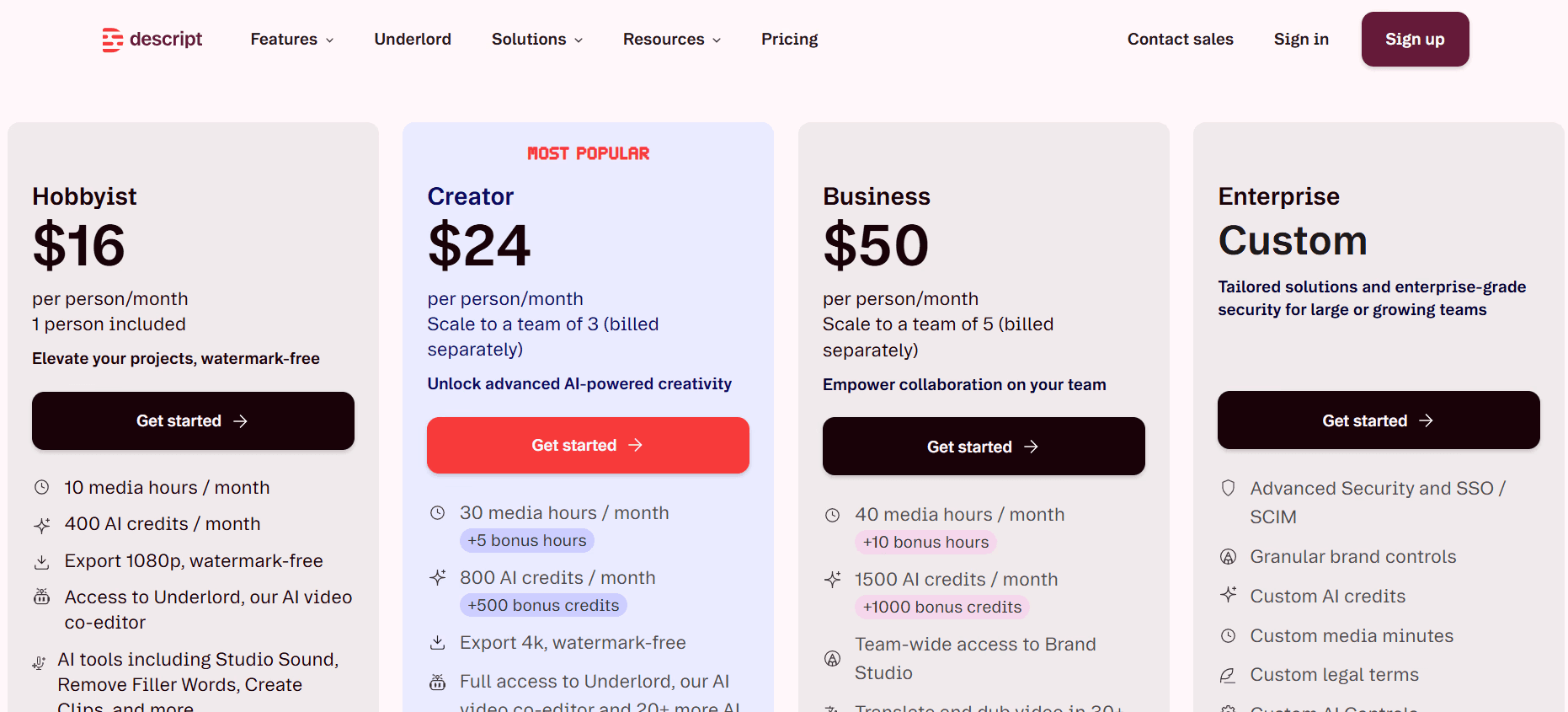
Gratis limitado a 1 hora de montaje mensual. Hobbyist por 16 $/mes, Creator por 24 $/mes y Business por 50 $/mes.
Pros
| Contras
|
5. Sonix
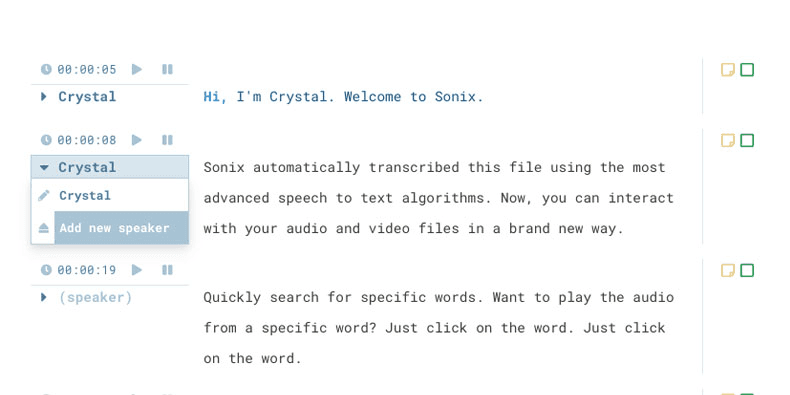
Sonix está ideado para manejar archivos estables en lugar de llamadas directas. Es ideal para periodistas, productores de medios o posproducción que exigen una corrección máxima en podcasts, ponencias, seminarios y reportajes.
Frente a la prioridad de Otter habitual por la llamada actual, Sonix prioriza publicar y traducir. Permite transcripción en más de 53 idiomas, subtitulado avanzado al frame, diccionarios de marcas y cargas por lotes.
Características clave
IA de máxima fidelidad: Gran desempeño en voces con buena definición.
+40 idiomas: Orientado al contenido con traducción global inmediata.
Diccionarios de términos: Evita fallos con marcas comerciales o jerga técnica.
Módulo de exportación de subtítulos: Salida ágil en formatos SRT, VTT, etc.
Precios
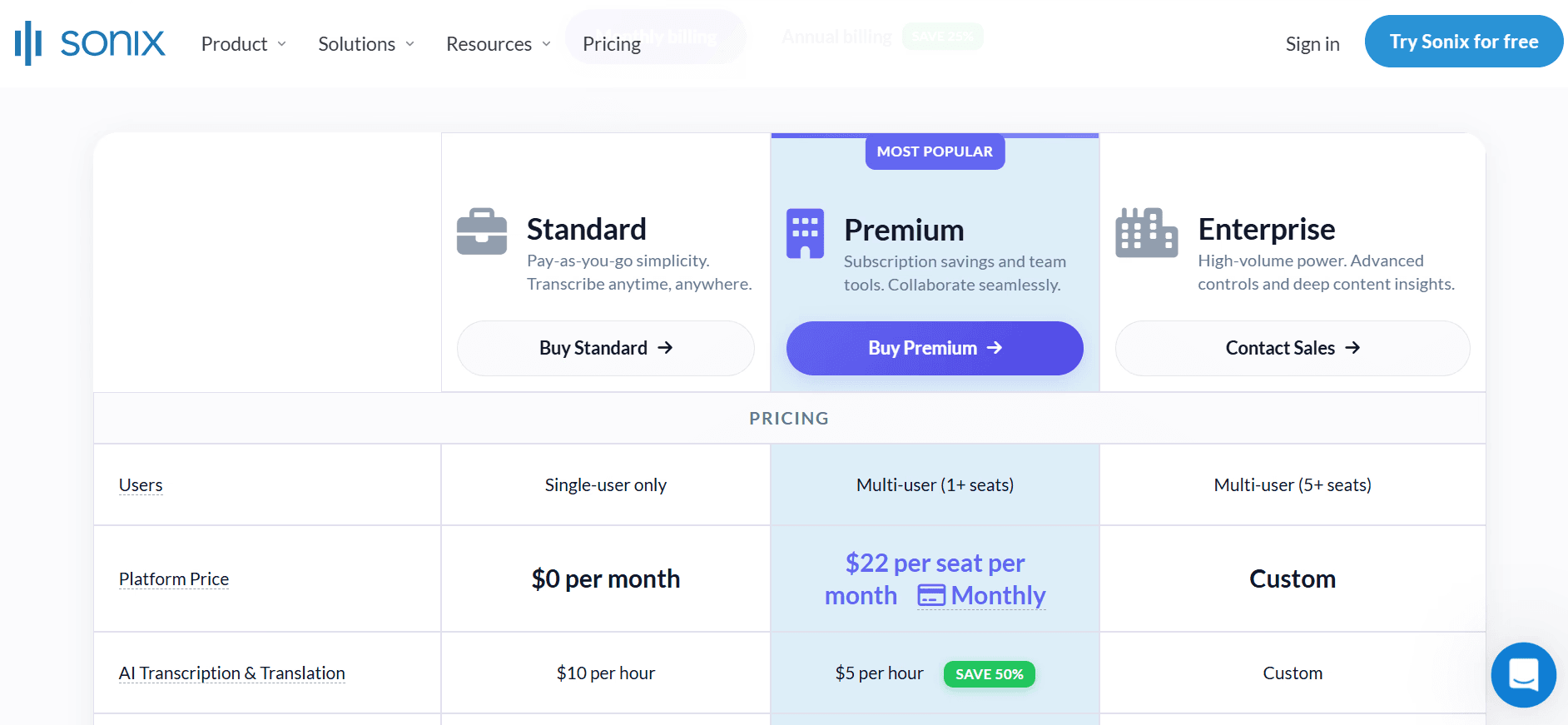
Pago por uso a 10 $/hora. Opción Premium por 22 $/usuario/mes + 5 $/hora (descuento anual).
Pros
| Contras
|
6. Rev
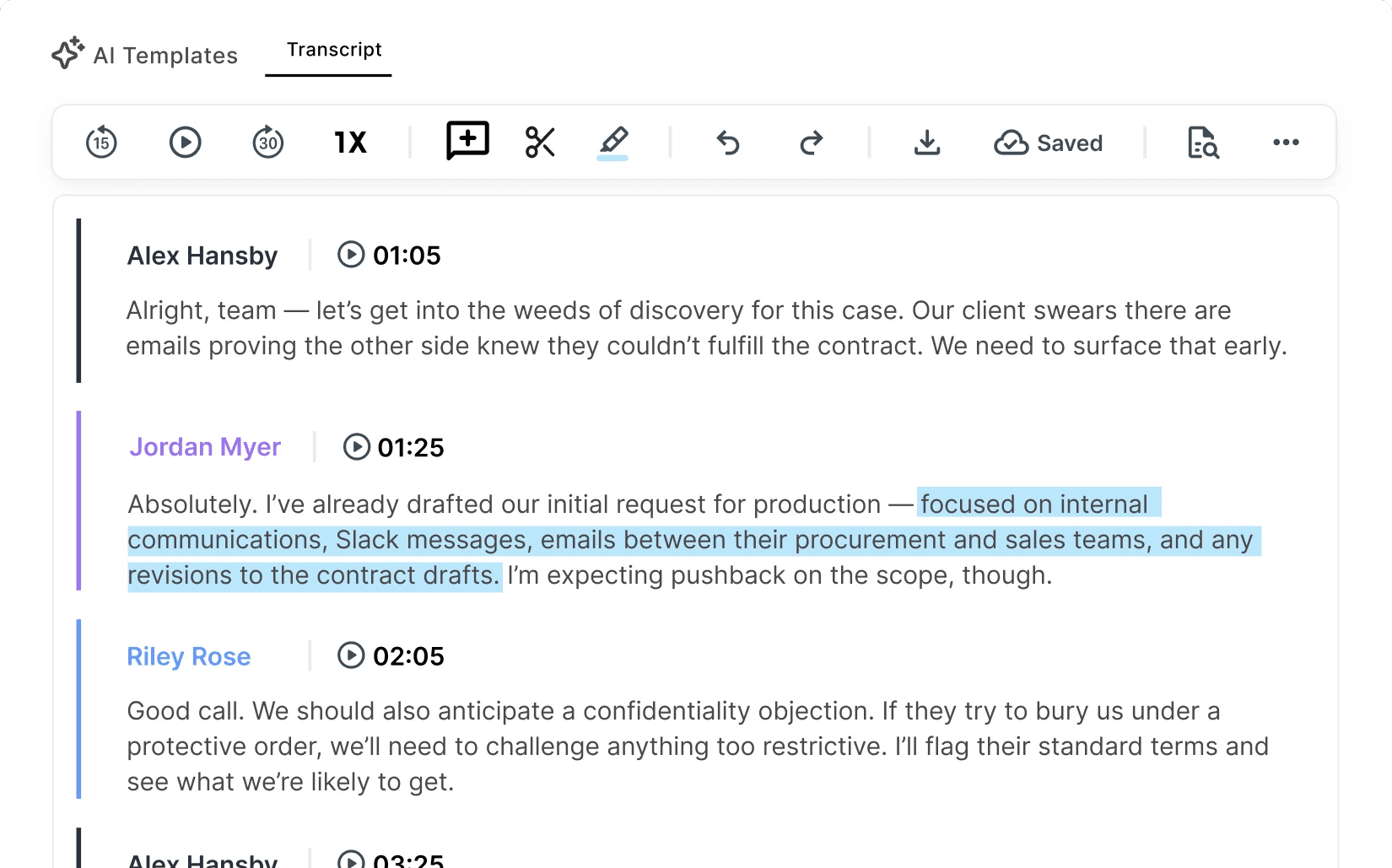
Rev está enfocado a aquellos que buscan un resultado impecable que la pura automatización no da. A diferencia de Otter.ai, es posible delegar las grabaciones a expertos humanos nativos cuando cada mínimo matiz cuenta de verdad.
Es por ello la alternativa elegida por bufetes de abogados, investigación académica avanzada o prensa judicial, donde los errores normales de la automatización pueden ser críticos.
Características clave
Doble opción: Velocidad económica de IA o fiabilidad manual humana.
Subtítulos homologados: Cumple estándares televisivos exigentes.
Formatos clásicos: Descarga sencilla de SRT, VTT, DOCX, TXT.
Mantenimiento confidencial: Flujos compatibles con HIPAA en planes cualificados.
Precios
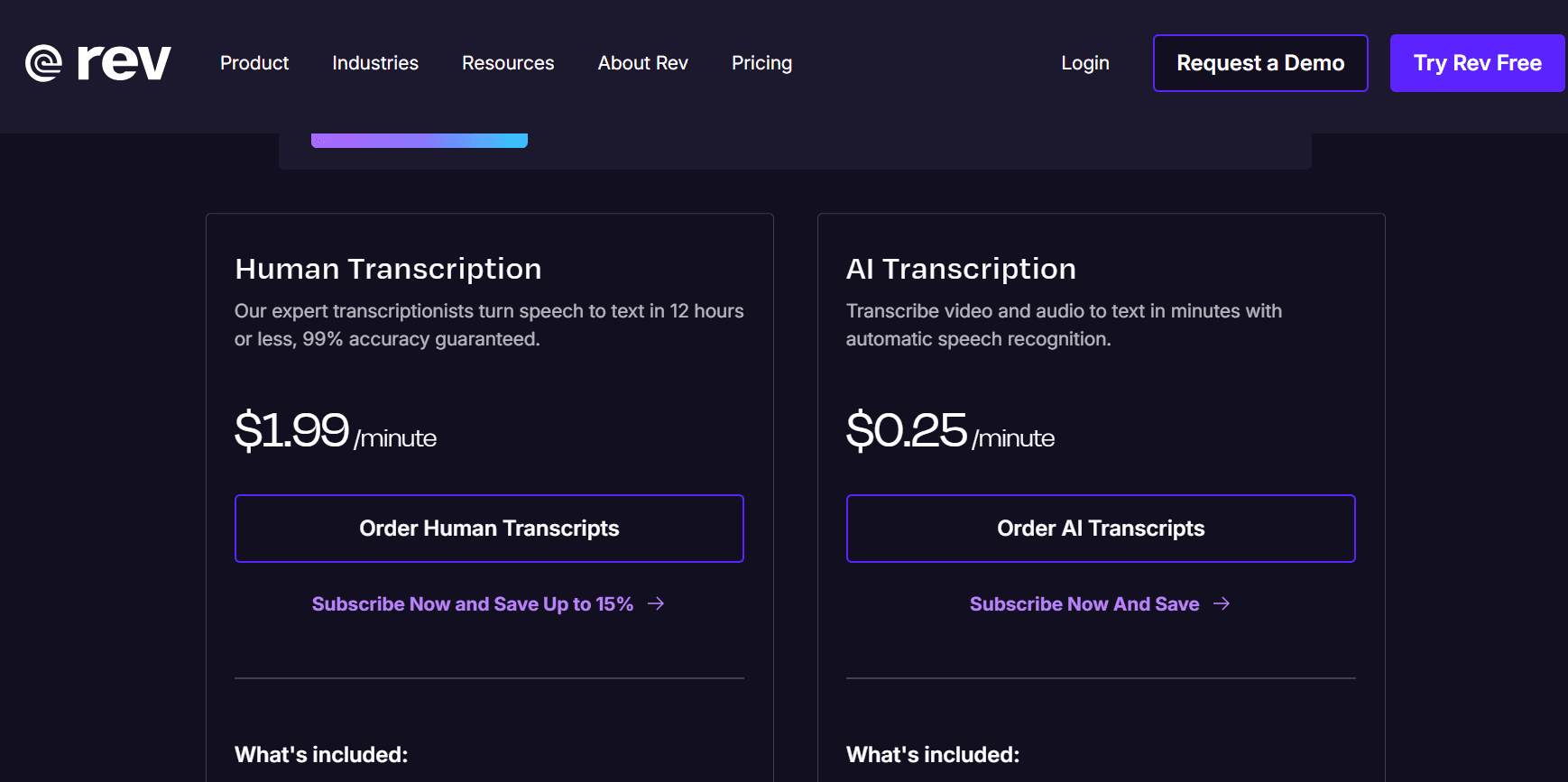
Proceso automático a 0,25 $/minuto. Transcriptor profesional humano a 1,99 $/minuto. Hay planes con cargos cerrados.
Módulo básico gratuito. Essentials por 29,99 $/usuario/mes. Plan Pro por 59,99 $/usuario/mes. Oferta corporativa viable.
Pros
| Contras
|
7. Trint
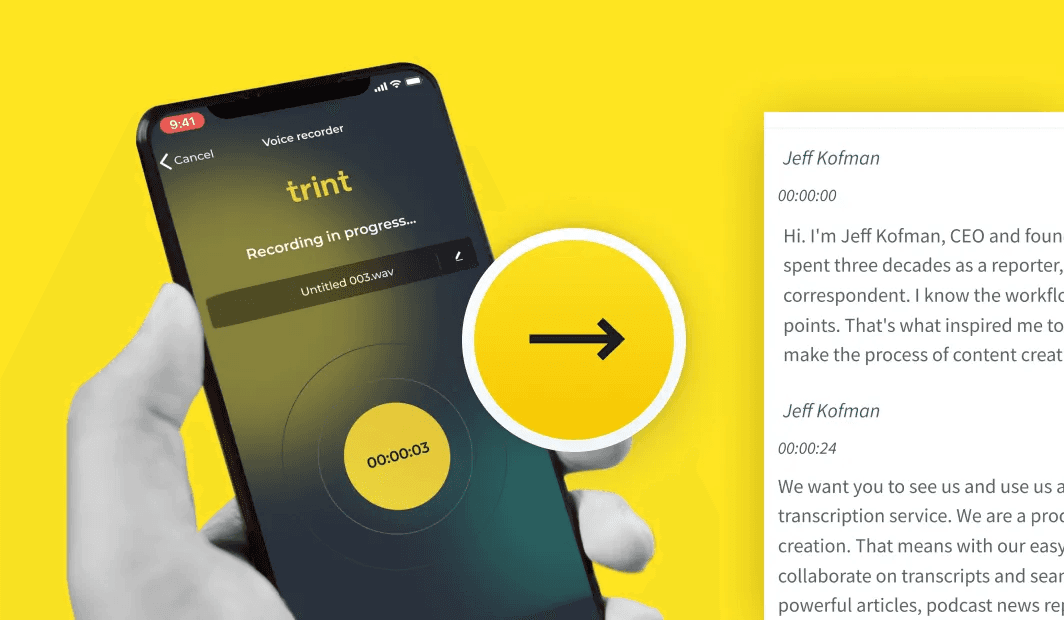
Trint es una plataforma de transcripción web por IA para agencias de periodismo, prensa e informativos. Cuenta con más de 40 idiomas y la usan medios de prestigio internacional como la BBC.
Su gran punto fuerte ante Otter.ai es el ecosistema colaborativo para redactores. En lugar de limitarse a guardar llamadas, facilita que equipos periodísticos editen transcripciones de forma conjunta en áreas seguras para procesar noticias veloces.
Características clave
Flujo periodístico: Redactores y analistas editan al segundo.
+40 idiomas: Textos exactos con detección de interlocutores y traducción.
Seguridad blindada: Certificación internacional ISO 27001 y Cyber Essentials.
Campos terminológicos: Registro de hasta 100 conceptos clave para evitar errores.
Precios
Prueba gratuita disponible. Plan Pro por 85 €/usuario/mes. Tarifas de Agencia y Corporativas desde 78 €/usuario/mes.
Pros
| Contras
|
8. Happy Scribe
Happy Scribe destaca por dar solución al doblaje, transcripciones y traducción de pistas. Dispone de soporte en más de 60 idiomas combinando automatización e intervención humana.
En comparación de Otter.ai, más enfocado a oficina, Happy Scribe se adapta mejor a flujos de trabajo de traducción audiovisual. Ideal para montar subtítulos coordinados, traducir internacionalmente y subir documentales listos a servidores.
Características clave
IA + opción humana: Equilibrio ideal de velocidad o calidad según urgencias.
+60 idiomas: Localización de audio en mercados globales.
Plataforma de edición de subtítulos: Editor visual preciso.
Integraciones fluidas: Soporta YouTube, Zoom y suites clásicas de montaje.
Precios
Versión de prueba. Suscripciones normales a partir de 17 $/mes, con tasas por minuto para el trabajo humano.
Pros
| Contras
|
9. MeetGeek
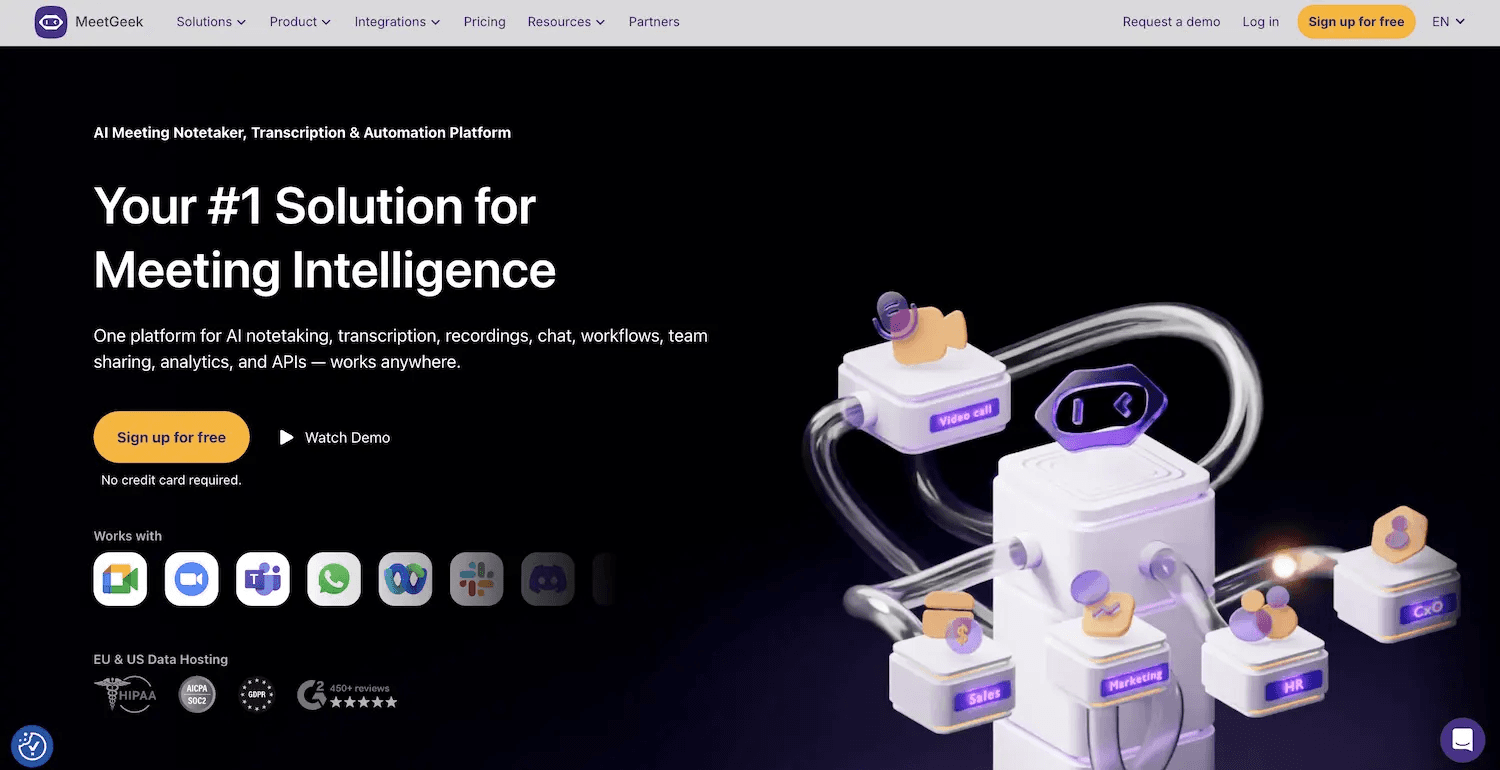
MeetGeek convence a los equipos que necesitan almacenar notas de videoconferencias en sus plataformas colaborativas habituales. Permite grabar videollamadas, resumiendo hitos, conclusiones y puntos pendientes en Zoom, Meet y Microsoft Teams.
Tiene una gran ventaja frente a Otter.ai por su conectividad postreunión ya que exporta datos a Slack, Notion, HubSpot y ClickUp ágilmente y añade más lenguas para facilitar el trabajo a equipos internacionales.
Características clave
Grabación automática: Transcribe en más de 50 idiomas.
Resumen inteligente: Filtra notas decisivas y programa tareas.
Conexión con apps habituales: Sincronización ágil con Slack o Drive.
Seguridad y cumplimiento: Cumple normativas GDPR y SOC 2.
Precios
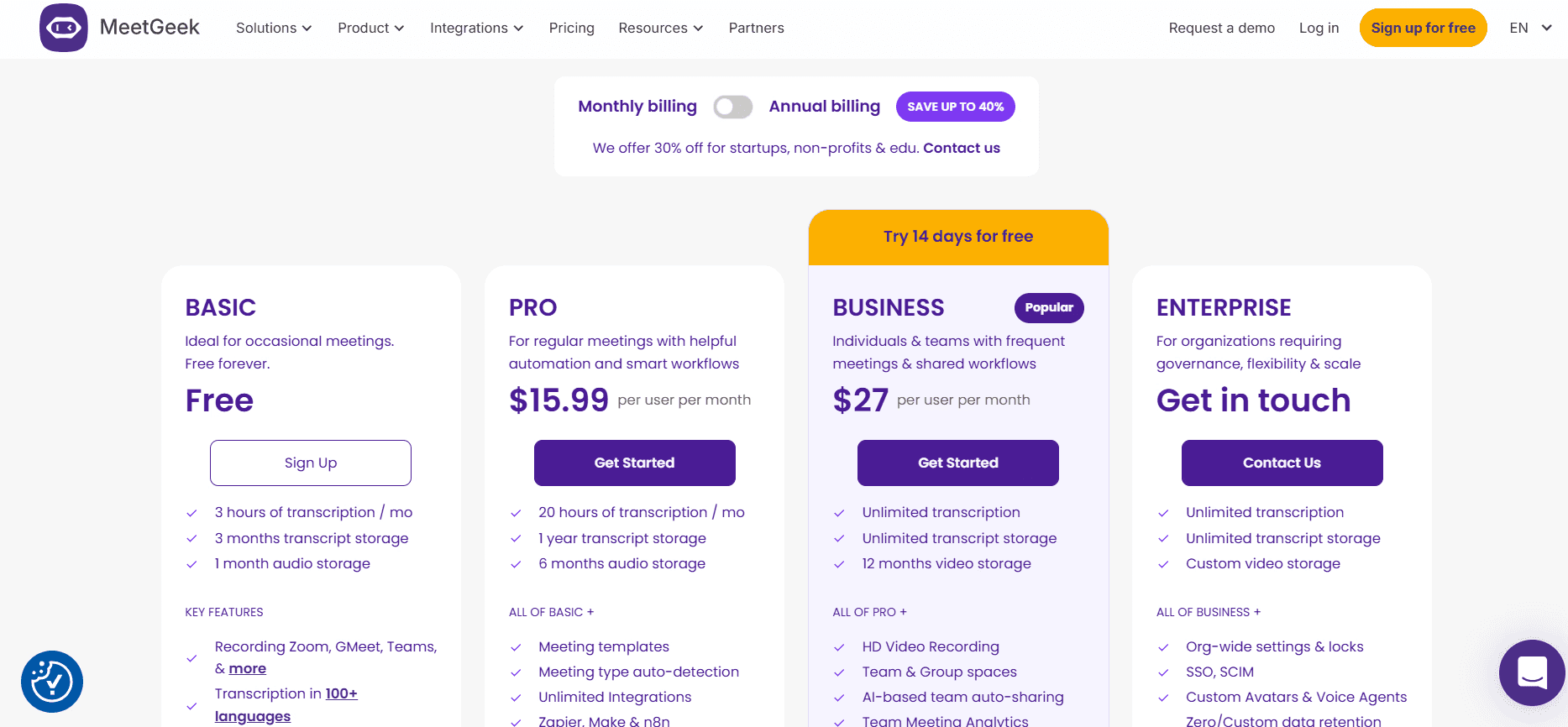
Ofrece versión sin coste básica. Pro por 15,99 $/usuario/mes, Business por 27 $/usuario/mes y Enterprise a medida.
Pros
| Contras
|
10. TurboScribe
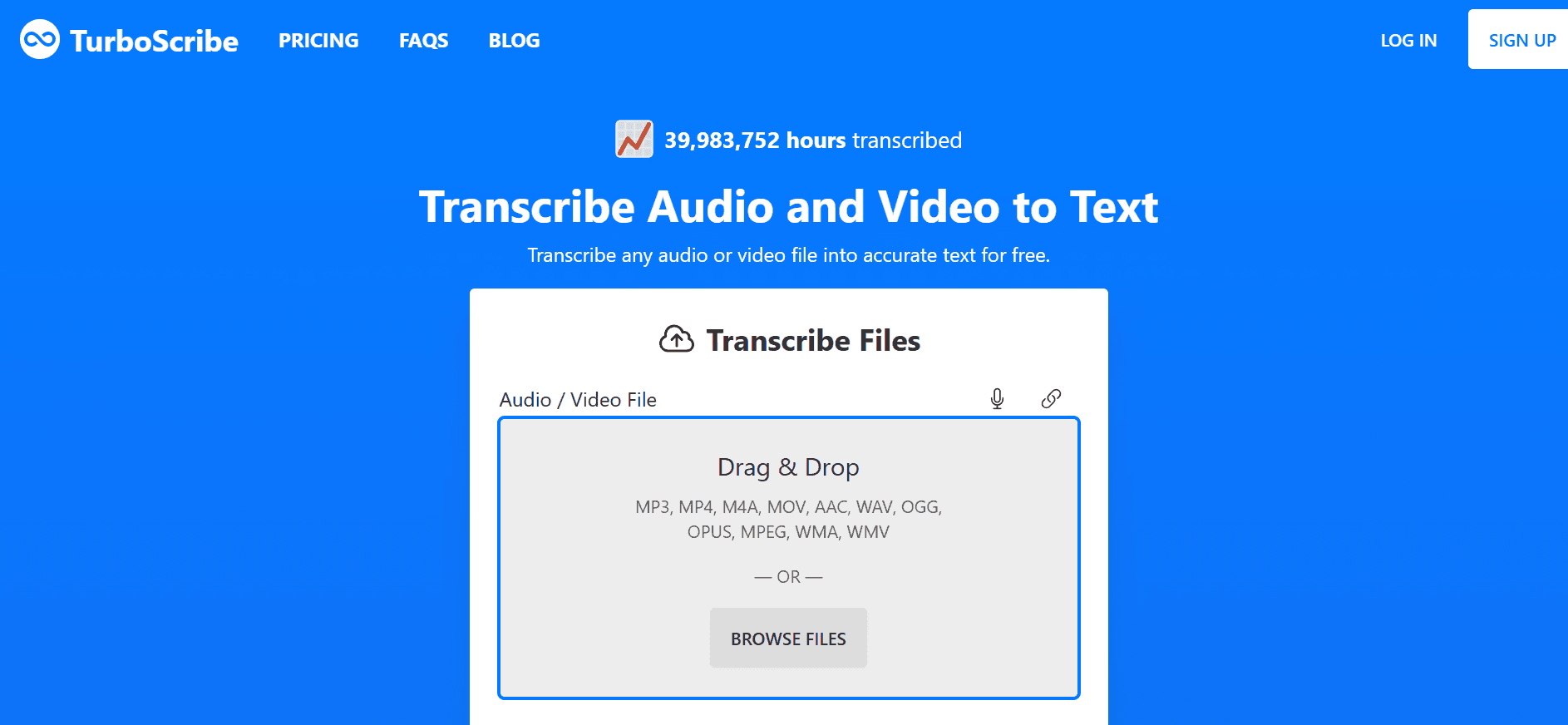
TurboScribe destaca por su capacidad de archivar grandes cantidades de audios extensos. Empleando Whisper Large V3 de OpenAI, soporta más de 98 idiomas, siendo perfecto para proyectos con varios archivos de sonido en lenguas diferentes.
Evitando el enfoque centrado de Otter.ai en las reuniones de oficina ordinarias, TurboScribe prioriza procesar volúmenes masivos de audio. Periodistas, investigadores e historiadores se benefician de esta herramienta para procesar conferencias, clases y bibliotecas de audio extensas sin recurrir a molestos bots de grabación.
Características clave
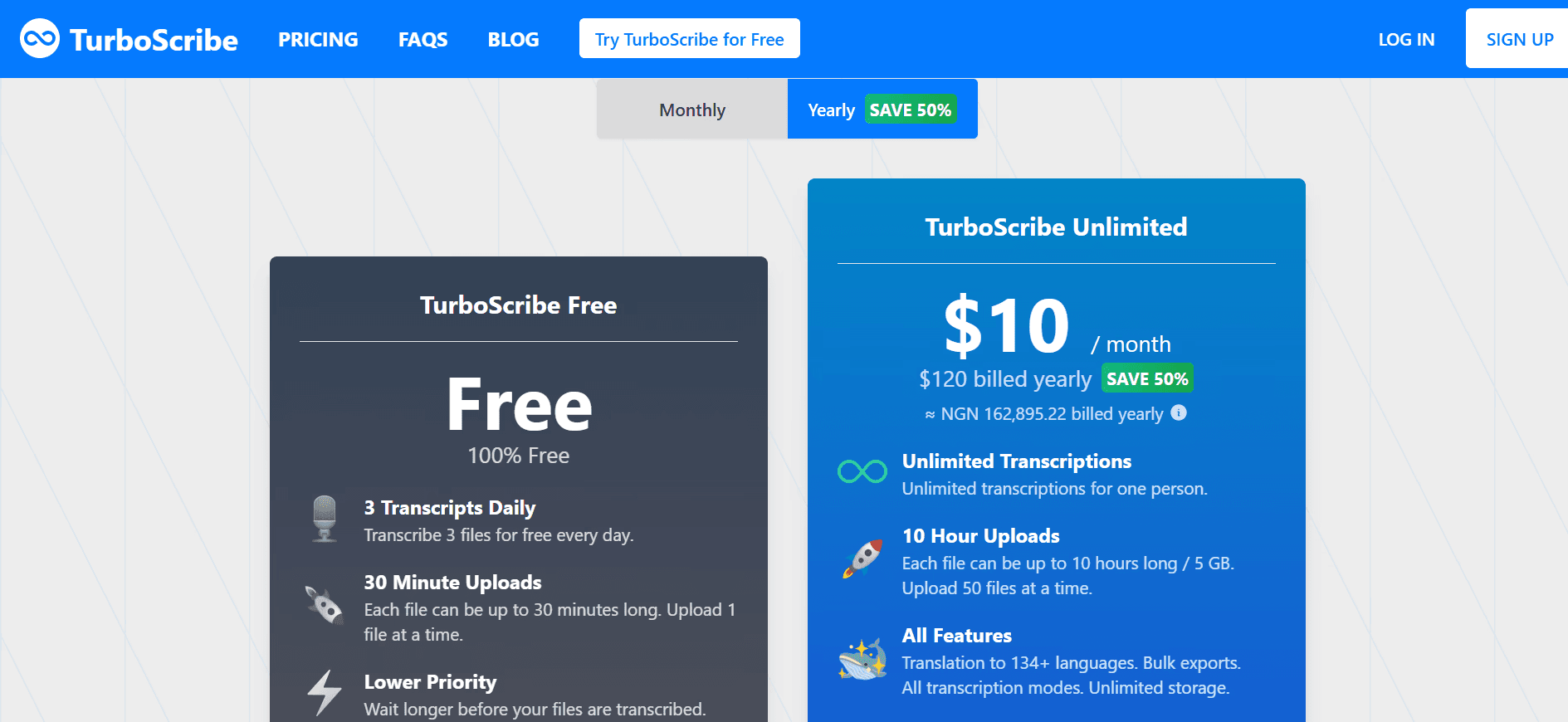
Soporta archivos de hasta 10 horas: Procesa de golpe elementos pesados de hasta 5 GB.
98 idiomas distintos: Transcribe la práctica totalidad de idiomas comerciales.
Módulo traductor: Exporta textos o subtítulos traducidos a otras lenguas.
Subida masiva simultánea: Cola de hasta 50 documentos en su versión ilimitada.
Precios
Módulo gratis de 3 documentos diarios (máx. 30 minutos c/u). Plan Premium mensual de 20 $/mes o pago anual de 10 $/mes.
Pros
| Contras
|
Consigue más de cada grabación con WhisperTranscribe
La alternativa ideal a Otter AI depende del uso que des al audio. Para actas y reuniones, Notta o Fireflies son mejores que Otter AI. Para posproducción de audio y vídeo, Descript o Sonix son las más idóneas.
Para aquellos creadores que ven en los audios el punto de partida para publicar marcas, WhisperTranscribe proporciona soluciones únicas más allá del simple texto. Ofrece accesibilidad en más de 55 idiomas, traducciones a más de 99 destinos, identificación de ponentes, asistente Magic Chat integrado y el control absoluto de tus datos mediante su aplicación de escritorio.
Prueba hoy WhisperTranscribe de forma gratuita y convierte tus audios en contenidos listos para publicar.