Nous avons sélectionné les 10 meilleurs logiciels de transcription pour Mac afin de convertir l'audio en texte
Résumé rapide
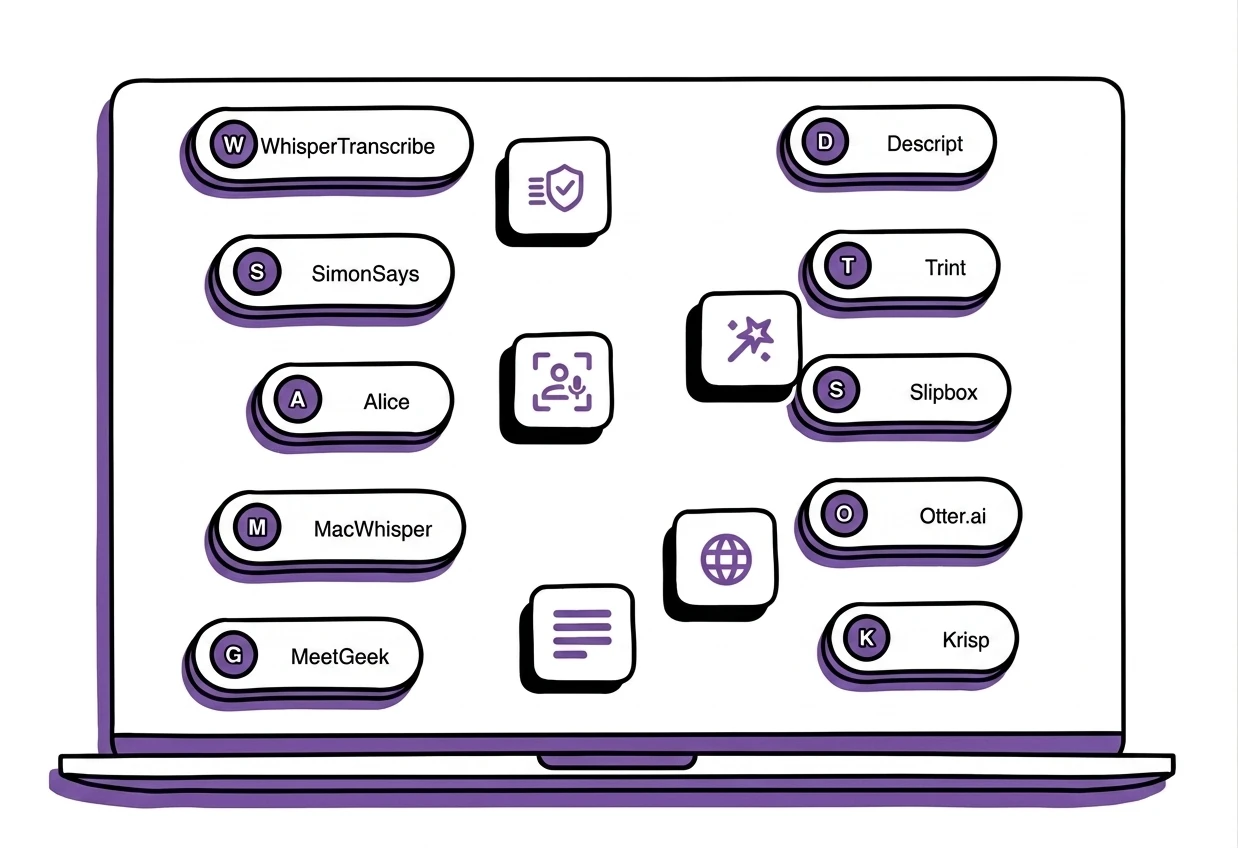
Ce guide WhisperTranscribe présente les meilleurs logiciels de transcription pour Mac. Il couvre des outils comme WhisperTranscribe, MeetGeek, Descript, Trint, Slipbox, Otter.ai et Krisp, en mettant en avant leurs fonctionnalités, leurs tarifs et leurs cas d’utilisation idéaux. Pour découvrir d’autres articles de ce type, consultez le blog WhisperTranscribe.
À la recherche du meilleur logiciel de transcription pour Mac ?
Transformer de l'audio en texte prenait autrefois des heures. Il fallait écouter, mettre sur pause, reculer et saisir ou écrire tout manuellement. Mais ce n'est plus le cas. Les logiciels de transcription peuvent désormais convertir des enregistrements en texte consultable en quelques minutes.
Pour vous aider à choisir, nous avons analysé les meilleurs logiciels de transcription pour Mac dans ce guide WhisperTranscribe. Nous avons également comparé leurs fonctionnalités, leurs tarifs et leurs cas d'utilisation idéaux.
Mais d'abord...
Pourquoi nous faire confiance ?
Chez WhisperTranscribe, la transcription audio et vidéo est au cœur de notre métier. Notre plateforme a aidé plus d'un millier d'utilisateurs à transformer des fichiers audio et vidéo en transcriptions précises et à créer du contenu de qualité grâce à l'IA.
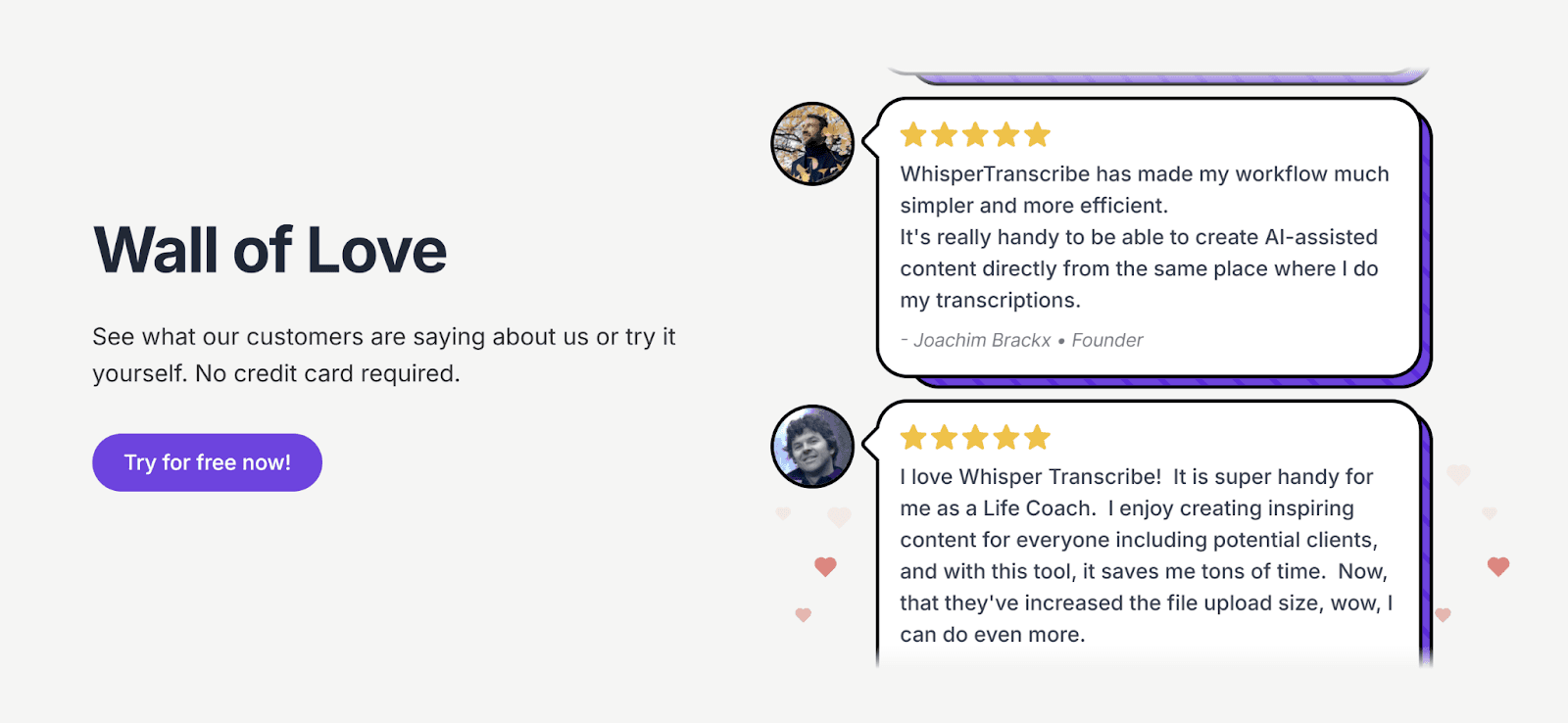
Parce que nous travaillons directement dans ce domaine, nous comprenons ce qui rend un logiciel de transcription fiable, rapide et utile dans des flux de travail réels. Ce guide reflète cette expertise.
Que peut faire un logiciel de transcription pour Mac ?
Un logiciel de transcription pour Mac convertit votre voix et vos paroles en texte exploitable. Au lieu de taper manuellement tout ce qui est dit dans vos enregistrements sur votre Mac, ces outils génèrent automatiquement les textes une fois le fichier importé.
Voici quelques-unes des fonctionnalités que vous trouverez dans ces outils :
Transcription de fichiers : Importez des fichiers audio ou vidéo et obtenez une transcription textuelle en quelques minutes.
Reconnaissance vocale en temps réel : Transcrivez des conversations en direct ou de la dictée à la volée.
Identification des locuteurs : Identifiez et séparez plusieurs intervenants dans les réunions ou les discussions de groupe.
Support multilingue : Travaillez avec de nombreuses langues pour la transcription et la traduction.
Exportation de transcription : Enregistrez vos transcriptions dans des formats tels que DOCX, VTT, SRT ou TXT.
Contrairement aux logiciels de transcription généraux, ces outils sont conçus pour fonctionner de manière optimale sur macOS. Vous pouvez facilement les télécharger et les installer sur votre ordinateur.
Top 10 des meilleurs logiciels de transcription pour Mac
Voici un comparatif rapide des meilleurs logiciels de transcription pour Mac présentés dans ce guide. Découvrez leurs caractéristiques avant notre analyse détaillée.
Logiciel | Intégration Mac | Modèle de tarification | Traitement | Idéal pour |
WhisperTranscribe | Application Mac native | Abonnement mensuel | Local + propulsé par l'IA | Transcription rapide, privée et multilingue avec création de contenu |
SimonSays | MacOS + plugins NLE (Final Cut, Premiere, DaVinci) | Pay-as-you-go / Abonnement | Basé sur le Cloud | Transcription de post-production et sous-titres pour les monteurs vidéo |
Alice | Application Mac + iOS | Pay-as-you-go | Basé sur le Cloud | Transcription sécurisée et stratégique pour les journalistes et chercheurs |
MacWhisper | Application Mac native | Licence à vie | Local accéléré par GPU | Transcription rapide et privée avec IA avancée et traitement par lot |
MeetGeek | Bureau MacOS | Abonnement mensuel | Basé sur le Cloud | Transcription automatique de réunions et résumés par IA |
Descript | Application Mac + Web | Abonnement mensuel | Transcription et édition IA sur le Cloud | Transcription audio/vidéo avec édition basée sur le texte et flux multimédias |
Trint | Web compatible Mac | Abonnement mensuel | Basé sur le Cloud | Transcription collaborative avec flux de travail média multilingues |
Slipbox | Natif Mac | Abonnement mensuel | Hybride local + cloud | Transcription de réunion privée par IA avec analyses en temps réel |
Otter.ai | Application Mac + Web | Abonnement mensuel | Basé sur le Cloud | Transcription de réunions par IA, résumés et intégration de flux de travail |
Krisp | Application Mac + Web | Abonnement mensuel | Transcription en temps réel par IA | Transcription de réunions en temps réel par IA avec résumés exploitables |
1. WhisperTranscribe
Le premier outil de notre liste des meilleurs logiciels de transcription pour Mac est, bien entendu, le nôtre.
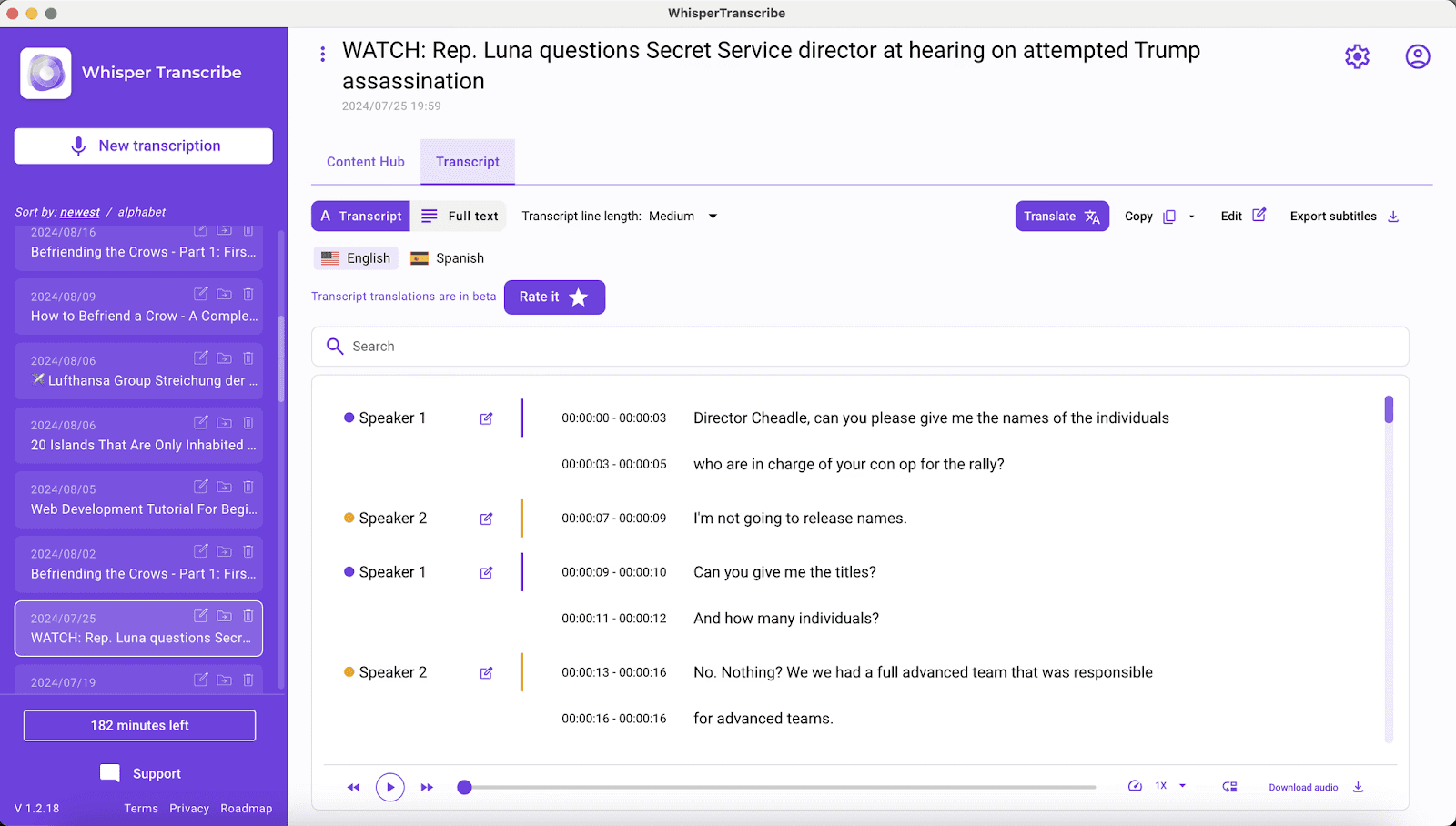
WhisperTranscribe est un puissant logiciel de transcription IA conçu pour les utilisateurs de Mac qui recherchent une conversion audio en texte précise, rapide et privée dans différentes langues. Grâce au modèle Whisper d'OpenAI, il transforme vos fichiers audio et vidéo en transcriptions claires et consultables en quelques minutes seulement.
Grâce à notre interface intuitive native pour macOS, vous pouvez :
Importer des fichiers ou coller des liens depuis YouTube, Vimeo ou des podcasts.
Définir la langue principale et activer la reconnaissance des locuteurs s'il y a plusieurs intervenants.
Laisser opérer la magie de WhisperAI et recevoir rapidement votre transcription, prête à être révisée et traduite.
Au-delà de la transcription pure, WhisperTranscribe vous permet de rédiger des articles de blog, des show notes, des résumés, des extraits pour les réseaux sociaux, des newsletters, des sous-titres, des rapports et bien plus encore, le tout à partir d'un seul fichier. Le stockage local garantit également que vos données restent privées et sous votre contrôle total.
Fonctionnalités clés
Transcription haute précision : Convertit l'audio et la vidéo en texte avec une précision d'environ 95 %, même avec du bruit de fond et des voix qui se chevauchent.
Identification automatique des locuteurs : Détecte et étiquette plusieurs intervenants pour des suivis faciles et des transcriptions organisées.
Support multilingue : Transcrit dans plus de 55 langues et traduit dans plus de 99 langues pour une accessibilité mondiale.
Exportations flexibles : Fournit des transcriptions aux formats Word, TXT, SRT ou VTT pour vos rapports, sous-titres ou partages.
Magic Chat : Vous permet de poser des questions sur votre transcription, de résumer du contenu ou d'en extraire instantanément des informations clés.
Prise en charge de fichiers volumineux : Gère jusqu'à 10 enregistrements simultanément, chacun pesant jusqu'à 5 Go, sans perte de performance.
Tarifs
Nous proposons un essai gratuit unique de 60 minutes de transcription. Ensuite, vous pouvez choisir parmi l'un de nos quatre abonnements payants :
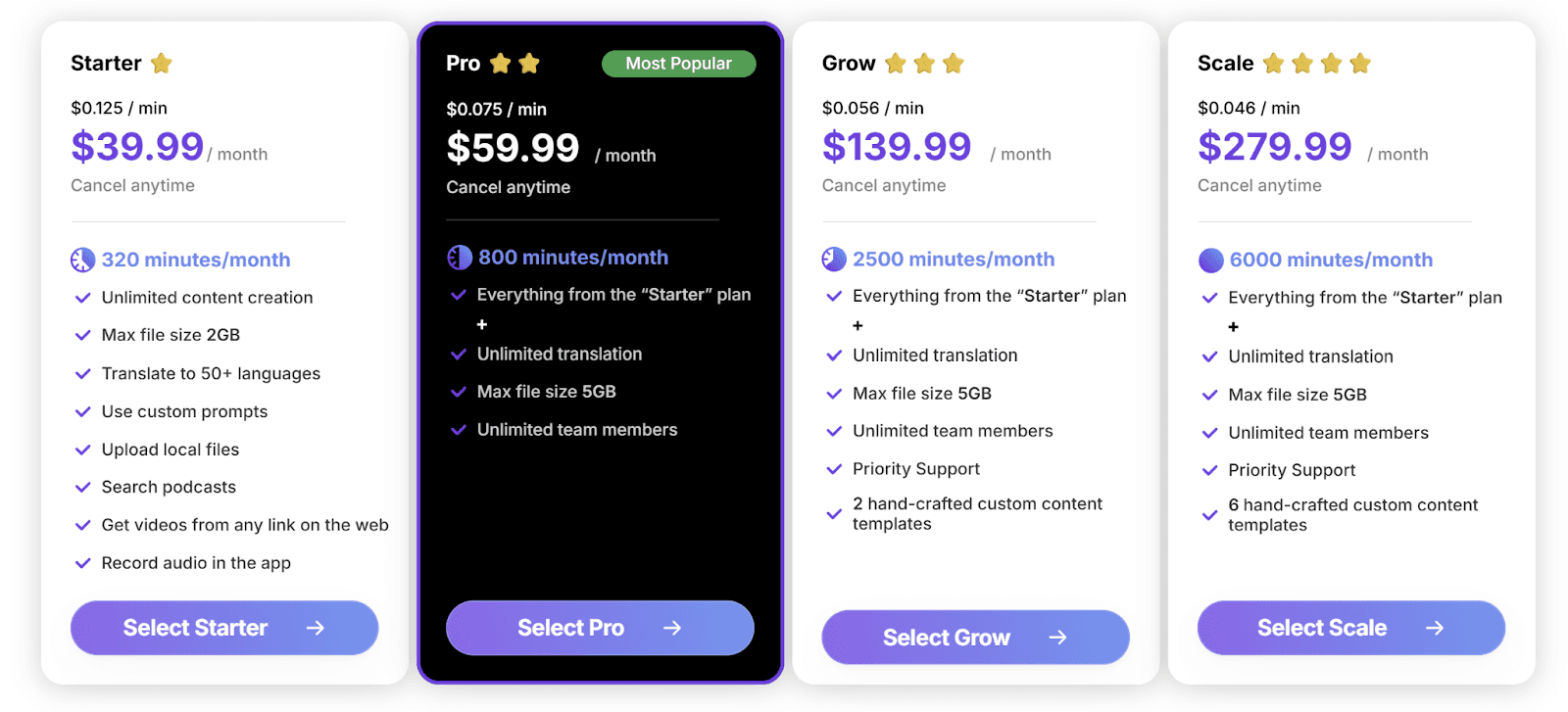
Starter ($39.99/mois) avec 320 minutes et fichiers de 2 Go max.
Pro ($59.99/mois) avec 800 minutes et accès équipe.
Grow ($139.99/mois) avec 2 500 minutes et support prioritaire.
Scale ($279.99/mois) avec 6 000 minutes, support prioritaire et modèles personnalisés supplémentaires.
Tous les forfaits incluent la création illimitée de contenu et la traduction multilingue. Nous proposons également des formules pay-as-you-go à partir de $9/heure, achetables directement dans l'application.
✓ Avantages | ✗ Inconvénients |
Flux de travail complet, pas seulement de la transcription | Application de bureau requise, mais les fichiers sont stockés localement |
Traitement ultra-rapide, même pour les longs enregistrements | |
Interface simple et conviviale | |
Excellente gestion de l'audio multi-locuteurs |
2. SimonSays
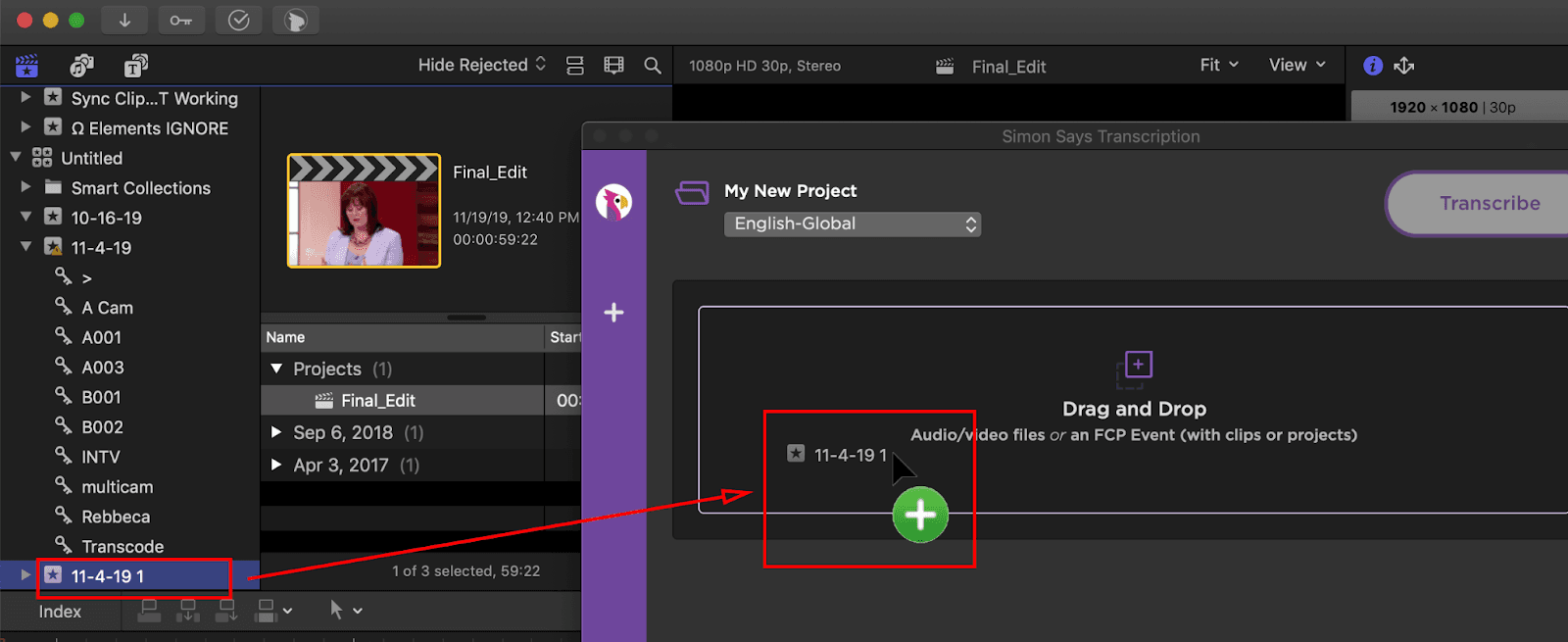
Si vous travaillez dans la production vidéo professionnelle, vous connaissez probablement Simon Says. Il s'est forgé une solide réputation en s'intégrant directement dans les principaux logiciels de montage comme Final Cut Pro, Adobe Premiere et DaVinci Resolve.
Contrairement aux outils généralistes, Simon Says est conçu spécifiquement pour le flux de travail de post-production. Il transforme des heures de rushs en transcriptions et sous-titres synchronisés à l'image près, réintégrables directement dans votre timeline de montage.
C'est le choix idéal pour les monteurs qui ont besoin de précision et veulent éviter la saisie manuelle fastidieuse de sous-titres sur MacOS.
Fonctionnalités clés
Intégration NLE : Se synchronise parfaitement avec Final Cut Pro, Premiere et DaVinci Resolve.
Exportation professionnelle : Génère des fichiers SRT, VTT et des marqueurs de timeline.
Éditeur visuel de sous-titres : Prévisualisez, ajustez et formatez facilement vos légendes.
Moteur de traduction : Prise en charge de plus de 100 langues pour un contenu mondial.
Tarifs
SimonSays propose cinq forfaits payants :
Pay-as-you-go : $15/heure
Starter : $15/utilisateur/mois (facturé annuellement)
Pro : $33/utilisateur/mois (facturé annuellement)
Pro+ : $125/utilisateur/mois (facturé annuellement)
✓ Avantages | ✗ Inconvénients |
S'intègre parfaitement aux flux de création de sous-titres | La tarification basée sur des crédits peut vite devenir onéreuse |
Accélère le dérushage d'interviews et le montage | Interface moins intuitive pour les débutants |
Focus sur une transcription de qualité professionnelle | Ralentissement du traitement lors des pics d'utilisation |
3. Alice
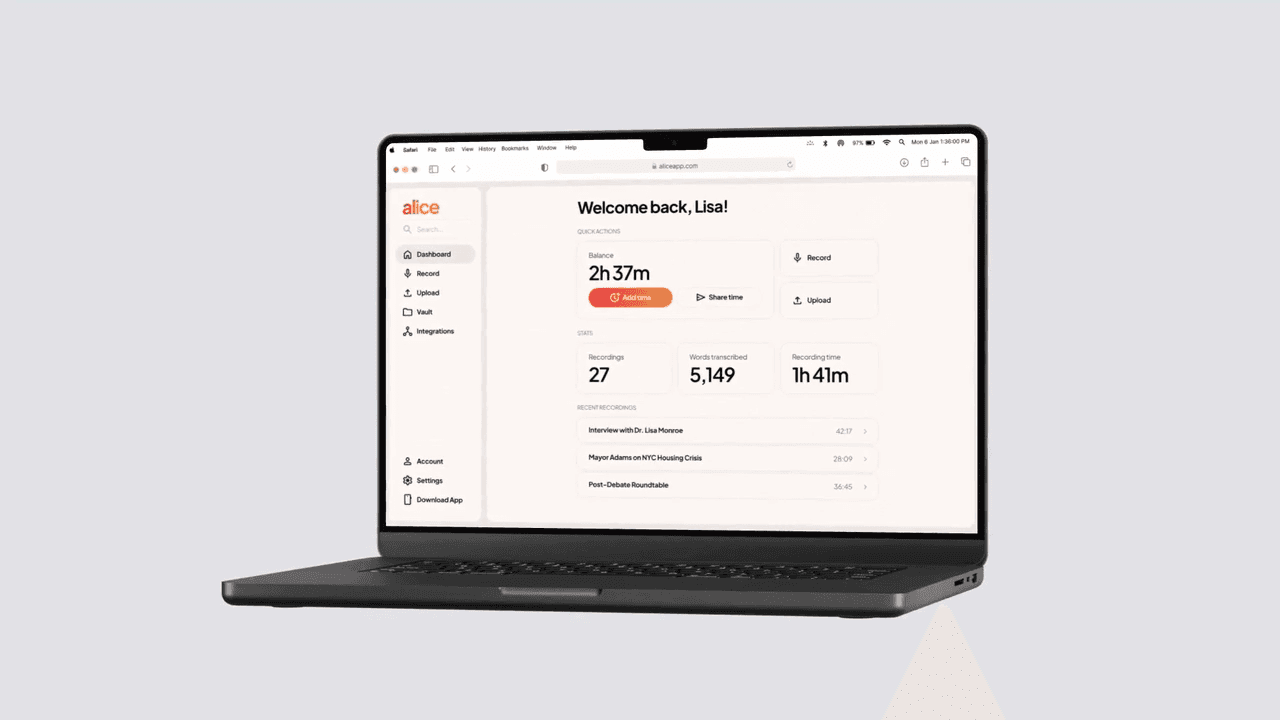
Alice est un outil de transcription par IA conçu pour les professionnels, journalistes et chercheurs qui ont besoin de résultats privés, hautement précis et rapides. Disponible sur iOS et sur le web, il convertit instantanément les enregistrements en transcriptions, vous permettant de modifier, surligner et exporter dans de nombreux formats.
Alice prend en charge plus de 100 langues et s'intègre parfaitement avec Slack, Dropbox, Notion, Gmail, Teams et plus encore, garantissant des flux de travail fluides et collaboratifs. Sa sécurité de niveau entreprise assure la conformité avec HIPAA, SOC 2, RGPD et CCPA.
Fonctionnalités clés
Téléchargements ultra-rapides : Importez des fichiers de 300 Mo en moins de 10 secondes.
Transcription instantanée : Convertit immédiatement des heures d'audio en texte précis.
Édition flexible : Ajoutez des titres, des sections, des surbrillances et ajustez facilement vos textes.
Exportation fluide : Exportez en PDF, TXT, DOCX, SRT, VTT, CSV, MP3, MP4.
Tarifs
Il existe un essai gratuit de 60 minutes. Les forfaits payants comprennent :
Lite : $9.99/heure (idéal pour les interviews uniques ou réunions ponctuelles)
Standard : $4.99/heure, plus de 20 heures (idéal pour la recherche et les articles)
Large : $2.99/heure, plus de 100 heures (idéal pour les archives, conférences, appels clients)
✓ Avantages | ✗ Inconvénients |
Modèle pay-as-you-go très flexible | Fonctionnalités minimales par rapport aux nouveaux assistants IA |
Interface légère et épurée | Fonctionnalités de collaboration limitées |
Aucun engagement d'abonnement requis | Édition de transcription basique pour les charges de travail importantes |
4. MacWhisper
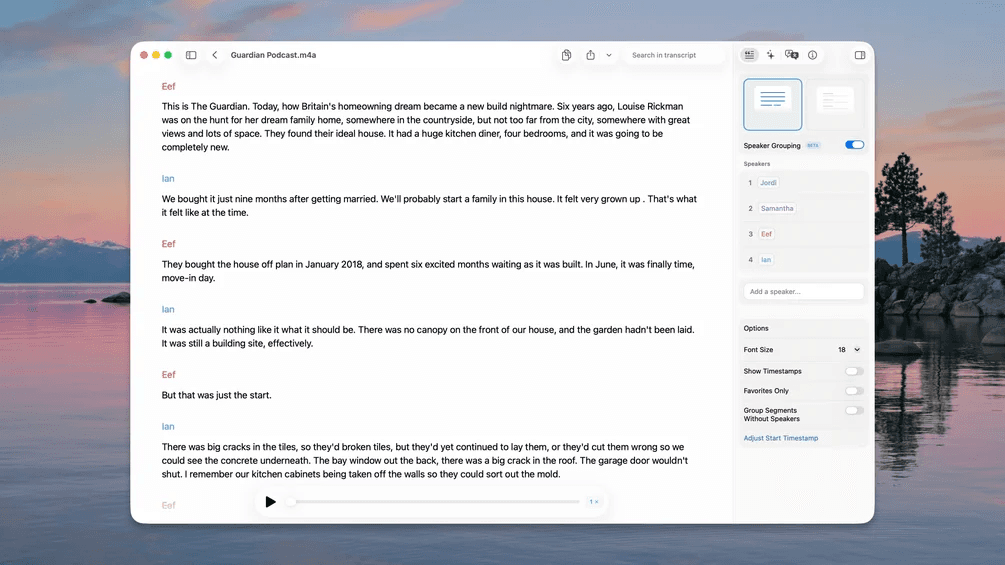
MacWhisper est une application de transcription native pour Mac basée sur Whisper d'OpenAI et Nvidia Parakeet. Elle convertit rapidement l'audio des réunions, cours, podcasts et vidéos en texte précis, le tout localement sur votre appareil pour une confidentialité totale.
De plus, grâce à l'accélération GPU, les transcriptions peuvent être générées jusqu'à 30 fois plus vite que le temps réel. Les fonctionnalités Pro incluent la reconnaissance automatique des locuteurs, la transcription par lot, les sous-titres en direct, plusieurs intégrations IA et la surveillance de dossiers.
Fonctionnalités clés
Traitement local hors ligne : Chaque fichier reste sur votre machine, garantissant une confidentialité totale pour vos audios et vidéos sensibles.
Traitement par lot : Glissez-déposez des dizaines de fichiers à la fois pour transcrire rapidement des podcasts entiers.
Sélection de modèle flexible : Équilibrez vitesse et précision en choisissant parmi différents modèles Whisper.
Dictée système globale : Utilisez la reconnaissance vocale Whisper dans n'importe quelle application de votre Mac.
Tarifs
Gratuit : Modèles de base et fonctionnalités essentielles.
Modèles Pro : 64 € - 2 199 €, selon le nombre de licences.
Paiement unique pour une licence à vie.
✓ Avantages | ✗ Inconvénients |
Rapide, précis et totalement privé | Les fonctionnalités Pro nécessitent des Mac haut de gamme |
Large choix de langues et de formats | Un peu complexe pour les débutants |
Intégrations IA puissantes pour optimiser vos flux | Exigences système élevées pour les grands modèles |
5. MeetGeek
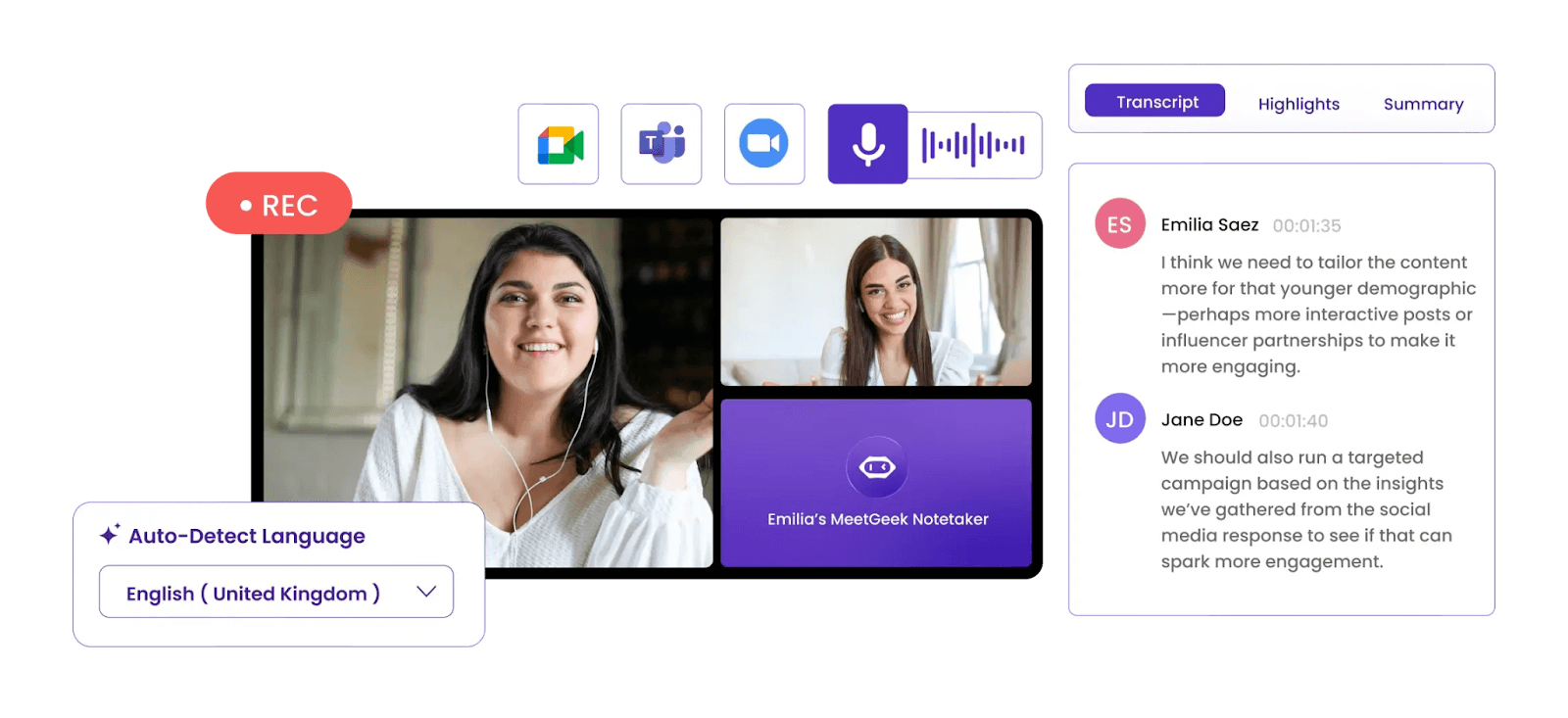
Si vous assistez souvent à des réunions et avez besoin de transcriptions rapides et précises, MeetGeek est une solution de bureau MacOS idéale. Il enregistre l'audio de Zoom, Google Meet, Teams, etc., et fournit des notes et analyses générées par IA.
Grâce à une intégration fluide avec vos applications de productivité, chaque conversation devient consultable, exploitable et facile à partager avec vos collaborateurs.
Fonctionnalités clés
Transcription automatique : Enregistre et transcrit les réunions dans plus de 100 langues.
Résumés par IA : Génère instantanément des notes synthétiques et des plans d'action.
Exportation et intégration : Envoyez les transcriptions vers Slack, Notion, HubSpot, ClickUp, Google Drive, etc.
Stockage sécurisé : Tous les audios et textes sont cryptés et conformes au RGPD/SOC2.
Tarifs
Vous pouvez essayer MeetGeek gratuitement pendant 14 jours. Choisissez ensuite l'une de ces formules payantes :
Basic : Gratuit, 3 heures/mois, 3 mois de stockage des transcriptions
Pro : $15.99/utilisateur/mois, 20 heures/mois, 1 an de stockage des transcriptions
Business : $27/utilisateur/mois, transcription illimitée, 12 mois de stockage vidéo
Enterprise : Tarifs sur mesure
✓ Avantages | ✗ Inconvénients |
L'enregistrement et la transcription automatiques font gagner un temps précieux | Utilisation limitée en dehors de la transcription de réunions |
Les résumés IA et plans d'action simplifient les suivis | L'édition des transcriptions est moins flexible que sur un outil dédié Mac |
Pratique pour revoir l'essentiel d'une réunion sans visionner toute la vidéo | Le bot de réunion peut sembler intrusif pour certains participants |
6. Descript
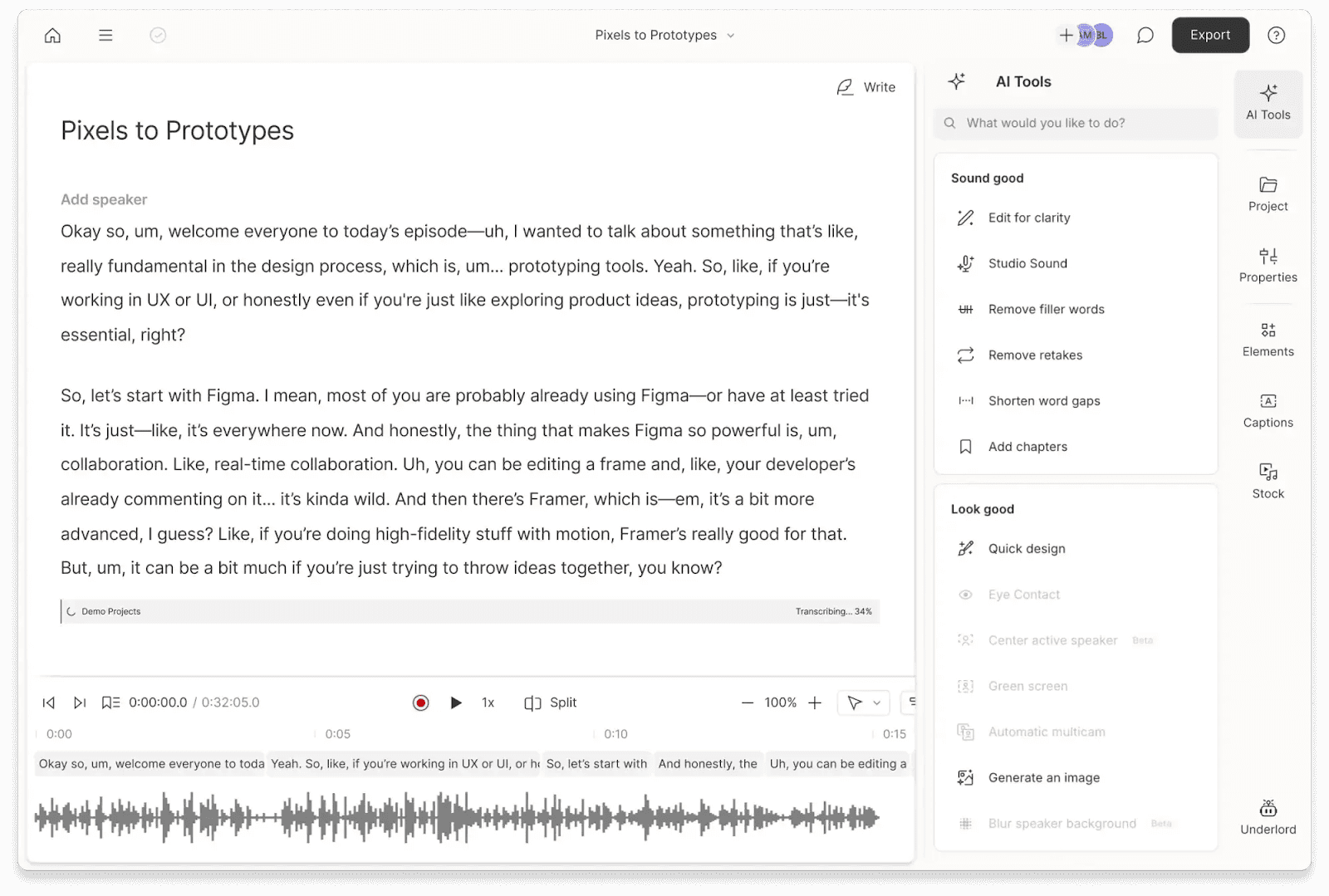
Descript associe la transcription par IA à un montage audio et vidéo avancé, ce qui en fait l'un des outils préférés des créateurs de podcasts et de vidéos sur Mac.
Son IA convertit l'audio et la vidéo en texte éditable, vous permet de supprimer les tics de langage, d'ajouter des sous-titres, de traduire dans plus de 30 langues et de régénérer des dialogues sans réenregistrement.
Fonctionnalités clés
Édition basée sur le texte : Modifiez votre fichier audio/vidéo en modifiant directement le texte.
Suppression des tics verbaux : Détecte et supprime automatiquement les "euh", "hein" et autres hésitations.
Sous-titrage : Génère des sous-titres synchronisés en un clic.
Traduction globale : Prend en charge plus de 30 langues pour les textes, sous-titres ou l'audio.
Tarifs
Une version gratuite et deux forfaits payants sont disponibles :
Gratuit : 1 heure de média/mois, 100 crédits IA, export en 720p.
Hobbyist : $16/mois, 10 heures de média, outils IA, export en 1080p.
Creator : $24/mois, 30 heures de média, 800 crédits IA, export en 4K, accès complet aux outils IA.
✓ Avantages | ✗ Inconvénients |
Accélère considérablement le flux de montage | Courbe d'apprentissage importante pour les débutants |
Remplace plusieurs logiciels à la fois | Les grands projets peuvent ralentir les Mac moins puissants |
Le nettoyage automatique des tics de langage fait gagner un temps fou | Le clonage de voix par IA peut parfois sonner artificiel |
7. Trint
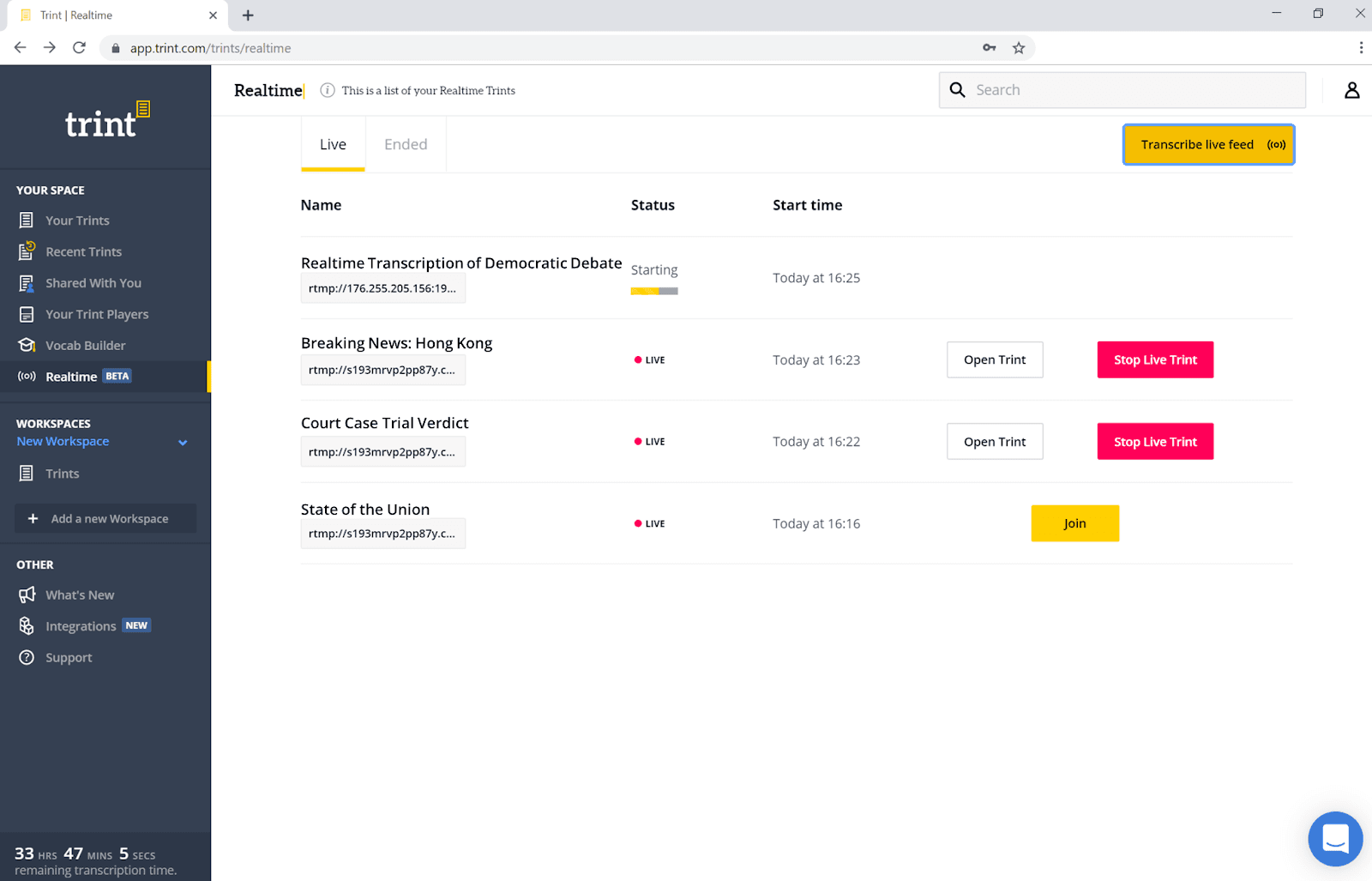
Trint est une plateforme de transcription par IA optimisée pour Mac, conçue pour les professionnels qui exigent plus qu'une simple reconnaissance vocale. Elle transcrit l'audio, la vidéo et les conversations en direct dans plus de 30 langues, puis permet l'édition, la recherche et la collaboration en temps réel.
Avec Trint, vos équipes peuvent générer rapidement des résumés IA, créer des sous-titres et extraire des informations clés de vos fichiers sur tous vos appareils.
Fonctionnalités clés
Transcription en direct : Capturez la parole lors d'interviews, d'appels ou de vidéos en temps réel.
Support multilingue : Détecte et transcrit plus de 40 langues, traduit dans plus de 70 langues.
Résumés par IA : Identifiez automatiquement les moments clés et les citations marquantes pour une révision plus rapide.
Stockage sécurisé : Certifié ISO 27001 et Cyber Essentials, données stockées au sein de l'UE ou des États-Unis.
Tarifs
Un essai gratuit limité est disponible, ainsi que trois forfaits payants :
Pro : 85 €/utilisateur/mois (facturé annuellement).
Team : 78 €/utilisateur/mois (facturé annuellement, 2 à 5 utilisateurs).
Business : Tarifs personnalisés pour les grandes organisations.
✓ Avantages | ✗ Inconvénients |
Excellent outil pour l'édition collaborative | Onéreux pour les utilisateurs individuels |
Moteur de recherche performant à travers toutes vos bibliothèques de fichiers | Les accents marqués ou l'audio bruyant peuvent nécessiter des corrections manuelles |
S'intègre parfaitement aux flux de travail des rédactions | Interface optimisée avant tout pour les grandes entreprises |
8. Slipbox
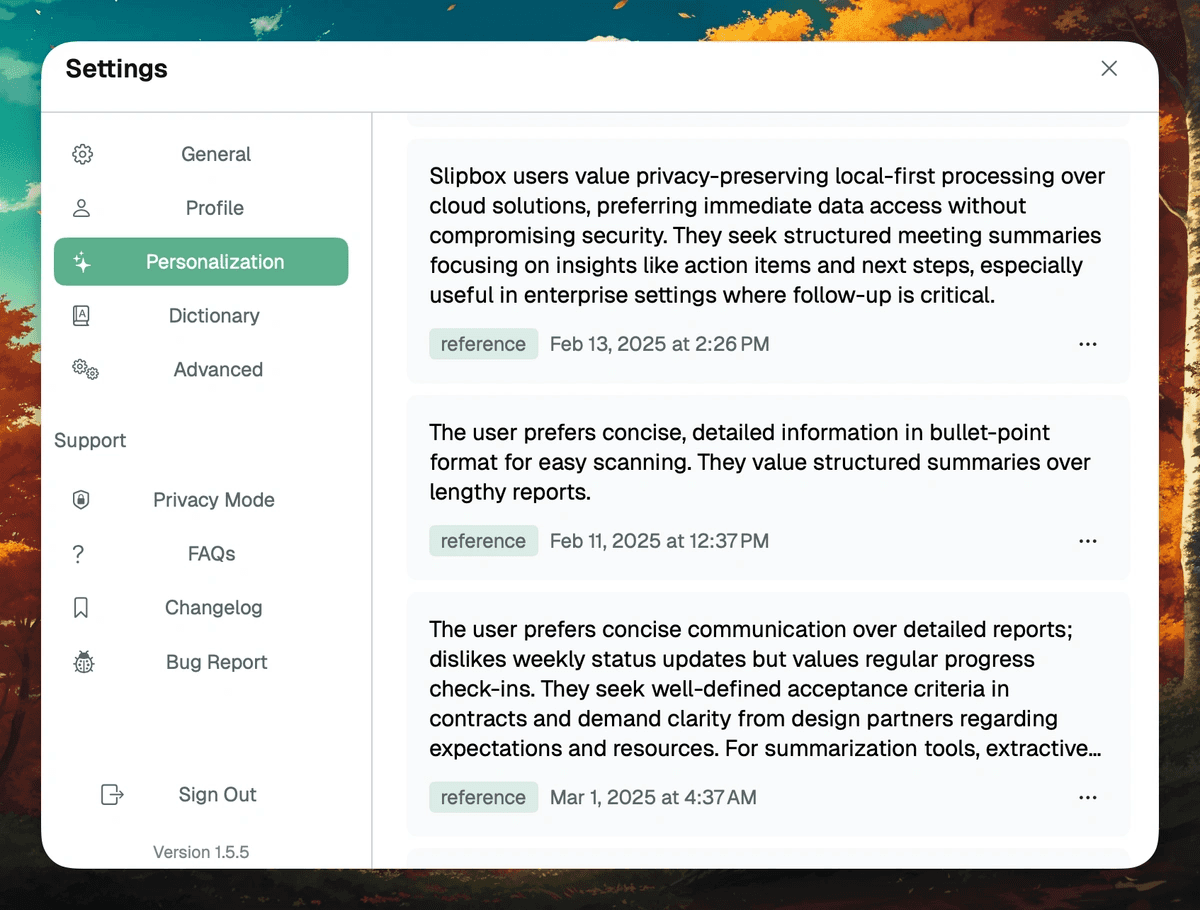
Slipbox est un outil de transcription pensé d'abord pour Mac, conçu pour les utilisateurs qui privilégient la confidentialité et les données exploitables. Il capture l'audio du système et du microphone localement, transcrivant vos réunions en temps réel sans nécessiter de bots.
Les agents intégrés basés sur l'IA résument, étiquettent et analysent vos conversations, tandis que l'identification des locuteurs préserve le contexte. Slipbox est compatible avec Zoom, Teams, Google Meet, Slack, FaceTime, WhatsApp, Signal, Telegram, Discord et Webex.
Fonctionnalités clés
Transcription locale : Enregistre l'audio du système et du micro sur Mac pour une confidentialité absolue.
Analyses en temps réel : Génère des résumés IA, des tags et des questions clés pendant vos réunions.
Identification des locuteurs : Identifie les intervenants pour des comptes-rendus contextualisés et précis.
Détection automatique de réunion : Démarre et arrête la transcription selon l'activité de vos réunions.
Tarifs
Une formule gratuite est disponible, ainsi que deux forfaits payants :
Formule gratuite : Transcription illimitée avec fonctionnalités IA de base.
Pro : $10/mois pour les résumés avancés, mémoire enrichie et actions IA automatiques.
Enterprise : Tarification personnalisée et fonctionnalités avancées.
✓ Avantages | ✗ Inconvénients |
Transcription complète sans dépendance au cloud | Les fonctionnalités avancées requièrent les forfaits Pro ou Enterprise |
Analyses automatiques et intelligence de réunion intégrées | Fonctionnalités collaboratives limitées pour les équipes avec la version gratuite |
Conception hybride axée sur la confidentialité | L'interface peut sembler complexe pour les nouveaux utilisateurs |
9. Otter.ai
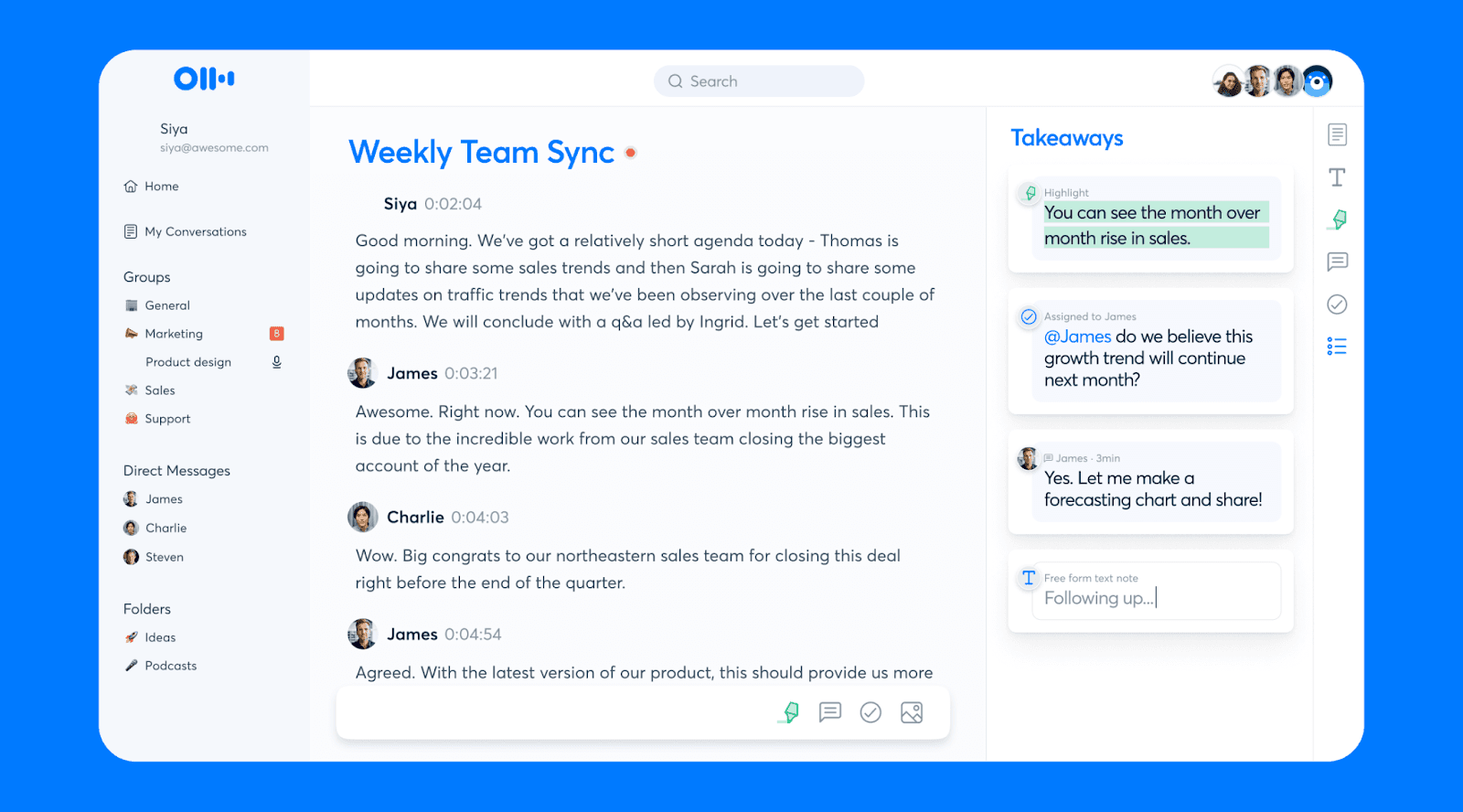
Otter.ai est un autre outil de transcription de réunions très populaire sur Mac. Il aide les professionnels et les équipes à enregistrer et structurer chaque réunion. Vous bénéficiez d'une transcription en direct, d'une reconnaissance des intervenants et de résumés générés par IA à partir d'un seul enregistrement de réunion.
Le chat IA intégré vous permet également d'effectuer des recherches dans vos transcriptions pour extraire des idées clés et les intégrer directement dans vos flux de travail et votre CRM.
Fonctionnalités clés
Transcription en direct : Capturez les échanges en temps réel avec étiquetage automatique des locuteurs.
Résumés par IA : Transformez vos réunions en livrables clairs, décisions clés et plans d'action.
Chat IA à commande vocale : Posez des questions à travers vos différentes réunions et applications connectées.
Support multilingue : Transcrivez et écoutez dans de nombreuses langues.
Tarifs
Otter.ai propose une formule gratuite et trois abonnements payants :
Basic : Gratuit, jusqu'à 300 minutes/mois
Pro : $16.99/utilisateur/mois pour un maximum de 1200 minutes et un stockage illimité
Business : $24–30/utilisateur/mois pour des réunions illimitées
Enterprise : Sur mesure avec des options de sécurité avancées
✓ Avantages | ✗ Inconvénients |
Excellente précision de transcription avec identification des locuteurs | La précision peut baisser avec de multiples intervenants ou des accents prononcés |
S'intègre parfaitement avec Zoom et Google Meet | Les forfaits gratuits et d'entrée de gamme ont des limites de transcription strictes |
Les transcriptions consultables et résumés automatiques font gagner un temps fou | Préoccupations de confidentialité concernant l'utilisation des enregistrements pour l'entraînement des IA |
10. Krisp
Le dernier outil de notre sélection de logiciels de transcription pour Mac est Krisp.
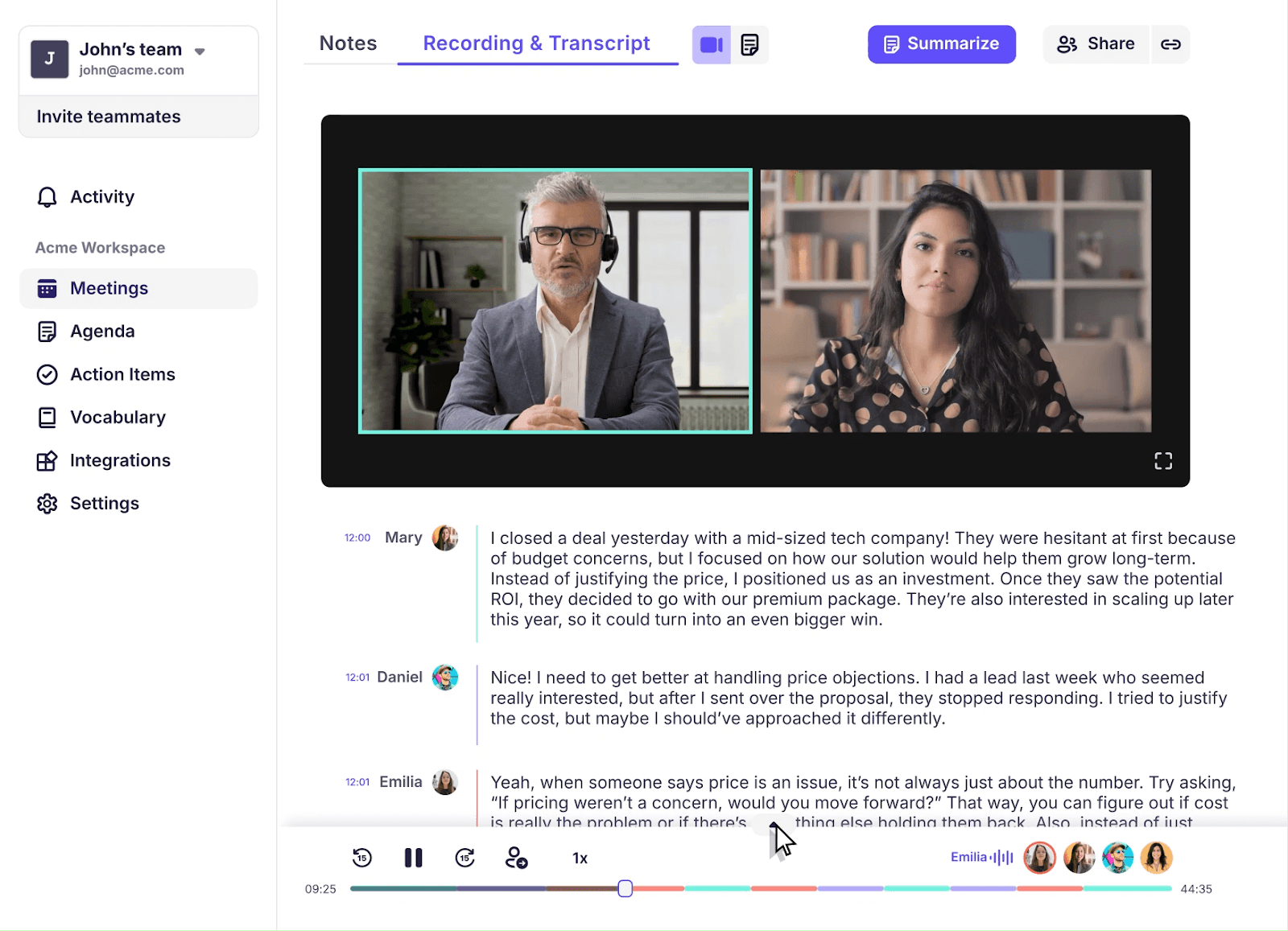
Krisp transforme votre Mac en un véritable studio de transcription de réunion, offrant des textes d'une précision allant jusqu'à 96 % en temps réel. Il identifie automatiquement les intervenants, résume les points clés et consigne les plans d'action.
Krisp est compatible avec Zoom, MS Teams, Google Meet et d'autres applications de visioconférence, et se connecte à HubSpot, Salesforce et à d'autres outils via Zapier.
Fonctionnalités clés
Transcription IA illimitée : Transcrivez automatiquement vos réunions avec distinction des locuteurs.
Résumés IA et plans d'action : Consignez instantanément les décisions et les prochaines étapes.
Suppression du bruit par IA : Éliminez les bruits de fond et les échos pour un enregistrement audio d'une clarté parfaite.
Support multilingue : Transcrivez dans plus de 16 langues.
Tarifs
Krisp propose un essai gratuit de sept jours. Les forfaits payants comprennent :
Core : $16/utilisateur/mois pour les transcriptions multilingues
Advanced : $30/utilisateur/mois pour la conversion d'accents illimitée et les contrôles administrateur
Enterprise : Sur mesure pour des besoins et fonctionnalités avancés
✓ Avantages | ✗ Inconvénients |
Grande précision de transcription et identification fiable des intervenants | Prise en charge de langues plus limitée que chez certains concurrents |
Les plans d'action et résumés automatiques font gagner un temps précieux | La transcription avancée et le stockage prolongé requièrent un forfait payant |
Intégrations flexibles et support multiplateforme | Quelques utilisateurs rapportent des imprécisions ponctuelles en cas de chevauchement de voix |
WhisperTranscribe est le meilleur logiciel de transcription pour Mac
Trouver le bon logiciel de transcription pour Mac permet d'éviter des heures de travail manuel fastidieux. Des réunions en direct au support multilingue, les outils présentés ici transforment vos fichiers audio et vidéo en texte exploitable avec rapidité et précision.
Pour une transcription fluide et ultra-fiable, WhisperTranscribe s'impose comme la meilleure option. Notre outil propose une transcription audio par IA rapide, précise et confidentielle sur Mac. Grâce à des fonctionnalités avancées comme la distinction des locuteurs, le support multilingue et la création de contenu à partir de vos fichiers, convertissez vos enregistrements en textes consultables et en nouveaux contenus en un temps record.