Qu'est-ce que le sous-titrage codé (Closed Captioning) : définition et guide pratique
Le sous-titrage codé (closed captioning) est simplement la version textuelle de l'audio d'une vidéo qu'un spectateur peut activer ou désactiver. Il vous offre une transcription synchronisée non seulement des paroles dites, mais aussi de tous les autres sons cruciaux comme [porte qui claque] ou [musique entraînante]. Cela rend le contenu accessible à tous, en particulier aux personnes sourdes ou malentendantes.
Décoder l'objectif du sous-titrage codé (Closed Captioning)
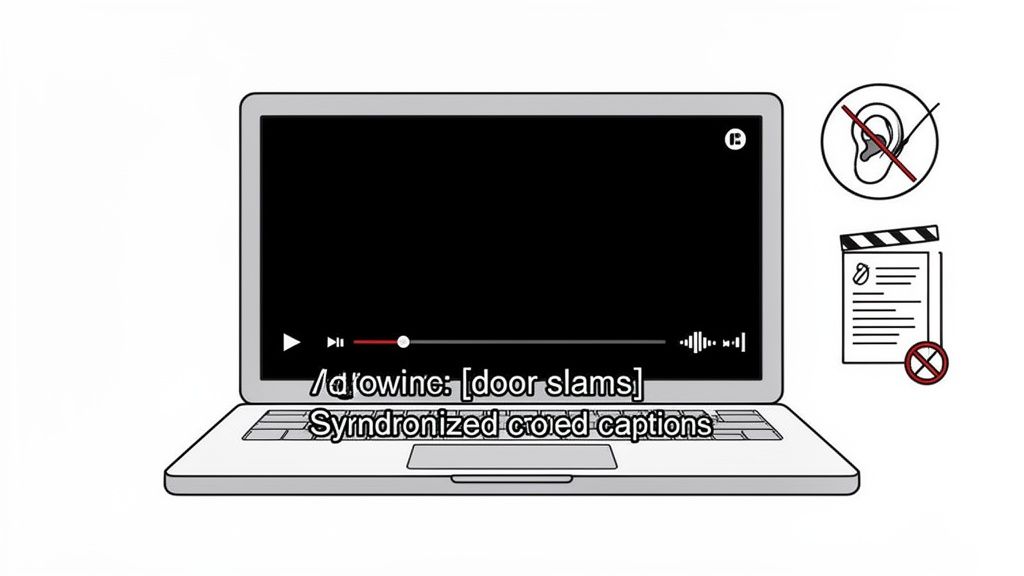
Considérez les sous-titres codés (closed captions) comme le script complet de tout l'univers sonore d'une vidéo. Ils font bien plus que simplement afficher des mots sur l'écran. Leur véritable rôle est de recréer l'expérience auditive complète pour les spectateurs malentendants, garantissant ainsi qu'aucune partie de l'histoire ou du contexte ne soit perdue.
Cet outil d'accessibilité essentiel n'est pas apparu du jour au lendemain. Ses racines remontent à 1958, lorsque le président Dwight D. Eisenhower a signé la loi publique 85-905, établissant le programme de films sous-titrés pour les sourds. En 1976, la FCC a officiellement réservé une partie du signal télévisuel uniquement pour le sous-titrage, ouvrant la voie aux premières diffusions sous-titrées sur les grands réseaux en 1980.
Bien plus que de simples mots sur un écran
Des sous-titres codés vraiment efficaces sont détaillés et descriptifs. Ils capturent toutes les petites nuances que le dialogue seul ne peut exprimer. Voyons en détail ce que des sous-titres de qualité apportent réellement.
Voici un aperçu rapide des éléments clés qui rendent le sous-titrage si puissant :
Élément | Description | Exemple |
|---|---|---|
Transcription des dialogues | Le texte mot à mot de tout ce qui est dit par les personnages ou les narrateurs. | « Nous devons partir d'ici, maintenant ! » |
Identification des haut-parleurs | Des étiquettes qui précisent qui parle, en particulier dans les scènes avec plusieurs personnes. | (Sarah) : Il est trop tard. |
Effets sonores | Descriptions des sons importants autres que la parole qui affectent l'intrigue ou l'ambiance. | [le téléphone sonne] ou [crissement de pneus] |
Indications musicales | Notes sur le style et le ton de la musique pour aider à transmettre l'émotion voulue. | [la musique de suspense s'intensifie] |
En incluant ces éléments, vous ne faites pas qu'ajouter du texte ; vous construisez une expérience de visionnage beaucoup plus inclusive et complète pour tout le monde.
Cette approche s'aligne parfaitement avec les principes fondamentaux du design de l'expérience utilisateur (UX), qui visent à s'assurer que le contenu est accessible et agréable pour tous les utilisateurs, quelles que soient leurs capacités.
Dans son essence, le sous-titrage codé n'est pas un simple ajout ; c'est un composant fondamental d'une communication équitable, garantissant que votre message et votre histoire soient accessibles au public le plus large possible.
Mais les avantages ne s'arrêtent pas à l'accessibilité. Un nombre immense de personnes regardent des vidéos sans le son, qu'elles soient dans un lieu public ou dans un bureau calme. Les sous-titres leur permettent de suivre la vidéo sans faire le moindre bruit.
De plus, il y a un avantage SEO massif. Les moteurs de recherche ne peuvent pas « regarder » votre vidéo, mais ils peuvent explorer le texte d'un fichier de sous-titres. Cela rend votre contenu vidéo indexable et consultable, ce qui peut donner un sérieux coup de boost à votre positionnement Google. Comme nous l'expliquons dans notre guide, c'est un atout majeur pour améliorer votre stratégie SEO YouTube. Soudain, l'audio de votre vidéo devient un puissant outil de découverte de contenu.
Lever la confusion entre sous-titres classiques et sous-titres codés (Closed Captions)
C'est l'une des confusions les plus courantes dans le monde de la vidéo, et honnêtement, c'est facile de comprendre pourquoi. Bien que les sous-titres classiques et les sous-titres codés affichent tous deux du texte sur un écran, ils sont conçus pour des tâches totalement différentes et s'adressent à deux publics très distincts. Faire cette distinction n'est pas qu'un détail technique : c'est crucial pour s'assurer que votre message passe exactement comme vous le souhaitez.
Voici la façon la plus simple de voir les choses : les sous-titres classiques supposent que le spectateur entend mais ne comprend pas la langue, tandis que les sous-titres codés (closed captions) supposent que le spectateur n'entend pas du tout l'audio. Cette seule différence change absolument tout.
Les sous-titres classiques sont destinés à la traduction
Pensez aux sous-titres classiques comme à un pont linguistique. Leur unique but est de traduire les dialogues parlés d'une langue à une autre, rendant ainsi un contenu compréhensible pour quelqu'un qui parle une autre langue.
Ils se limitent aux mots prononcés et rien d'autre. Pourquoi ? Parce qu'on suppose que vous pouvez entendre tout le reste : la musique qui monte, le téléphone qui sonne hors champ, le ton sarcastique d'un personnage. Un film français avec des sous-titres anglais, par exemple, ne vous dira pas qu'une voiture approche ; on s'attend à ce que vous entendiez le moteur vrombir.
Pour tout créateur ayant des ambitions mondiales, c'est un enjeu de taille. Si vous cherchez à diffuser votre contenu à l'international, un traducteur audio IA peut changer la donne, vous aidant à générer des sous-titres dans plusieurs langues et à toucher des spectateurs que vous ne pourriez pas atteindre autrement.
Les sous-titres codés sont destinés à l'accessibilité
Les sous-titres codés (closed captions), en revanche, sont entièrement axés sur l'accessibilité. Ils sont conçus dès le départ pour offrir à une personne sourde ou malentendante une expérience audio complète, mais sous forme de texte. Cela signifie qu'ils doivent capturer bien plus que de simples dialogues.
Le but du sous-titrage codé est de créer une expérience équivalente pour quelqu'un qui ne peut pas entendre. Cela implique d'inclure l'identification des personnes qui parlent, les effets sonores importants comme [crissement de pneus] et les indices musicaux comme [une musique sombre s'estompe].
Sans cette couche d'information supplémentaire, l'intrigue peut s'effondrer. Un grincement de parquet peut signaler un intrus. Un silence soudain et saisissant peut être plus puissant que n'importe quelle réplique. Les sous-titres codés veillent à ce qu'aucun élément de ce contexte vital ne soit perdu.
Sous-titres codés vs. Sous-titres classiques : Comparatif direct
Pour bien cerner la différence, un comparatif côte à côte peut être incroyablement utile. Ce tableau détaille les différences fondamentales pour vous aider à décider ce qui convient le mieux à votre contenu.
Fonctionnalité | Sous-titres codés (CC) | Sous-titres classiques |
|---|---|---|
Objectif principal | Accessibilité (pour les sourds et malentendants) | Traduction (pour les locuteurs de langues étrangères) |
Public cible | Spectateurs qui ne peuvent pas entendre l'audio | Spectateurs qui entendent mais ne comprennent pas la langue |
Contenu inclus | Dialogues, effets sonores, musique, identification des locuteurs | Dialogues uniquement |
Langue | Même langue que l'audio original | Une langue différente de l'audio original |
Alors, qu'est-ce que tout cela signifie pour vous ? Tout dépend de votre objectif. Si vous voulez aider un public mondial à comprendre ce que vous dites, vous avez besoin de sous-titres classiques. Mais si vous voulez rendre votre contenu pleinement accessible à tout le monde, y compris aux personnes malentendantes, alors des sous-titres codés de haute qualité sont un impératif absolu.
Comment les sous-titres sont concrètement créés
Alors, comment ces mots parfaitement synchronisés apparaissent-ils sur votre écran ? Ce n'est pas de la magie, c'est un processus bien défini, et comprendre son fonctionnement est la première étape pour tout créateur souhaitant mettre en place un flux de travail efficace.
Vous avez essentiellement le choix entre trois voies. Chacune offre un équilibre différent entre rapidité, coût et précision. Le bon choix dépend de vos besoins spécifiques, notamment du niveau de finition requis pour le produit final et du volume de contenu que vous produisez.
La méthode manuelle : Le standard d'excellence
C'est l'approche traditionnelle et artisanale. Un professionnel qualifié écoute votre audio et tape absolument tout. Nous parlons de chaque mot, de chaque effet sonore significatif et de chaque changement de locuteur, tout en veillant à ce que la synchronisation soit parfaite.
Ce n'est pas pour rien qu'on l'appelle le standard d'excellence. Cette méthode offre la plus grande précision possible, atteignant souvent plus de 99 %. Un transcripteur humain peut saisir les nuances subtiles de la parole, identifier correctement le jargon technique et démêler des conversations qui se chevauchent – des éléments sur lesquels l'IA peut encore trébucher. C'est la voie la plus chronophage et la plus coûteuse, certes, mais elle garantit un résultat de qualité professionnelle à chaque fois.
L'approche automatisée par l'IA : Vitesse et volume
À l'opposé complet se trouve le sous-titrage automatique, propulsé par l'intelligence artificielle. Des outils comme WhisperTranscribe s'appuient sur une technologie de reconnaissance vocale avancée pour générer une transcription complète en quelques minutes seulement.
Cette approche est incroyablement rapide et économique. C'est un outil indispensable pour les créateurs qui ont un flux de contenu massif, comme les podcasteurs ou les youtubeurs qui publient de nouveaux épisodes quotidiennement. Mais bien que l'IA soit devenue d'une efficacité redoutable, elle n'est pas parfaite. Elle peut encore buter sur des noms propres uniques, des termes techniques ou des accents prononcés.
À retenir : Considérez les sous-titres générés par l'IA comme un excellent premier jet. Ils réalisent environ 95 % du travail presque instantanément, mais ils nécessitent presque toujours une relecture humaine rapide pour corriger les dernières erreurs avant la publication.
Au fait, comprendre la différence fondamentale entre sous-titres codés et sous-titres classiques est crucial avant de vous lancer dans leur création. Ce schéma visuel rapide résume parfaitement la situation.
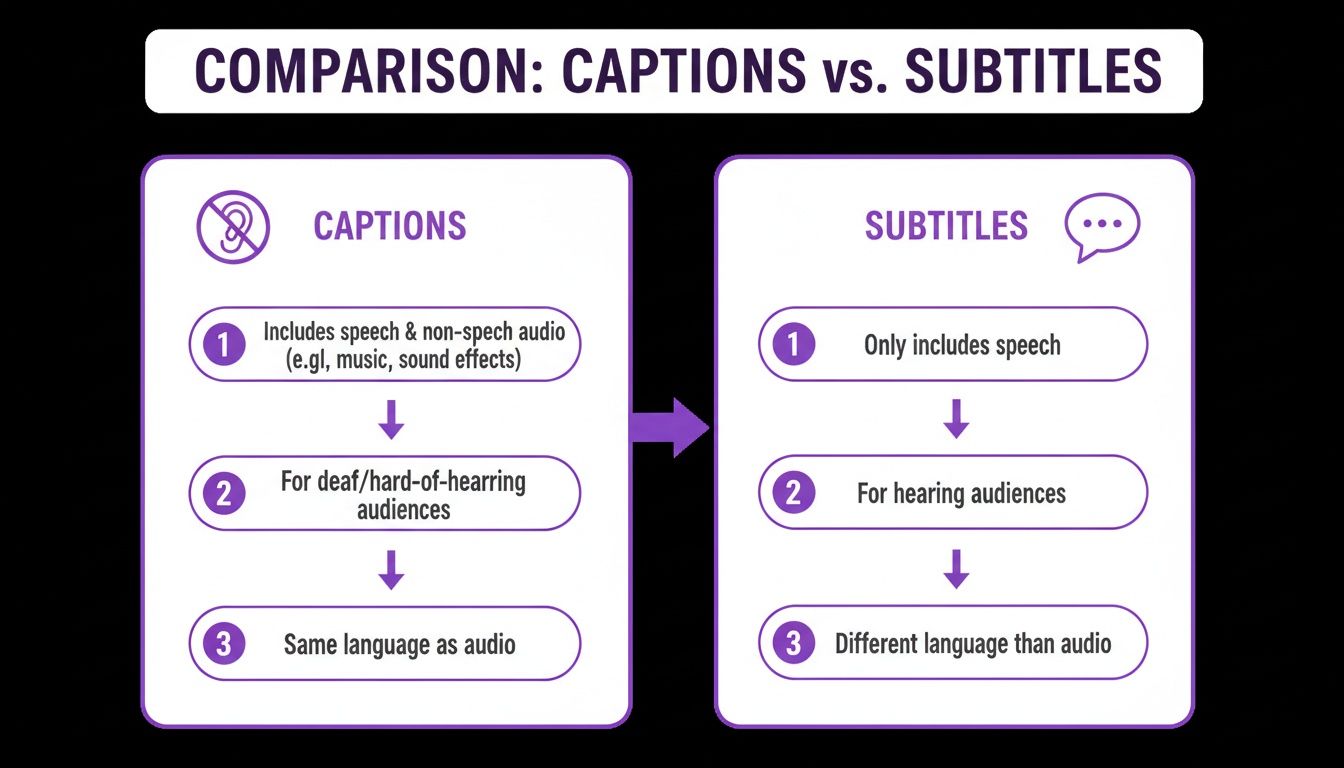
Comme vous pouvez le voir, les sous-titres codés sont axés sur l'accessibilité — incluant les effets sonores pour les personnes malentendantes. Les sous-titres classiques, quant à eux, sont conçus pour la traduction linguistique.
Le modèle hybride : Le juste milieu moderne
Pour la plupart des utilisateurs, c'est la meilleure option. Le modèle hybride tire le meilleur des deux mondes, offrant un excellent compromis entre rapidité, accessibilité financière et qualité.
Le fonctionnement est simple et intelligent :
Premier passage automatisé : Vous commencez par passer votre fichier audio ou vidéo dans un outil d'IA pour obtenir une première transcription générée en quelques minutes.
Finition humaine : Ensuite, un relecteur intervient pour vérifier le travail de l'IA. Il corrige les erreurs d'orthographe, de grammaire ou de ponctuation et ajuste la synchronisation.
Ce processus réduit considérablement l'effort manuel, ce qui permet d'économiser beaucoup de temps et d'argent sans compromettre la qualité finale. Pour la grande majorité des créateurs de contenu et des entreprises aujourd'hui, la méthode hybride est le moyen le plus pratique et le plus efficace de produire des sous-titres codés de premier choix qui servent réellement leur audience.
Ce n'est pas seulement une option — C'est votre responsabilité
Soyons honnêtes : les sous-titres codés ne sont plus une simple option agréable à avoir. Pour toute personne qui crée du contenu aujourd'hui, ils sont devenus une obligation légale et éthique. Il ne s'agit pas de cocher une case sur un formulaire de conformité ; c'est un engagement fondamental à rendre vos informations accessibles à chaque personne de votre public.
Des lois comme l'Americans with Disabilities Act (ADA) ont été interprétées pour couvrir la vidéo en ligne. Cela signifie que si vous ne proposez pas de sous-titres, vous pourriez être accusé de discrimination envers les spectateurs handicapés. Cette transition ne s'est pas faite en un jour. Un grand pas en avant a été le Television Decoder Circuitry Act de 1990, qui a obligé les fabricants à intégrer des décodeurs de sous-titres dans tous les téléviseurs de grande taille vendus aux États-Unis. En 2006, la FCC a fait du sous-titrage une exigence standard pour la plupart des programmes télévisés diffusés sur le réseau hertzien et le câble, consolidant ainsi sa place de pilier de l'accessibilité. Vous pouvez en apprendre plus sur la passionnante histoire du sous-titrage codé sur Mental Floss.
Cette évolution d'un simple ajout facultatif à une norme légale envoie un message clair aux créateurs modernes.
L'intérêt économique d'être inclusif
Si vous n'envisagez le sous-titrage que sous l'angle juridique, vous passez à côté de l'essentiel. Adopter l'accessibilité est l'une des décisions les plus intelligentes que vous puissiez prendre pour votre marque, en élargissant votre portée de manière insoupçonnée.
Rendre votre contenu accessible n'est pas seulement la bonne chose à faire, c'est aussi une décision commerciale stratégique. Une approche inclusive renforce la confiance, améliore la réputation de votre marque et ouvre la porte à une audience plus large et plus engagée.
Pensez aux avantages concrets qui vont bien au-delà du simple fait d'éviter les ennuis juridiques. Un contenu accessible est tout simplement un meilleur contenu, un point c'est tout.
Élargissez votre audience : Vous ouvrez immédiatement votre contenu aux millions de personnes sourdes ou malentendantes.
Améliorez l'expérience utilisateur : Les sous-titres sont d'une aide précieuse pour les personnes se trouvant dans des environnements bruyants (comme les transports ou un café), pour les non-natifs qui tentent de suivre le fil, et plus généralement, pour tous ceux qui préfèrent regarder des vidéos sans activer le son.
Boostez votre SEO : Les moteurs de recherche ne peuvent pas regarder une vidéo, mais ils peuvent lire du texte. Les sous-titres leur fournissent une transcription complète à analyser, aidant ainsi votre vidéo à se positionner sur des mots-clés stratégiques.
En fin de compte, intégrer le sous-titrage dans votre flux de travail est une stratégie proactive. Cela montre que votre marque est attentive et socialement responsable, créant ainsi une expérience plus agréable et accueillante pour tous ceux qui cliquent sur lecture.
Réussir ses sous-titres : Bonnes pratiques pour la qualité et la clarté
Se contenter d'ajouter des sous-titres à la va-vite sur votre vidéo ne suffit pas. La qualité de vos sous-titres peut transformer radicalement l'expérience de visionnage — faisant la différence entre aider votre public et l'agacer profondément.
Pour créer des sous-titres professionnels et efficaces qui remplissent réellement leur rôle, il y a quelques normes non négociables à respecter. Ce sont ces détails qui séparent un travail correct d'un travail d'expert.
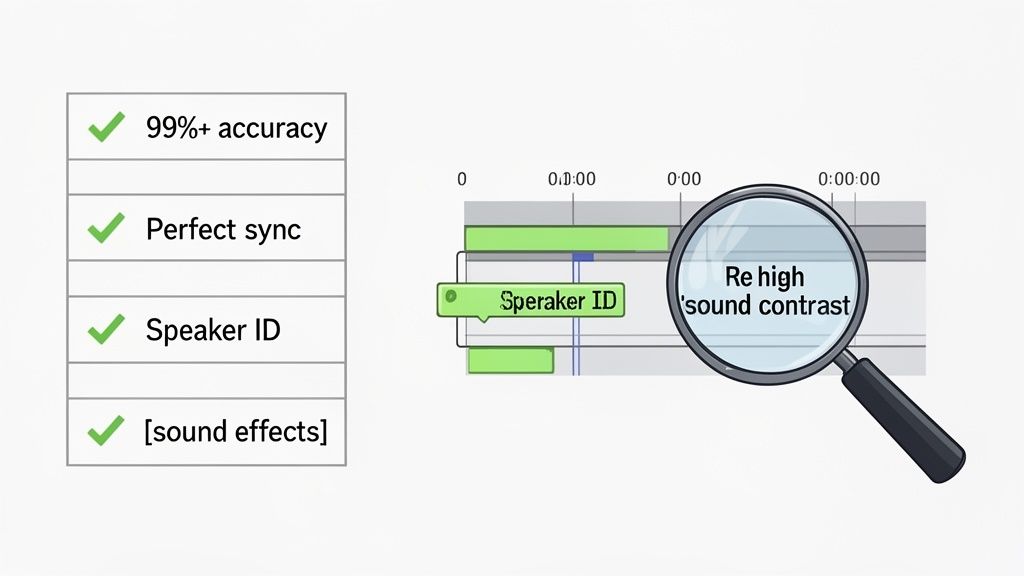
La priorité absolue est la précision. Vous devez viser un taux d'exactitude d'au moins 99 %. Chaque mot, chaque nom, chaque terme technique doit être parfait. Les outils automatisés vous offrent un excellent point de départ, mais une relecture humaine finale est cruciale pour repérer les erreurs subtiles et s'assurer que le texte correspond parfaitement à l'audio.
Maîtriser la lisibilité et la synchronisation
Une fois que le texte est impeccable, vous devez vous assurer qu'il est facile à lire et parfaitement synchronisé. C'est là que l'aspect technique du sous-titrage prend tout son sens. Les sous-titres doivent rester à l'écran juste assez longtemps pour qu'une personne moyenne puisse les lire, puis disparaître dès que l'interlocuteur passe à autre chose.
La synchronisation est l'âme du sous-titrage. Des sous-titres en retard ou en avance sur la voix peuvent être plus perturbants que pas de sous-titres du tout, rompant l'immersion du spectateur et créant de la confusion.
Pour une lisibilité optimale, gardez ces conseils de mise en forme à l'esprit :
Sauts de ligne : Limitez-vous à une ou deux lignes par sous-titre. Essayez toujours de couper les lignes lors de pauses grammaticales naturelles, comme après une virgule ou avant une conjonction.
Identification des locuteurs : Lorsque plusieurs personnes s'expriment, indiquez clairement qui parle. Utilisez des indications comme
(Sarah) :ou>>pour attribuer distinctement les répliques.Sons non parlés : N'oubliez pas les sons qui apportent du contexte ! Inclure des indices sonores cruciaux comme
[le téléphone sonne]ou[la porte claque]permet d'offrir une retranscription fidèle aux spectateurs malentendants.
Esthétique visuelle et présentation
Enfin, l'apparence de vos sous-titres à l'écran joue un rôle majeur. Le texte doit rester parfaitement lisible, quel que soit l'arrière-plan de votre vidéo.
Privilégiez une police sans empattement (sans-serif) simple et épurée. Le contraste élevé est votre meilleur allié. La plupart des plateformes affichent par défaut du texte blanc avec un contour noir ou un fond noir semi-transparent, et ce pour une bonne raison : c'est un standard fiable qui fonctionne à coup sûr.
Pour les contenus principalement audio comme les podcasts, obtenir une transcription de qualité dès le départ représente la moitié du chemin. Vous pouvez consulter les meilleures applications de transcription IA pour podcasts afin d'optimiser cette première étape. En vous concentrant sur la précision, la synchronisation et une présentation claire, vous offrirez une expérience fluide et réellement accessible à l'ensemble de votre audience.
Des questions sur le sous-titrage codé ? Nous avons les réponses.
Nous avons passé en revue le quoi, le pourquoi et le comment du sous-titrage codé. Mais soyons réalistes, vous avez probablement encore quelques questions pratiques en tête.
C'est ici que les choses deviennent concrètes. Répondons aux questions les plus fréquentes des créateurs et des spécialistes du marketing afin de vous aider à avancer en toute confiance.
Est-ce que l'ajout de sous-titres codés aide vraiment pour le SEO ?
Absolument. Pensez-y : les moteurs de recherche comme Google ne peuvent pas réellement regarder votre vidéo pour comprendre de quoi elle parle. Ils s'appuient sur le texte, et c'est précisément ce que contient un fichier de sous-titres.
En ajoutant des sous-titres, vous fournissez aux moteurs de recherche une transcription complète et riche en mots-clés de l'intégralité de votre vidéo. Cela leur apporte un contexte énorme, les aidant à indexer votre contenu avec précision et à le positionner sur des recherches pertinentes. C'est un avantage SEO massif et souvent sous-estimé.
Les sous-titres transforment vos paroles en texte consultable. Soudain, chaque mot prononcé devient une opportunité supplémentaire pour que votre vidéo soit découverte par la bonne audience.
Quel est le meilleur format de fichier pour les sous-titres ?
Pour la plupart des créateurs de contenu en ligne, la réponse est simple : le format SRT (.srt). C'est le leader incontesté en matière de compatibilité.
Ce fichier texte simple fonctionne parfaitement sur YouTube, Facebook, LinkedIn et la quasi-totalité des autres grandes plateformes. Il est facile à créer, facile à modifier et remplit parfaitement son rôle sans fioritures.
Vous rencontrerez peut-être aussi le format VTT (.vtt), un peu plus moderne et offrant des options de style, mais le SRT reste votre choix le plus sûr pour une compatibilité universelle. Les diffuseurs TV utilisent parfois des formats comme le SCC (.scc), mais pour les créateurs de contenu digital, s'en tenir au SRT évitera bien des maux de tête.
Peut-on faire confiance aux sous-titres générés par l'IA pour ses vidéos ?
Vous pouvez leur faire confiance pour réaliser la majeure partie du travail. Les outils d'IA modernes peuvent générer un premier jet avec une précision impressionnante — dépassant souvent 95 % — en seulement quelques minutes. Cela vous fait gagner un temps précieux par rapport à une saisie manuelle intégrale.
Cependant, pour un contenu de qualité professionnelle, une relecture humaine rapide reste une étape finale indispensable. Laissez l'IA s'occuper de la transcription fastidieuse, puis confiez à un humain le soin de corriger les noms propres, le jargon technique ou les éventuelles erreurs de contexte que la machine aurait pu manquer. Ce flux de travail hybride vous offre le meilleur des deux mondes : une rapidité fulgurante et un résultat professionnel soigné.
Prêt à créer des sous-titres précis et optimisés pour le SEO en quelques minutes ? WhisperTranscribe utilise une IA avancée pour générer des transcriptions, des résumés et du contenu pour les réseaux sociaux à partir de vos fichiers vidéo et audio. Arrêtez de saisir manuellement et commencez à créer. Essayez WhisperTranscribe gratuitement dès aujourd'hui !