Analisamos as 9 Melhores Alternativas ao Whisper para Transcrição Precisa em 2026

Resumo Rápido
Este guia analisa as 9 melhores alternativas ao Whisper para utilizadores que desejam a precisão do OpenAI Whisper sem configurações técnicas ou limitações de fluxo de trabalho. Compara ferramentas baseadas no Whisper e plataformas de transcrição alternativas em termos de precisão, cobertura de idiomas, preços e recursos de fluxo de trabalho de conteúdo.
As Nossas Principais Escolhas Incluem:
WhisperTranscribe para precisão do Whisper e mais de 57 tipos de ativos de conteúdo
MacWhisper para transcrição local nativa para Mac
Aiko para transcrição offline em dispositivos Apple
Speechmatics para APIs corporativas de fala para texto
Para mais análises como esta, visite o blog da WhisperTranscribe.
À Procura das Melhores Alternativas ao Whisper?
O Whisper da OpenAI mudou a transcrição. O modelo mais recente, Whisper Large-v3, foi treinado em 5 milhões de horas de áudio rotulado e pseudo-rotulado, melhorando o desempenho em vários idiomas, sotaques e padrões de fala.
No entanto, o Whisper bruto ainda requer configuração técnica, e a maioria das implementações foca-se apenas na transcrição. Recursos como deteção de colunas, legendas, traduções, resumos e geração de conteúdo exigem frequentemente ferramentas ou fluxos de trabalho adicionais.
Neste guia da WhisperTranscribe, comparamos 9 alternativas ao Whisper ao nível de precisão, cobertura de idiomas, preços e recursos de fluxo de trabalho, incluindo transcrição, tradução, reuniões e reaproveitamento de conteúdo.
Porquê Ouvir-nos?
Na WhisperTranscribe, construímos a nossa plataforma com base no modelo Whisper Large-v3 da OpenAI. Isso dá-nos experiência direta com os pontos fortes e limitações do Whisper, bem como com os fluxos de trabalho que os utilizadores ainda necessitam além da transcrição.
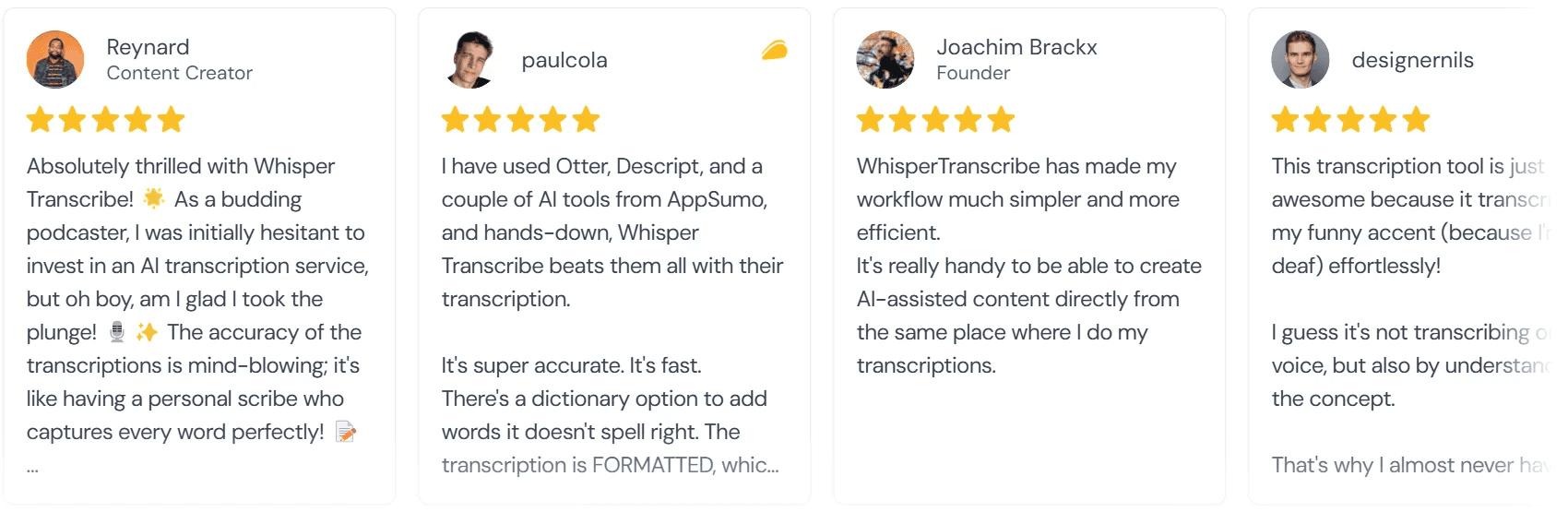
A nossa plataforma é utilizada por milhares de utilizadores, incluindo equipas e indivíduos de Berkeley, Cambridge University, Harvard Law School, Le Monde e UN Women.
Por que Razão os Utilizadores Procuram uma Alternativa ao Whisper
O modelo Whisper da OpenAI é altamente preciso, mas diferentes utilizadores deparam-se com diferentes limitações de fluxo de trabalho, dependendo de como gravam, transcrevem e utilizam o conteúdo de áudio posteriormente.
Os utilizadores procuram frequentemente uma alternativa ao Whisper porque:
Executar o Whisper localmente parece demasiado técnico ou demorado
Desejam uma interface simples de arrastar e largar em vez de uma configuração manual
Precisam de deteção de colunas, exportação de legendas ou ferramentas de tradução integradas
Querem resumos, artigos de blog, clipes ou conteúdo social gerado a partir de transcrições
Necessitam de transcrição de reuniões ao vivo com o Zoom, Google Meet ou Microsoft Teams
Trabalham com gravações legais, médicas ou confidenciais que exigem revisão humana
Precisam de ferramentas de colaboração mais robustas para equipas que editam transcrições em conjunto
Desejam mais controlo sobre a privacidade dos ficheiros e fluxos de trabalho de armazenamento local
Necessitam de APIs escaláveis ou opções de implementação empresarial para cargas de trabalho maiores
Em suma, os utilizadores escolhem alternativas ao Whisper quando precisam de mais do que uma transcrição bruta, seja para uma configuração mais fácil, colaboração, fluxos de trabalho multilíngues, reuniões ao vivo ou para transformar transcrições em conteúdo útil.
As 9 Melhores Alternativas ao Whisper em 2026
Esta tabela compara as 9 alternativas abordadas neste guia.
Ferramenta | Tipo | Preço Inicial | Idiomas | Recurso de Destaque |
WhisperTranscribe | Baseado no Whisper + ferramentas de conteúdo | $19.99/mês anual | 55+ (99+ tradução) | Mais de 57 tipos de ativos a partir de uma gravação |
MacWhisper | App Mac baseada no Whisper | A partir de €64 | 100+ | Processamento local com pastas de lote e monitorização |
Aiko | App Apple baseada no Whisper | Compra única na App Store | 100+ | Totalmente offline no Mac, iPhone, iPad, Vision Pro |
TurboScribe | Web baseada no Whisper | $10/mês anual | 98+ | Upload de ficheiros de 10 horas em escala |
Descript | Editor de media baseado no Whisper | $16/mês anual | 25+ | Edição de áudio e vídeo baseada em texto |
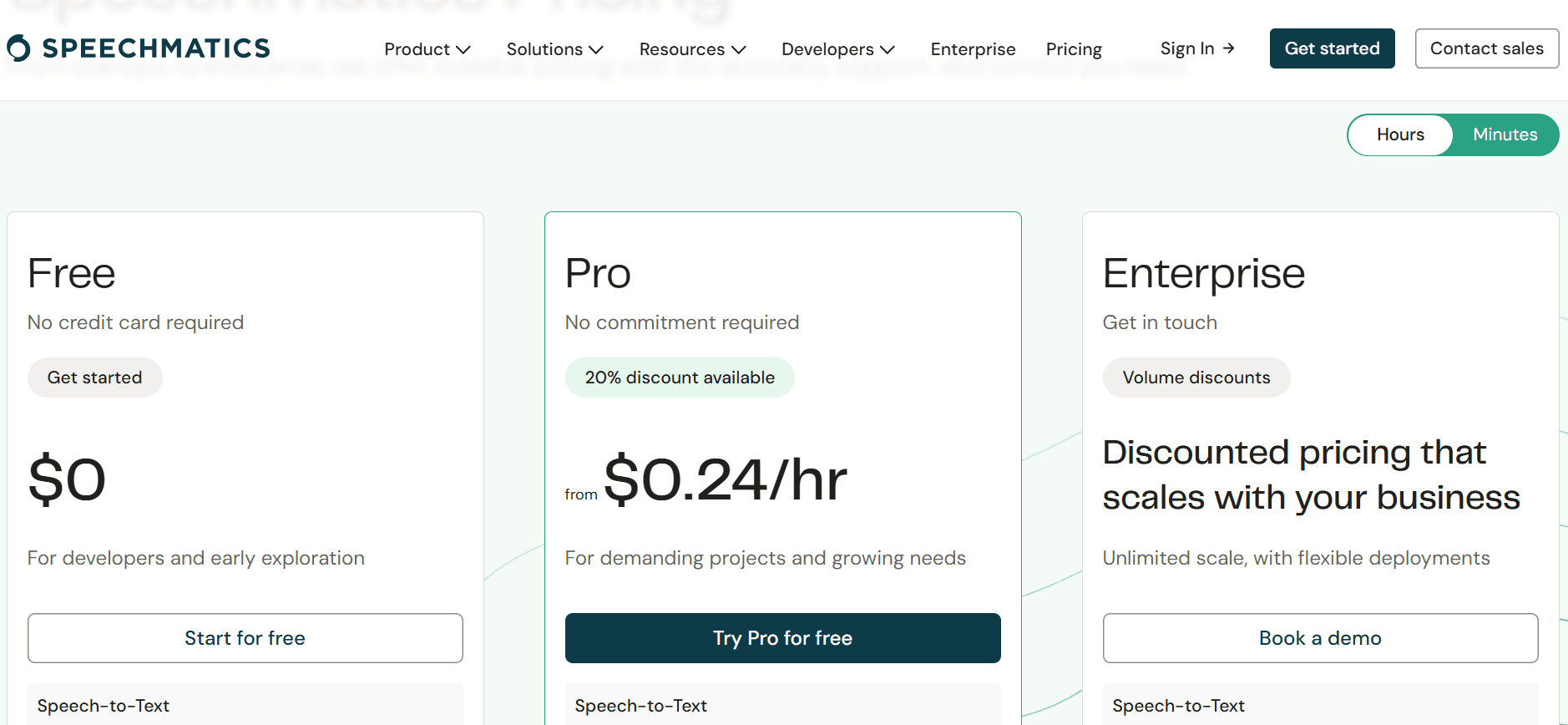
Speechmatics | API de STT proprietária | $0.24/hora PAYG | 55+ | Precisão em tempo real de nível empresarial |
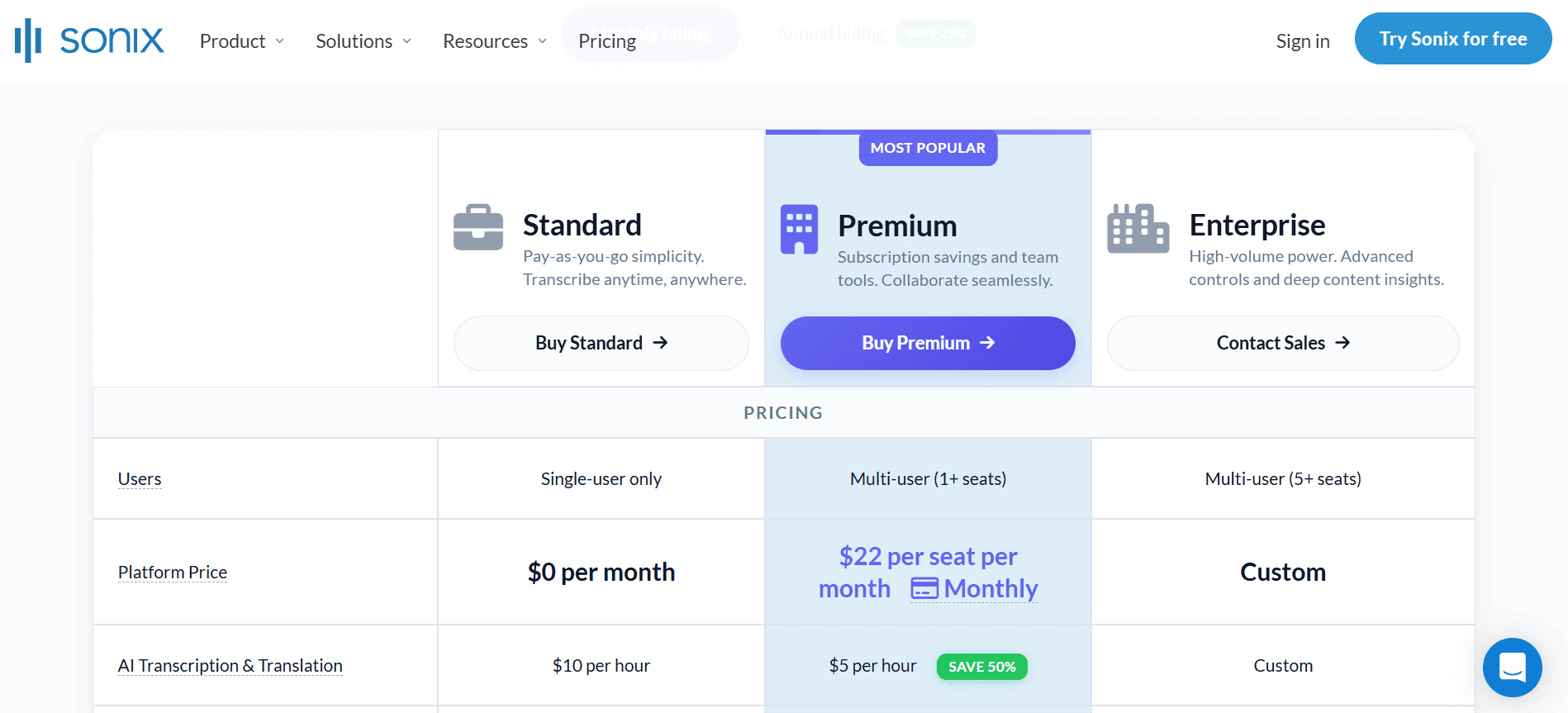
Sonix | Ferramenta de conteúdo proprietária | $10/hora de áudio | 53+ | Até 99% de precisão com tradução |
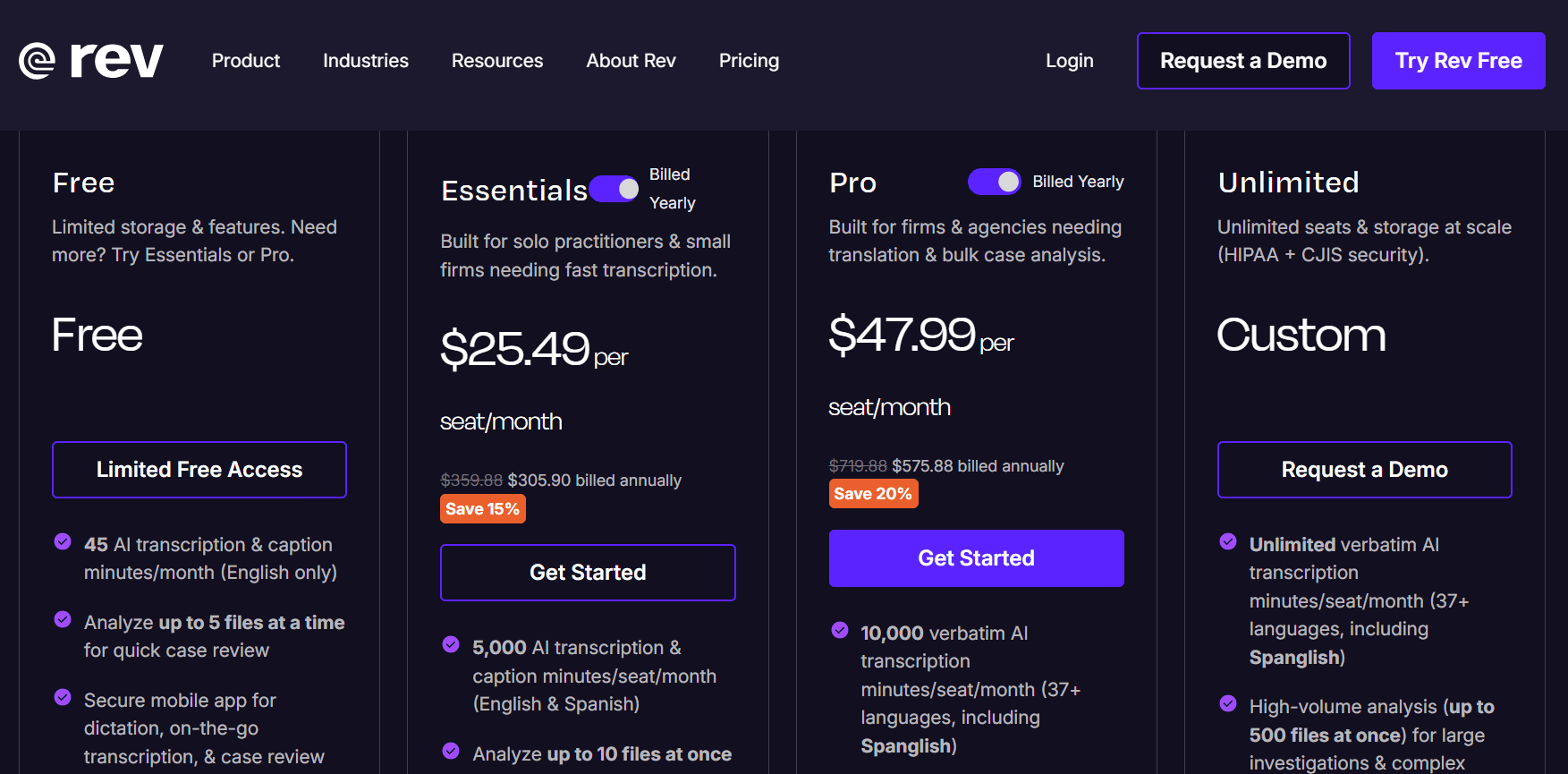
Rev | IA proprietária + humana | A partir de $25.49/mês faturado anualmente | 38+ | Híbrido de transcrição por IA e humana |
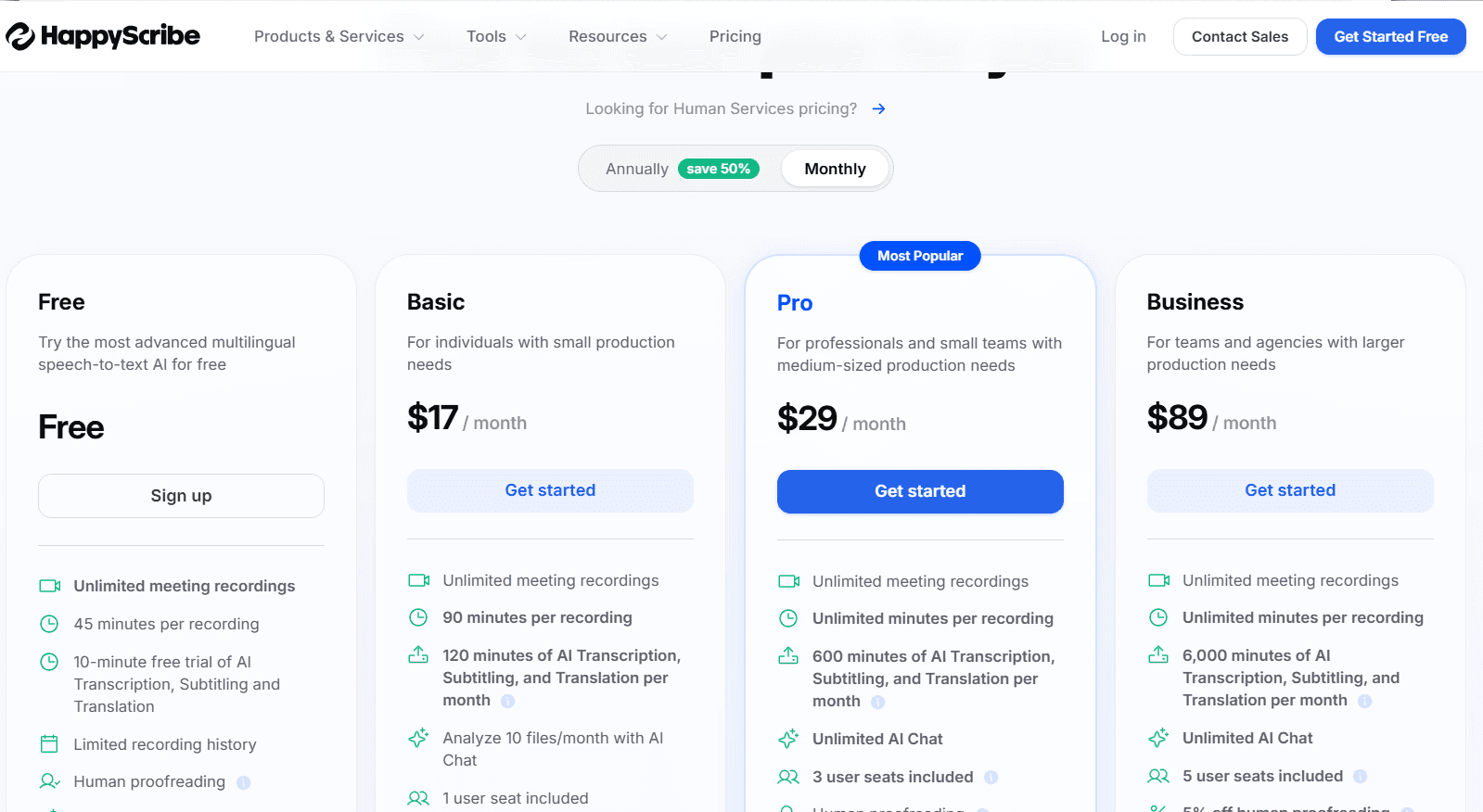
Happy Scribe | Legendagem proprietária | $17/mês | 120+ | Maior cobertura de idiomas com editor de legendas |
1. WhisperTranscribe
WhisperTranscribe é a nossa principal escolha entre as alternativas ao Whisper porque mantém a força de transcrição do Whisper ao mesmo tempo que resolve os problemas que tornam o Whisper bruto difícil de usar no dia a dia. Funciona com o modelo Whisper Large-v3 da OpenAI, mas elimina a necessidade de instalar o Python, utilizar ferramentas de linha de comando, gerir dependências ou criar um fluxo de trabalho em torno da própria transcrição.

O Whisper bruto oferece-lhe fala para texto. O WhisperTranscribe adiciona o nível de que a maioria dos utilizadores necessita a seguir. Pode carregar um ficheiro ou colar um link de RSS do YouTube, Vimeo ou podcast, e depois transcrever a gravação, detetar interlocutores, traduzir a transcrição e transformar o resultado em conteúdo no mesmo espaço de trabalho.
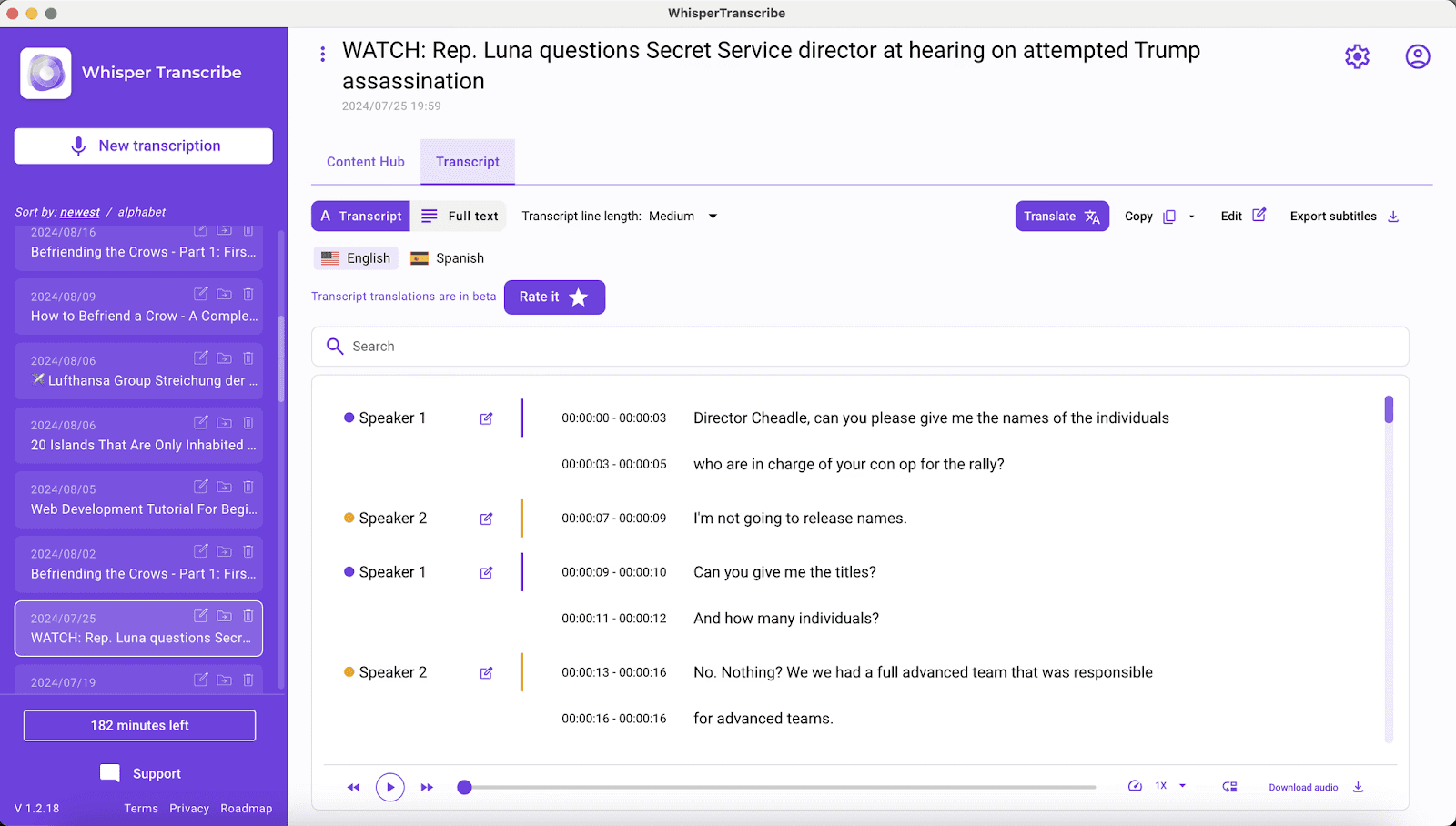
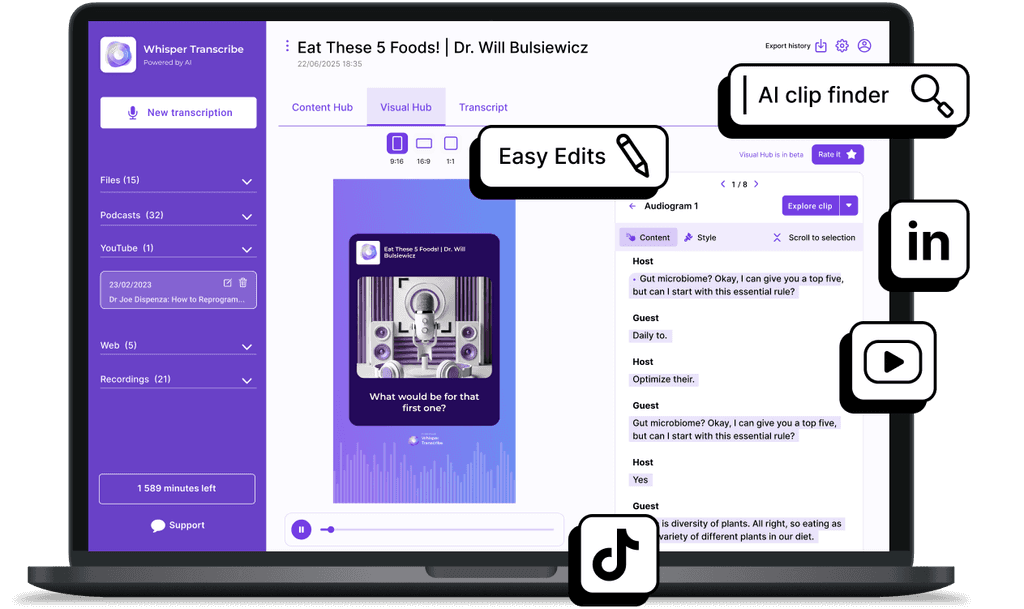
As suas aplicações para Mac e Windows também suportam armazenamento local, dando aos utilizadores mais controlo sobre onde ficam guardadas as gravações e transcrições. Uma vez processada a gravação, esta pode ser convertida em mais de 57 ativos de conteúdo, incluindo artigos de blog, notas de episódios, resumos, publicações sociais e pequenos clipes para o TikTok e YouTube.
Principais Recursos
Transcrição Whisper Large-v3: Cerca de 95% de precisão entre sotaques, jargão e ruído de fundo. Os ficheiros são guardados localmente no seu dispositivo para privacidade.
Magic Chat: Faça perguntas sobre a sua transcrição e extraia insights, resumos ou itens de ação em segundos sem ter de ouvir novamente.
Mais de 57 Tipos de Ativos de Conteúdo: Converta uma gravação em artigos de blog, notas de episódios, capítulos e legendas sem necessidade de novas instruções.
Personalização do Tom de Voz da Marca: Treine a IA com amostras do seu trabalho para que o conteúdo derivado soe como se fosse seu.
Localizador de Clipes de IA: Gera mais de 10 pequenos clipes por gravação, otimizados para TikTok, YouTube e LinkedIn.
Tradução em Mais de 99 Idiomas: Traduza transcrições finalizadas mantendo as etiquetas dos interlocutores e a marcação de tempo para legendas.
Preços
O WhisperTranscribe oferece um teste gratuito de 60 minutos sem necessidade de cartão de crédito.
Os planos pagos oferecem:
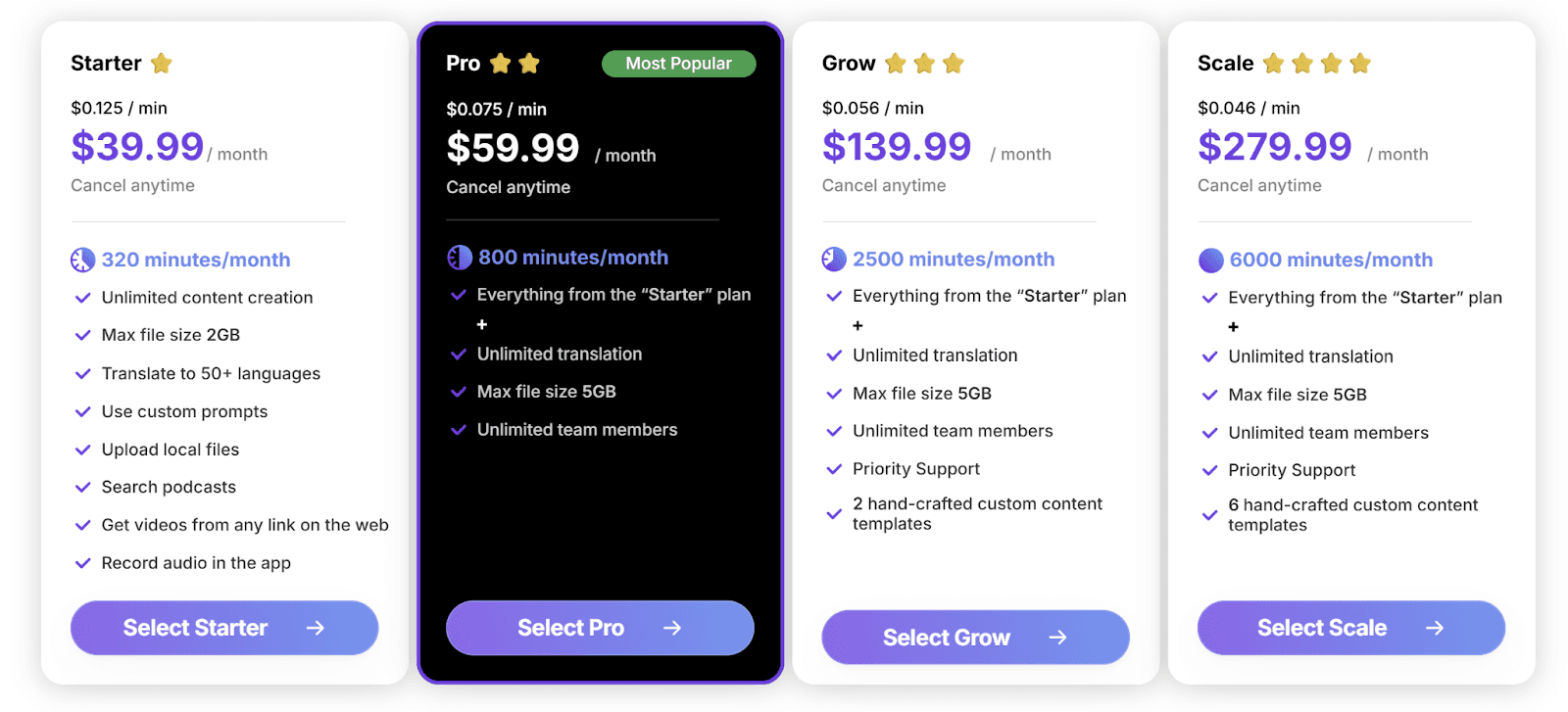
Starter: $39.99/mês ($19.99/mês anual), 320 minutos, ficheiro máx. de 2GB
Pro: $59.99/mês ($29.99/mês anual), 800 minutos, máx. de 5GB, equipa ilimitada
Grow: $139.99/mês ($69.99/mês anual), 2.500 minutos, suporte prioritário
Scale: $279.99/mês ($139.99/mês anual), 6.000 minutos, seis templates personalizados
A faturação anual poupa até 50%. O pagamento por utilização começa em $9/hora, disponível para compra na app.
Prós
| Contras
|
2. MacWhisper
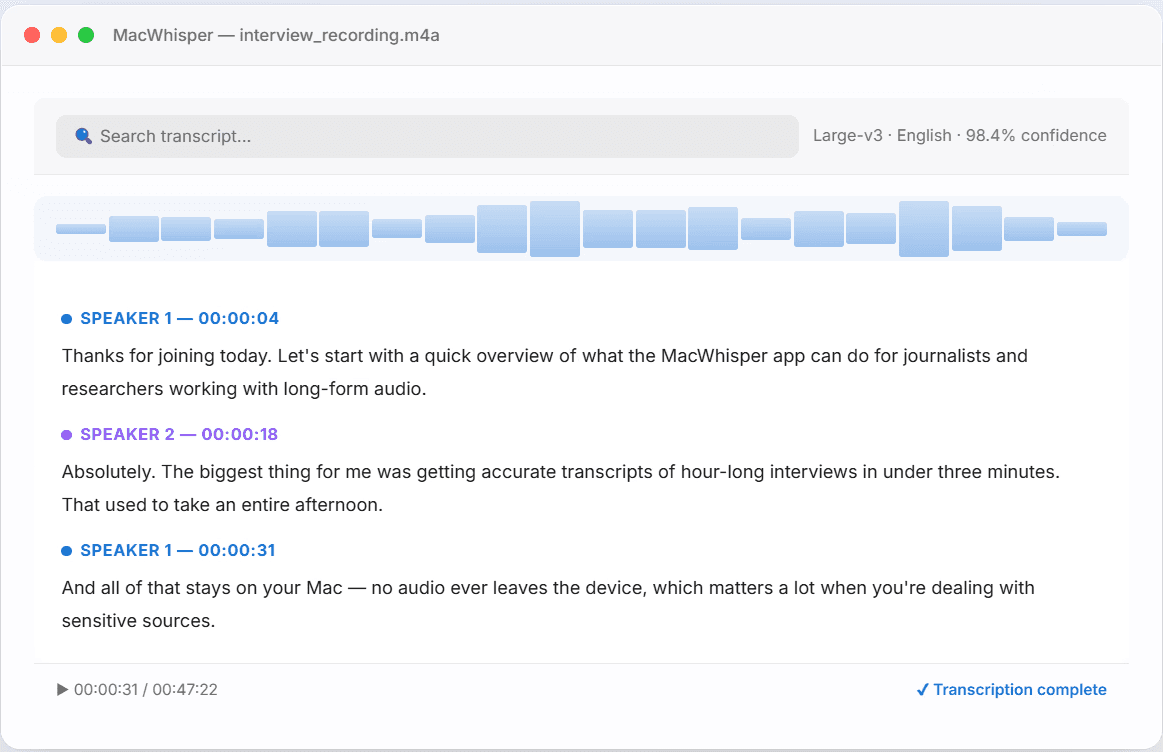
O MacWhisper é uma ferramenta de transcrição baseada no Whisper para utilizadores de Mac, que oferece transcrição local sem exigir configuração de linha de comando ou fluxos de trabalho baseados em subscrição. Desenvolvido por Jordi Bruin, executa os modelos Whisper da OpenAI localmente na sua máquina.
A sua principal vantagem sobre o Whisper bruto é a facilidade de utilização. O MacWhisper elimina a necessidade de instalar e executar o Whisper manualmente e adiciona funcionalidades práticas, como transcrição de pastas em lote, pastas monitorizadas, gravação de áudio do sistema, exportação de legendas e diarização de interlocutores.
Principais Recursos
Modelos Whisper Locais: Modelos Whisper, incluindo Large-v3 e Large-v3 Turbo, executados localmente no seu Mac.
Pastas de Lote e Monitorizadas: Arraste uma pasta de ficheiros de áudio ou vídeo e transcreva todos de uma vez.
Transcrição de URL do YouTube: Cole um link e obtenha uma transcrição completa sem necessidade de descarregar o vídeo.
Gravação de Áudio do Sistema: Grave reuniões, chamadas e webinars a partir de qualquer app do Mac.
Preços
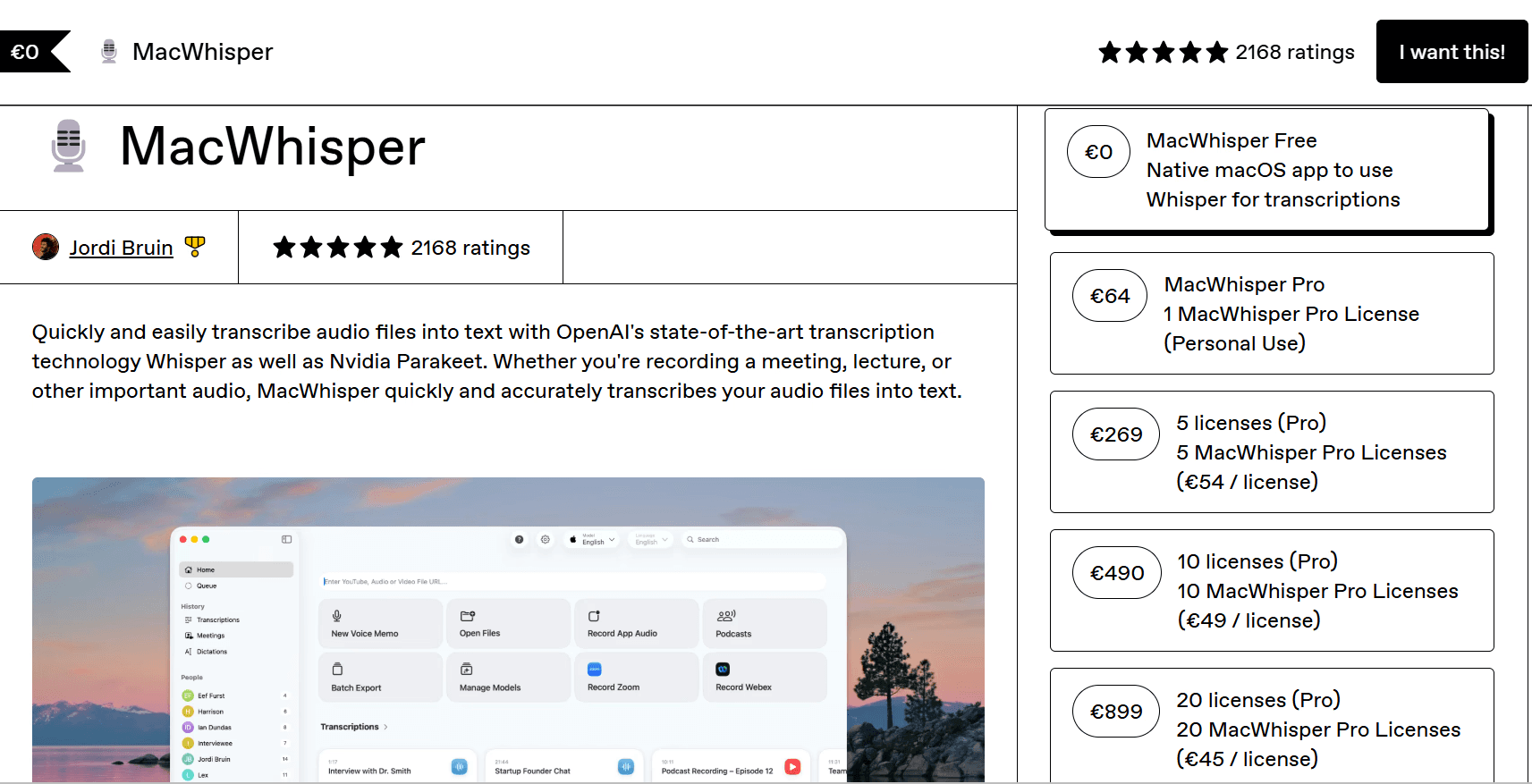
Plano gratuito disponível com os modelos Whisper Tiny, Base e Small
O custo do MacWhisper Pro começa em €64 para uso pessoal
A versão da App Store oferece opções de compra mensal, anual e vitalícia
Estudantes, jornalistas e organizações sem fins lucrativos podem solicitar um desconto de 25%
Prós
| Contras
|
3. Aiko
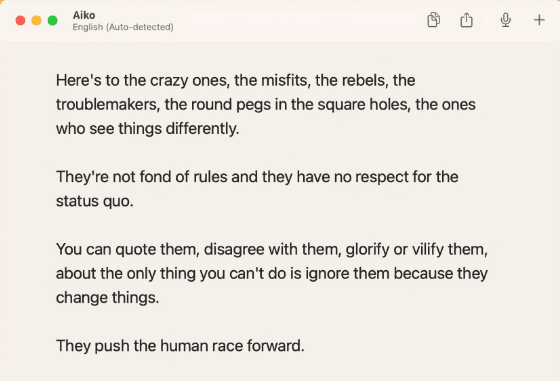
Aiko é uma alternativa ao Whisper para utilizadores da Apple que pretendem transcrição offline sem recorrer à linha de comando. Funciona no Mac, iPhone, iPad e Apple Vision Pro através de uma única Compra Universal, oferecendo aos utilizadores uma forma mais simples de executar transcrições do tipo Whisper em dispositivos Apple.
Em vez de solicitar que os utilizadores instalem o Whisper, façam a gestão de modelos ou enviem gravações para a cloud, a Aiko lida com a transcrição diretamente no dispositivo. O áudio e as transcrições permanecem locais, o que a torna ideal para notas privadas, entrevistas, aulas e gravações confidenciais.
Principais Recursos
Whisper no Dispositivo: Modelos Whisper no macOS, Medium ou Small no iOS, todos processados localmente.
Suporte Apple Universal: Funciona em Mac, iPhone, iPad e Apple Vision Pro.
Integração com Gravação de Voz: Transcreva diretamente das Gravações do iOS através do menu de partilha.
Exportação de Legendas: Gere ficheiros SRT para legendagem de vídeo.
Preços
Teste gratuito de 14 dias disponível através do TestFlight
Compra única na App Store após o período de teste
O preço exato pode variar consoante a região
Prós
| Contras
|
4. TurboScribe
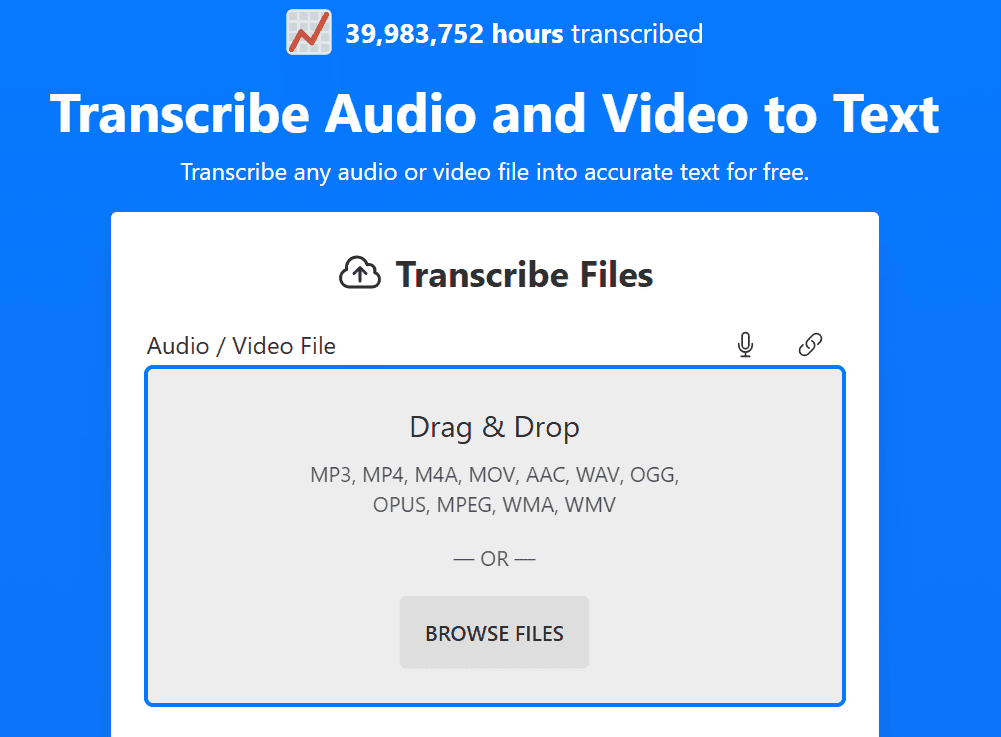
O TurboScribe traz a transcrição Whisper para um fluxo de trabalho baseado no browser. Os utilizadores podem carregar ficheiros de áudio ou vídeo online sem instalar modelos, executar comandos ou gerir o processamento local.
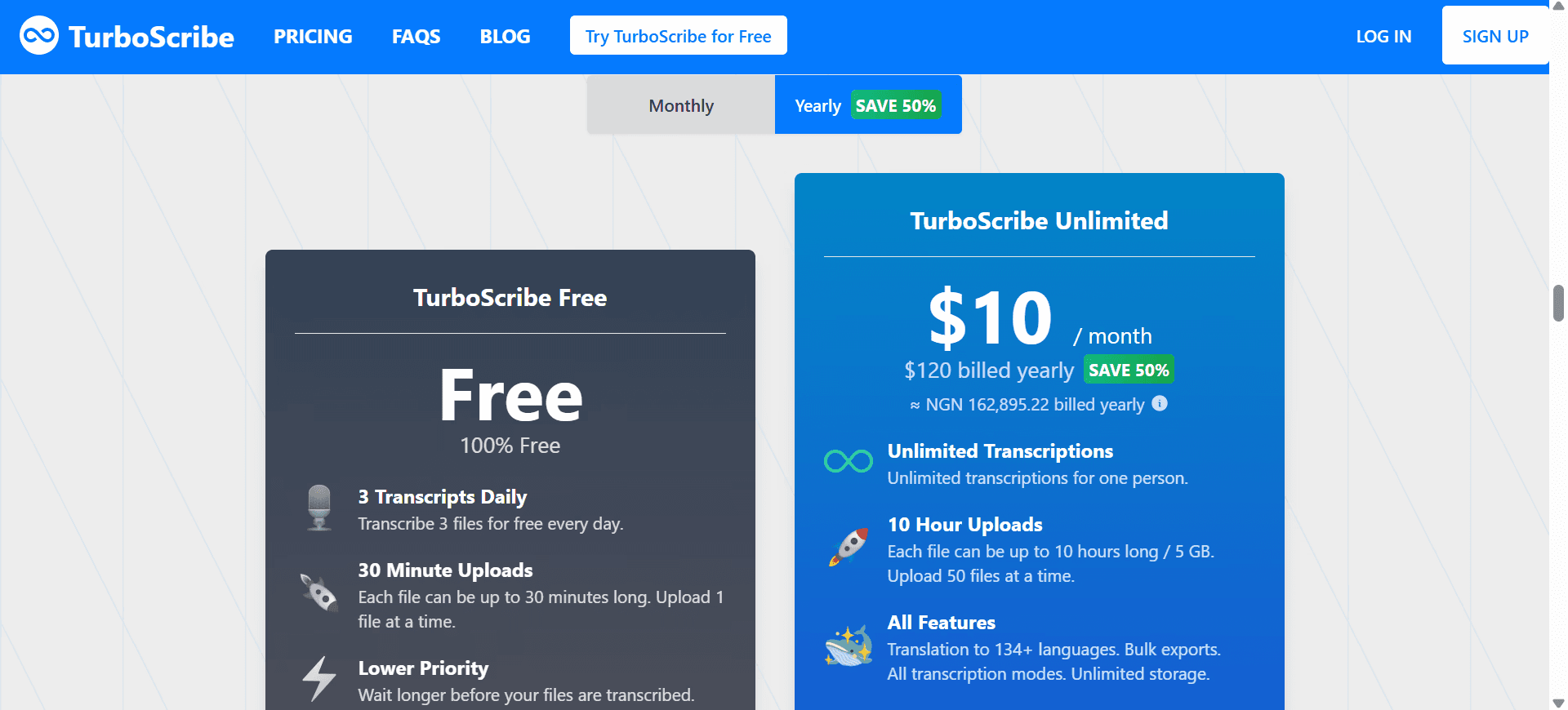
Funciona bem para gravações longas, ficheiros grandes e áudio multilíngue, com suporte para mais de 98 idiomas. O TurboScribe também oferece dois modos de processamento: Whale para maior precisão e Cheetah para resultados mais rápidos. O seu plano gratuito inclui até 3 transcrições por dia, com um limite de 30 minutos por ficheiro.
Principais Recursos
Suporte para Carregamento de Ficheiros: Processe gravações de até 5GB e 10 horas por carregamento.
Modos Whale e Cheetah: Escolha a precisão máxima ou a velocidade mais rápida para cada tarefa.
98+ Idiomas: Ampla cobertura de transcrição com tradução para mais de 134 idiomas.
Processamento Baseado no Whisper: Lida com gravações ruidosas graças à robustez integrada do modelo durante a transcrição.
Preços
Gratuito com 3 transcrições por dia, de 30 minutos cada.
Ilimitado a $20/mês ($10/mês com faturação anual).
Prós
| Contras
|
5. Descript
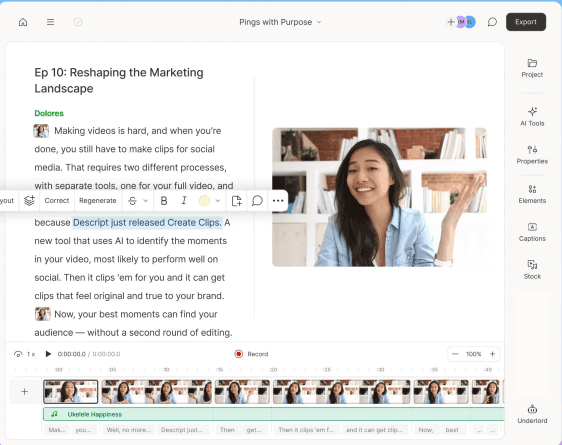
O Descript é uma alternativa ao Whisper para criadores que necessitam de editar o que gravam, e não apenas de o transcrever. A transcrição torna-se o painel de controlo do ficheiro multimédia, permitindo aos utilizadores cortar áudio ou vídeo ao editarem o texto no ecrã.
Para podcasters, YouTubers e equipas de vídeo, o Descript oferece muito mais do que os resultados brutos do Whisper. Inclui edição baseada em texto, remoção de palavras de preenchimento, legendas, ferramentas de edição com IA e Overdub para clonagem de voz, tornando-o melhor para conteúdos multimédia editados do que transcrições simples.
Principais Recursos
Edição Baseada na Transcrição: Edite áudio e vídeo ao editar o texto diretamente.
Studio Sound: Melhoramento de áudio com um clique que otimiza o ruído e o eco.
Clonagem de Voz Overdub: Corrija erros ao dactilografar em vez de gravar novamente.
Assistente de IA Underlord: Gera resumos, capítulos e edições sob pedido.
Preços
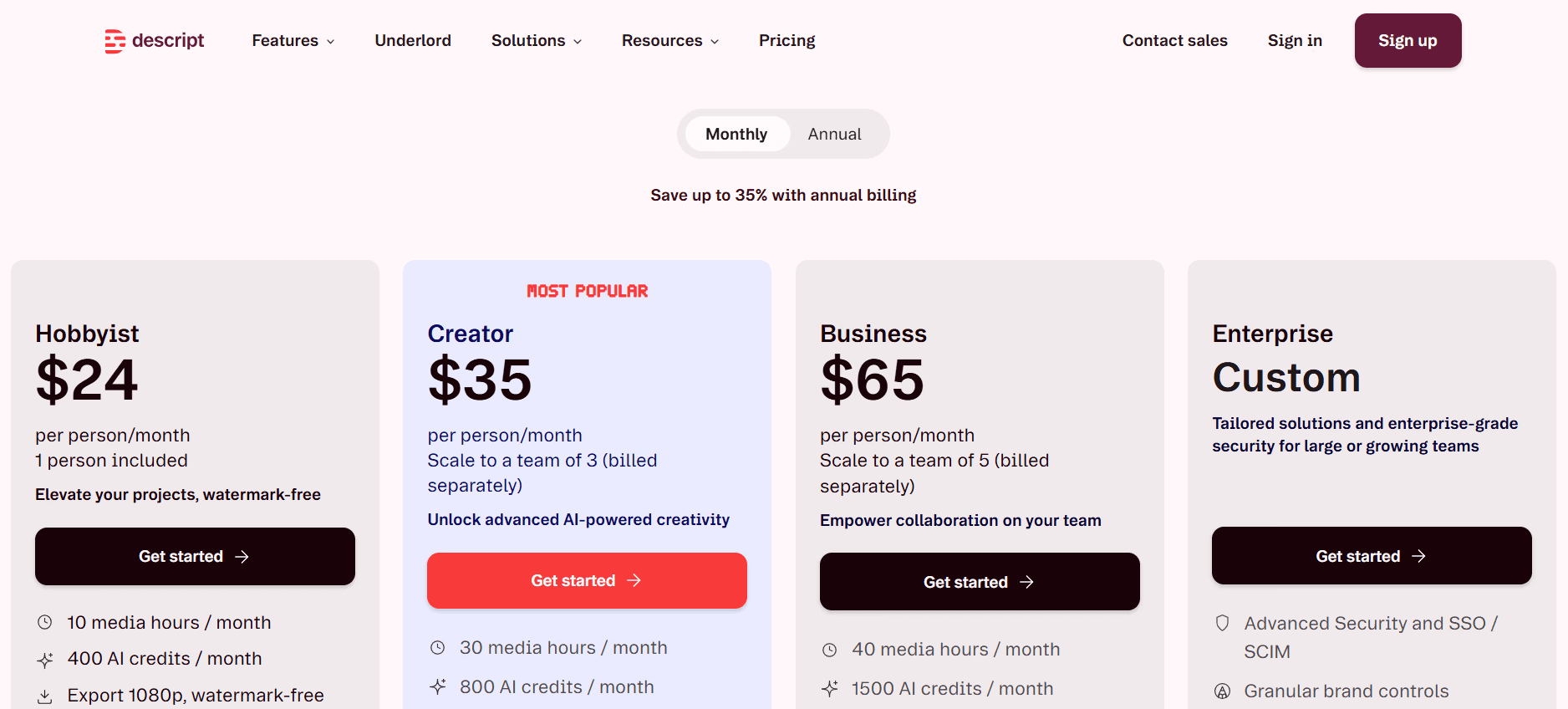
Gratuito com 60 minutos de multimédia/mês com marca de água.
Hobbyist a $24/mês ($16/mês anual).
Creator a $35/mês ($24/mês anual).
Business a $65/mês ($50/mês anual).
Prós
| Contras
|
6. Speechmatics
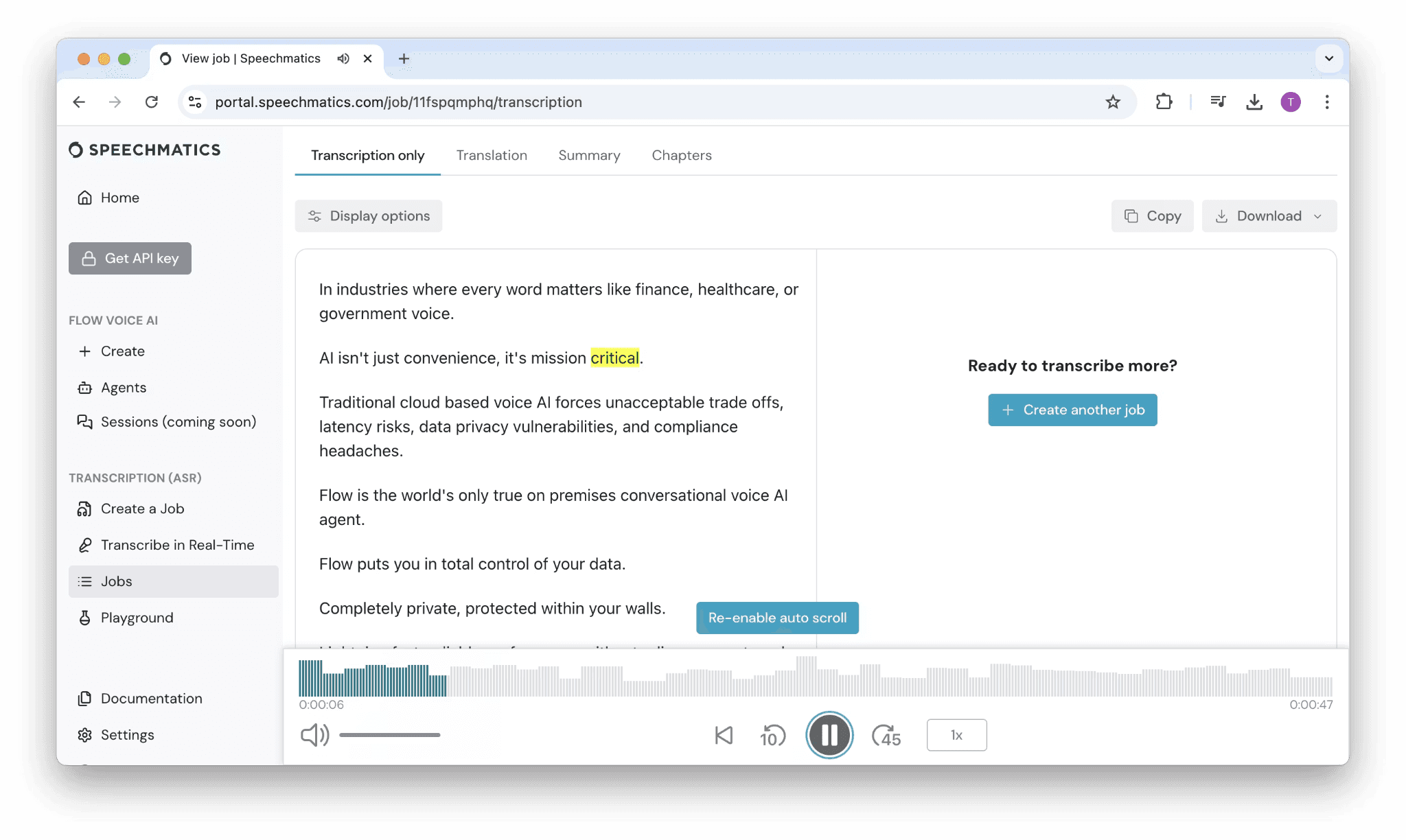
A Speechmatics é uma API de fala para texto (translation: speech-to-text) concebida para empresas e programadores que pretendem adicionar transcrição aos seus próprios produtos ou fluxos de trabalho. Enquanto o Whisper exige frequentemente que os utilizadores executem ou conectem o modelo por si próprios, a Speechmatics assegura fornecimento via API, transcrição em tempo real e opções de implementação empresarial.
É mais indicada para centros de contacto, sistemas de monitorização de media, ferramentas de legendagem ao vivo e aplicações de voz onde a transcrição necessita de correr dentro de um sistema maior.
Principais Recursos
Transcrição em Tempo Real e em Lote: Suporta fluxos de trabalho tanto para streaming como para ficheiros carregados.
Vários Idiomas e Dialetos: Suporta transcrição em diversas variantes de inglês e línguas globais.
Implementação Empresarial: Opções em cloud, locais (on-premises) e híbridas para necessidades de conformidade regulamentar.
Vocabulários Personalizados: Melhore o reconhecimento de nomes de marcas, termos técnicos e nomes próprios.
Preços
O plano gratuito inclui 480 minutos/mês
O plano Pro começa a partir de $0.24/hora
Preços empresariais sob consulta para equipas com maior volume de trabalho
Prós
| Contras
|
7. Sonix
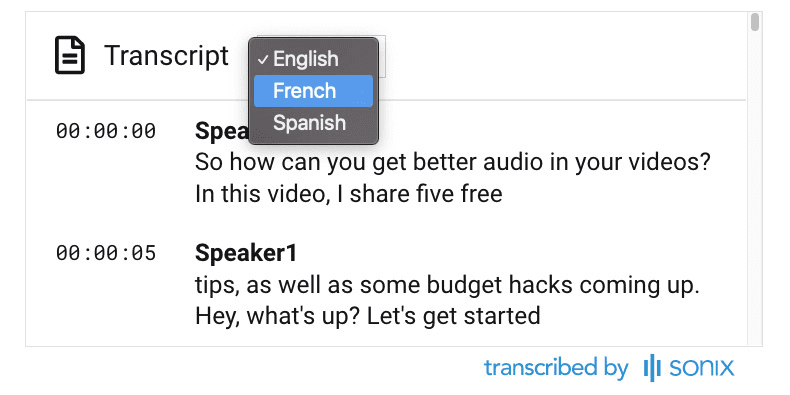
O Sonix funciona muito bem para utilizadores que procuram transcrição semelhante à do Whisper num fluxo de trabalho web pronto a usar. Enquanto o Whisper lhe disponibiliza o modelo, o Sonix adiciona carregamento de ficheiros, revisão de transcrições, exportação de legendas, análise por IA e colaboração em equipa.
Para equipas de media, jornalistas e criadores, o valor reside no fluxo de trabalho construído em torno da transcrição. O Sonix também oferece funcionalidades de segurança, conformidade regulamentar e espaços de trabalho partilhados que o Whisper bruto não disponibiliza.
Principais Recursos
Transcrição de Alta Qualidade: Excelente desempenho em fontes de áudio limpas em vários idiomas.
Vários Formatos de Exportação: Inclui SRT, VTT, DOCX e transcrições temporizadas para fluxos de trabalho de produção.
Pacote de Análise de IA: Deteção de sentimentos, de tópicos e extração de temas nos vários ficheiros.
Segurança Empresarial: Conformidade SOC 2 Tipo II, encriptação AES-256 e fluxos de trabalho HIPAA disponíveis.
Preços
Teste gratuito de 30 minutos, sem necessidade de cartão de crédito.
Standard a $10/hora de áudio no modelo de pagamento por utilização.
Premium a $22/utilizador/mês mais $5/hora de áudio.
Enterprise com tabela personalizada.
Prós
| Contras
|
8. Rev
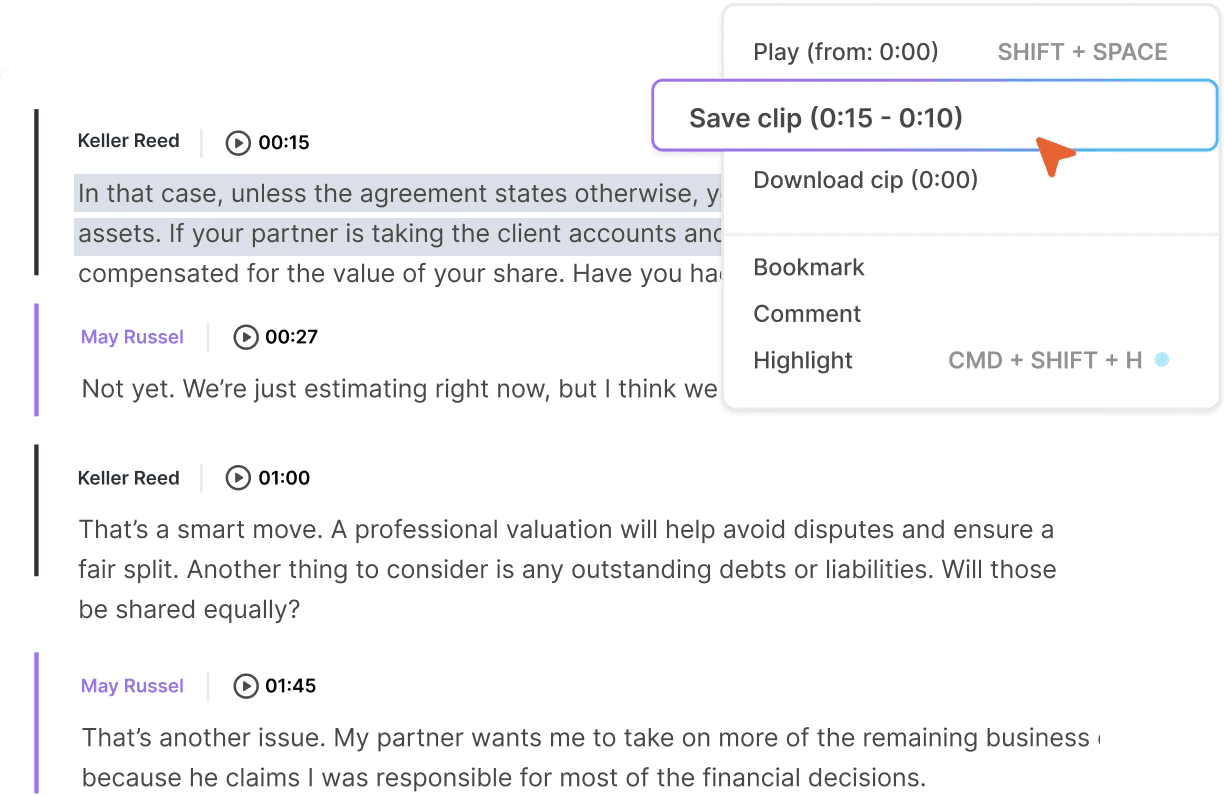
O Rev é uma boa escolha quando uma transcrição precisa de mais revisão do que o Whisper bruto consegue oferecer. O Whisper é útil para fala-para-texto rápida, enquanto o Rev adiciona uma camada de serviço onde os utilizadores podem escolher transcrição por IA para obter maior rapidez ou transcrição revista por humanos para alcançar uma precisão superior.
Esta ferramenta é uma opção sólida para equipas de advocacia, medicina, jornalismo e de documentação profissional que frequentemente necessitam de transcrições com um controlo de qualidade mais rigoroso, uma vez que pequenos erros podem sair caros.
Principais Recursos
Transcrição por IA e Humana: Transcrição automática por IA para maior rapidez, com opção de revisão humana para garantir máxima exatidão.
Legendas Comuns e Descritivas: SRT, VTT e legendas traduzidas para fluxos de trabalho de vídeo.
Subscrição Mais Valor por Minuto: Combine planos mensais com pedidos por minuto conforme as suas necessidades.
Fluxos de Trabalho em Conformidade: Utilizado em ambientes legais, médicos e de transmissão televisiva.
Preços
Gratuito: $0/mês, com 45 minutos de transcrição por IA/mês em inglês
Essentials: $25.49/membro/mês faturado anualmente
Pro: $47.99/membro/mês faturado anualmente
Unlimited: Preços sob consulta
Os planos pagos incluem descontos em transcrições humanas e legendas comuns ou descritivas
Prós
| Contras
|
9. Happy Scribe
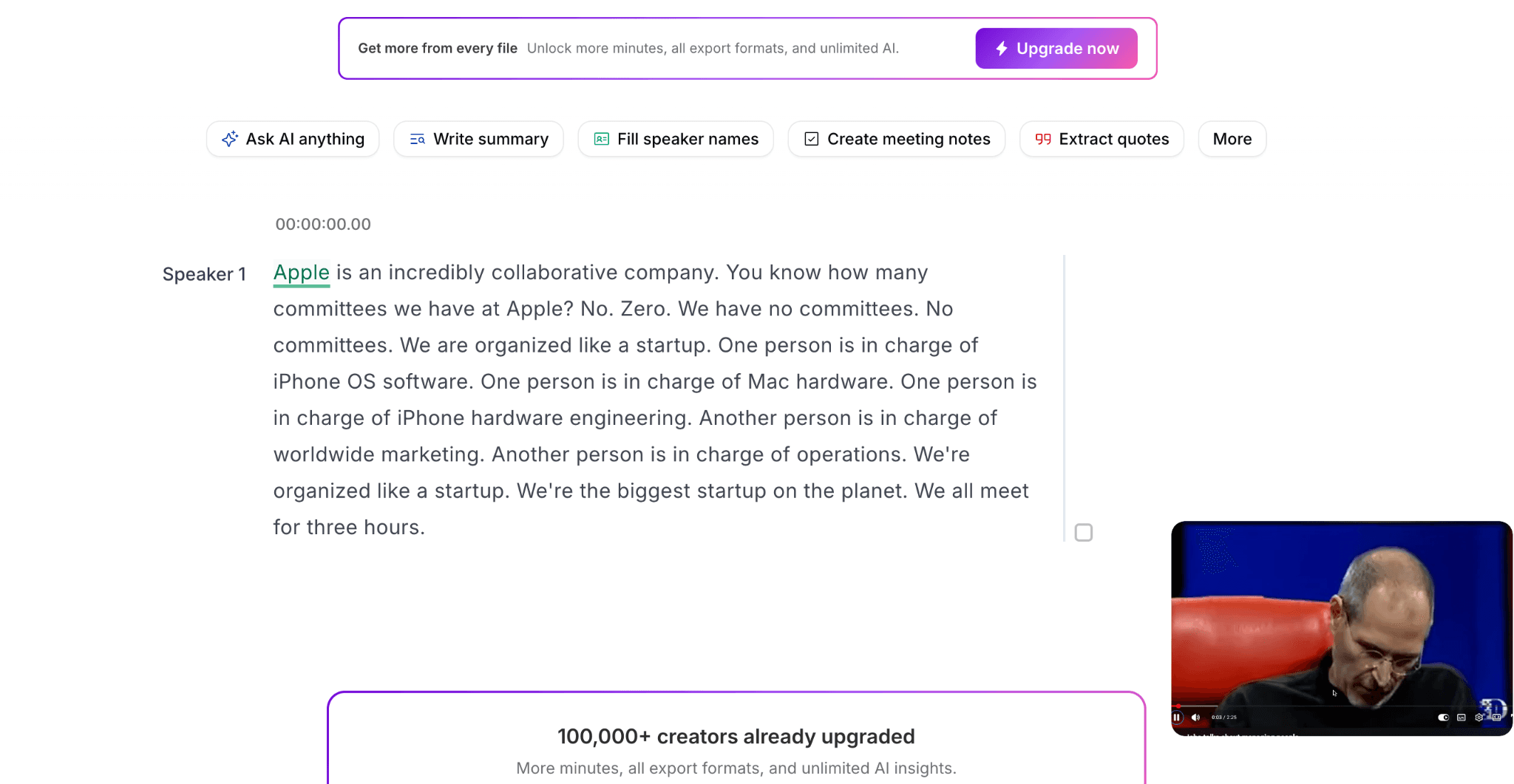
O Happy Scribe é uma opção mais robusta baseada no Whisper quando as transcrições precisam de ser convertidas em legendas, traduções ou ficheiros revistos. Suporta mais de 120 idiomas e oferece tanto transcrição por IA como revisão humana.
O Whisper fornece-lhe a transcrição. O Happy Scribe acrescenta o fluxo de trabalho web em torno da mesma, incluindo carregamento de ficheiros, edição, legendagem, tradução e exportações prontas a publicar para equipas de vídeo, podcast, educação e localização.
Principais Recursos
Mais de 120 Idiomas: Amplo suporte para transcrição multilíngue
IA Mais Revisão Humana: Envie ficheiros específicos para transcritores humanos para obter maior exatidão.
Editor de Legendas em Conformidade com SDH: Estilização completa, temporização e sincronização com mudanças de plano.
Glossários e Guias de Estilo: Mantenha a consistência entre projetos recorrentes.
Preços
Teste gratuito de 10 minutos.
Basic a $17/mês por 120 minutos.
Pro a $29/mês por 600 minutes.
Business a $89/mês por 6000 minutos.
Prós
| Contras
|
Transforme Uma Gravação em Múltiplos Ativos de Conteúdo com o WhisperTranscribe
A alternativa certa ao Whisper depende do que acontece após a transcrição. O MacWhisper e o Aiko são excelentes opções para transcrição local em ambiente Apple, enquanto a Speechmatics é mais indicada para APIs de voz corporativas e produtos de voz.
O WhisperTranscribe é a escolha ideal quando pretende transcrição baseada no Whisper juntamente com um fluxo de trabalho de conteúdo completo. Suporta mais de 55 idiomas de transcrição, mais de 99 idiomas de tradução de destino e mais de 57 formatos de conteúdo a partir de uma única gravação. Terá ainda acesso ao Magic Chat para trabalhar com transcrições e a uma aplicação desktop que mantém os ficheiros guardados no seu dispositivo.
Experimente o WhisperTranscribe gratuitamente hoje mesmo e transforme transcrições em formatos de conteúdo prontos a usar, sem ferramentas adicionais.