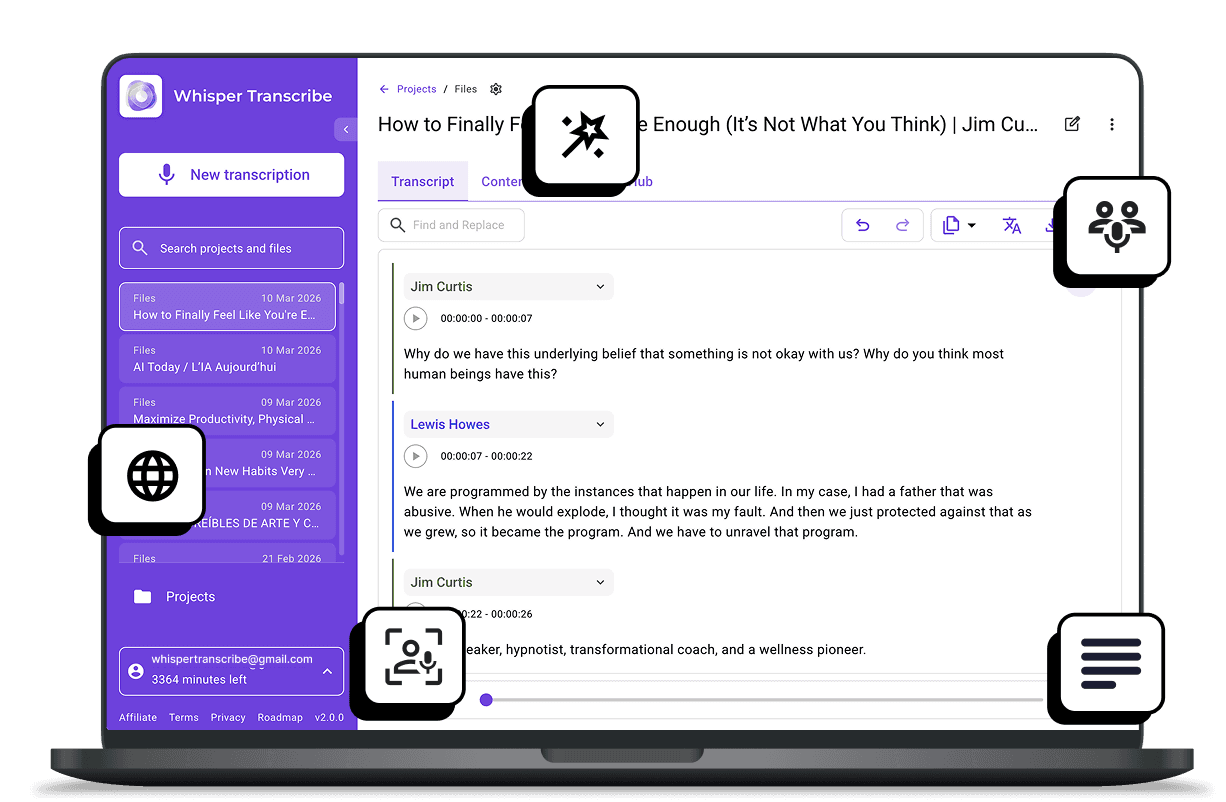
This WhisperTranscribe guide reviews the best free audio transcription tools that help you convert audio into accurate, searchable text without paying upfront.
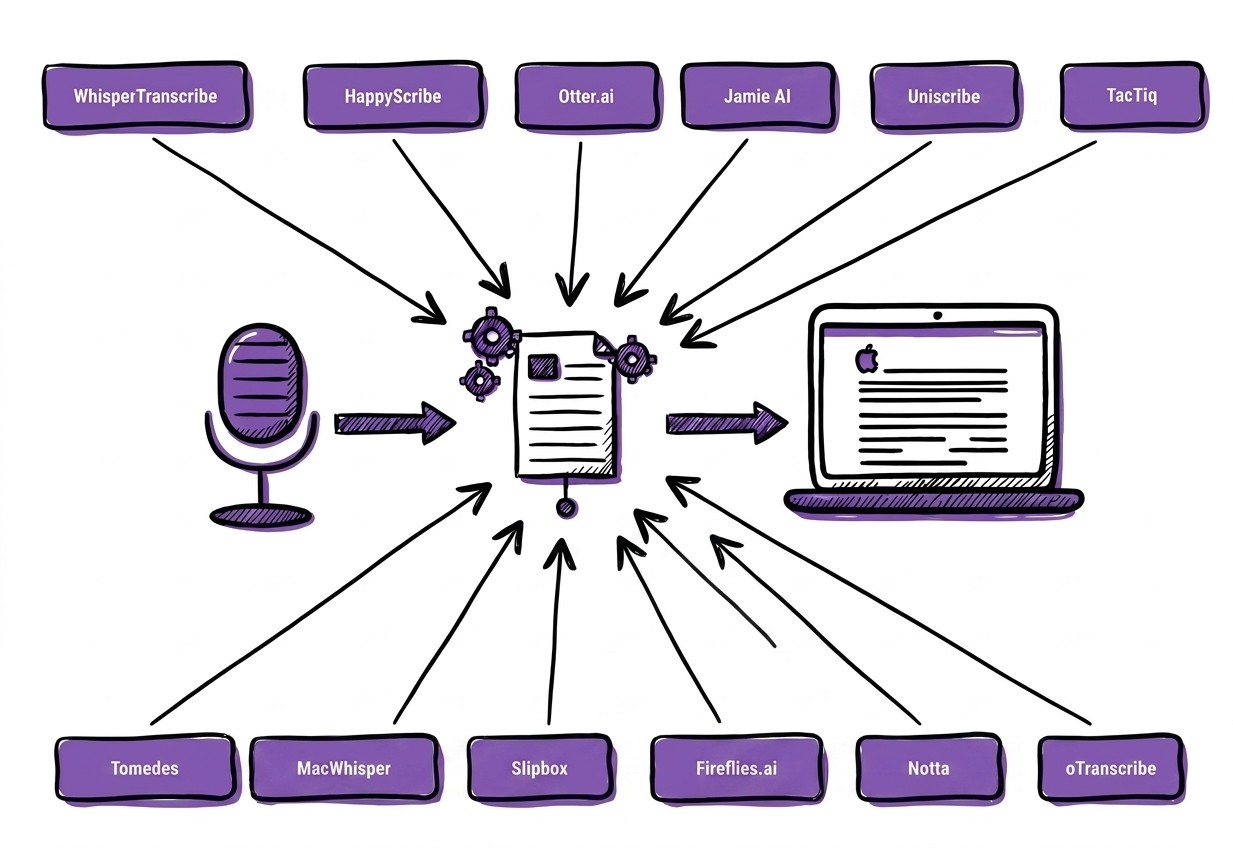
Top picks:

WhisperTranscribe: Best for accurate AI transcription and content workflows
Otter.ai: Best for automatic meeting transcription and summaries
MacWhisper: Best for private on-device transcription on Apple devices
Notta: Best for mobile-friendly and visual insights.
For more reviews like this, visit the WhisperTranscribe blog.
Why Listen to Us?
WhisperTranscribe was built to make audio transcription faster and easier. Our platform helps over 1,100 users convert recordings into searchable text and reusable content using AI. Working closely with transcription technology every day gives us a clear understanding of what makes a tool accurate, efficient, and useful for real-world audio workflows.
Why Use the Best Free Audio Transcription Tools?
Free audio transcription tools turn audio recordings into text quickly, saving hours of manual typing. They may lack some premium features, but today’s free tools are remarkably close to paid options in speed and accuracy.
Here is what the best free audio transcription tools can typically do:
Automatic transcription: Upload and convert recordings to text instantly.
Language support: Handle multiple languages for international content.
Rich audio format support: Supports MP3, WAV, M4A, OPUS, WebM, and other formats.
Basic editing: Correct or adjust transcripts on the platform.
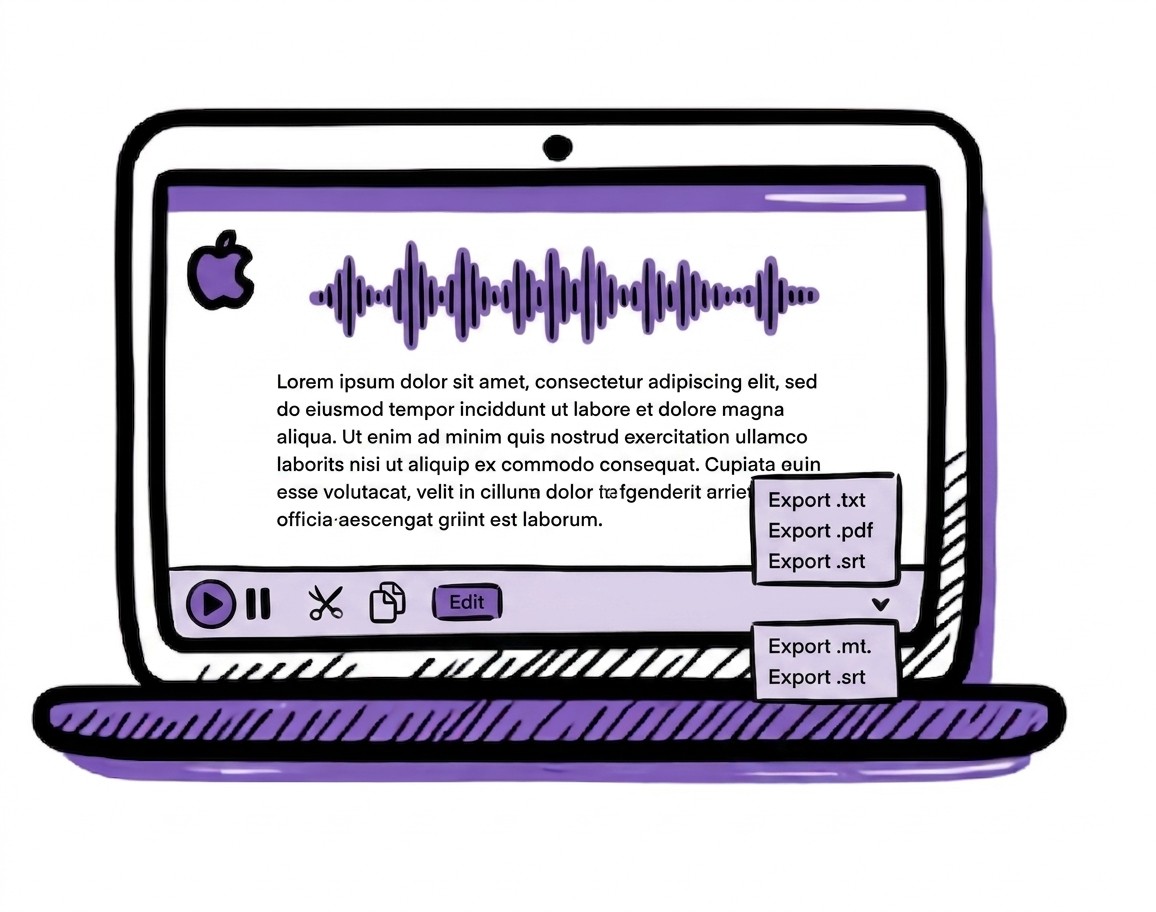
Export formats: Download as DOCX, TXT, SRT, or VTT.
Summaries: Generate concise highlights from long recordings.
Using a free tool is a smart way to handle transcriptions for interviews, lectures, or meetings without adding to your expenses.
1. WhisperTranscribe
The first tool on our list of the best free audio transcription tools is WhisperTranscribe.
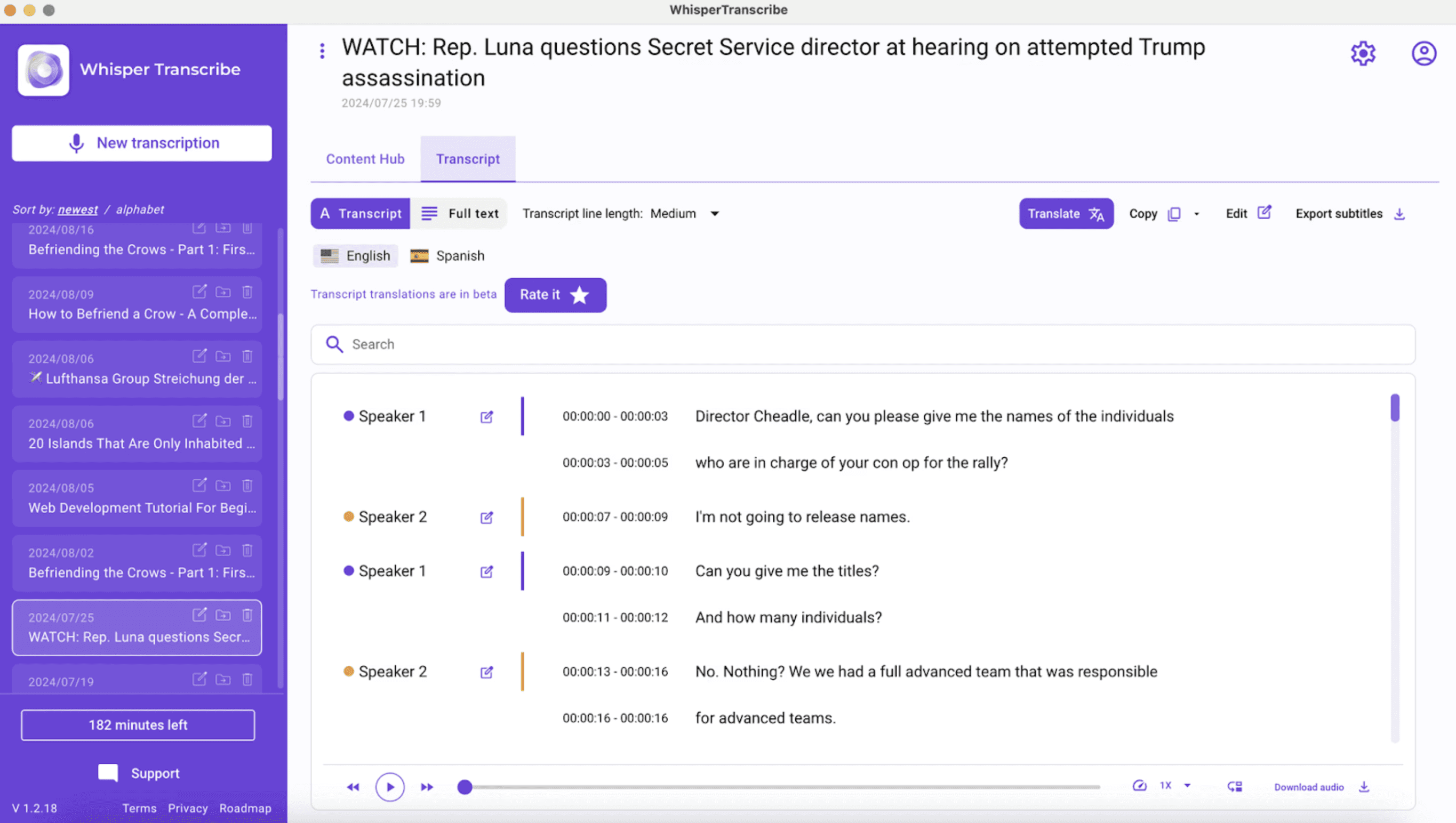
Upload your files or paste links from sources like YouTube, Vimeo, or podcast platforms.
Set the preferences for your transcription, including speaker recognition and language.
Wait for WhisperTranscribe to turn your audio into text.
With our free plan, you can transcribe up to 60 minutes of audio for free. You also get access to our core AI features like speaker labeling, multilingual transcription, and transcript editing.
Key Features
95% Transcription Accuracy: AI-powered speech recognition converts audio into highly accurate transcripts.
Speaker Labeling: Automatically detect and tag multiple speakers for organized transcripts.
Multilingual Support: Transcribes in 55+ languages and translates into 99+ languages for global accessibility.
Pros
All-in-one transcription and content workflow
Clean and intuitive desktop app experience
Handles multi-speaker audio well
Supports live recordings of audio and meetings
Cons
Desktop app required; no web version
2. HappyScribe
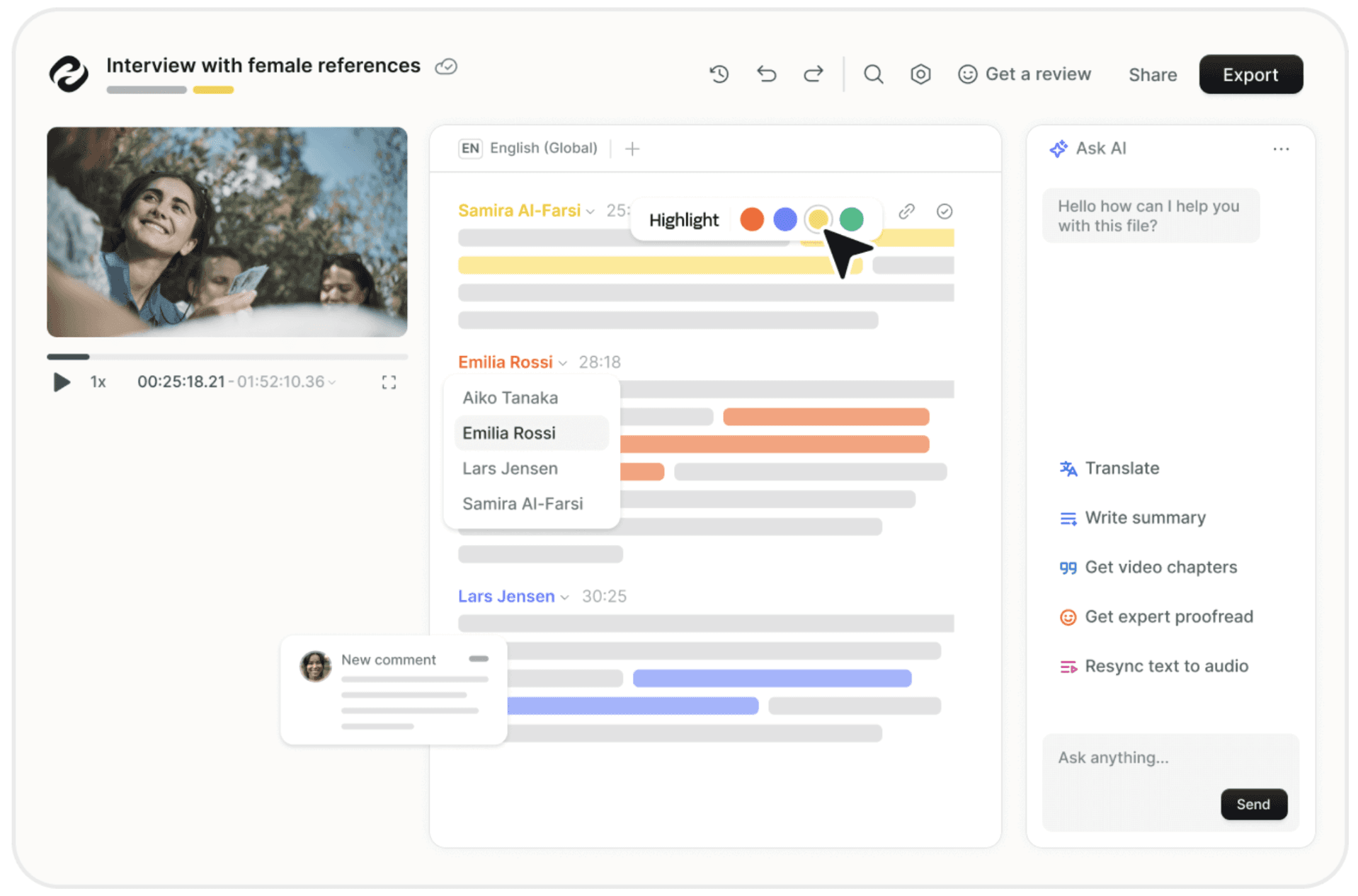
HappyScribe offers a free transcription editor that helps users convert audio into text through typing. The platform runs in the browser and focuses on making manual transcription faster with built-in playback controls, shortcuts, and speaker labeling.
You don’t have to create an account. Just upload your audio file and begin transcribing immediately. You can upload a wide range of audio formats, including MP3, MP4, WAV, and others.
If you want more accurate AI-generated transcripts, you can try HappyScribe’s advanced multilingual speech-to-text AI for free. It gives you a 10-minute free trial of AI transcription, subtitling, and translation.
Key Features
Manual Transcription Editor: Interactive browser based editor designed to speed up manual transcription.
Speaker Labels: Assign speakers to paragraphs and update names across the transcript instantly.
Smart Transcription Shortcuts: Keyboard shortcuts help transcribers work faster and stay focused.
Auto Loop Playback: Replays the last few seconds of audio after pausing to improve accuracy.
Pros
Clean, browser-based user experience
No sign-up required for manual editor
Useful for low-quality audio where AI struggles
Cons
Free trial minutes are very limited
Slow upload speeds for large files
Free tier lacks advanced AI summaries
3. Otter.ai
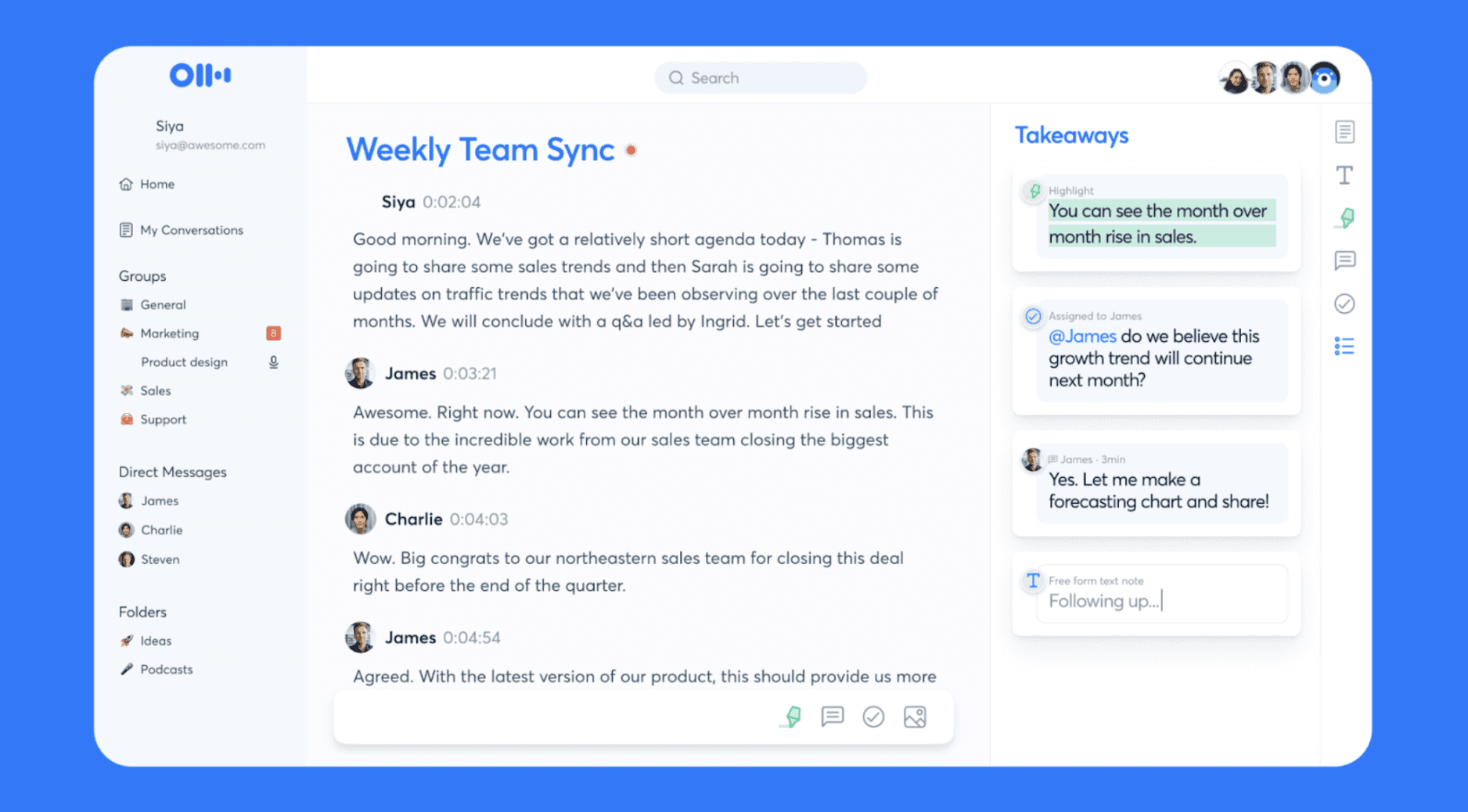
Otter.ai is a meeting-focused transcription tool designed to capture conversations, generate transcripts, and produce summaries automatically.
The free plan works best if you want automated meeting notes without manual setup. It joins your Zoom, Microsoft Teams, and Google Meet sessions, recording and transcribing discussions in real-time.
While the Basic plan offers access to features like Otter AI Chat, multi-lingual transcripts, and workspace collaboration for free, it comes with strict usage limits. You get 300 monthly transcription minutes, but each session is capped at 30 minutes. Additionally, you are limited to three lifetime file imports per user.
Key Features
Meeting Assistant Integrations: Joins Zoom, Google Meet, and Microsoft Teams to capture meeting notes.
Real Time Meeting Transcription: Records and transcribes meetings automatically as conversations happen.
Smart AI Chat: Allows you to ask questions about your meetings to get instant answers and draft follow-up content.
Pros
Generous 300 monthly transcription minutes
Useful AI chat for meeting insights
Polished mobile app for in-person recording
Cons
Strictly capped at 30 minutes per call
Limited to 3 lifetime file imports
Primarily focused on meetings, less ideal for standalone audio files
4. Jamie AI
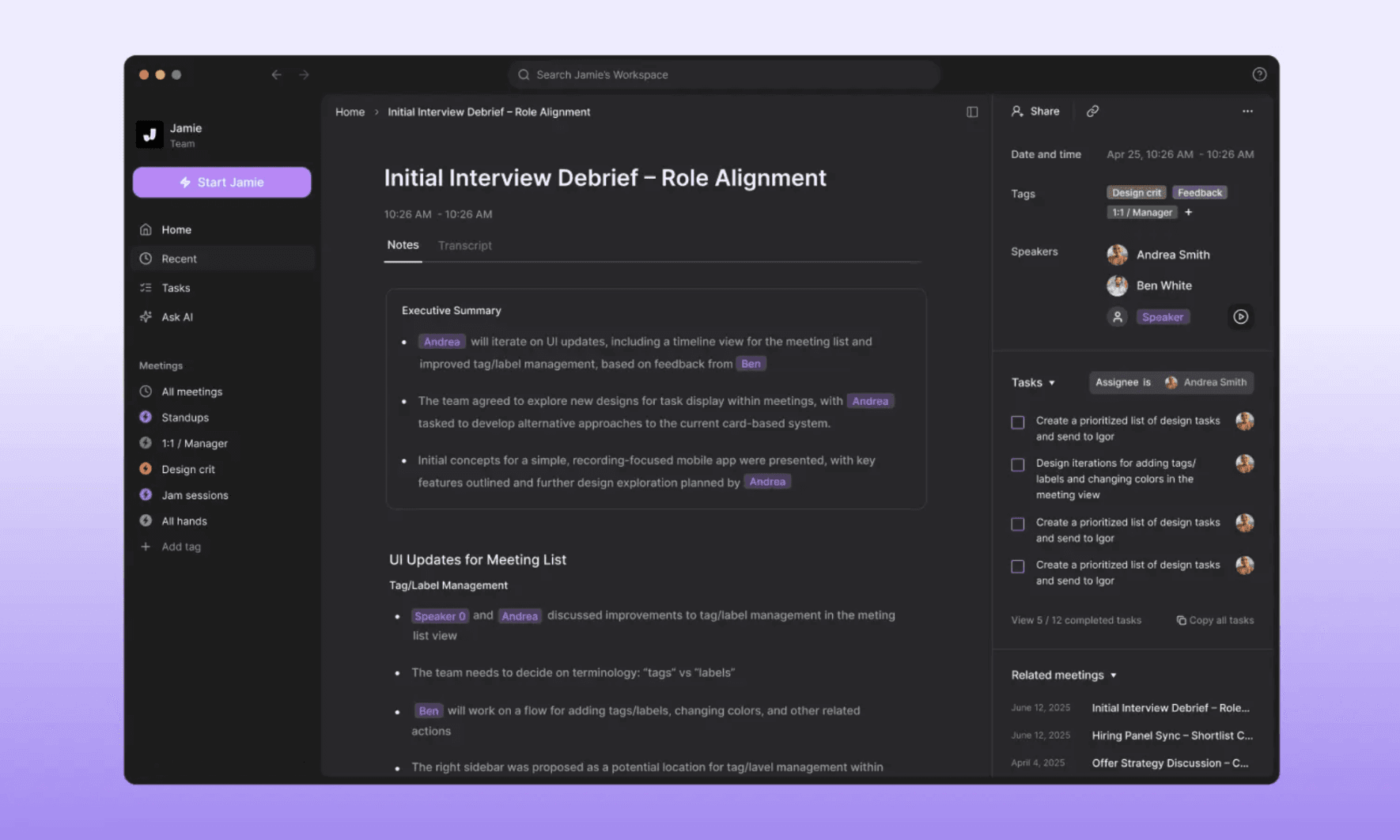
As a free audio transcription tool, Jamie AI operates as a bot free desktop app for Windows and macOS. It captures conversations and turns them into structured notes automatically.
It works with major conferencing platforms, allowing it to record and transcribe meetings, identify speakers, and generate summaries so users can review discussions without taking manual notes.
The free tier allows you to test this workflow with 10 meetings per month, each up to 30 minutes long. You can also connect Jamie with productivity tools to share transcripts and summaries across your workflow easily.
Key Features
AI Meeting Transcription: Converts online, offline, and in-person meetings into searchable transcripts.
Automatic AI Summaries: Generates structured meeting summaries with key discussion points.
Meeting Task Tracking: Extracts action items and tasks from conversations automatically.
Productivity Integrations: Connects transcripts with Notion, Google Docs, and OneNote.
Pros
Privacy-focused local recording without bots
Operates silently in the background
AI-generated summaries are included on the free plan
Cons
Lacks real-time transcription for live meetings
Requires a desktop app installation
No mobile recording capabilities available
5. Uniscribe
UniScribe is a browser-based transcription tool that converts audio files into text using AI. You can upload files from your device or paste links from platforms like YouTube, making it useful for transcribing interviews, podcasts, lectures, and online content quickly.
The free plan gives individuals a practical way to test the platform for smaller transcription projects. You receive 120 transcription minutes per month, with each file limited to 30 minutes and a maximum of three files per day. UniScribe also supports many languages and export formats, making it flexible for different workflows.
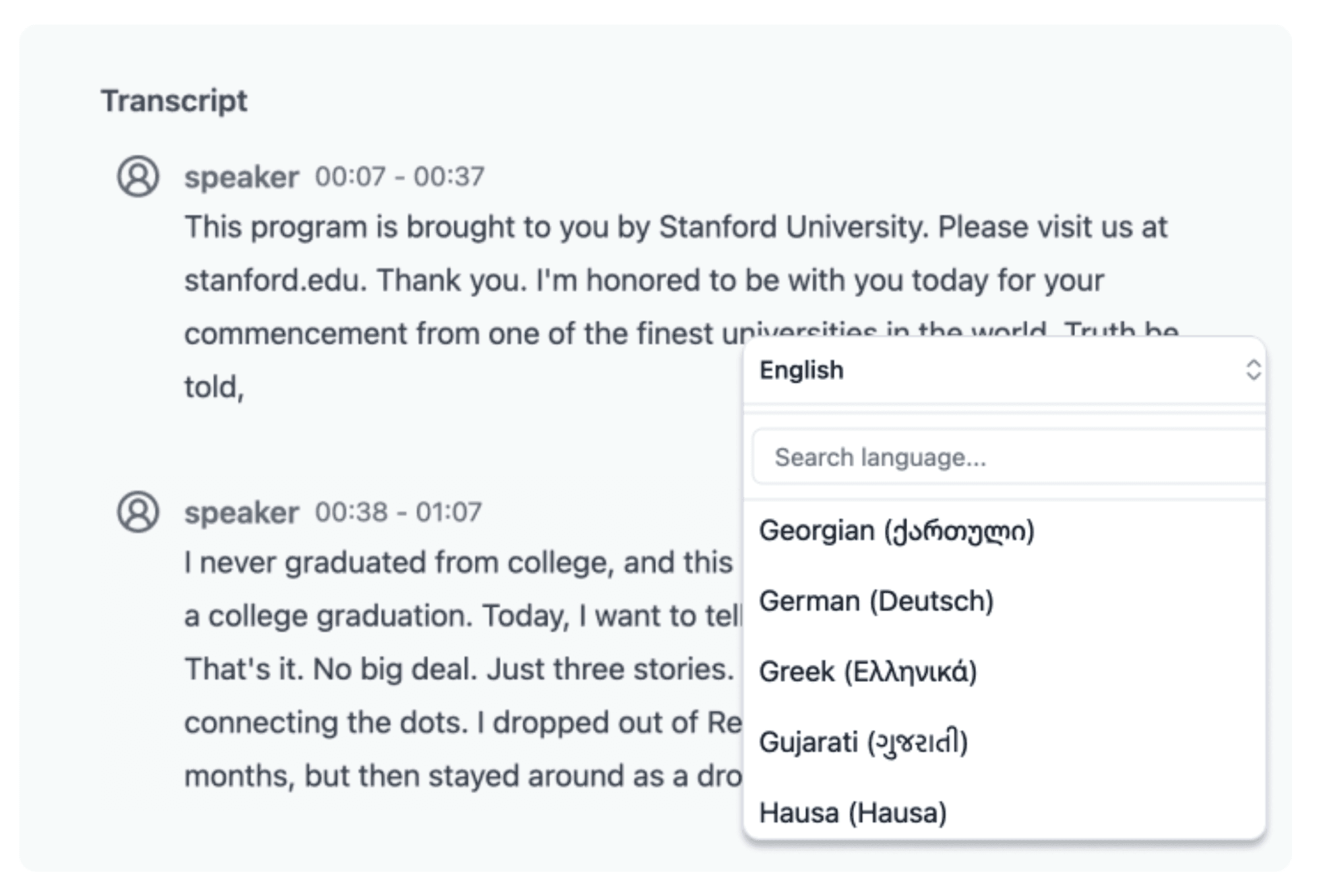
Key Features
AI Audio Transcription: Converts uploaded audio files into readable transcripts.
YouTube Link Transcription: Paste links to generate transcripts directly from online content.
Multiple File Format Support: Upload common audio formats for transcription.
Flexible Export Options: Download transcripts in Word, TXT, CSV, PDF, SRT, or VTT formats.
Pros
Browser-based, no download required
Automatically creates visual mind maps
Generous daily file upload allowance
Cons
Inaccurate speaker identification during crosstalk
No folder system for organizing transcripts
Standard accuracy model only
6. TacTiq
TacTiq is a free, meeting-focused transcription tool designed to capture live conversations without distractions. It provides real-time transcripts, speaker identification, and AI-generated insights to help you review, summarize, and act on meeting content.
The free plan is ideal for light use, offering 10 meeting transcripts per month and 5 AI credits for generating summaries and action items. Simply install the Chrome extension to get live transcripts during meetings on Google Meet, Zoom, and Microsoft Teams.
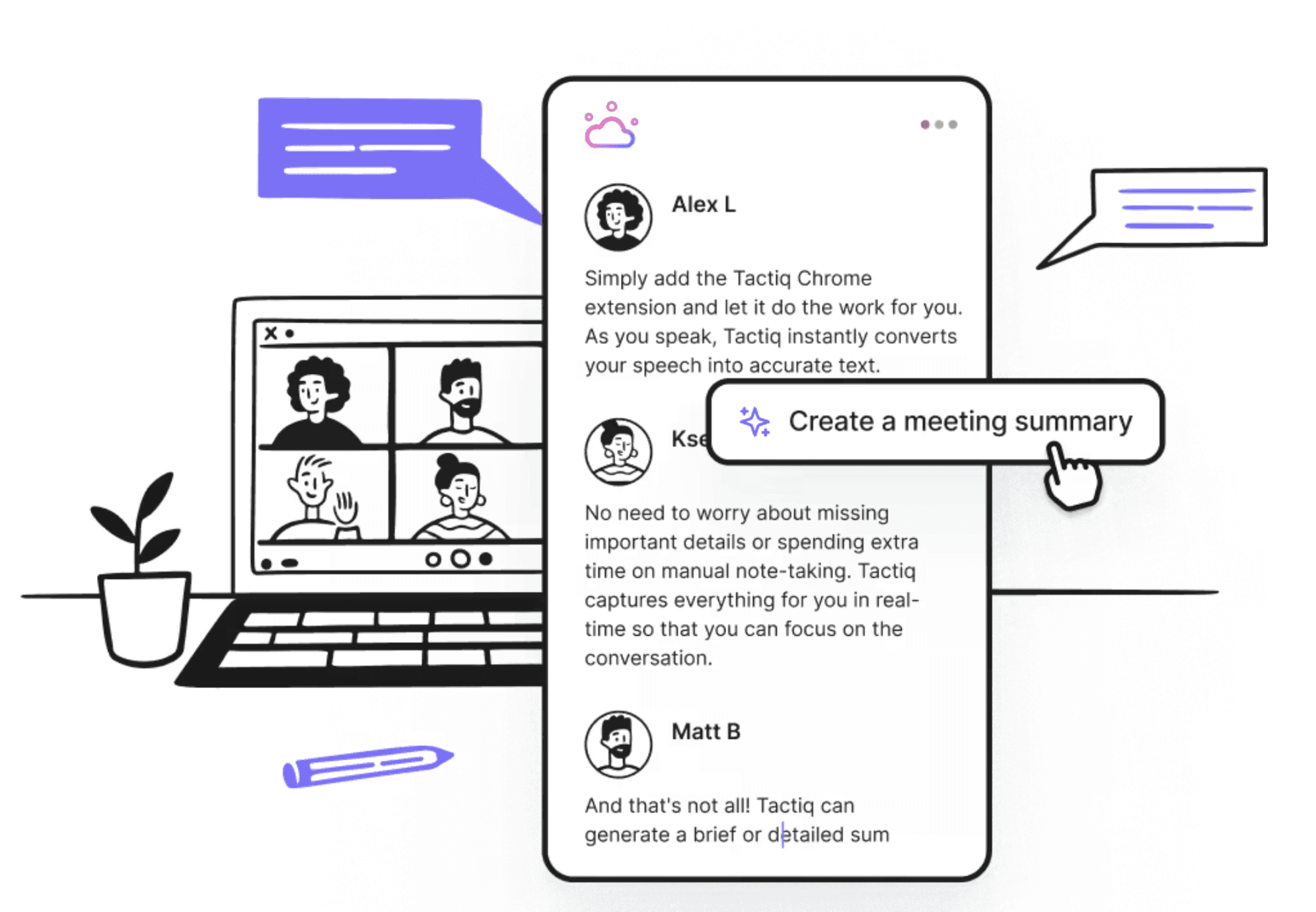
Key Features
Live Meeting Transcription: Capture real-time conversation during meetings.
Speaker Identification: Breaks down transcripts by participant automatically.
AI Summaries & Action Items: Generate insights, summaries, and follow-up tasks.
Export & Share: Share transcripts or save in multiple formats for collaboration.
Pros
Lightweight Chrome extension for easy setup
One-click exports to popular CRM tools
Cons
Limited integrations beyond meetings
Free tier is best for light usage only
Does not record audio for playback
7. Tomedes
Next on our list of the best free audio transcription tools is Tomedes.
Tomedes is a free AI-powered transcription tool that quickly converts audio into text with high accuracy. No sign-up is required, and you can upload files in formats like MP3, MP4, WAV, M4A, and more. It’s ideal for students, professionals, and content creators looking for fast, reliable transcripts.
The free plan allows unlimited basic usage and lets you compare outputs from multiple AI sources to get the most accurate result. You can transcribe lectures, meetings, podcasts, and webinars, then download transcripts in SRT, VTT, or DOCX formats.
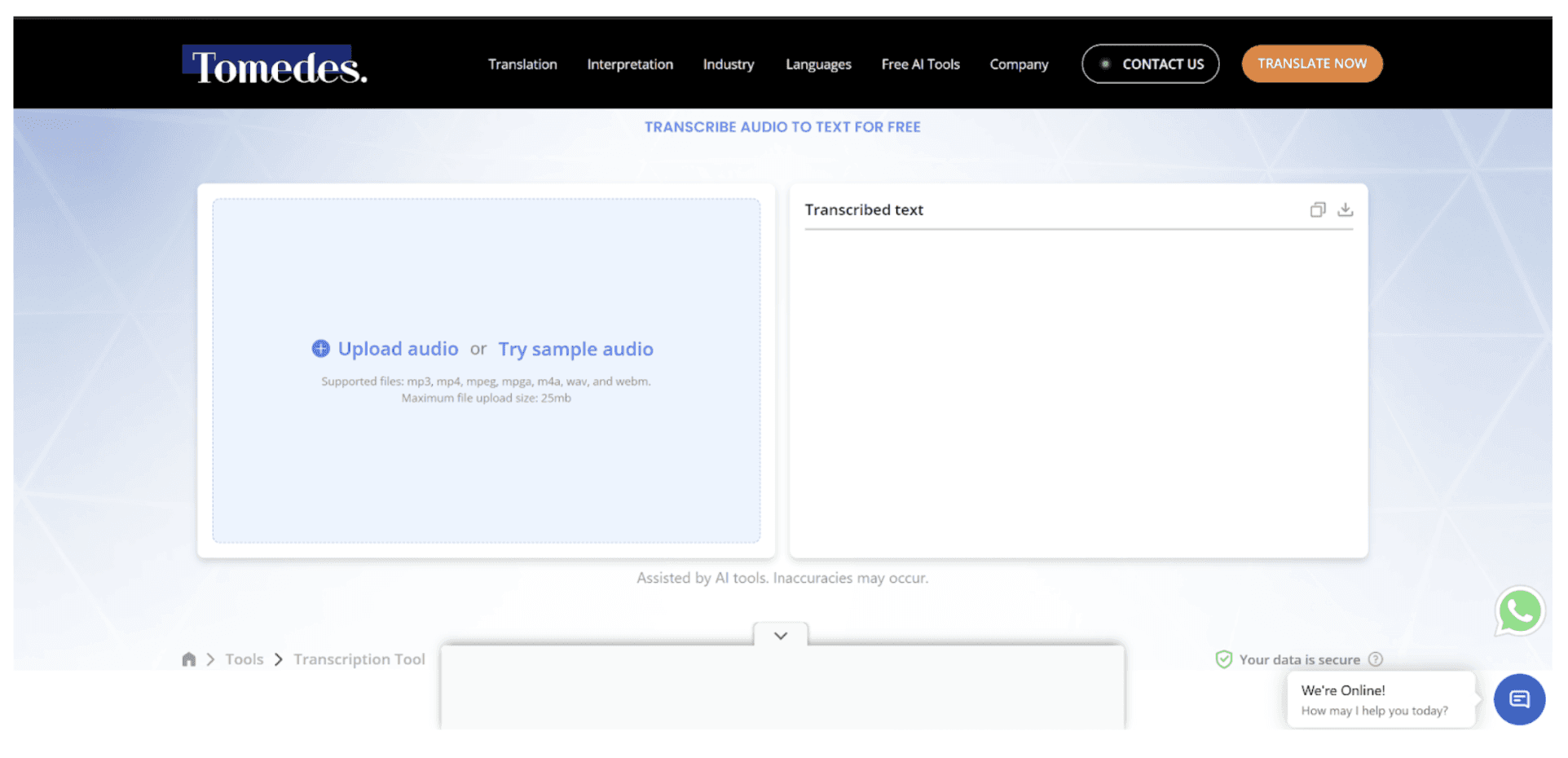
Key Features
Fast AI Transcription: Converts audio to text instantly.
Multi-format Support: Works with MP3, MP4, WAV, M4A, MPEG, and more.
High Accuracy: Reliable output for clear speech.
AI Editing Tools: Correct transcripts quickly with AI assistance.
Pros
No limits on basic usage
Browser-based, no sign-up or download required
Optional human editing for accuracy
Cons
File upload size limited to 25mb
AI may misinterpret complex audio without human review
Lacks speaker labeling and identification
8. oTranscribe
As a free audio transcription tool, oTranscribe takes a different approach by focusing on manual transcription rather than AI. This open-source, web-based tool acts as a distraction-free digital dictation machine. You get to listen to your audio while typing directly into an integrated editor.
It is the perfect fallback for when you have poor-quality audio, heavy background noise, or speakers with accents that AI models simply cannot handle accurately. The platform is completely free and requires no sign-up. It keeps all your data local to your browser, making it a secure, private choice for sensitive projects.
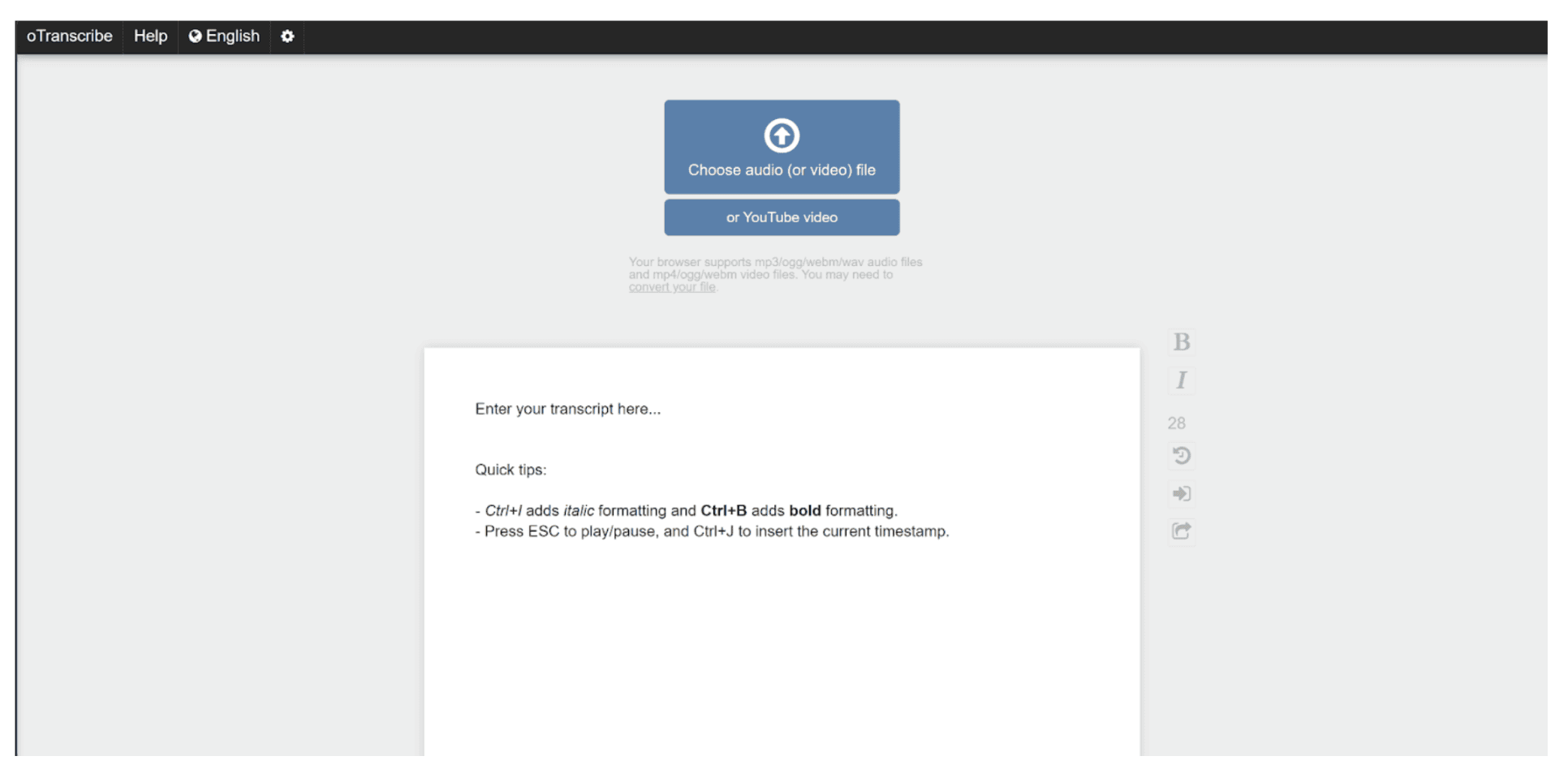
Key Features
Integrated Media Player: Supports common audio files and YouTube links.
Keyboard Shortcuts: Pause, rewind, and adjust playback quickly.
Local Storage: Automatically saves progress in your browser.
Export Options: Export transcripts to Markdown, plain text, or Google Docs.
Pros
Completely free with no paid tiers
Total privacy, data stays in your browser
No internet required after initial loading
Cons
Manual transcription only, no AI support
Transcription takes time compared to competitors
Transcripts may be prone to human error
9. MacWhisper
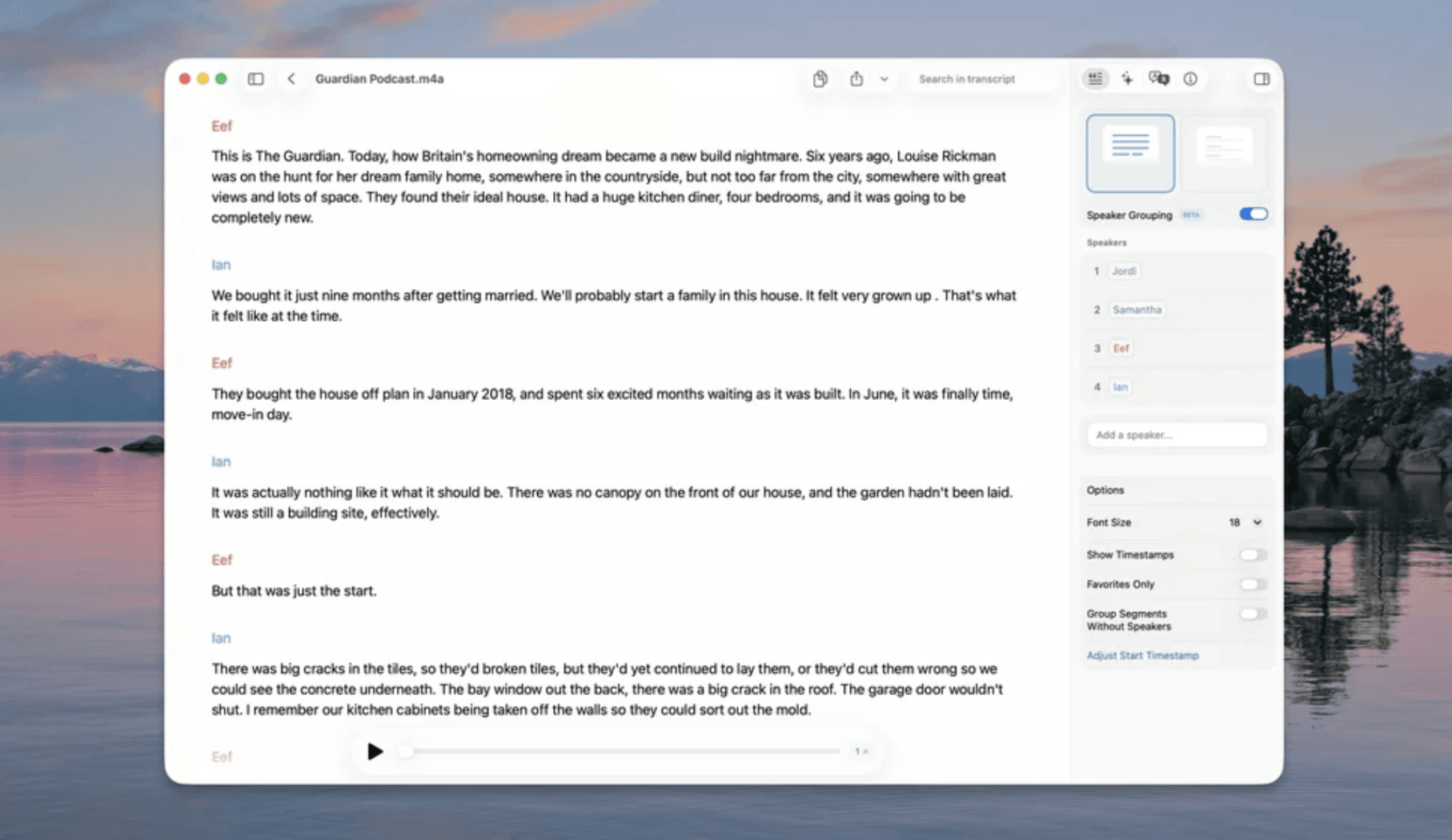
MacWhisper is a Mac-first transcription tool powered by OpenAI’s Whisper and Nvidia Parakeet models. The free tier is perfectly capable of handling daily transcription tasks using the smaller, lighter AI models. It quickly converts meetings, lectures, and other recordings into highly accurate transcripts entirely on your device.
You can drag and drop files or record directly from your microphone. It offers full support for Zoom, Teams, Webex, Chime, Discord, and more. You can also use the MacWhisper app on iPhone and iPad for mobile transcription.
Key Features
Local Processing: Transcribes audio entirely on your computer, ensuring total privacy for sensitive recordings.
Versatile Input: Records directly from your microphone or imports existing files, including MP3, WAV, M4A, and other formats.
Extensive Language Support: Processes speech across 100 different languages.
Flexible Exports: SRT, VTT, CSV, DOCX, PDF, Markdown, HTML.
Pros
On-device transcription keeps audio private and secure
High-speed processing with GPU support
Removes filler words like "um" automatically.
Cons
Works only on Mac devices, iPads, and iPhones
Consumes significant system RAM during tasks
Slight learning curve for hybrid AI features
10. Slipbox
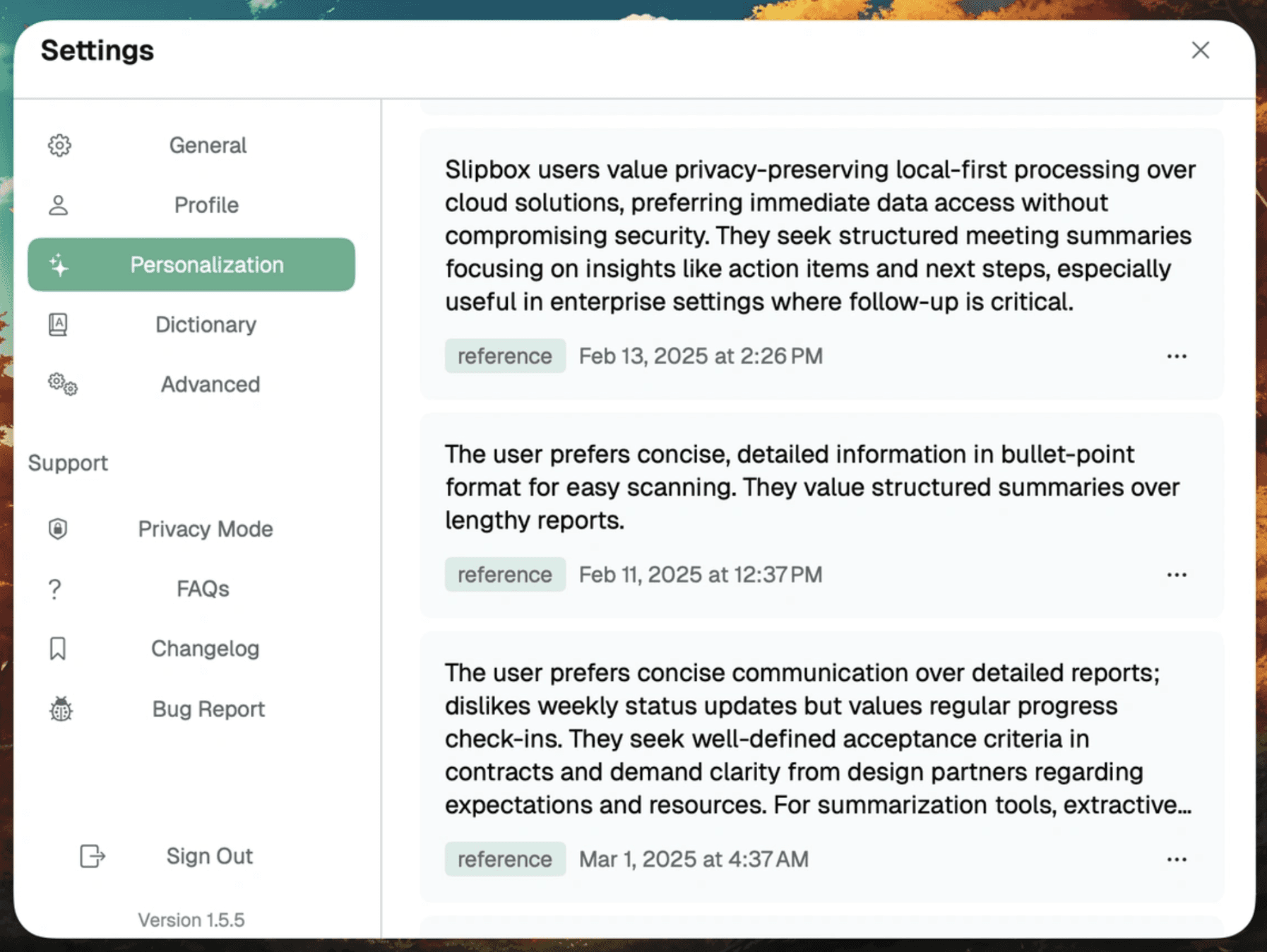
Slipbox is a privacy-focused free audio transcription tool that keeps all data local and requires no meeting bots. It supports Zoom, Google Meet, Microsoft Teams, Slack, and iPhone calls on Mac.
The free tier is generous. It comes with unlimited transcripts and unlimited image recognition. While it includes limits on AI-driven tasks, specifically 10 AI chat messages and 5 summaries every two weeks, it allows you to maintain a complete archive of your discussions for free.
Beyond transcribing meetings, Slipbox also generates AI-powered summaries, identifies speakers, and extracts key insights. Advanced users can use their own AI models through the “Bring Your Own Key” (BYOK) feature.
Key Features
Automatic Meeting Detection: Starts and stops recording automatically.
Real-Time Transcription: Capture meetings as they happen.
Speaker Identification: Tag participants for clarity.
AI Chat & Universal Search: Query transcripts and notes instantly.
Pros
Unlimited transcripts for local meetings
Direct integration with Obsidian and Markdown
No bots required for real-time capture
Cons
AI chat is limited to bi-weekly caps
High hardware requirements for Windows users
Optimized primarily for the Apple ecosystem
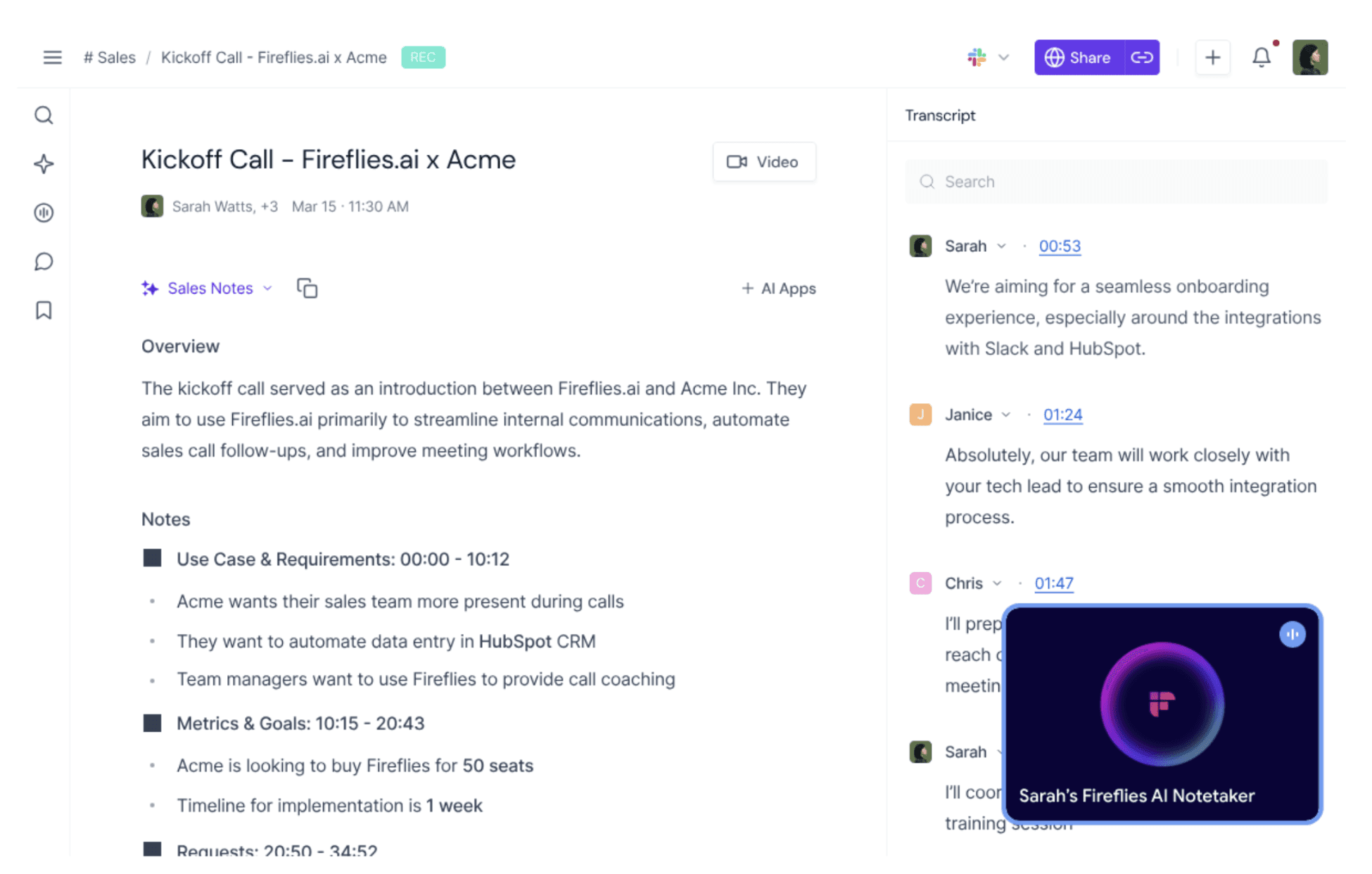
Transcription is one of the core features of Fireflies.ai, a powerful AI notetaker designed for meetings. It automatically records, transcribes, and summarizes conversations across Zoom, Google Meet, Teams, and more.
The free plan offers unlimited transcription with limited AI summaries, plus 800 minutes of storage per user. You can also upload audio files, access transcripts via mobile apps, and use the Chrome extension for live meeting notes.
Fireflies.ai supports over 100 languages and includes tools like AskFred for AI-powered queries, meeting search, and real-time transcription.
Key Features
Real-Time Transcription: Capture notes live during meetings.
AI Summaries & AskFred: Generate summaries and query meeting content.
Rich Audio: Transcribe pre-recorded files in different formats.
Mobile & Chrome Extension: Access transcripts anywhere.
Pros
High 800-minute storage capacity for free
Search across your entire meeting history
Helpful sentiment analysis and topic tracking
Cons
The presence of bots can distract participants
Mobile app features are basic
Mandatory calendar syncing for most features
The last entry on our list of the best free audio transcription tools is Notta.
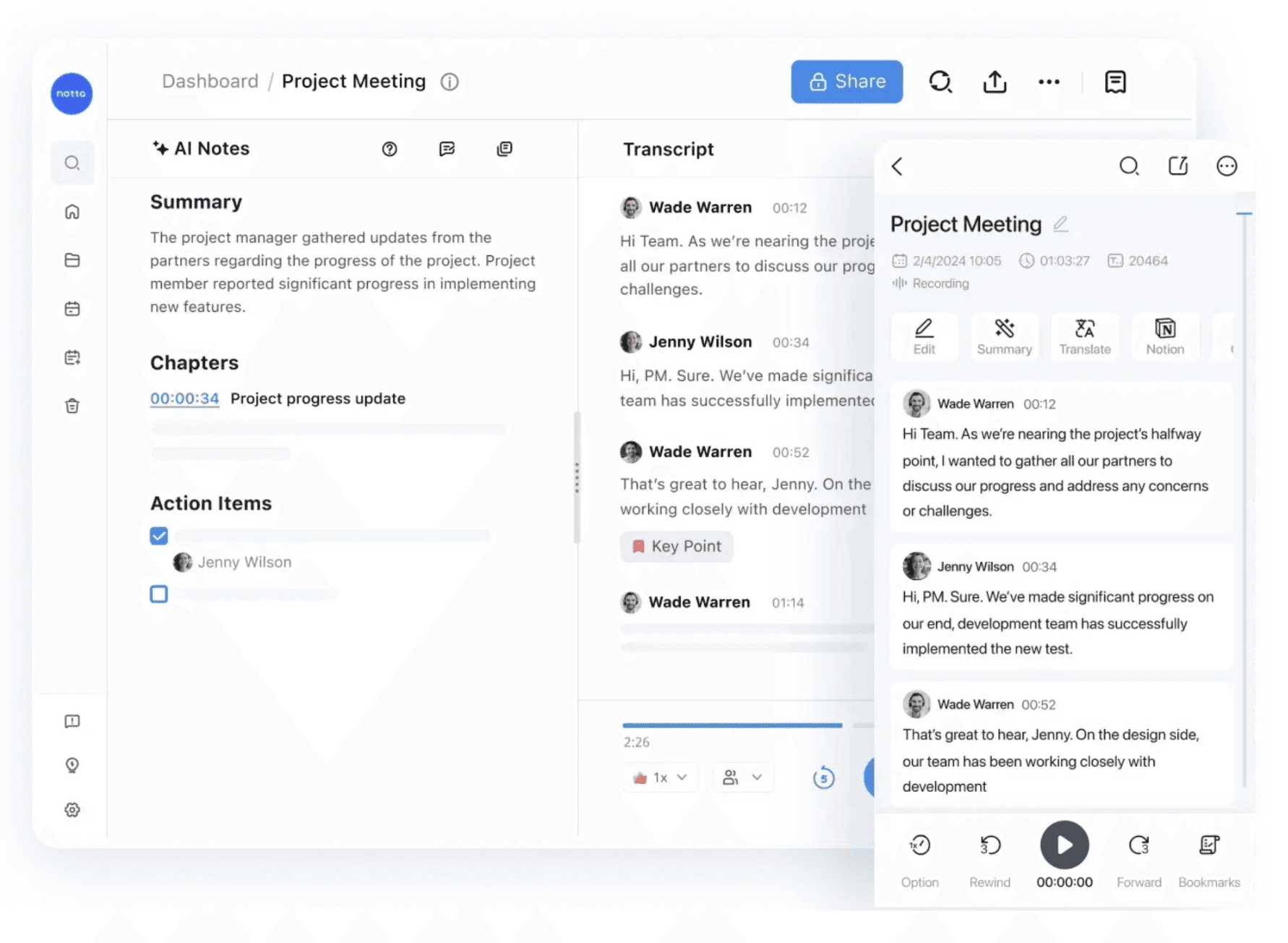
Like FirefliesNotta is an AI meeting notetaker that turns conversations into searchable transcripts, summaries, and actionable visuals. It works for online meetings, in-person discussions, or uploaded files.
You get a free plan that includes 120 monthly transcription minutes, up to 3 minutes per conversation, 50 file uploads, and 10 AI-generated summaries. Notta also identifies speakers and supports up to 58 languages.
If you want to capture, analyze, and visualize meeting insights in one place, this is a strong option to consider.
Key Features
Multimodal Capture: Transcribes in-person conversations via the mobile app, online meetings via a bot, or imported audio files.
Visual Knowledge Generation: Turns transcripts into visual deliverables like infographics and slide decks.
Speaker Identification: Automatically labels different participants to make the conversation flow easy to follow.
Collaborative Workspace: Syncs your notes across devices and integrates with platforms like Notion and Slack for easy sharing.
Pros
Best mobile app for in-person interviews
Creates infographics and slides from text
The free plan allows file uploads and speaker ID
Cons
No live transcription for extended meetings
Tiny 3-minute limit per live session
Privacy terms allow AI model training
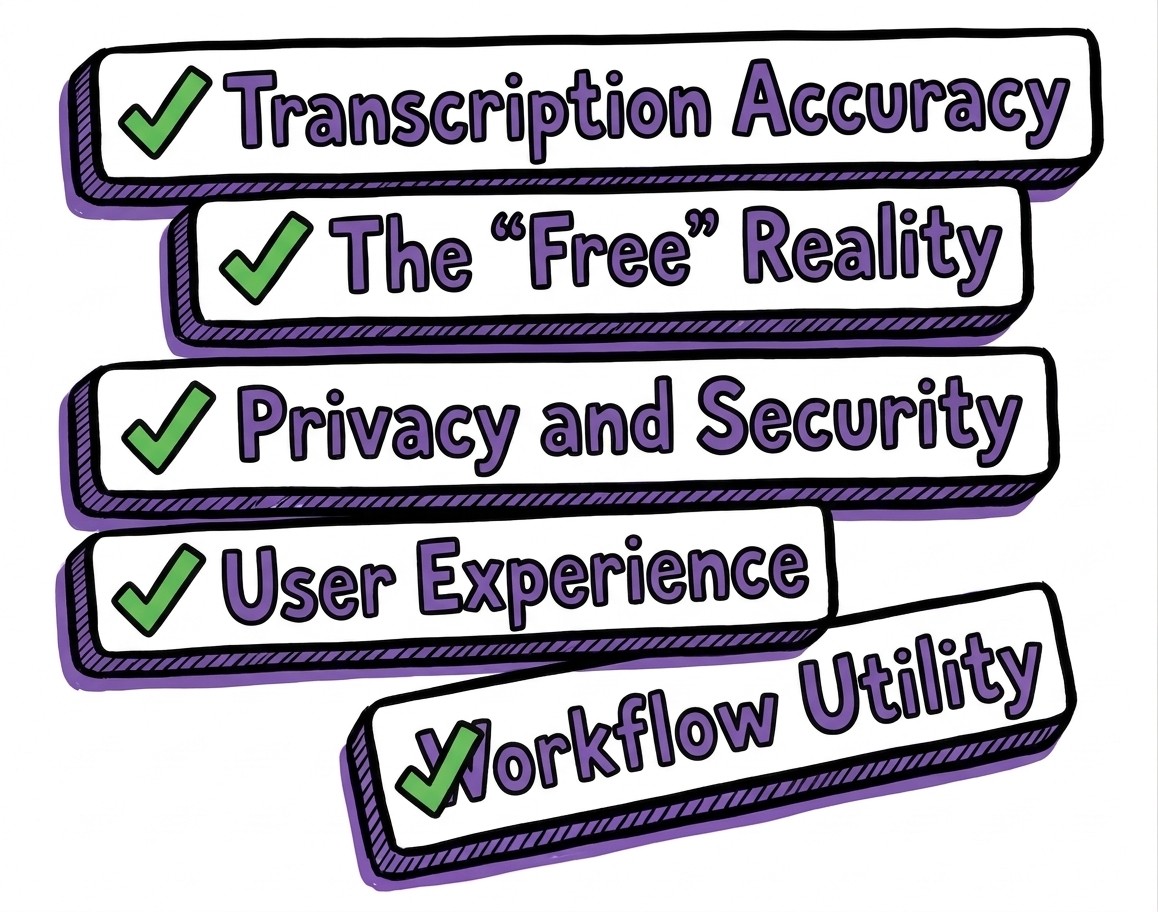
We tested these platforms to see which ones actually deliver on their promises. Our evaluation focused on five key factors:
Transcription Accuracy: How well the AI handles real-world audio, accents, and background noise. We prioritized accuracy rates between 90-95%.
The "Free" Reality: We prioritized tools with generous, usable free tiers, filtering out those with deceptive paywalls.
Privacy and Security: Whether your data is protected or used to train AI models.
User Experience: Speed and ease from uploading files to getting exportable transcripts.
Workflow Utility: How easily these tools integrate into meetings, content creation, and daily tasks.
This is how we ensured every tool on this list offers clear, reliable transcription without the hidden traps of typical "freemium" software.
The best free audio transcription tools make it easier to convert meetings, interviews, and recordings into searchable text. We’ve reviewed twelve reliable options, each suited for different workflows and use cases.
If you want a simple and accurate tool that also helps you work with transcripts afterward, WhisperTranscribe is a strong place to start. Our desktop transcription app is built on OpenAI’s Whisper model and converts audio into accurate transcripts in minutes with 95% accuracy.
No credit card needed.