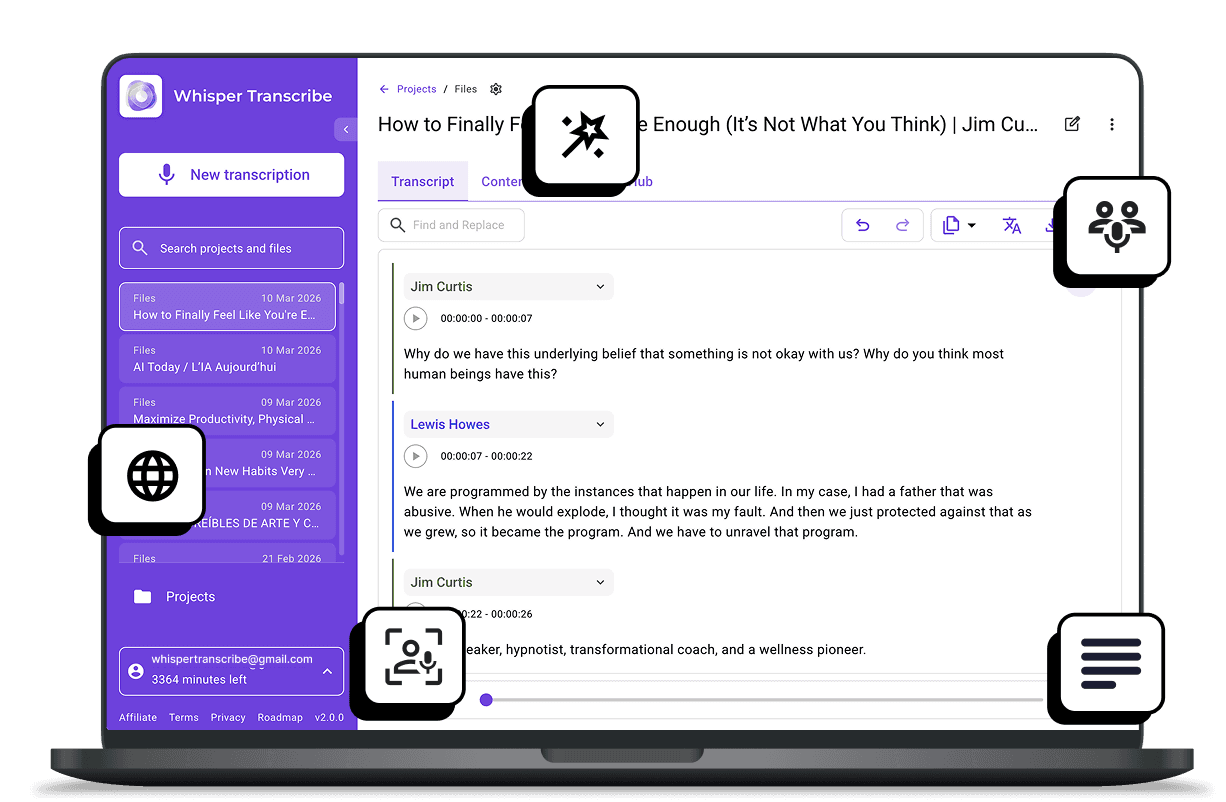
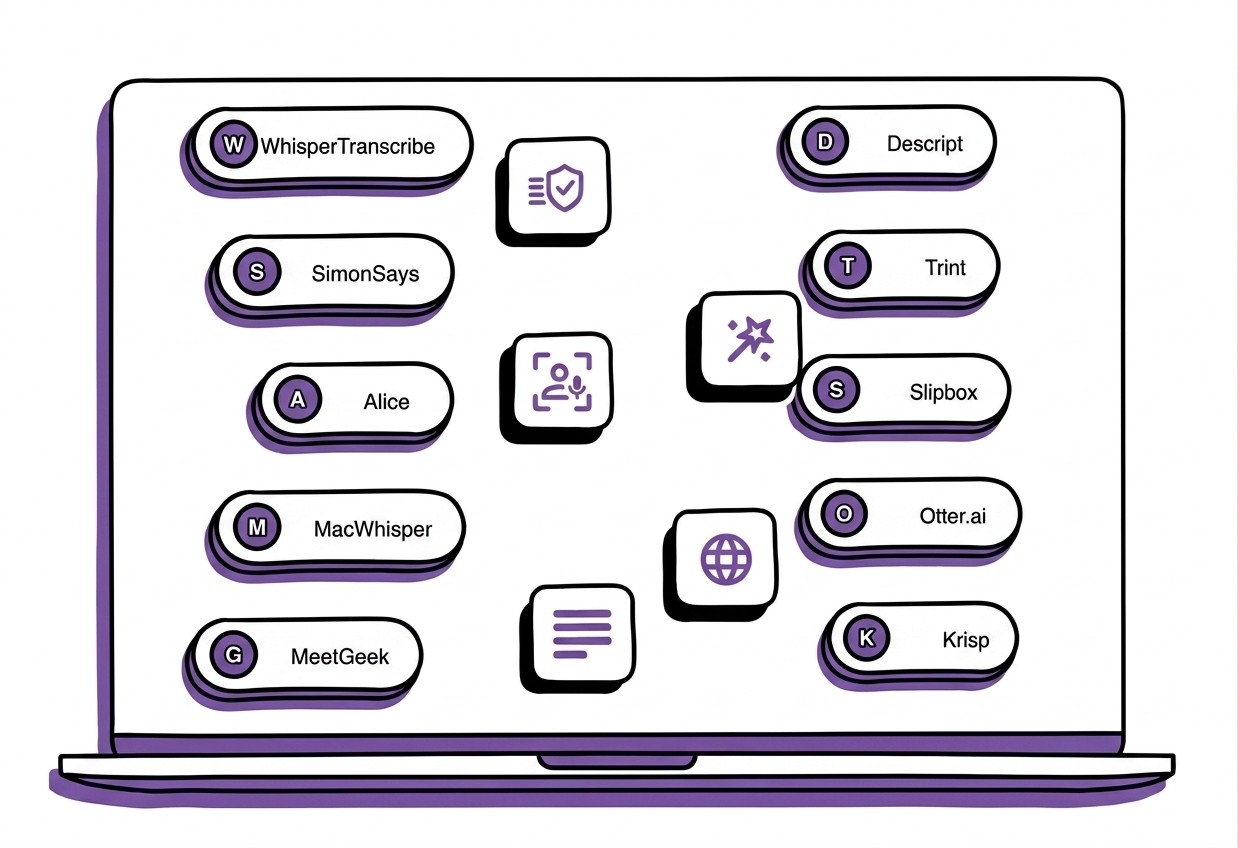
This WhisperTranscribe guide reviews the best transcription software for Mac. It covers tools like WhisperTranscribe, MeetGeek, Descript, Trint, Slipbox, Otter.ai, and Krisp, highlighting their features, pricing, and ideal use cases. For more reviews like this, visit the WhisperTranscribe blog.
Why Listen to Us?
At WhisperTranscribe, transcription is the core of what we build. Our platform has helped over a thousand users turn audio and video into accurate transcripts and reusable content using AI. Because we work directly in this space, we understand what makes transcription software reliable, fast, and useful in real workflows. This guide reflects that experience.
What Can a Transcription Software for Mac Do?
A transcription software for Mac converts your spoken audio into usable text. Instead of typing everything that’s said in your recordings manually on your Mac, they provide the texts automatically once you upload the file.
Here are some of the features you’ll find in these tools:

File transcription: Upload audio or video files and get a text transcript in minutes.
Real-time speech-to-text: Transcribe live conversations or dictation as they happen.
Speaker identification: Tag and separate multiple speakers in meetings or group discussions.
Multi-language support: Work with many languages for transcription and translation.
Transcript export: Save your transcripts in formats like DOCX, VTT, SRT, or TXT.
Unlike general transcription software, these tools are designed to work on the MacOS. You can easily download and install them on your computer.
1. WhisperTranscribe
The first tool on our list of the best transcription software for Mac is, of course, ours.
WhisperTranscribe is a powerful AI transcription software designed for Mac users who want accurate, fast, and private audio-to-text conversion in different languages. Using OpenAI’s Whisper model, it turns your audio and video files into clean, searchable transcripts in just minutes.
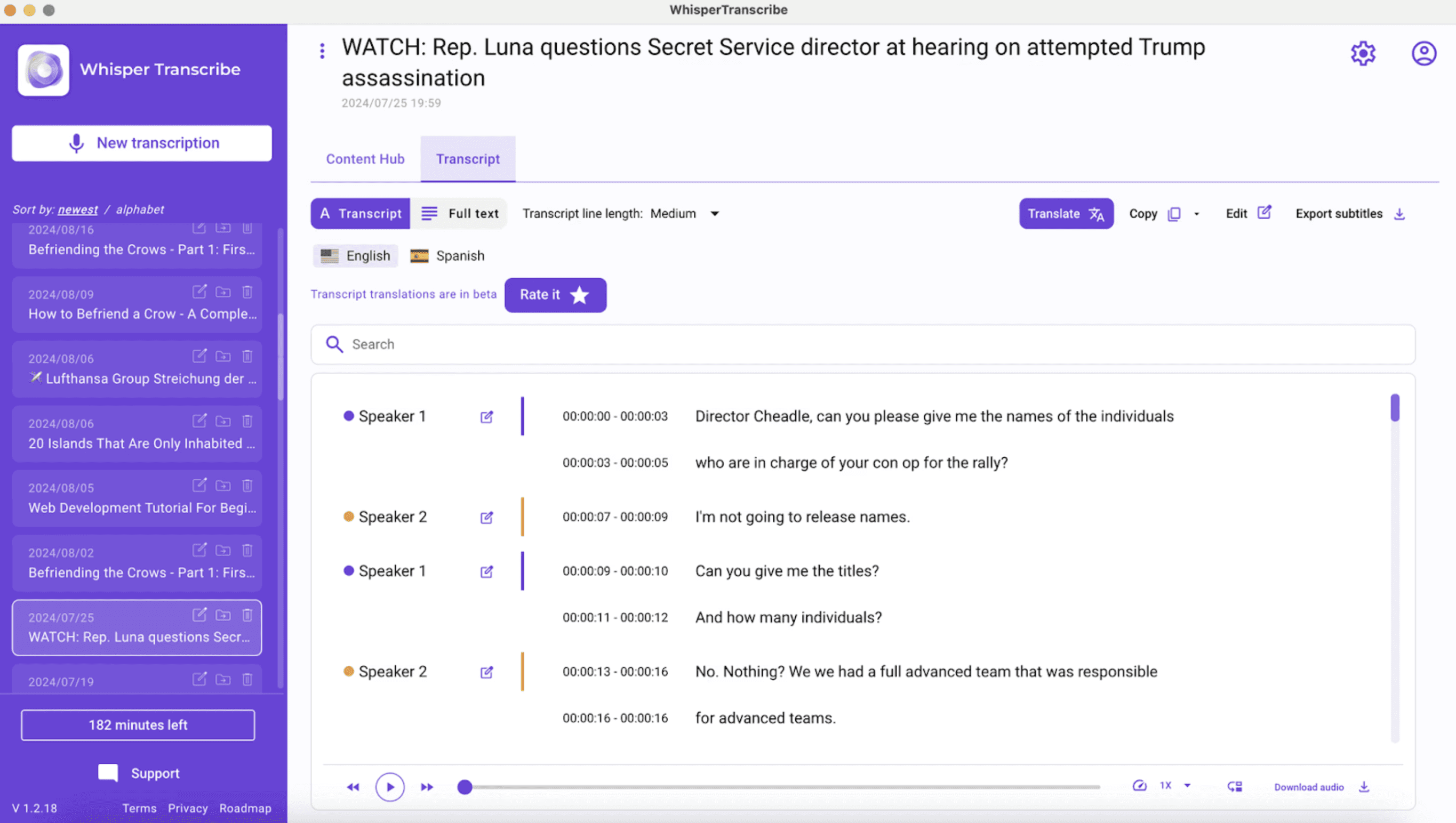
With our intuitive MacOS-native interface, you can:
Upload files or paste links from YouTube, Vimeo, or podcasts.
Set the primary language and turn on speaker recognition if there are multiple speakers.
Let WhisperAI work its magic, and receive your transcript quickly, ready for review and translation.
Beyond transcription, WhisperTranscribe lets you create blogs, show notes, summaries, social snippets, newsletters, subtitles, reports, and more, all from a single file. Local storage also ensures your data stays private and fully under your control.
Key Features
High-Accuracy Transcription: Converts audio and video into text with ~95% accuracy, even with background noise and overlapping voices.
Automatic Speaker Labeling: Detects and tags multiple speakers for easy follow-ups and organized transcripts.
Multilingual Support: Transcribes in 55+ languages and translates into 99+ languages for global accessibility.
Flexible Exports: Provides transcripts in Word, TXT, SRT, or VTT formats for reports, subtitles, or sharing.
Magic Chat: Allows you to ask questions about your transcript, summarize content, or extract key insights instantly.
Large File Support: Handles up to 10 recordings at a time, each up to 5GB, without performance issues.
Beyond transcription, WhisperTranscribe lets you create blogs, show notes, summaries, social snippets, newsletters, subtitles, reports, and more, all from a single file. Local storage also ensures your data stays private and fully under your control.
Pricing
We offer a one-time free trial with 60 minutes of transcription. After that, you can choose from any of our four paid plans:
Starter ($39.99/month) with 320 minutes and 2GB max files.
Pro ($59.99/month) with 800 minutes and team access.
Grow ($139.99/month) with 2,500 minutes and priority support.
Scale ($279.99/month) with 6,000 minutes, priority support, and extra custom templates.
All plans include unlimited content creation and multi-language translation.
We also offer pay-as-you-go plans from $9/hour, which you can buy in the app.
Pros
Complete workflow, not just transcription
Fast processing, even for long recordings
Simple, user-friendly interface
Handles multi-speaker audio well
Cons
Desktop app required, but files are stored locally
2. SimonSays
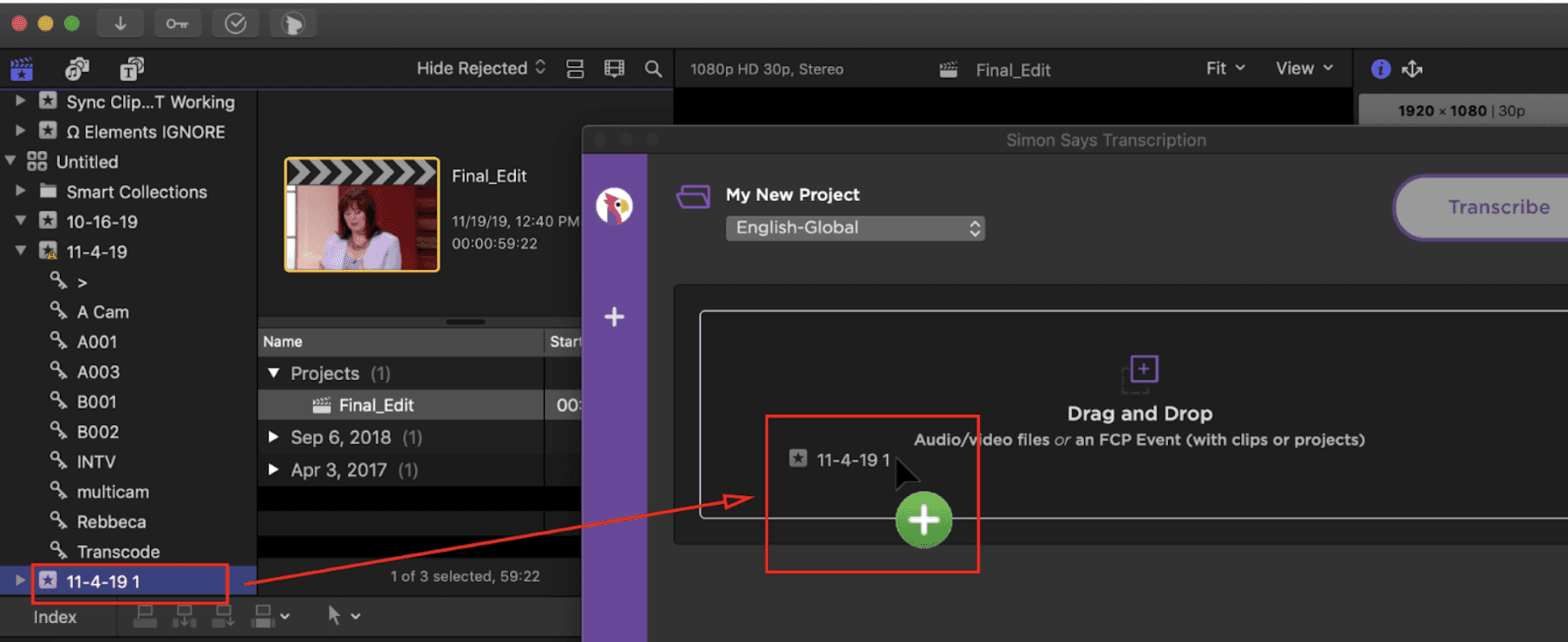
If you work in professional video production, you likely know Simon Says. It earned its reputation by integrating directly into major editing software like Final Cut Pro, Adobe Premiere, and DaVinci Resolve.
Unlike general-purpose tools, Simon Says is built for the post-production workflow. It turns hours of footage into frame-accurate transcripts and subtitles that flow directly back into your editing timeline.
It is the go-to choice for editors who need precision and want to skip the tedious manual typing of captions on MacOS.
Key Features
NLE Integration: Syncs with Final Cut Pro, Premiere, and DaVinci Resolve.
Professional Export: Generates SRT, VTT, and timeline markers.
Visual Subtitle Editor: Preview, adjust, and format captions easily.
Translation Engine: Supports 100+ languages for global content.
Pricing
SimonSays offers five paid plans:
Pay-as-you-go: $15/hour
Starter: $15/user/month (billed annually)
Pro: $33/user/month (billed annually)
Pro+: $125/user/month (billed annually)
All plans include unlimited content creation and multi-language translation. We also offer pay-as-you-go plans from $9/hour, which you can buy in the app.
Pros
Fits well into subtitle workflows
Speeds up interviews and editing
Broadcast-quality transcription focus
Cons
Credit-based pricing can get expensive
Interface less intuitive for beginners
Processing slows during peak usage
3. Alice
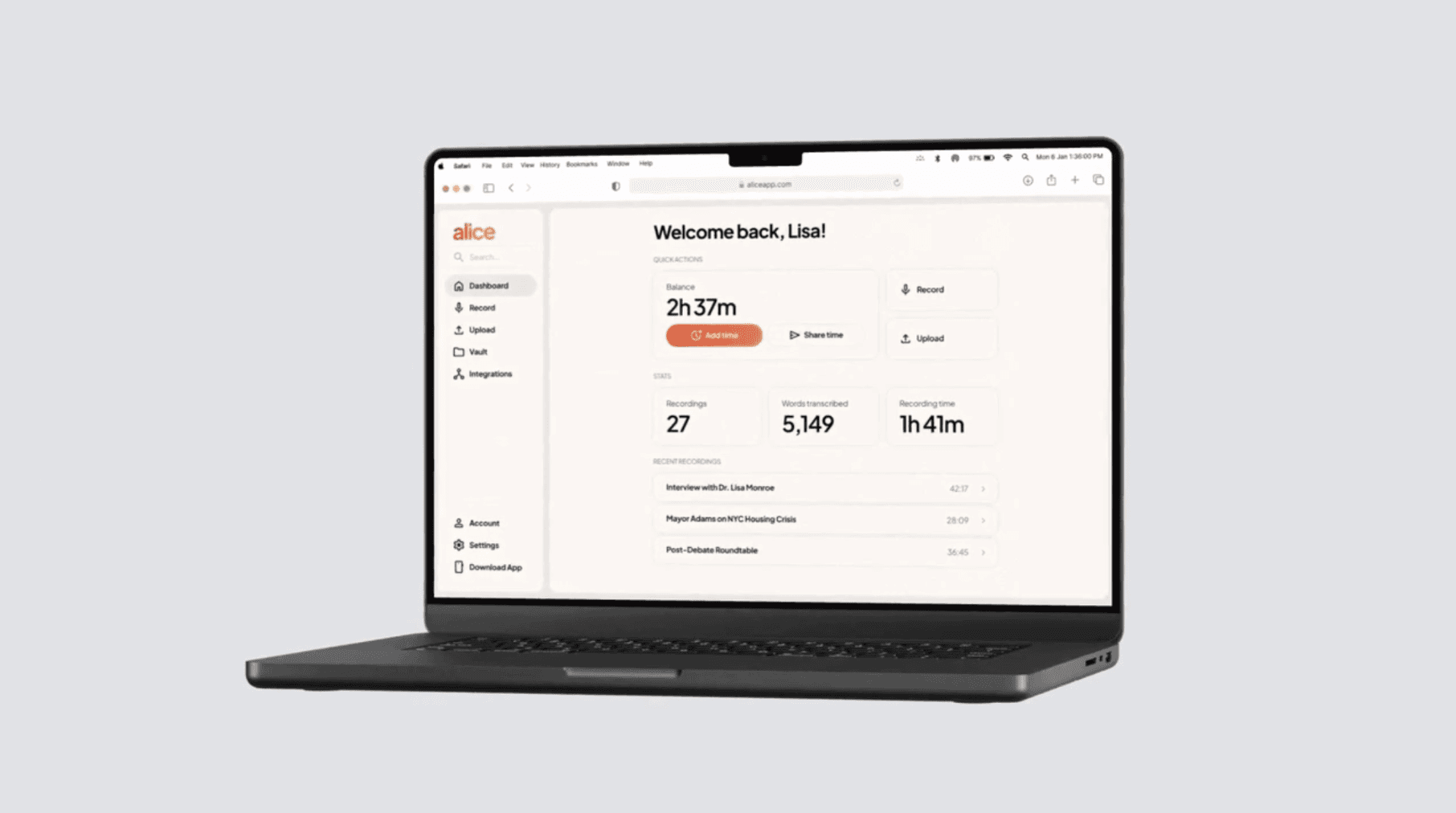
Alice is an AI-powered transcription tool built for professionals, journalists, and researchers who need private, high-accuracy results fast. Available on iOS and web, it converts recordings into transcripts instantly, letting you edit, highlight, and export in multiple formats.
Alice supports 100+ languages and integrates seamlessly with Slack, Dropbox, Notion, Gmail, Teams, and more, keeping workflows smooth and collaborative. Its enterprise-grade security ensures compliance with HIPAA, SOC 2, GDPR, and CCPA.
Key Features
Ultra-fast Uploads: Upload 300MB files in under 10 seconds.
Instant Transcription: Converts hours of audio into accurate text immediately.
Flexible Editing: Add headings, sections, highlights, and adjust transcripts easily.
Seamless Export: Export in PDF, TXT, DOCX, SRT, VTT, CSV, MP3, MP4.
Pricing
There’s a 60-minute free trial. Paid plans include:
Lite: $9.99/hour (best for single interviews or meetings)
Standard: $4.99/hour, 20+ hours (best for research and articles)
Large: $2.99/hour, 100+ hours (best for archives, conferences, client calls)
Pros
Flexible pay-as-you-go model
Lightweight, uncluttered interface
No subscription commitment
Cons
Minimal capability compared with newer AI assistants
Limited collaboration features
Basic transcript editing for heavy workloads
4. MacWhisper
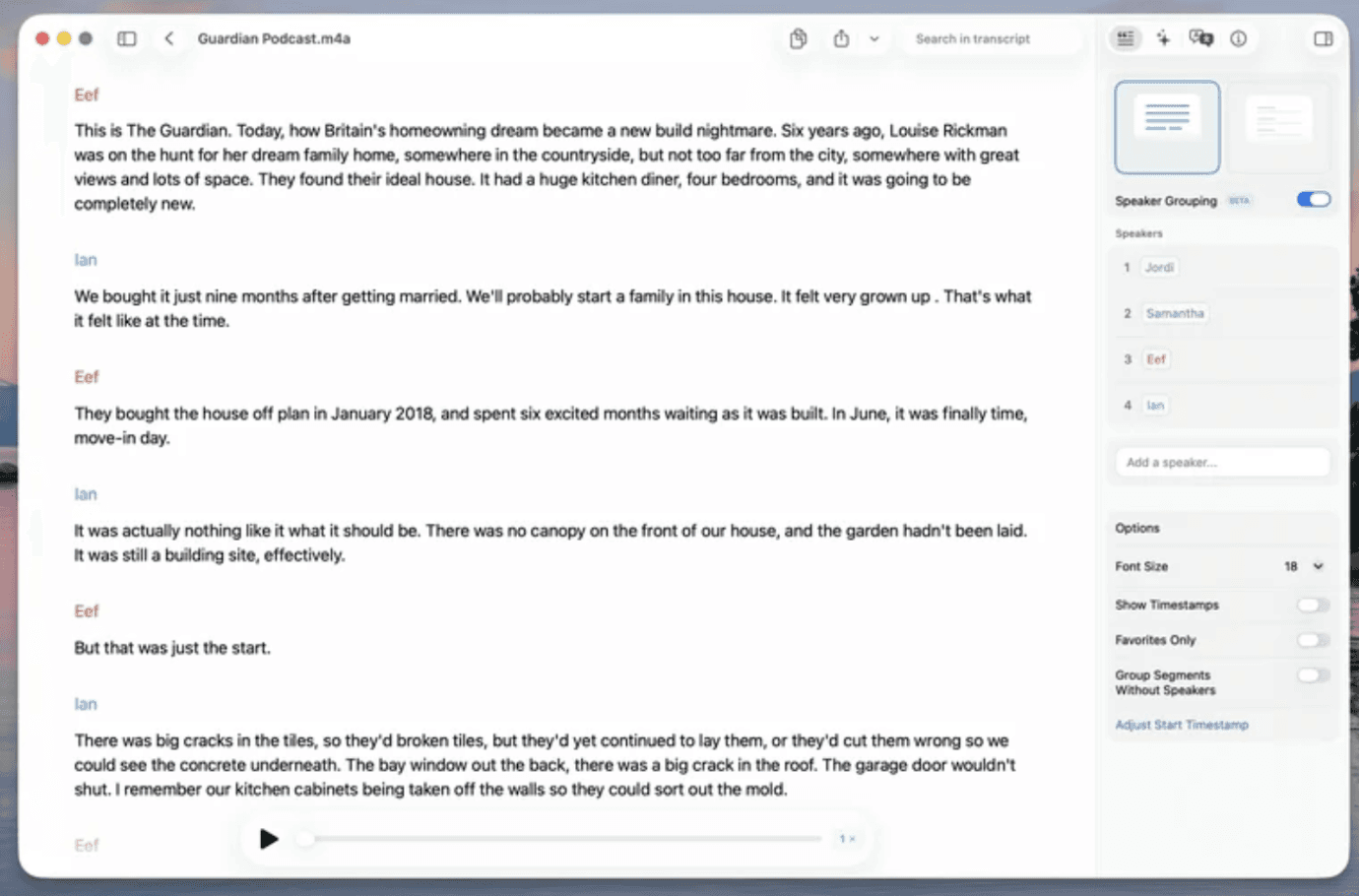
MacWhisper is a Mac-native transcription app built on OpenAI’s Whisper and Nvidia Parakeet. It quickly converts audio from meetings, lectures, podcasts, and videos into accurate text, all locally on your device for full privacy.
Plus, with GPU acceleration, transcripts can be generated up to 30x faster than real-time. Pro features include automatic speaker recognition, batch transcription, live captions, multiple AI integrations, and watch folder support.
Key Features
Native offline processing: Every file stays on your machine, ensuring total privacy for sensitive audio and video.
Batch processing: Drag and drop dozens of files at once to transcribe entire podcasts quickly.
Flexible model selection: Balance speed and accuracy by choosing from various Whisper models.
System-wide dictation: Use Whisper-powered speech-to-text in any app on your Mac.
Pricing
Free: Basic models and core features.
Pro Models: €64 - €2,199, depending on the number of licenses.
Payments are one-time for a lifetime license.
Pros
Fast, accurate, and private
Wide language and format support
Powerful AI and workflow integrations
Cons
Pro features need high-end Macs
Complex for beginners
Heavy system requirements for large models
5. MeetGeek
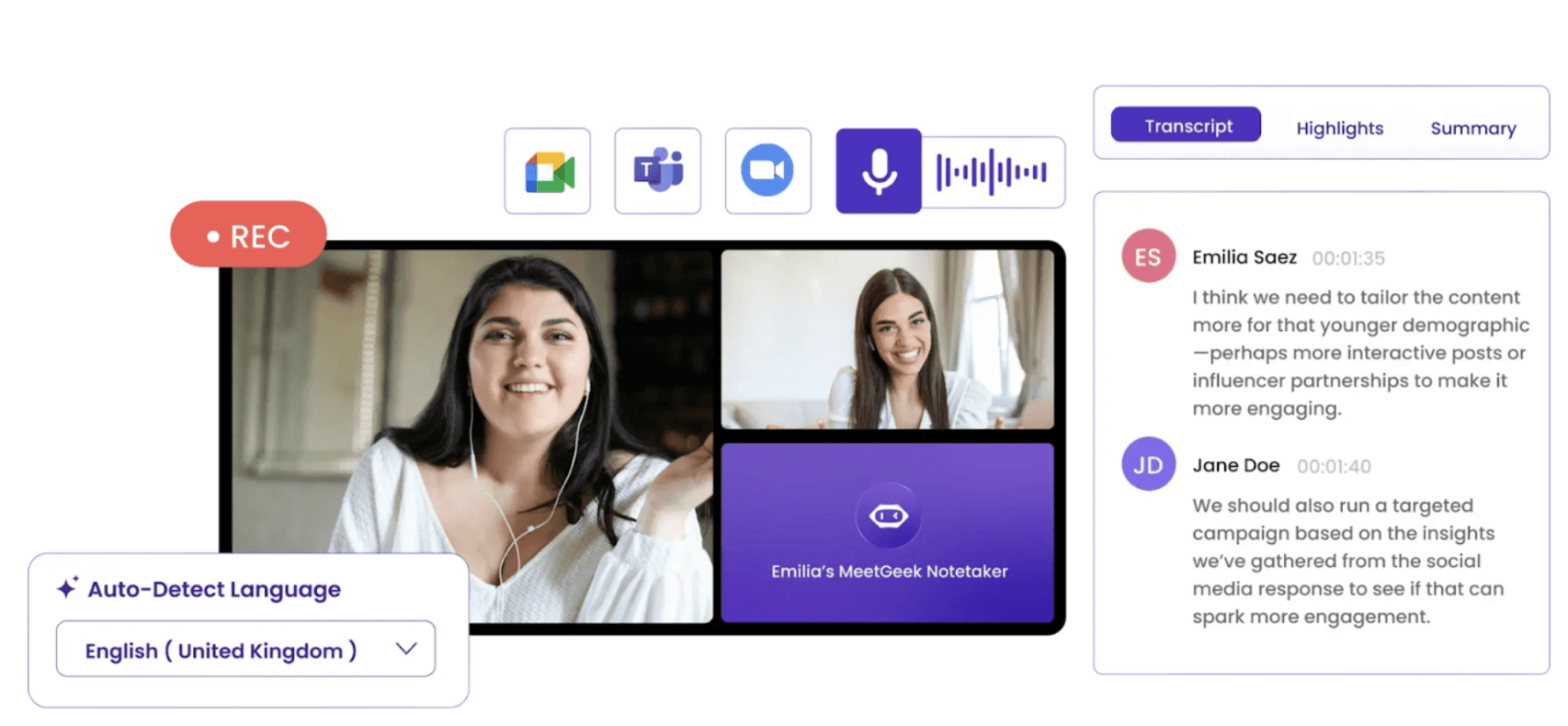
If you attend meetings often and need accurate, fast transcripts, MeetGeek is an ideal MacOS desktop solution. It records audio from Zoom, Google Meet, Teams, and more, delivering AI-generated notes and insights.
With seamless integration into your apps and workflows, every conversation becomes searchable, actionable, and easy to share with your team.
Key Features
Automatic Transcription: Records and transcribes meetings in 100+ languages.
AI Summaries: Generates concise notes and action items instantly.
Export and Integration: Send transcripts to Slack, Notion, HubSpot, ClickUp, Google Drive, and more.
Secure Storage: All audio and transcripts are encrypted and GDPR/SOC2 compliant.
Pricing
You can try MeetGeek for free for 14 days. Then pick one of the following paid plans:
Basic: Free, 3 hours/month, 3 months of transcript storage
Pro: $15.99/user/month, 20 hours/month, 1-year transcript storage
Business: $27/user/month, unlimited transcription, 12 months of video storage
Enterprise: Custom pricing
Pros
Automatic recording and transcription save time
AI summaries and action items simplify follow-ups
Useful for reviewing meetings without watching full videos
Cons
Limited outside meeting transcription
Editing transcripts is less flexible than dedicated Mac transcription tools
Meeting bot features may feel intrusive for some users
6. Descript
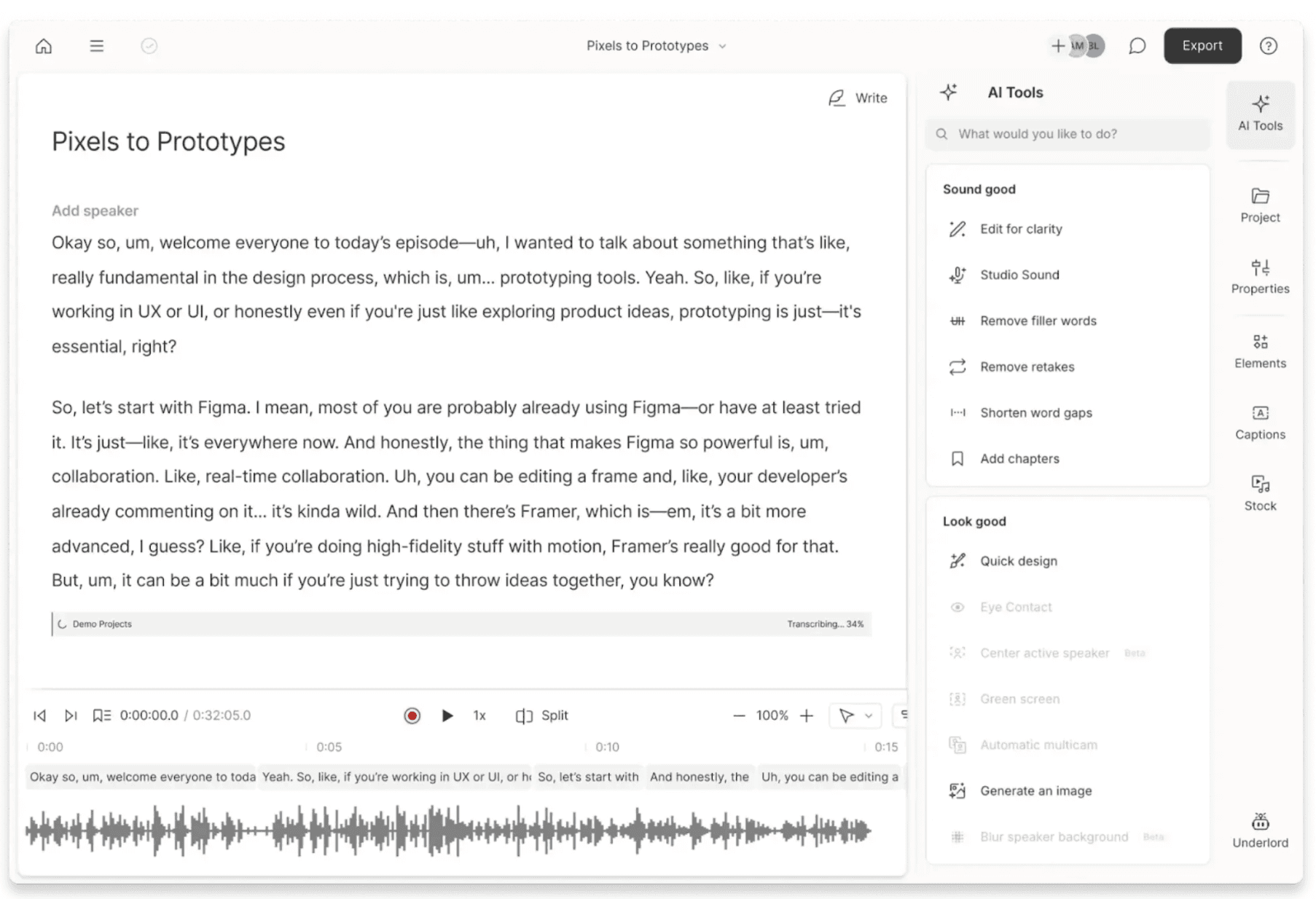
Descript combines AI-powered transcription with advanced video and audio editing, making it a favorite for Mac users who create podcasts, videos, or multimedia content.
Its AI converts audio and video into editable text, lets you remove filler words, add captions, translate in 30+ languages, and regenerate dialogue without re-recording.
Key Features
Transcript-based Editing: Edit audio/video by editing text directly.
Filler Words Removal: Automatically detects and removes “um,” “uh,” and similar speech.
Captioning: Generate time-synced captions with one click.
Global Translation: Supports 30+ languages for transcripts, captions, or audio.
Pricing
You get a free plan and two paid plans:
Free: 1 media hour/month, 100 AI credits, export 720p.
Hobbyist: $16/month, 10 media hours, AI tools, 1080p export.
Creator: $24/month, 30 media hours, 800 AI credits, 4K export, full AI tool access.
Pros
Speeds up editing workflows
Replaces multiple tools at once
Filler-word removal saves time
Cons
Steep learning curve for beginners
Large projects can slow down weaker Macs
AI voice cloning can sound unnatural
7. Trint
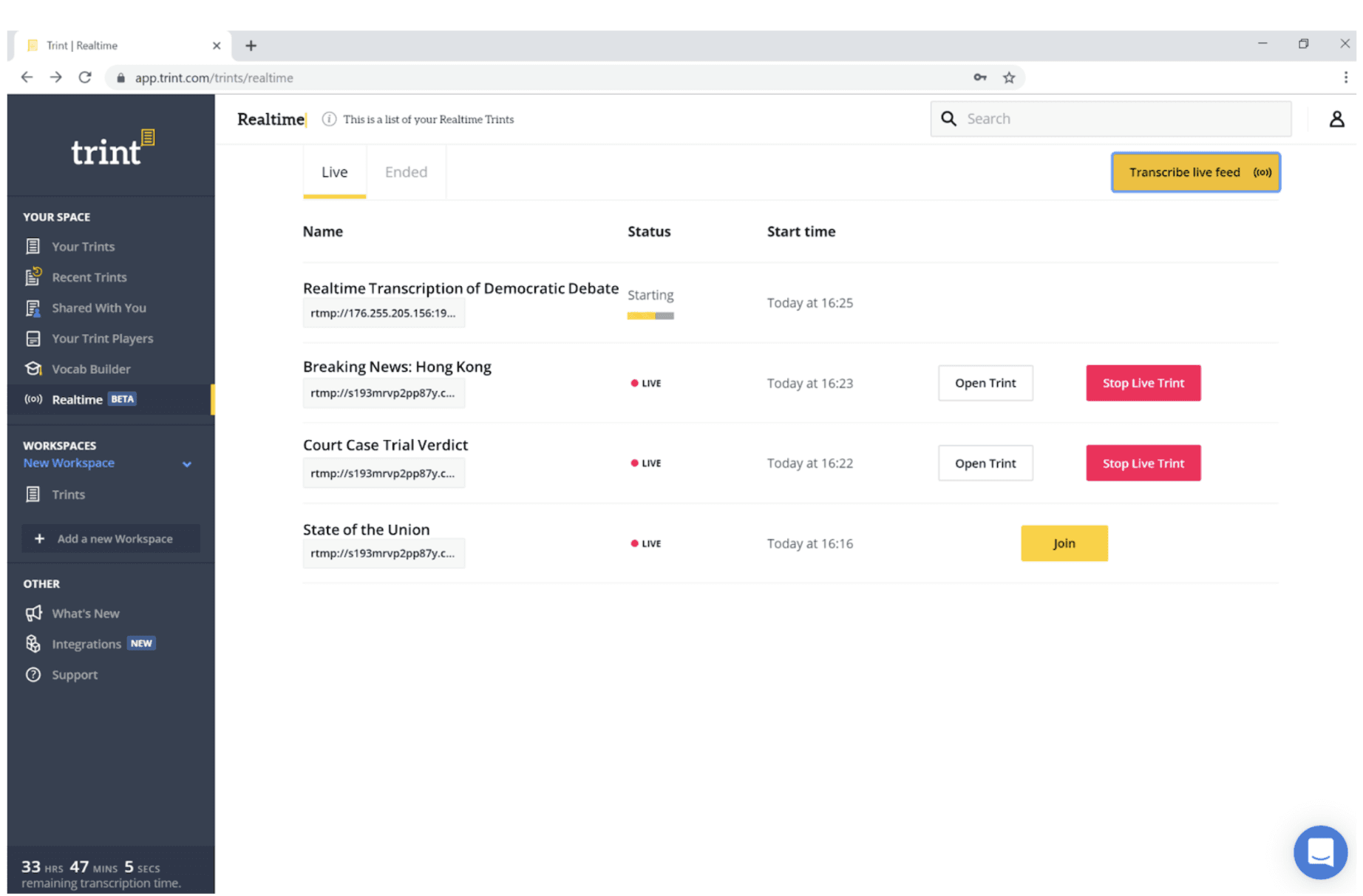
Trint is a Mac-friendly AI transcription platform built for professionals who need more than just speech-to-text. It transcribes audio, video, and live conversations in 30+ languages, then allows real-time editing, search, and collaboration.
With Trint, your team can quickly generate AI summaries, create subtitles, and extract insights from transcripts across devices.
Key Features
Live Transcription: Capture speech from interviews, calls, or video in real time.
Multilingual Support: Detects and transcribes 40+ languages, translates into 70+ languages.
AI Summaries: Automatically identify key moments and quotes for faster review.
Secure Storage: ISO 27001 and Cyber Essentials certified, data stored in the EU or the US.
Pricing
There’s a limited free trial, alongside three paid plans:
Pro: €85/seat/month (billed annually).
Team: €78/seat/month (billed annually, 2-5 users).
Business: Custom pricing for large organizations.
Pros
Great for collaborative editing
Search across transcript libraries
Integrates with newsroom workflows
Cons
Expensive for individual users
Accents/noisy audio may need corrections
Interface favors enterprise teams
8. Slipbox
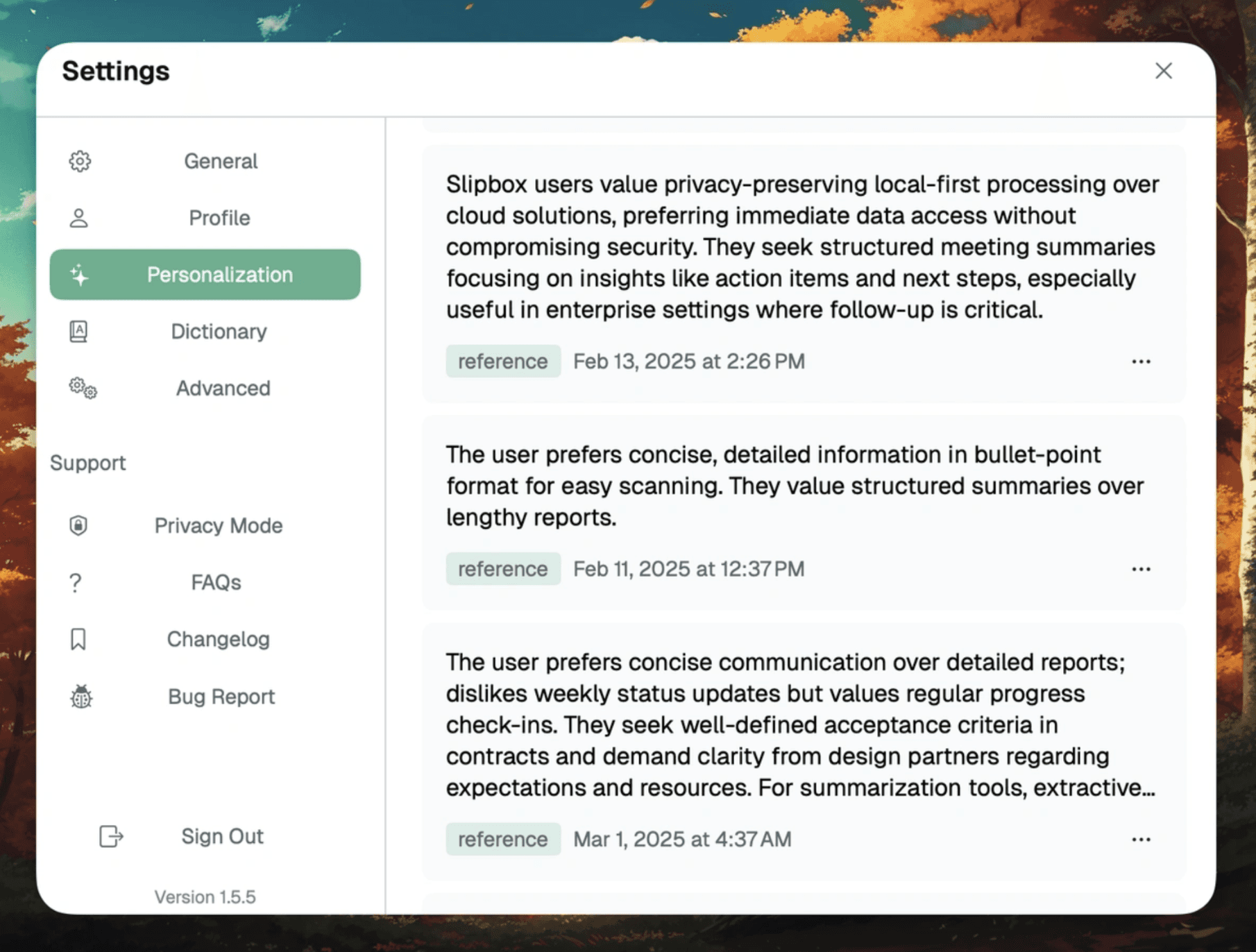
Slipbox is a Mac-first transcription tool designed for users who value privacy and actionable insights. It captures system audio and microphone input locally, transcribing your meetings in real time without bots.
The inbuilt AI-powered agents summarize, tag, and analyze your conversations, while speaker identification ensures context is preserved. Slipbox works across Zoom, Teams, Google Meet, Slack, FaceTime, WhatsApp, Signal, Telegram, Discord, and Webex.
Key Features
Live Transcription: Capture speech from interviews, calls, or video in real time.
Realtime Insights: Generates AI summaries, tags, and questions during meetings.
Speaker Identification: Labels speakers for accurate context and summaries.
Automatic Meeting Detection: Starts/stops transcription based on meeting activity.
Pricing
There’s a free plan with two paid plans:
Free Plan: Unlimited transcription with basic AI features.
Pro: $10/month for advanced summaries, enhanced memory, auto AI actions.
Enterprise: Custom pricing and advanced features
Pros
Full transcription without cloud dependency
Automatic insights and meeting intelligence
Hybrid privacy-first design
Cons
Advanced features require Pro or Enterprise plans
Limited collaboration features for teams on the Free plan
The interface can feel complex for new users
9. Otter.ai
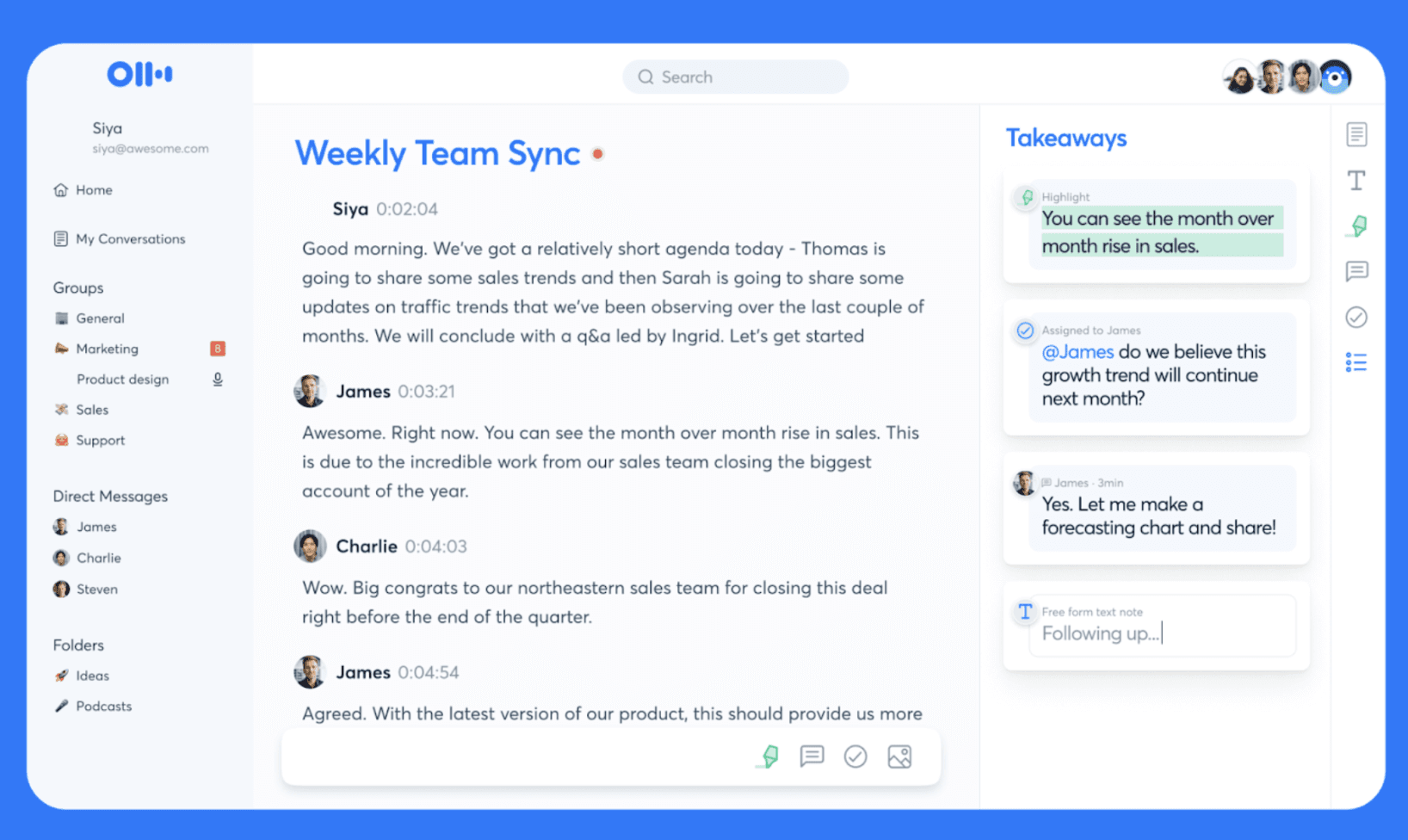
Otter.ai is another Mac-friendly transcription tool for meetings. It helps professionals and team members who want to capture and organize every meeting. You get live transcription, speaker recognition, and AI-generated summaries from a single meeting recording.
The inbuilt AI chat also lets you search your transcripts to derive insights and push them into your workflow and CRM.
Key Features
Live Transcription: Capture conversations in real time with speaker labeling.
AI Summaries: Turn meetings into clear takeaways, decisions, and action items.
Voice-activated AI Chat: Ask questions across meetings and connected apps.
Multi-language support: Transcribe and playback in multiple languages.
Pricing
Otter.ai offers a free plan and three paid plans:
Basic: Free, up to 300 minutes/month
Pro: $16.99/user/month for up to 1200 minutes and unlimited storage
Business: $24–30/user/month for unlimited meetings
Enterprise: Custom with advanced features
Pros
High transcription accuracy with speaker identification
Integrates seamlessly with Zoom and Google Meet
Searchable transcripts and automated summaries save time
Cons
Accuracy can drop with multiple speakers or heavy accents
Free and lower-tier plans have strict transcription limits
Privacy concerns over recordings used for AI training
10. Krisp
The last tool on our list of the best transcription software for Mac is Krisp.
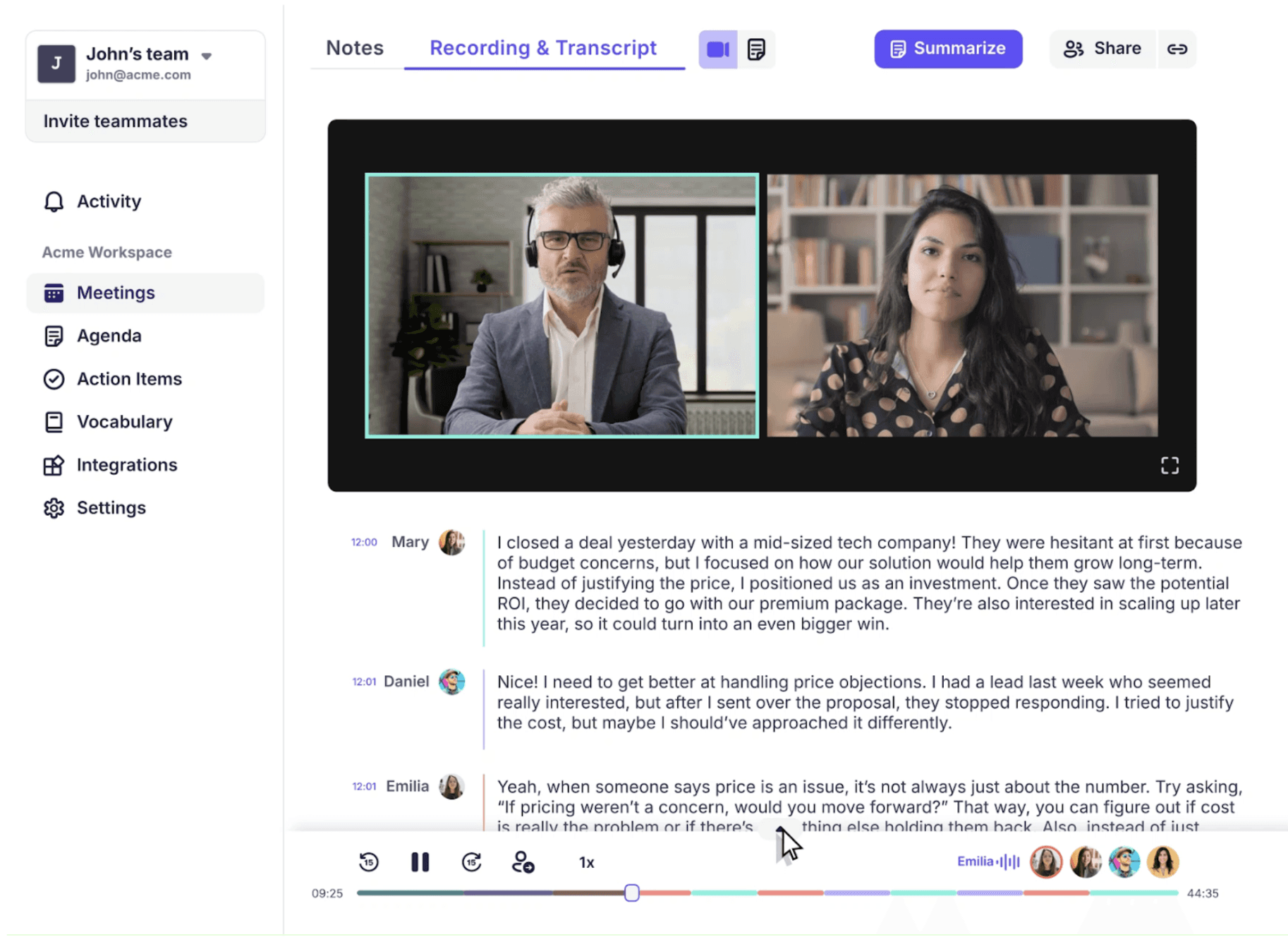
Krisp turns your Mac into a meeting transcription powerhouse, delivering up to 96% accurate transcripts in real time. It automatically identifies speakers, summarizes key points, and captures action items.
Krisp works across Zoom, MS Teams, Google Meet, and other conferencing apps, and integrates with HubSpot, Salesforce, and tools via Zapier.
Key Features
Unlimited AI Transcription: Transcribe meetings automatically with speaker labelling.
AI Summaries and Action Items: Capture key points and next steps instantly.
AI Noise Cancellation: Remove background noise and echoes for clear audio.
Multilingual Support: Transcribe in 16+ languages.
Pricing
Krisp offers a free trial for seven days. Paid plans include:
Core: $16/user/month for multilingual transcripts
Advanced: $30/user/month for unlimited accent conversion and admin controls
Enterprise: Custom for advanced features
Pros
High transcription accuracy and speaker identification
Automatic action items and meeting summaries save time
Flexible integrations and cross-platform support
Cons
Limited language support compared with competitors
Advanced transcription and storage require paid plans
Some users report occasional inaccuracies with overlapping speech
Finding the right transcription software for Mac can save hours of manual work. From live meeting transcripts to multilingual support, the tools we reviewed help turn audio and video into actionable text quickly and accurately.
For seamless, reliable transcription, WhisperTranscribe stands out as the top choice. Our tool offers fast, accurate, and private AI-powered transcription on Mac. With features like speaker labeling, multilingual support, and content repurposing, you can convert recordings into searchable text and reusable content in minutes.
No credit card needed.