We Reviewed the Top 10 Medical Transcription Software With Free Download Options in 2026
Quick Summary
We reviewed the top 10 medical transcription software with free download options for healthcare professionals, covering AI and manual tools for accurate, time-saving documentation.
Top Picks:
WhisperTranscribe - Overall best for accurate transcription
Heidi - Best for offline and multi-speaker notes
Scrybee - Best for HIPAA-compliant, multilingual templates
BlabbyAI - Best for real-time, EHR-ready transcription
For more reviews like this, visit the WhisperTranscribe blog.
Looking for Medical Transcription Software With Free Download Options?
Most medical transcription software is designed for hospitals and enterprise healthcare systems. Because of that, many tools come with expensive subscriptions or complex setup requirements.
But not every clinic, student, or independent practitioner needs enterprise software. Many professionals simply want a reliable tool that can turn medical dictations into text quickly and accurately.
In this WhisperTranscribe guide, we reviewed the best medical transcription software that offers free download options, so you can start using it immediately.
Why Listen to Us?
At WhisperTranscribe, we've tested dozens of transcription tools for accuracy, speed, and ease of use. Having built our own transcription software serving over a thousand users, we know what works in real medical workflows. Our reviews focus on what healthcare professionals actually need: reliable, secure, and quick transcription without unnecessary complexity.
10 Best Medical Transcription Software Tools With Free Download Options
Before we look at each tool closely, here's a quick comparison of the top tools that we reviewed in this guide.
Medical Transcription Software | Transcription Type | Available Platforms | Special Features | Best For |
|---|---|---|---|---|
WhisperTranscribe | AI Transcription | Windows, Mac | High-accuracy model; stored locally | Secure, private file transcription |
Heidi | AI Scribe | Web, Mobile, Desktop | Real-time ambient documentation | Stay-present patient consultations |
Phrase Express | Text Expansion | Windows, Mac, iOS | System-wide text shortcuts | Rapid, repetitive clinical typing |
Express Scribe | Manual Player | Windows, Mac, Android | Professional foot pedal support | Human-led manual transcription |
Scrybee | AI Scribe | Windows, Mobile | Built-in clinical templates | Structured medical note generation |
Blabby | Voice-to-Text | Browser (Chrome) | Low-latency, custom voice modes | EHR voice-typing integration |
Soniox | AI Scribe | Mobile, Web, Desktop | Automatic action item extraction | Physician-led clinical meetings |
FTW Transcriber | Manual Player | Windows, Android | Superior noise reduction/audio | Quality-focused manual typists |
OTranscribe | Manual Player | Web (Browser) | Free, open-source, private | Simple, budget-friendly manual work |
InqScribe | Manual + AI | Windows, Mac | Interactive timecoded note-taking | Detailed, research-heavy documentation |
1. WhisperTranscribe
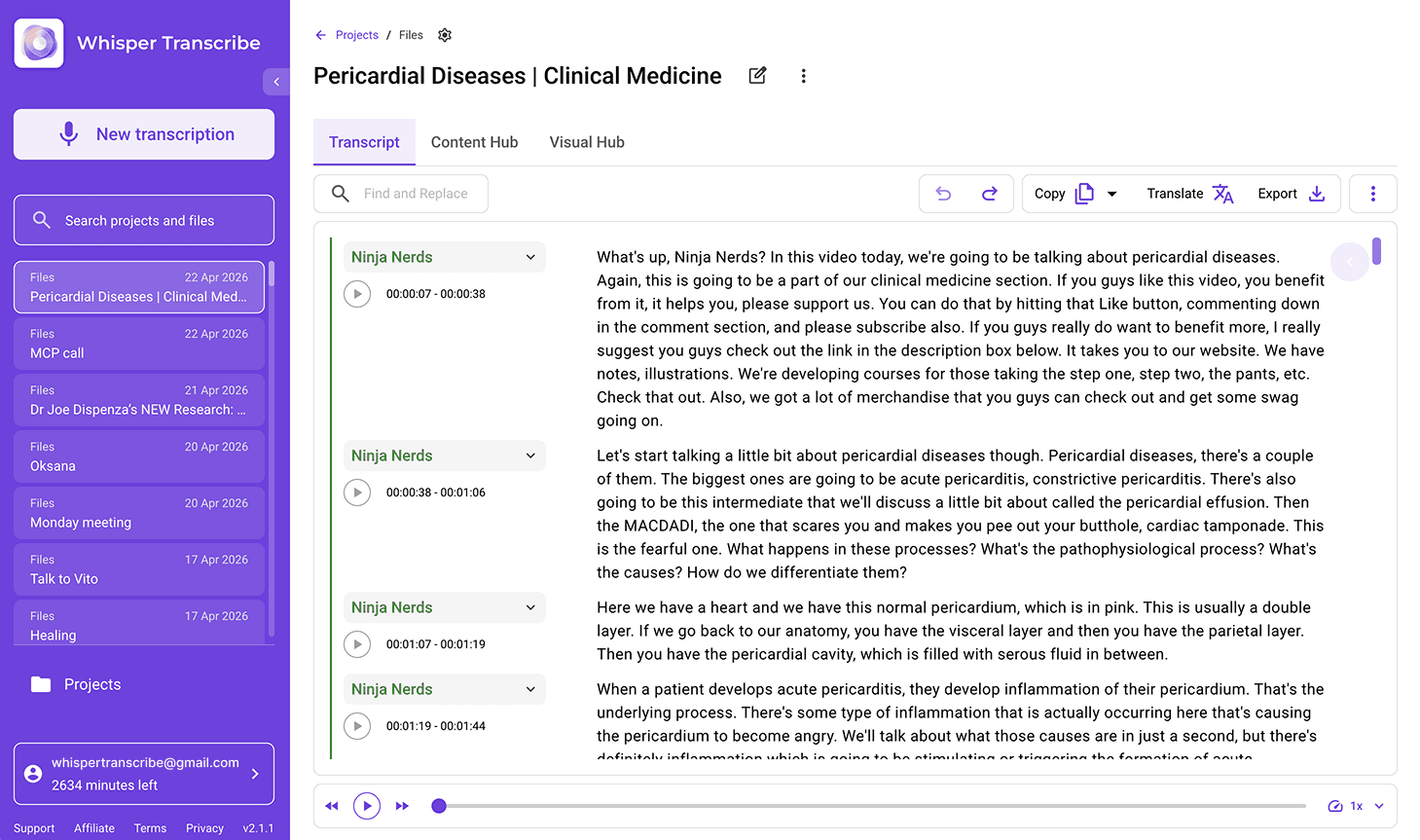
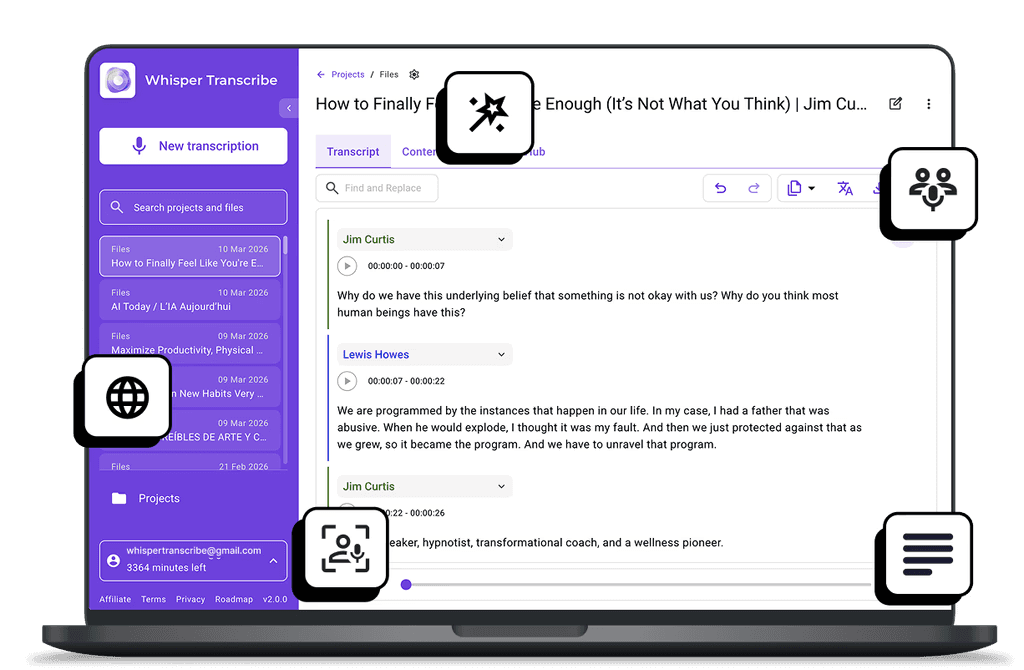
WhisperTranscribe is a top choice for anyone looking for medical transcription software with a free download option. It's a desktop application powered by the OpenAI Whisper model, designed to convert audio files into accurate text.
For healthcare professionals, it turns medical dictations, patient interviews, and clinical recordings into clear transcripts within minutes.
Audio files and transcripts are stored locally on your device, helping keep sensitive data private. This makes it a practical option for clinics, students, and independent practitioners who want more control over their data.
Here's how it works:
Download and install WhisperTranscribe on Windows or Mac.
Upload patient interviews or research dictations, up to 10 files at 5 GB.
Set preferences such as speaker recognition and language.
Start the transcription and receive clean, readable text.
WhisperTranscribe's accurate transcription captures complex medical terminology accurately. Beyond transcription, you can extract treatment insights or summarize key medical discussions directly from your recordings using our special Magic Chat feature.
Key Features
95% Transcription Accuracy: AI-powered speech recognition tailored for clear and complex medical terminology.
Speaker Labeling: Distinguish doctors, nurses, and patients in multi-speaker recordings.
Flexible Exports: Supports SRT/VTT/TXT/Word, which is great for keeping transcripts within your workflow.
Multilingual Support: Transcribe in 55+ languages with translation into 99+ languages.
Magic Chat: Ask questions about your transcript, generate summaries, and extract key insights instantly.
Pricing
Free Tier: One-time offer of 60 minutes of transcription to try our core AI features for free.
Paid Upgrade: Unlock additional minutes and advanced features like enhanced translation and extended speaker support starting at $39.99 per month.
Pros | Cons |
|---|---|
Extremely accurate, even with technical clinical language | Desktop app required; no web version |
Faster than manual typing for long audio files | |
Intuitive interface that requires zero technical training | |
Formats output cleanly with proper paragraph breaks |
2. Heidi
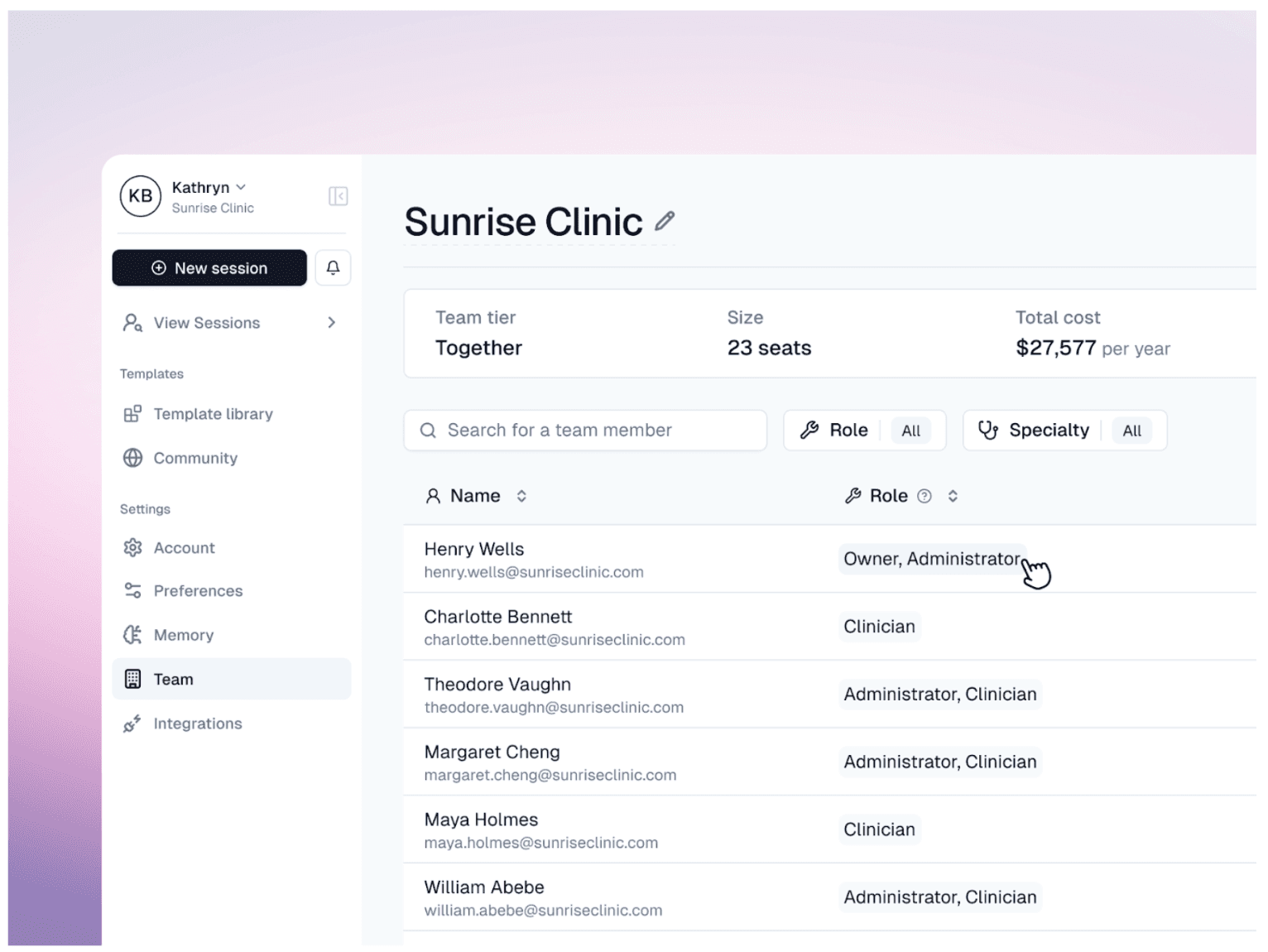
If you're looking for a medical transcription software that combines both AI transcription and dictation, Heidi is an excellent choice.
During a consultation, you can use transcription to capture the natural dialogue between you and the patient in real time. You can also switch to dictation mode to manually record specific clinical notes before or after the visit.
Heidi can handle multiple speakers, background noise, and specialty terminology across more than 110 languages. You can download it as a desktop application for Windows and Mac, mobile apps for tablets and phones, or a Chrome extension that integrates with electronic medical records.
Key Features
Dual Documentation Modes: Switch between transcription for conversations or dictation for manual notes.
Offline Capability: Records and processes notes even in areas with poor or no internet.
Multi-Speaker Recognition: Handles conversations involving clinicians, patients, and family members in shared consultations.
Smart Template Generation: Converts notes into SOAP, referral letters, or patient summaries automatically.
Pricing
Free Tier: Includes unlimited AI documentation and clinical evidence queries.
Paid Upgrade: Evidence Plus ($30/month) and Clinician ($110/month) unlock advanced templates, personalized AI workflows, and premium research access.
Pros | Cons |
|---|---|
Ambient capture keeps focus on patients | EHR integration setup requires initial effort |
Meets rigorous healthcare data security standards | Requires adjusting your natural speaking style |
Works offline or low connectivity | Limited customization outside templates |
3. Phrase Express
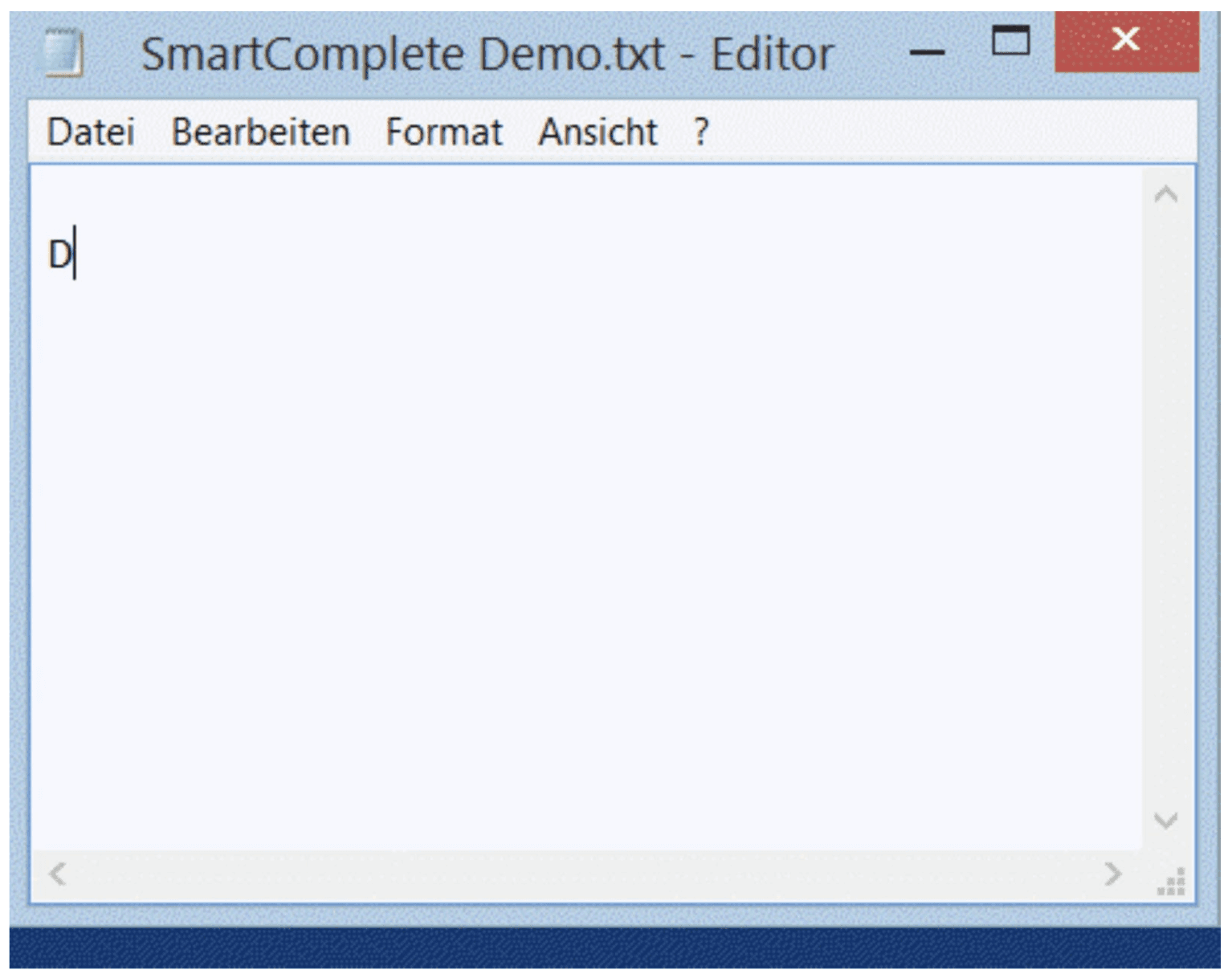
Instead of converting speech to text directly, Phrase Express focuses on text automation and phrase expansion to speed up medical report writing.
When you start typing a drug name, treatment, or common clinical phrase, PhraseExpress instantly suggests the full phrase. This allows physicians and medical transcriptionists to produce reports much faster.
PhraseExpress runs locally on your computer and integrates with EMR and EHR systems as well as tools like Microsoft Office and web browsers.
Key Features
Universal Text Expansion: Automate clinical phrases in any program or EHR.
Smart Autocomplete: Suggests relevant medical terms as you type.
ICD-10 Integration: Quickly import and search for diagnosis codes system-wide.
Local Data Storage: Keeps all your medical phrases on your own computer.
Pricing
Free Tier: Free for personal, non-commercial use.
Paid Upgrade: Choose the Standard, Professional, or Enterprise lifetime license to unlock professional features like team sharing, document generation, and advanced formatting.
Pros | Cons |
|---|---|
Works inside any EHR or browser | Advanced macros require time to learn |
Automates repetitive clinical phrasing tasks | Dated user interface |
Core functionality can be used without paying | Licensing tiers and enterprise features can add up |
4. NCH Express Scribe
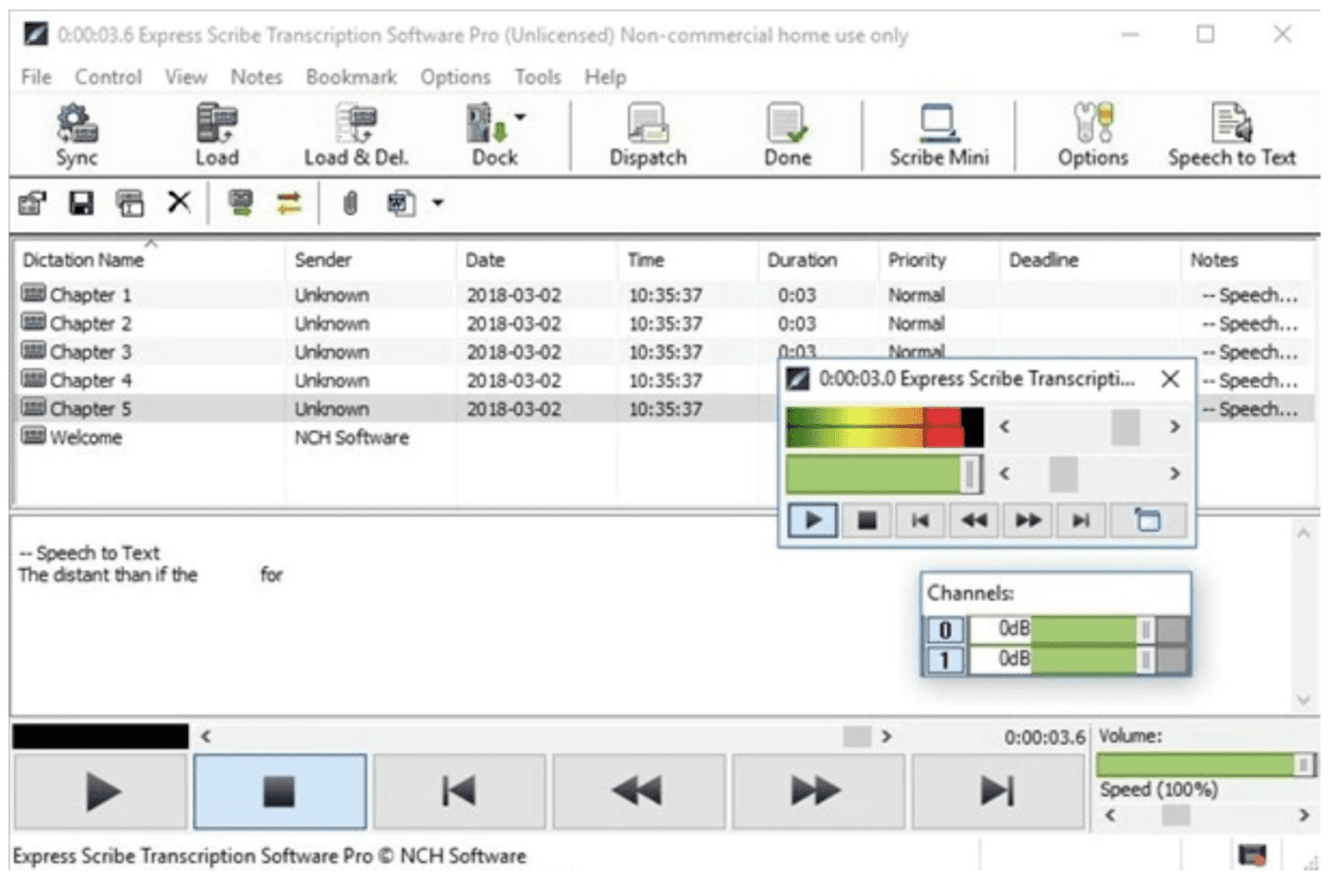
If you're looking for flexibility, you might want to consider Express Scribe. It offers a free option that supports both audio and video files.
Express Scribe is a digital transcription player designed for manual medical transcription. You can control recordings with keyboard hotkeys or a compatible USB foot pedal, keeping your hands on the keyboard while typing clinical reports.
It acts as a reliable, system-wide controller that runs in the background of your favorite word processor, making it a standard choice for medical offices that rely on human-led transcription workflows rather than AI automation.
Key Features
Foot Pedal Support: Connects to professional USB pedals for hands-free audio control.
Variable Speed Playback: Adjusts audio speed without changing the pitch.
Hotkey Controls: Manage playback directly from your keyboard for faster typing.
Format Compatibility: Supports 45+ audio and video formats, including encrypted dictation files.
Pricing
Free Tier: Includes basic features for audio playback and transcription.
Paid Upgrade: Express Scribe Basic ($99) and Professional ($129) are one-time payments that unlock proprietary file format support, additional workflow tools, and advanced integration features.
Pros | Cons |
|---|---|
Mature, stable workflow for manual transcription | Manual typing remains slow without AI |
Precision speed adjustment for difficult audio | Interface feels outdated for modern users |
Hotkeys enable mouse-free transcription | The Mac version lacks some Windows functions |
5. Scrybee
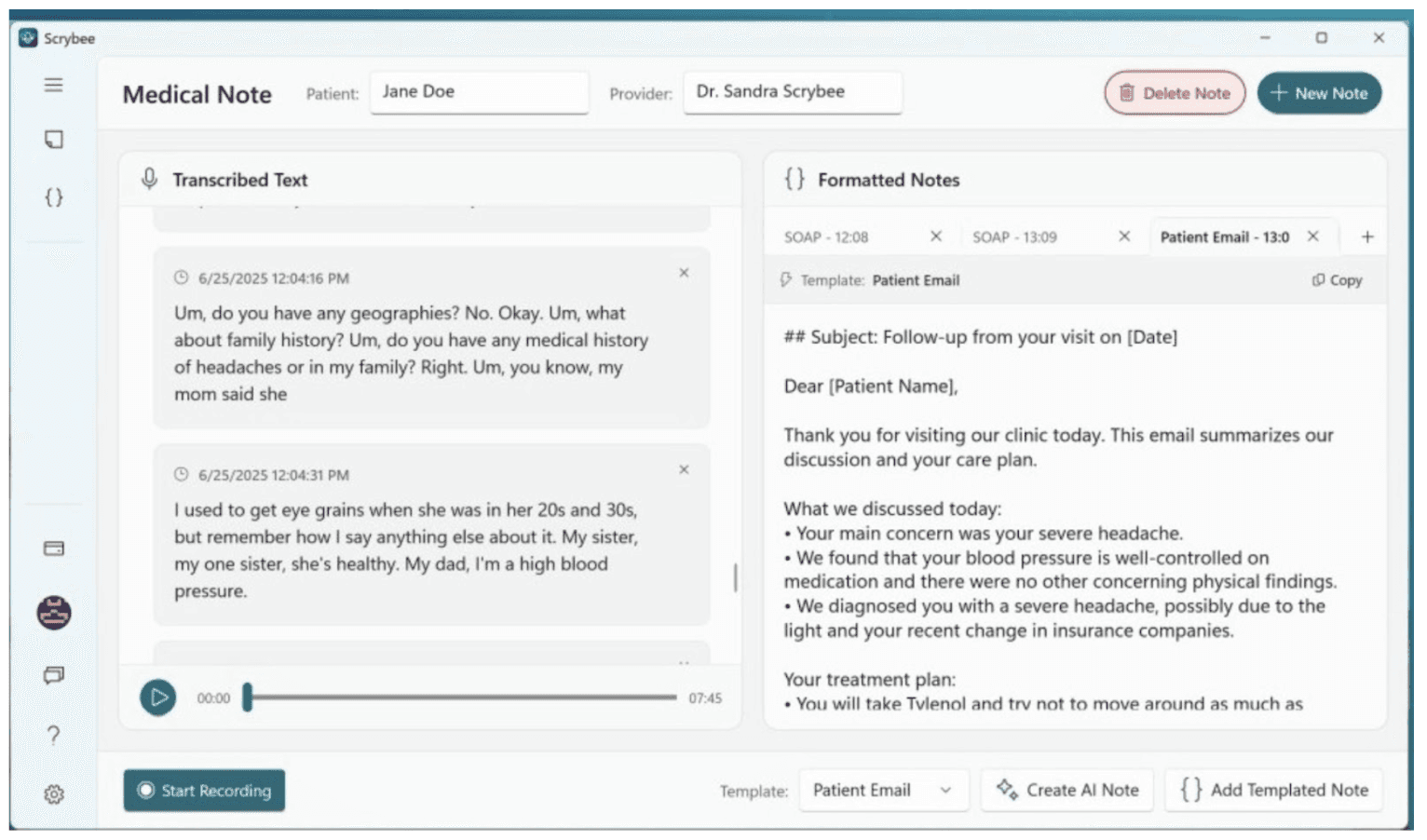
Scrybee is an AI-powered medical transcription tool designed to turn patient conversations into structured clinical notes on Windows. It focuses on automating the documentation workflow by converting speech to text in real time, reducing the time you spend on manual chart updates.
Scrybee supports multilingual transcription across up to 20 languages and integrates with major healthcare systems. The platform also includes built-in templates for standard formats like SOAP and H&P, and it allows for custom template creation to match your specific specialty's needs.
You can download Scrybee for free from the Microsoft Store.
Key Features
AI-Powered Voice-to-Text: Converts spoken encounters into structured medical notes instantly.
Clinical Templates: Includes ready-to-use templates for SOAP, H&P, and discharge summaries.
HIPAA Compliant Security: Uses encrypted storage and secure processing to protect sensitive patient data.
EHR Integration: Supports direct export of transcribed notes to major healthcare systems.
Pricing
Free Tier: $0. Includes 500 free minutes of transcription.
Paid Upgrade: Pro subscription starts at $11.99 per month for expanded features and higher transcription volume.
Pros | Cons |
|---|---|
AI optimized for medical terminology | Relies on vendor security rather than local |
Real-time transcription during consultations | Limited integrations beyond major EHRs |
Multilingual support up to 20 languages |
6. BlabbyAI
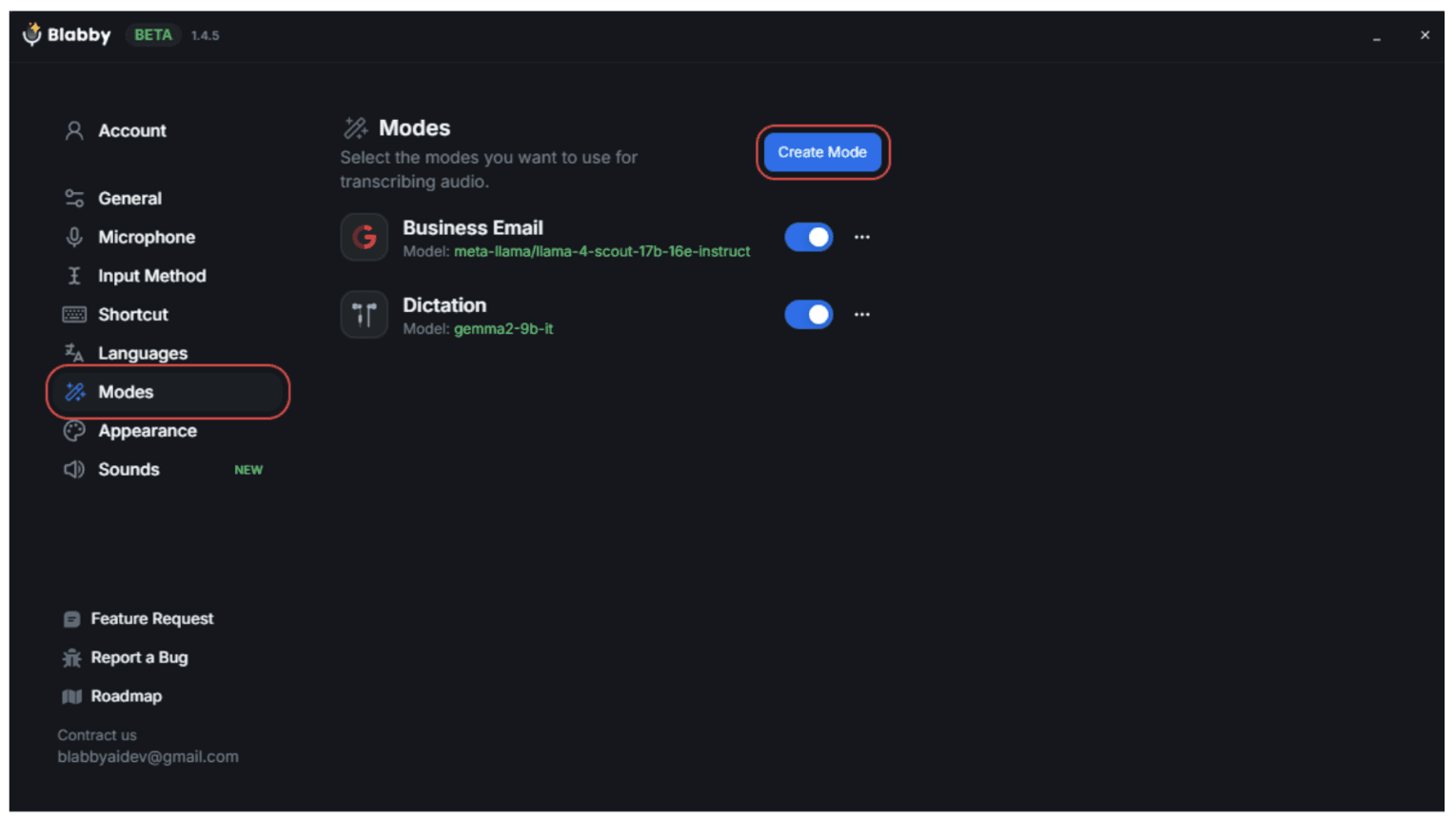
BlabbyAI is an AI-powered medical speech recognition platform that converts clinician audios into structured clinical notes. It understands complex medical terminology, corrects common AI errors, and applies your formatting rules automatically.
Because it is highly customizable, you can create specific "Modes," such as "Clinic Note Mode" or "Email Mode," to define exactly how the AI formats your speech, fixes grammar, and expands abbreviations.
The platform works across desktop, Linux, and Chromium-based browsers, and integrates with major EHRs like Epic, Cerner, and Athenahealth.
Key Features
AI Medical Speech Recognition: Converts spoken dictation into clinical notes instantly.
Custom Templates and Modes: Tailor AI output for SOAP notes, summaries, or letters.
EHR Integration: Works with Epic, Cerner, Athenahealth, and other systems.
Real-Time Corrections: AI fixes clinical terminology, grammar, and formatting automatically.
Pricing
Free Tier: $0. Includes 1 hour of transcription and 320 credits.
Paid Upgrade: Plus ($6/month) for 10 hours of transcription and Unlimited ($12/month) for unlimited transcription and credits.
Pros | Cons |
|---|---|
Customizable formatting for different tasks | Free plan limited to 1-hour transcription |
Works with any EHR system | Managing subscriptions via extension is confusing |
No voice profile training needed | Desktop apps are still in beta |
7. Soniox
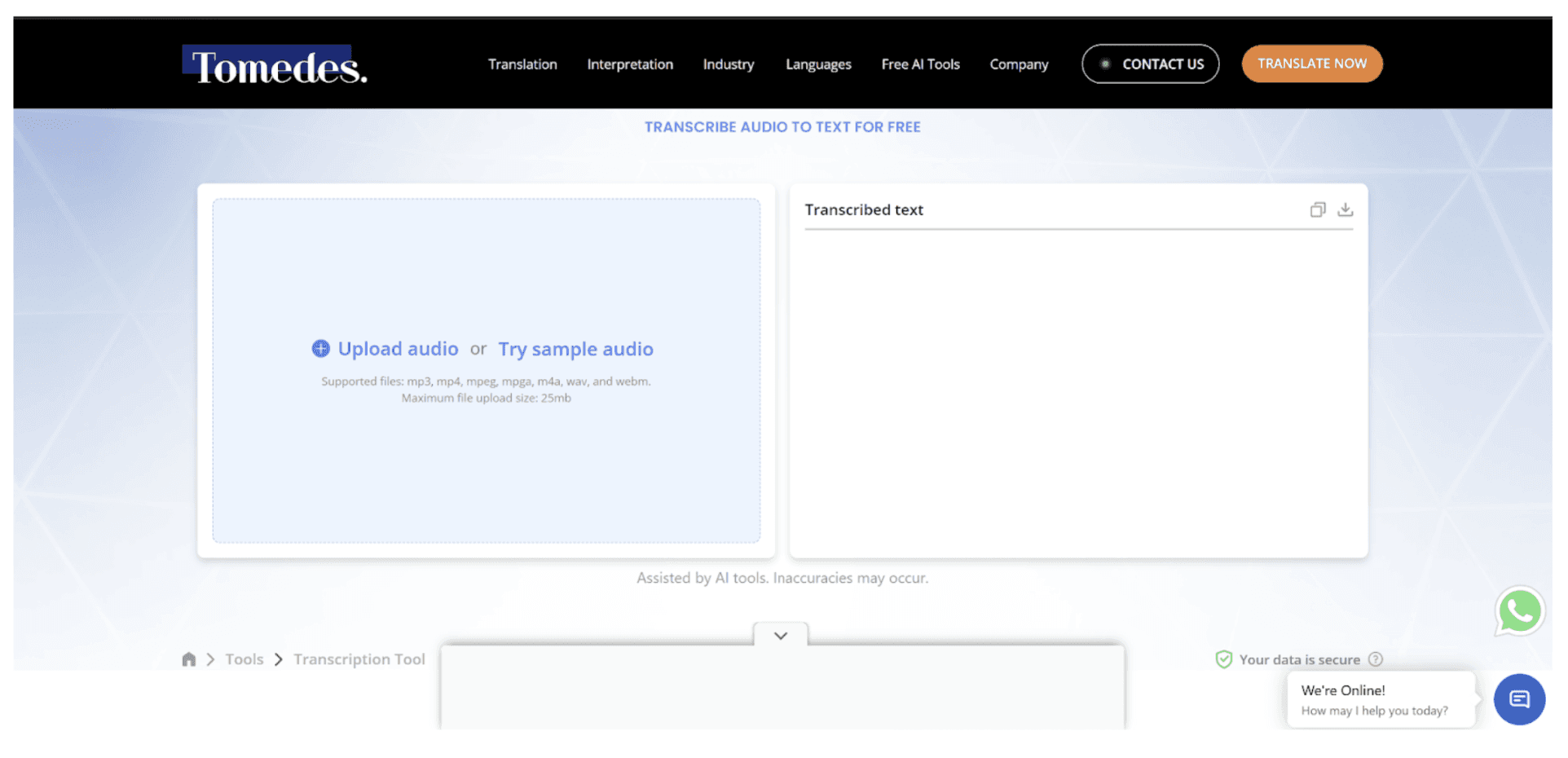
Soniox is an all-in-one AI speech assistant that delivers accurate, real-time clinical notes without manual documentation.
The app offers multiple tools in one platform: Smart Scribe for conversation capture and summaries, Translator for real-time multilingual transcription, and Voice Typing to dictate anywhere.
It handles complex medical speech in over 60 languages, including mixed-language sessions, and ensures clean, readable output formatted with paragraphs and speaker turns.
Key Features
Real-Time Transcription: Converts speech to text instantly with speaker labels.
Automatic Summaries: Extracts key points, decisions, and action items.
Searchable Transcripts: Stores all conversations in a searchable database.
Cross-Platform Access: Available on macOS, Windows, iOS, Android, and web.
Pricing
Free Tier: Includes access to all core features (Smart Scribe, Translator, Voice Typing) with free credits added every week.
Paid Upgrade: Pro ($19.99/month) for unlimited transcription and faster processing; Business ($30/user/month) for teams, seat management, and advanced security.
Pros | Cons |
|---|---|
Effectively separates multiple speakers during visits | Performance drops with heavy regional accents |
Versatile usage across desktop and mobile | Generic models struggle with complex jargon |
Very high transcription accuracy, even with accents | Not beginner-friendly for non-developers |
8. FTW Transcriber
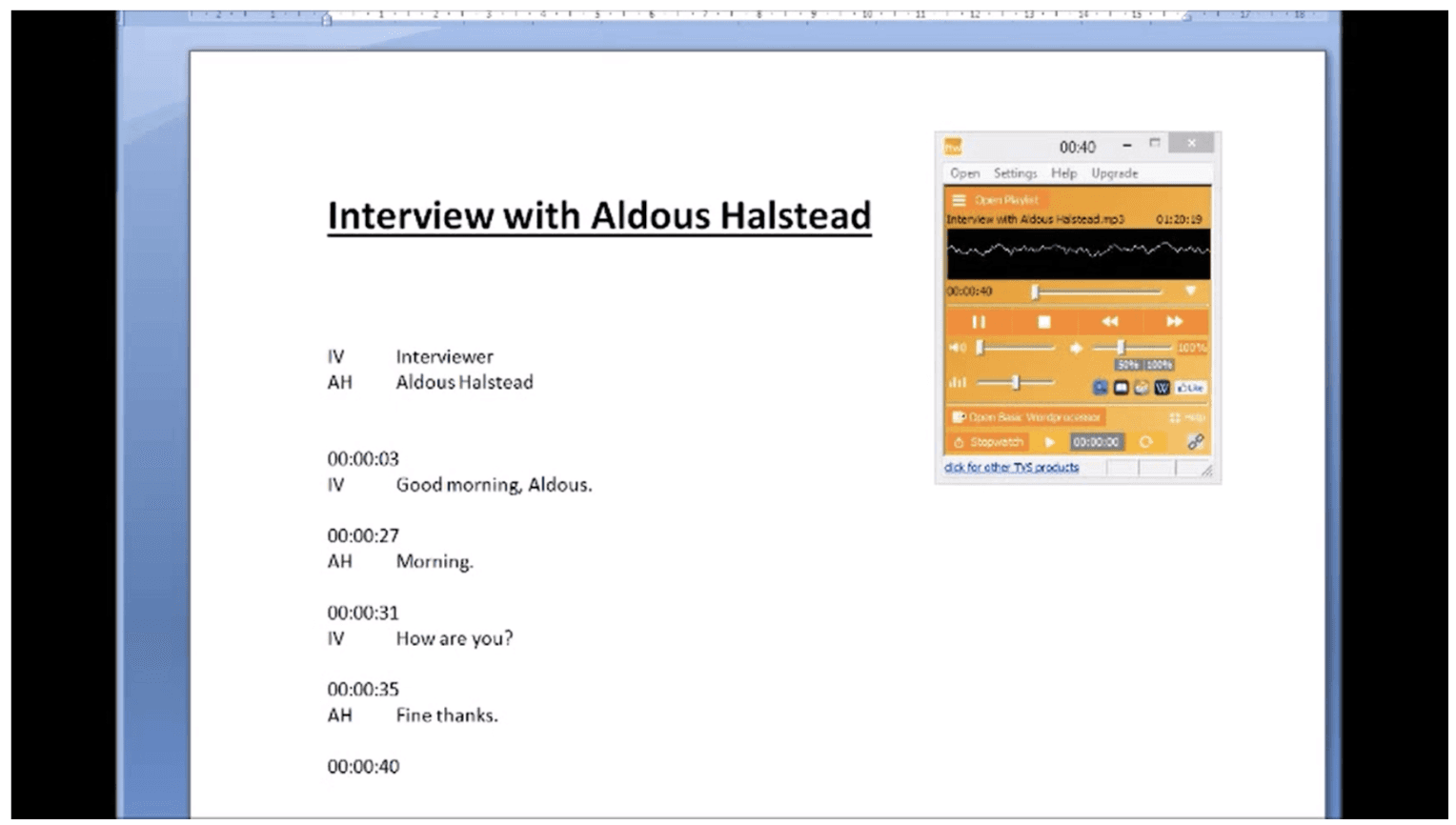
The FTW Transcriber is a specialized software tool designed for manual audio and video transcription. Unlike AI-driven tools that attempt to generate text for you, this program focuses on providing a high-quality playback environment that lets you type transcripts with maximum efficiency.
It is a popular choice for medical professionals who require 100% accuracy and prefer to type their own records while using advanced playback controls to manage difficult audio or complex terminology.
Key Features
Automatic Timestamps: Add timestamps in any format, starting from any timecode.
Noise Reduction and Audio Enhancement: Improves clarity for accurate transcription.
Hotkeys and Pedal Support: Streamline repetitive phrases and playback control.
File Compatibility: Supports DSS/DS2, MPEG, WMV, FLV, and other formats.
Pricing
Free Tier: Try the FTW Transcriber free with basic features.
Paid Upgrade: One-time payments range from approximately $16 for 1 month to $55 for a 60-month license, unlocking full features.
Pros | Cons |
|---|---|
One-time cost avoids recurring subscription fees | Windows only, no Mac support |
Plays almost every known file type | Basic interface feels outdated |
High quality audio playback | Limited AI or automation features |
9. oTranscribe
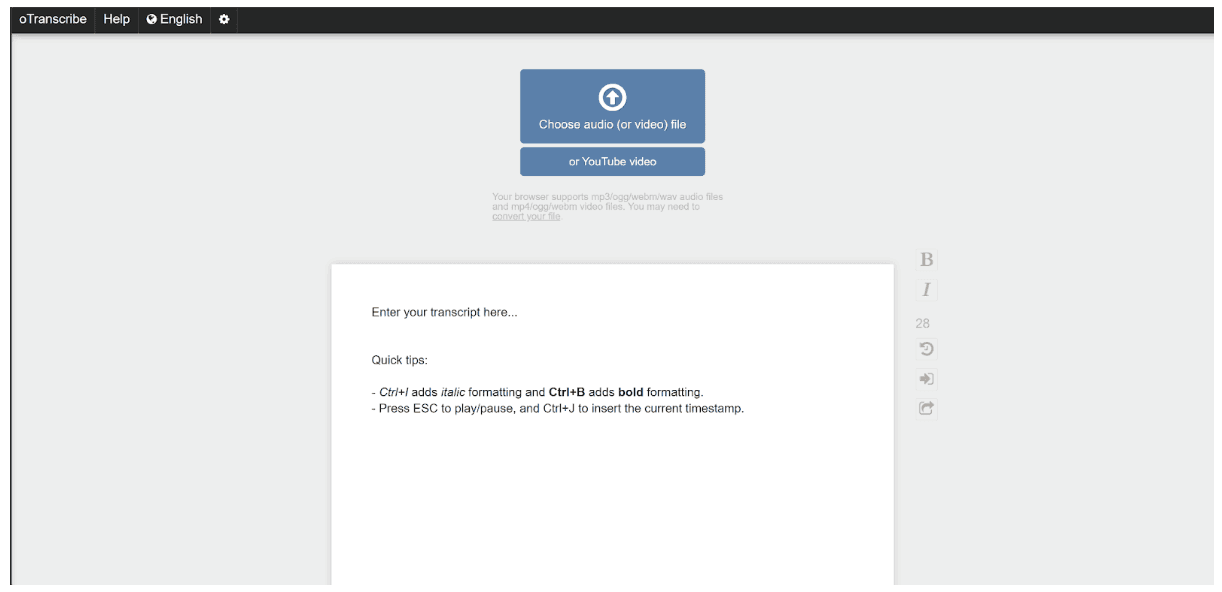
OTranscribe is a free, open-source web app designed for effortless transcription of audio recordings. This can include patient interviews, patient notes, or other recordings. It keeps your workflow in one interface, eliminating the need to switch between a media player and a text editor.
Everything is processed locally, so your audio and transcripts remain private, and progress is automatically saved to your browser. It is a straightforward, no-frills tool for clinicians who prefer manual control over AI-generated drafts.
Key Features
Integrated Player Controls: Pause, rewind, and fast-forward without leaving the keyboard.
Interactive Timestamps: Easily navigate your transcript while listening.
Local Storage: Automatically saves your work; audio never leaves your device.
Video Support: Transcribe recordings with video playback integrated into the app.
Pricing
Free Tier: Fully free to use with all features included.
Paid Upgrade: None; open-source under the MIT license.
Pros | Cons |
|---|---|
Completely free to use | No AI-powered transcription |
Works entirely in your browser | Limited formatting and templates |
Simple, minimal interface for focus | Lacks mobile or desktop apps |
10. InqScribe
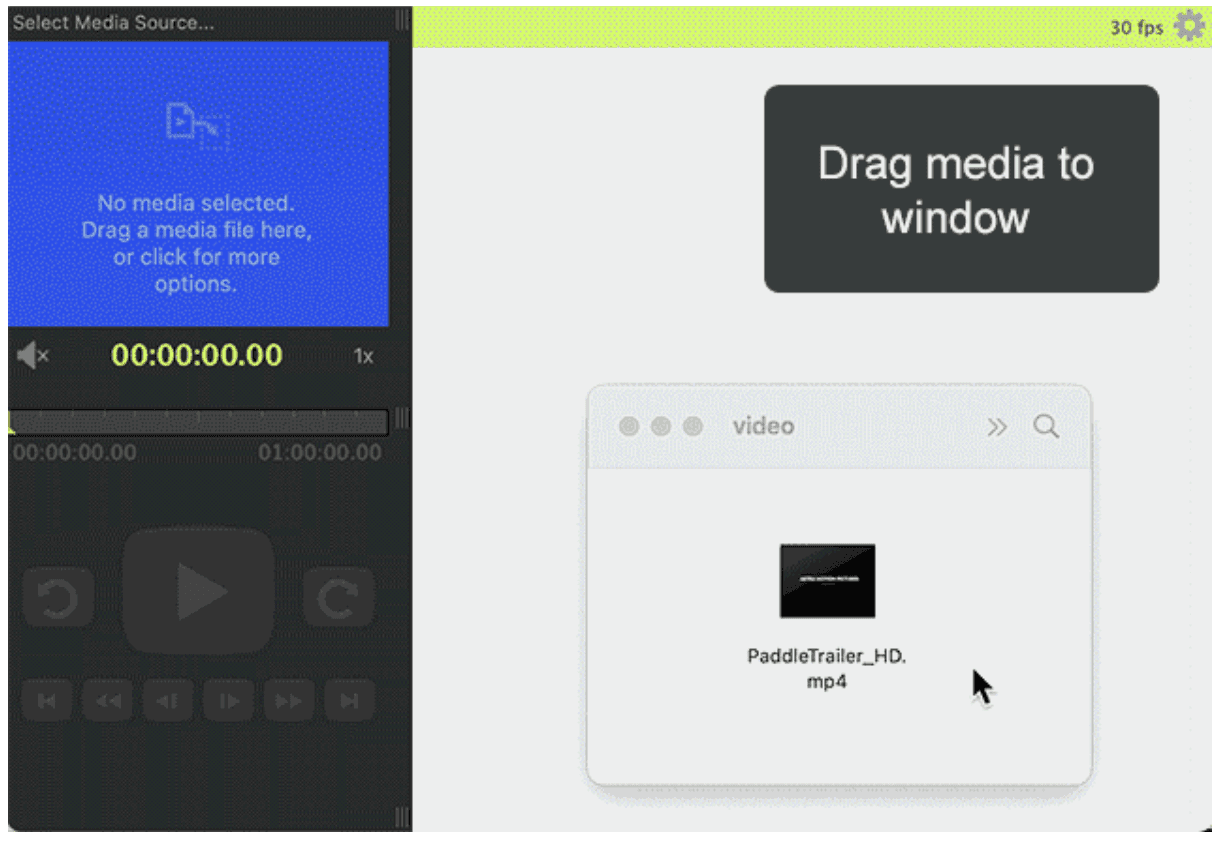
InqScribe is a desktop transcription tool that integrates a media player directly into your text editor. It lets you transcribe medical audio or video files of any length while taking flexible, time-stamped notes — all offline, with no cloud uploads.
Designed for manual transcription, it allows keyboard or foot pedal control, making it ideal for mixing free-form notes with transcripts. Its precise timestamping is perfect for research interviews, educational clinical reviews, or any workflow requiring detailed, accurate records.
Key Features
Smart Timecoding: Allows you to insert clickable timestamps that jump to exact moments in your audio.
Flexible Note-Taking: Mix transcripts with your own comments, analysis codes, or timestamps.
Custom Shortcuts: Assign your own keyboard shortcuts to media controls and reusable text snippets.
Caption Export: Exports files in all major formats, including SRT, WebVTT, and FCP XML.
Pricing
Lifetime License: One-time purchase for perpetual use.
10-Day License: Short-term access for temporary projects.
Free 7-Day Trial: Try all features before purchasing.
Free Viewer: View transcripts and captions without editing capabilities.
Pros | Cons |
|---|---|
Private, runs fully offline | Manual typing is required for notes |
Unlimited file length support | Steeper learning curve for beginners |
Time-stamped notes for precision | No mobile or web version |
WhisperTranscribe Offers a Simple Medical Transcription Software Free Download Option
From basic transcription apps to AI-powered tools, the medical transcription software reviewed in this guide cover a range of workflows and needs, making it easier to choose the best fit for your practice.
However, WhisperTranscribe stands out for those seeking local, secure, and accurate transcription. Built on OpenAI's Whisper model, it's designed to convert medical dictations, patient notes, and recordings into clean, accurate text while keeping sensitive data private.