Wir haben die 10 besten Otter AI-Alternativen für intelligentere Transkription im Jahr 2026 getestet
Schnelle Zusammenfassung
Dieser Leitfaden stellt die besten Otter AI-Alternativen vor, um Meetings und Audiodateien in genaue, durchsuchbare Transkripte umzuwandeln. Er zeigt auf, wo Otter.ai gut funktioniert, wo es Mängel aufweist und wie sich die Top-10-Tools, darunter WhisperTranscribe, Notta und Fireflies.ai, in Bezug auf Genauigkeit, Sprachunterstützung, Preisgestaltung, Nutzungslimits, Aufzeichnungsoptionen und Content-Workflows schlagen.
Top Picks:
WhisperTranscribe: Am besten für Datenschutz und Content-Wiederverwendung für über 57 Inhaltstypen
Descript: Am besten für Podcaster und Video-Ersteller, die über Text bearbeiten
Notta: Am besten für mehrsprachige Transkription in 58 Sprachen
Fireflies.ai: Am besten für Vertriebsteams, die eine CRM-Integration benötigen
Für weitere Testberichte wie diesen besuchen Sie den WhisperTranscribe Blog.
Suchen Sie nach den besten Otter AI Alternativen?
Otter.ai bewältigt die Transkription von Besprechungen gut, aber seine Grenzen zeigen sich schnell. Der kostenlose Plan begrenzt Sie auf 300 Minuten pro Monat und 30 Minuten pro Anruf, während der Pro-Plan nur Englisch, Französisch und Spanisch unterstützt. Jede Aufnahme erfordert, dass ein Otter-Bot als Teilnehmer am Anruf teilnimmt.
Über die Transkription hinaus bietet es nur begrenzte Optionen, um Aufnahmen in Blog-Beiträge, Social-Media-Clips oder Newsletter zu verwandeln. Für Ersteller, Vermarkter, Journalisten und globale Teams kann dies die Inhaltsproduktion im großen Stil verlangsamen.
In diesem WhisperTranscribe Leitfaden vergleichen wir die 10 besten Otter AI Alternativen im Jahr 2026 in Bezug auf Genauigkeit, Sprachabdeckung, Preise und Workflows.
Warum auf uns hören?
Bei WhisperTranscribe haben wir über tausend Benutzern geholfen, Aufnahmen in durchsuchbare Transkripte und wiederverwendbare Inhalte zu verwandeln. Die Arbeit mit Erstellern, Vermarktern, Podcastern und Forschungsteams gibt uns einen klaren Blick darauf, wo Otter.ai in realen Workflows zu kurz greift.
Warum Nutzer nach einer Otter AI Alternative suchen
Sprachbarrieren: Die Transkription ist auf sechs Sprachen beschränkt, was für mehrsprachige Teams, internationale Interviews, globale Podcasts oder Forschungsprojekte mit Sprechern aus verschiedenen Regionen einschränkend sein kann.
Strikte Nutzungsgrenzen: Der kostenlose Plan enthält 300 Transkriptionsminuten pro Monat, während der Pro-Plan 1.200 Minuten beinhaltet. Ungenutzte Minuten werden nicht in den Folgemonat übernommen, sodass Nutzer mit wechselnder Arbeitslast entweder keine Minuten mehr haben oder für Zeit bezahlen, die sie nicht nutzen.
Bot-basierte Aufzeichnung: Besprechungen werden über einen Bot aufgezeichnet, der den Anrufen als sichtbarer Teilnehmer beitritt. Dies kann bei Kundenanrufen, Interviews, internen Besprechungen oder vertraulichen Diskussionen, bei denen Nutzer Aufnahmen lieber manuell nach der Sitzung hochladen, störend wirken.
Datenschutzbedenken: Kundendaten können zum Trainieren von KI-Modellen verwendet werden, es sei denn, die Nutzer widersprechen dem. Für Teams, die vertrauliche Besprechungen, Forschungsinterviews, Kundengespräche oder interne Strategiebesprechungen führen, kann dies ein großes Problem darstellen.
Begrenzte Inhaltsausgabe: Die Plattform bietet Transkripte, Zusammenfassungen und Besprechungsnotizen, geht aber für Content-Workflows nicht weit genug. Nutzer, die Aufnahmen in Blog-Beiträge, Social-Media-Beiträge, Newsletter, Untertitel, Clips oder andere wiederverwendbare Formate verwandeln möchten, benötigen nach der Transkription oft zusätzliche Tools.
Die 10 besten Otter AI Alternativen im Jahr 2026
Diese Tabelle vergleicht die 10 in diesem Leitfaden behandelten Otter AI Alternativen.
Tool | Bestens geeignet für | Einstiegspreis | Sprachen | Herausragendes Merkmal |
Datenschutz, Besprechungen, Teams und Content-Wiederverwendung (Ersteller) | 39,99 $/Monat | 55+ (99+ Übersetzung) | 57+ Inhaltstypen aus einer einzigen Aufnahme | |
Notta | Mehrsprachige Besprechungen | 13,49 $/Monat | 58 | Hochpräzise Echtzeit-Transkription |
Fireflies.ai | Vertriebsteams, die ein CRM nutzen | 10 $ / Sitzplatz / Monat | 60+ | Salesforce- und HubSpot-Integration |
Descript | Podcaster und YouTuber | 24 $/Monat (Creator) | 30+ | Textbasierte Audio- und Videobearbeitung |
Sonix | Inhaltsersteller und Journalisten | 10 $/Stunde (Pay-as-you-go) | 53+ | Exportoptionen in Broadcast-Qualität |
Rev | Präzisionskritische Arbeiten | 0,25 $/Min. (KI) | 38+ | Hybrid aus KI und menschlicher Transkription |
Trint | Medien- und Redaktionsteams | 85 € / Sitzplatz / Monat | 40+ | Kollaborative Workflows auf Newsroom-Niveau |
Happy Scribe | Untertitelungs-Workflows | 17 $/Monat | 60+ | Editor mit Fokus auf Untertitel |
MeetGeek | Besprechungsdokumentation | 15,99 $ / Benutzer / Monat | 100+ | Tiefgehende Besprechungs- und CRM-Integrationen |
TurboScribe | Transkription mit hohem Volumen | 10 $/Monat (Unbegrenzt) | 98 | Verarbeitung langer Dateien auf Whisper-Basis |
Lassen Sie uns nun jedes Tool im Detail betrachten.
1. WhisperTranscribe
WhisperTranscribe ist unsere Top-Empfehlung unter den Otter AI Alternativen, da es über einfache Besprechungsnotizen hinausgeht. Es verwandelt Aufnahmen in präzise Transkripte und wiederverwendbare Inhaltsformate in einem einzigen Arbeitsablauf.
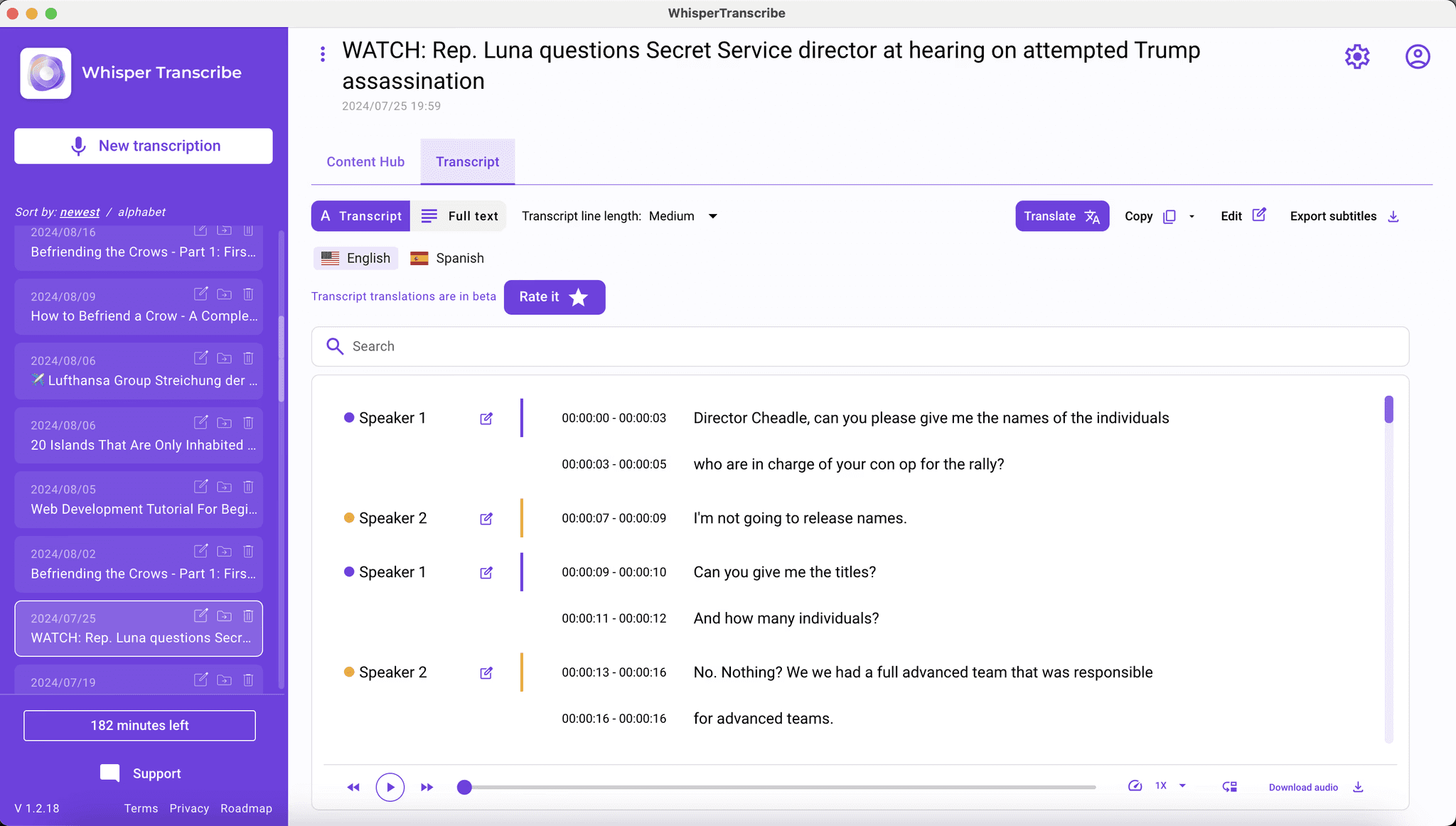
Basierend auf dem Whisper-Modell von OpenAI konvertiert WhisperTranscribe Audio und Video in Text und unterstützt die Transkription in über 55 Sprachen sowie die Übersetzung in über 99 Sprachen. Dies macht es zu einer besseren Lösung für mehrsprachige Podcasts, Interviews, Forschungsgespräche und globale Content-Workflows, bei denen die Sprachunterstützung von Otter.ai an ihre Grenzen stößt.
Im Gegensatz zu Otter.ai, das sich hauptsächlich auf die Live-Transkription von Besprechungen konzentriert, arbeitet WhisperTranscribe mit hochgeladenen Dateien und Online-Links, einschließlich URLs von YouTube, Vimeo und Podcasts. Seine Mac- und Windows-Apps unterstützen auch lokale Workflows, was den Nutzern mehr Kontrolle darüber gibt, wie Aufnahmen verarbeitet und gespeichert werden.
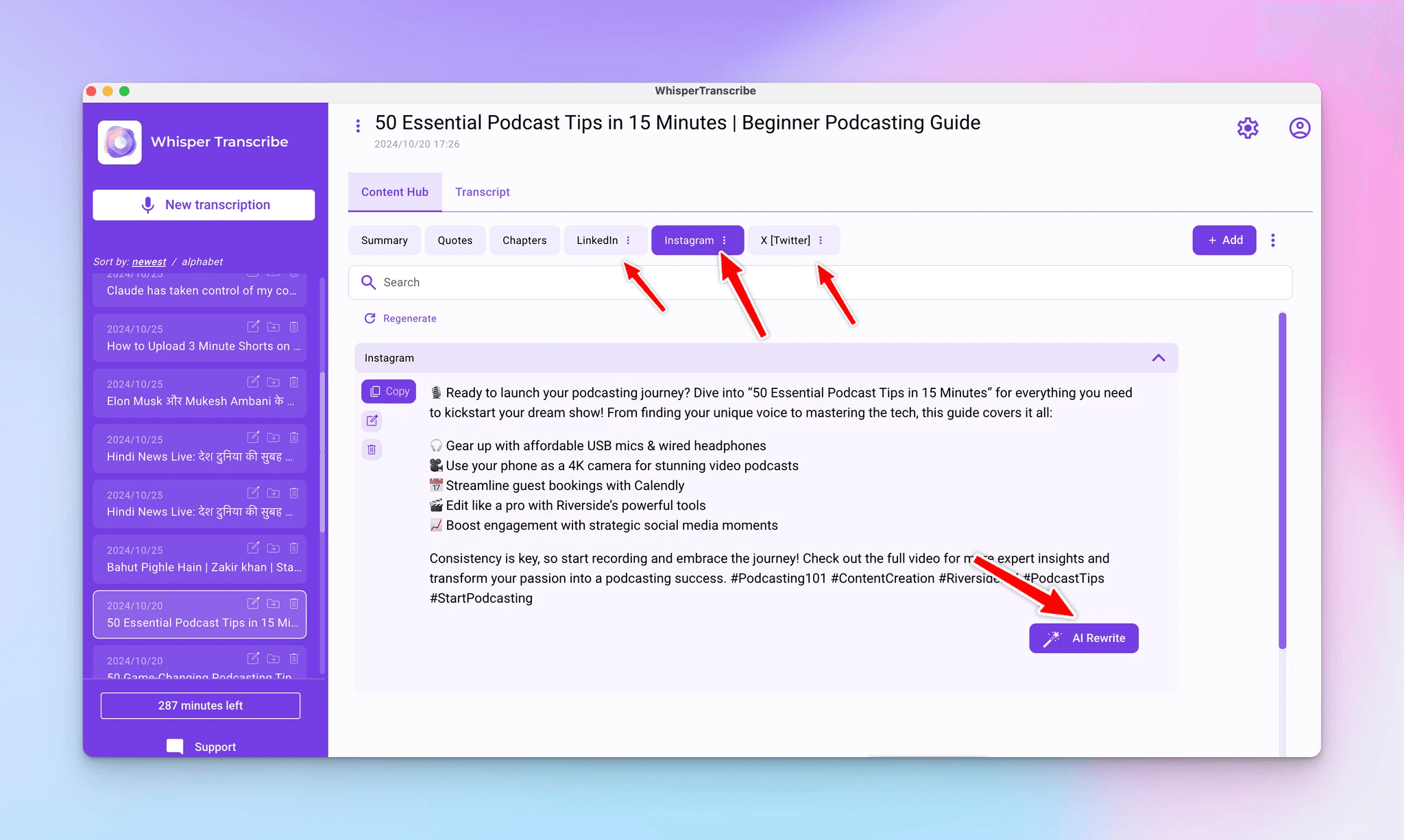
Nach dem Upload übernimmt WhisperTranscribe die Transkription, Sprechererkennung, Bearbeitung und Inhaltserstellung in derselben Arbeitsumgebung. Sie können eine einzige Aufnahme in Blog-Beiträge, Zusammenfassungen, Shownotes, Social-Media-Snippets, Newsletter und kurze Clips für TikTok oder YouTube verwandeln. Mit Magic Chat können Sie zudem Fragen zum Transkript stellen, ohne die gesamte Aufnahme erneut abspielen zu müssen.
Hauptmerkmale
95 % genaue Transkription: Unterstützt von OpenAIs Whisper, liefert es hochpräzisen Text selbst bei Akzenten und Hintergrundgeräuschen.
Magic Chat für Transkript-Fragen: Stellen Sie Fragen zu Ihrem Transkript und gewinnen Sie Erkenntnisse, ohne das Audio durchsuchen zu müssen.
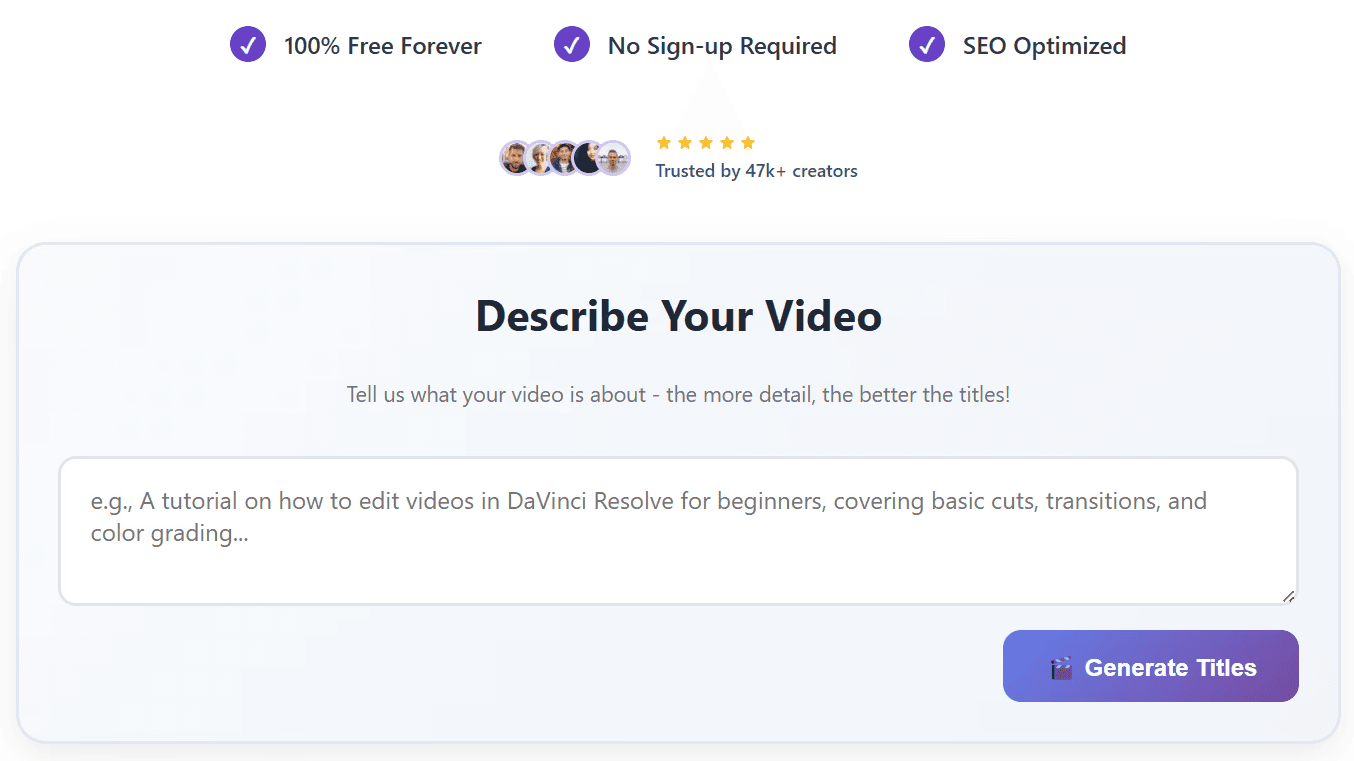
Über 57 Content-Formate: Verwandeln Sie eine Aufnahme in Blog-Beiträge, Shownotes, Untertitel, Social-Media-Beiträge und Newsletter in einem Arbeitsablauf.
Anpassung der Markenstimme (Brand Voice): Trainieren Sie die KI auf Ihren Stil, damit die generierten Inhalte über alle Kanäle hinweg nach Ihnen klingen.
Datenschutz und Eigentum: Die Dateien verbleiben auf Ihrem Gerät, Sie behalten zu 100 % das Eigentum an den Transkripten und Ihre Daten werden niemals zum Trainieren von KI-Modellen verwendet.
Mehrsprachige Abdeckung: Transkribieren Sie in über 55 Sprachen und übersetzen Sie sofort in über 99 Sprachen, während das Timing der Untertitel erhalten bleibt.
Preise
WhisperTranscribe bietet eine kostenlose Testversion an, für die keine Kreditkarte erforderlich ist. Anschließend können Sie aus den verfügbaren Plänen wählen.
Kostenpflichtige Pläne:
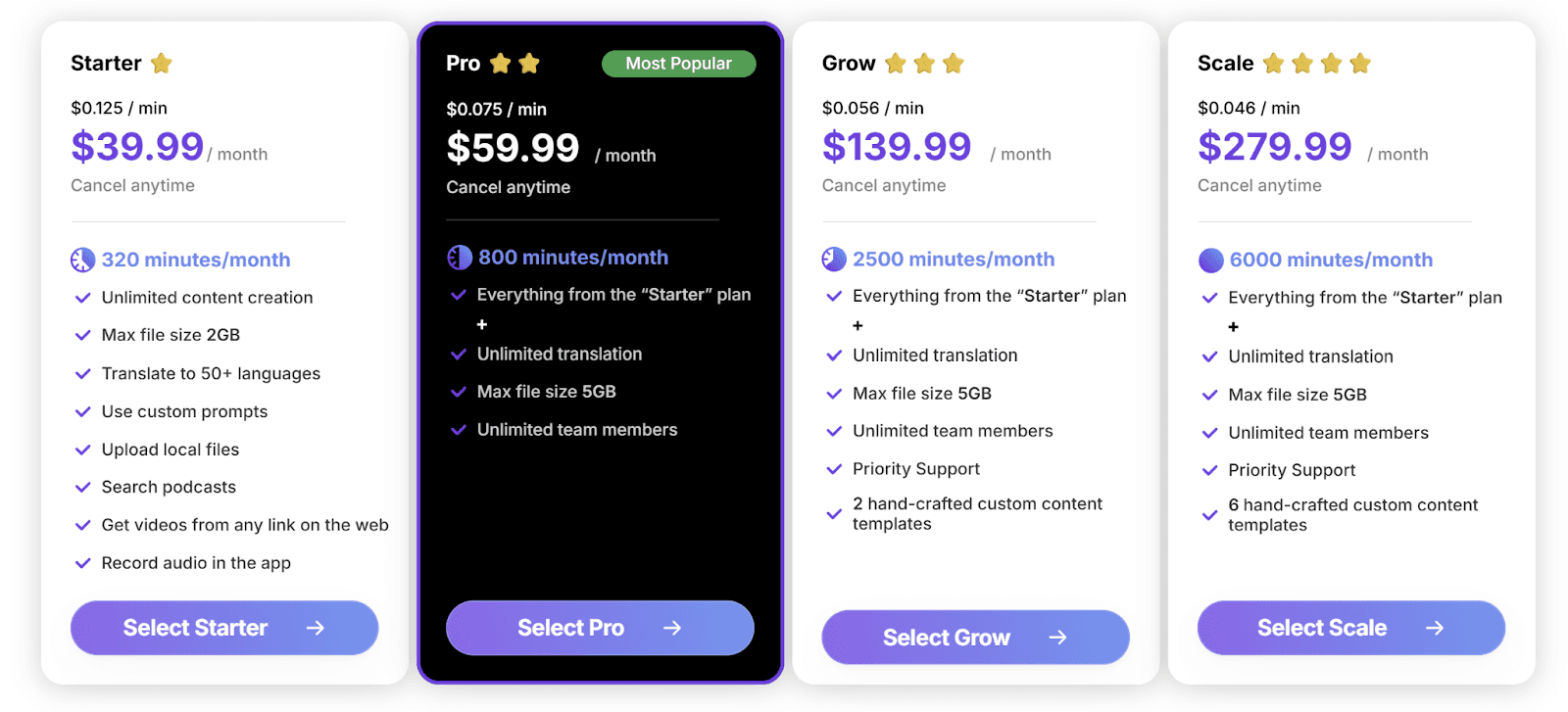
Starter: 39,99 $/Monat, 320 Minuten, max. 2 GB Dateigröße
Pro: 59,99 $/Monat, 800 Minuten, max. 5 GB, unbegrenzte Teammitglieder
Grow: 139,99 $/Monat, 2.500 Minuten, Premium-Support
Scale: 279,99 $/Monat, 6.000 Minuten, sechs handgefertigte Vorlagen
Bei jährlicher Abrechnung sparen Sie bis zu 50 %. Pay-as-you-go beginnt bei 9 $/Stunde. Individuelle und On-Premise-Pläne sind für Unternehmen verfügbar.
Vorteile
| Nachteile
|
2. Notta
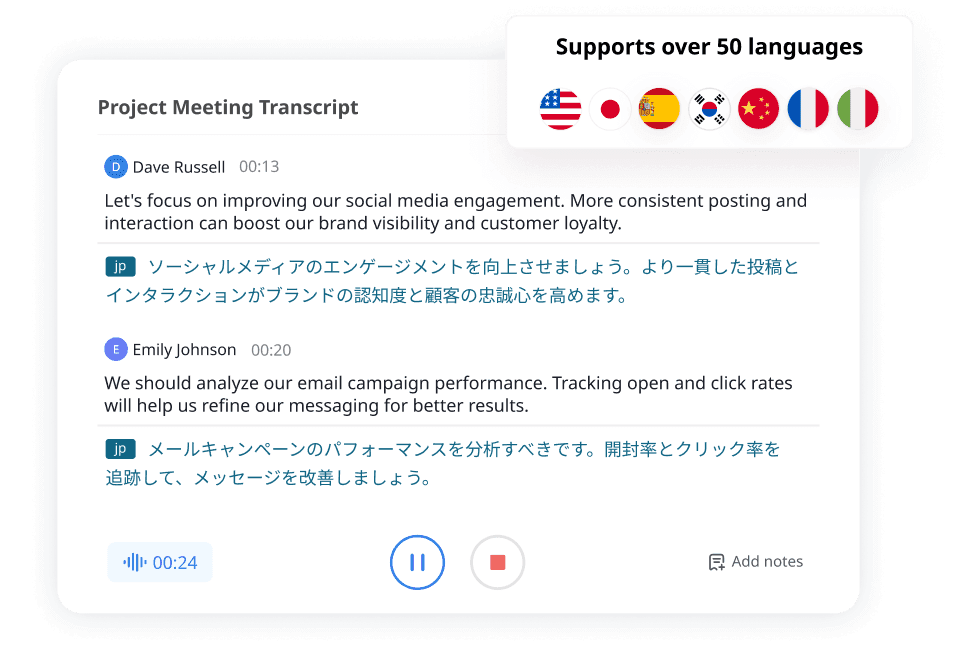
Notta ist eine der am engsten verwandten Otter AI Alternativen für die Transkription von Besprechungen, Interviews und hochgeladenen Dateien. Im Vergleich zu Otter.ai bietet es eine breitere Sprachunterstützung, mehr Aufnahmeoptionen für Zoom, Google Meet und Microsoft Teams sowie flexible Exportformate wie TXT, DOCX, SRT und PDF. Es bleibt jedoch stärker auf die reine Transkription als auf die Inhaltserstellung fokussiert.
Hauptmerkmale
Mehrsprachige Transkription: Unterstützt 58 Sprachen, weitaus mehr als die drei von Otter.
Notta Bot: Tritt Zoom-, Google Meet- und Microsoft Teams-Anrufen ohne manuelle Einrichtung bei.
KI-Zusammenfassungen: Generiert Besprechungszusammenfassungen und die wichtigsten Erkenntnisse aus Transkripten.
Plattformübergreifende Apps: Funktioniert auf Windows, Mac, Mobilgeräten und Chrome.
Preise
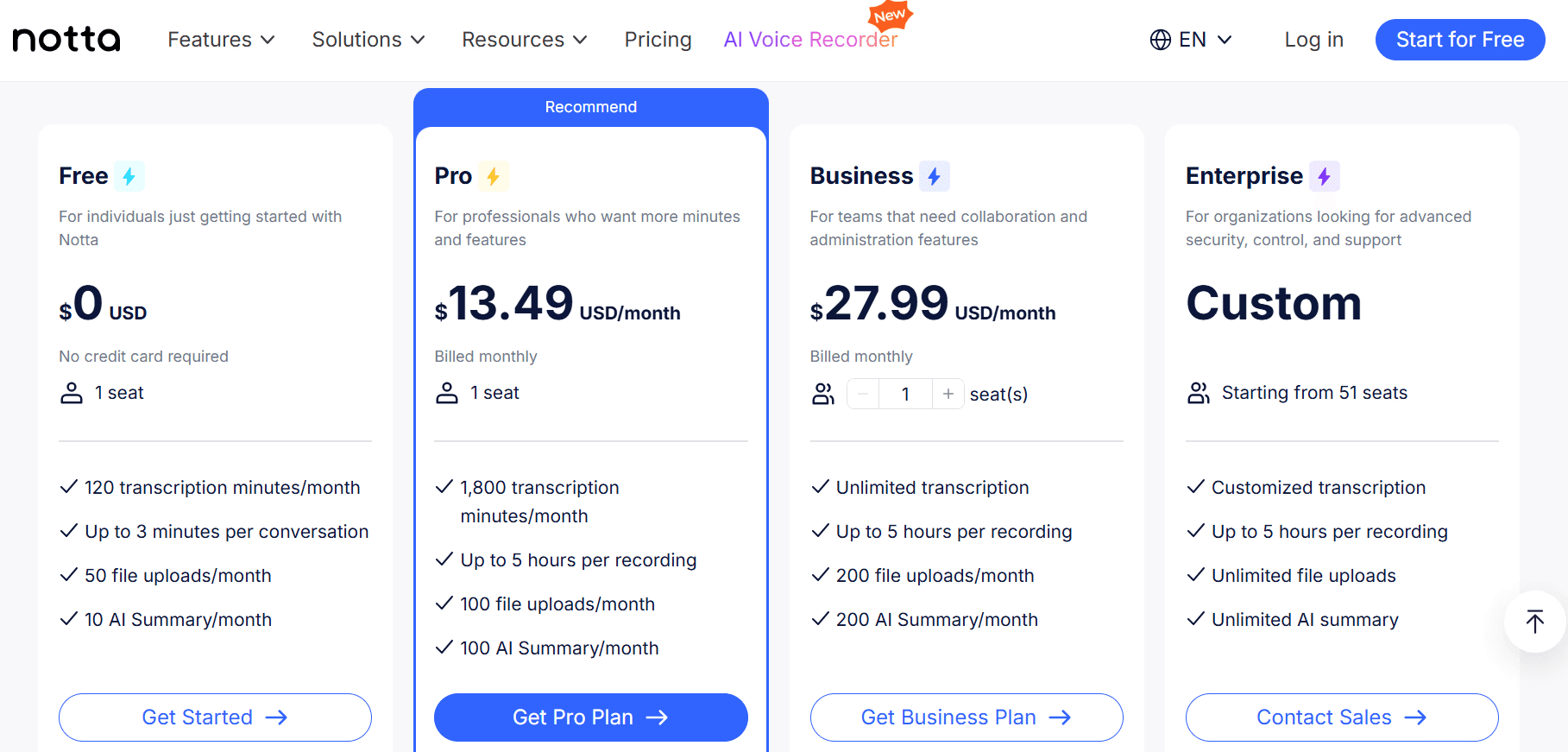
Kostenloser Plan verfügbar. Pro für 13,49 $/Monat und Business für 27,99 $ / Benutzer / Monat.
Vorteile
| Nachteile
|
3. Fireflies.ai
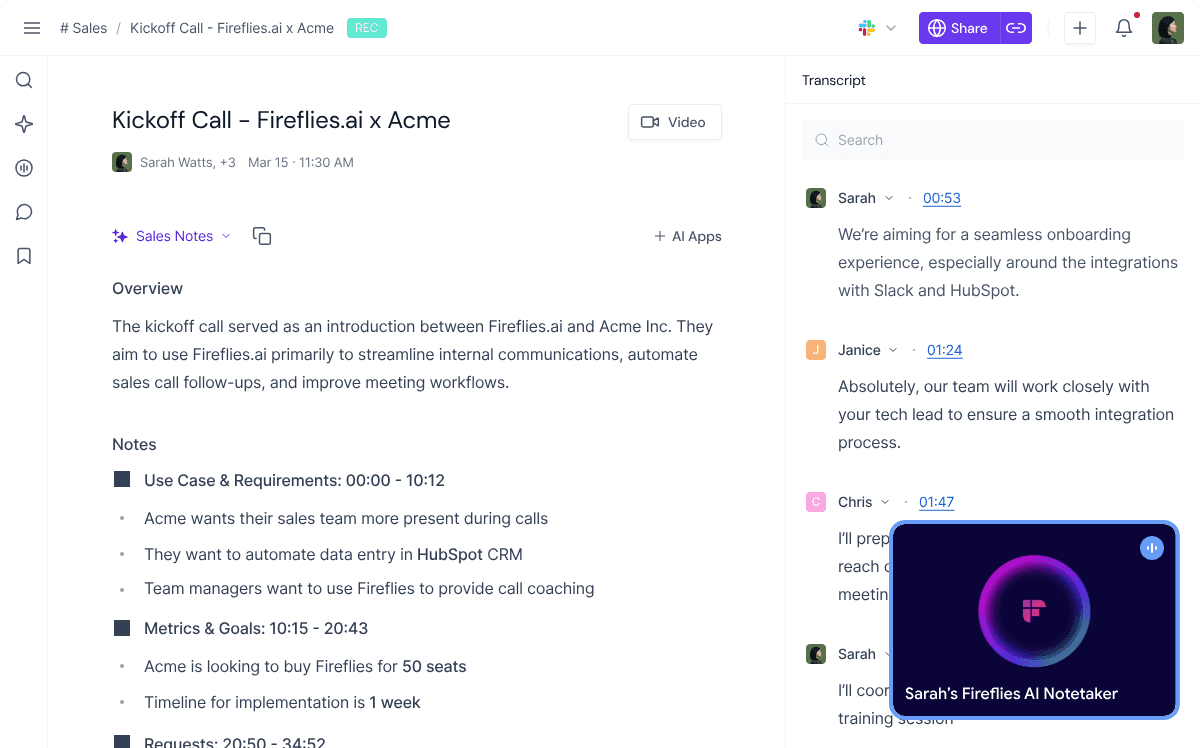
Fireflies.ai eignet sich besser als Otter.ai für Teams, welche die Transkription mit Vertriebsaktivitäten verknüpfen möchten, anstatt nur Besprechungsnotizen zu erhalten. Es zeichnet Anrufe von Zoom, Google Meet und Microsoft Teams auf, unterstützt über 60 Sprachen und lässt sich mit CRM-Systemen wie Salesforce, HubSpot und Pipedrive verbinden.
Vertriebsteams können es nutzen, um Kundengespräche zu protokollieren, Aufgaben zu verfolgen, Daten zur Sprechzeit zu analysieren und Nachfassaktionen direkt in der Pipeline zu dokumentieren.
Hauptmerkmale
Meeting-Bot: Tritt Anrufen bei und erfasst Audio über alle gängigen Konferenztools hinweg.
CRM-Synchronisierung: Überträgt Transkripte und Notizen direkt in Salesforce, HubSpot und Pipedrive.
KI-Suche: Durchsuchen Sie Besprechungstranskripte und stellen Sie Fragen mithilfe von KI.
Conversation Intelligence: Verfolgen Sie die Sprechzeit, die Stimmungslage und wichtige Themen.
Preise
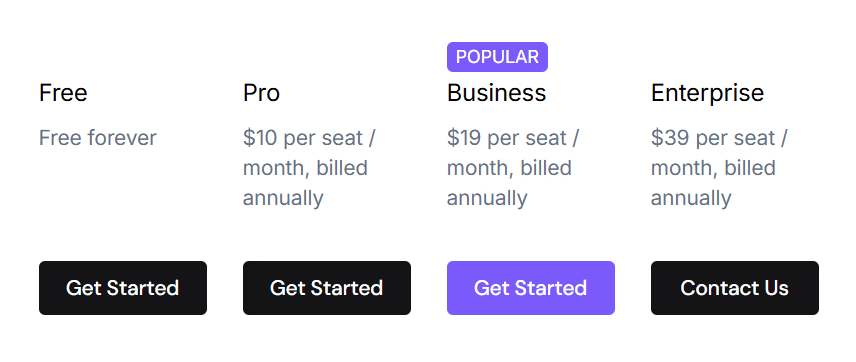
Kostenloser Plan verfügbar. Pro für 10 $ / Sitzplatz / Monat, Business für 19 $ / Sitzplatz / Monat, Enterprise für 39 $ / Sitzplatz / Monat.
Vorteile
| Nachteile
|
4. Descript
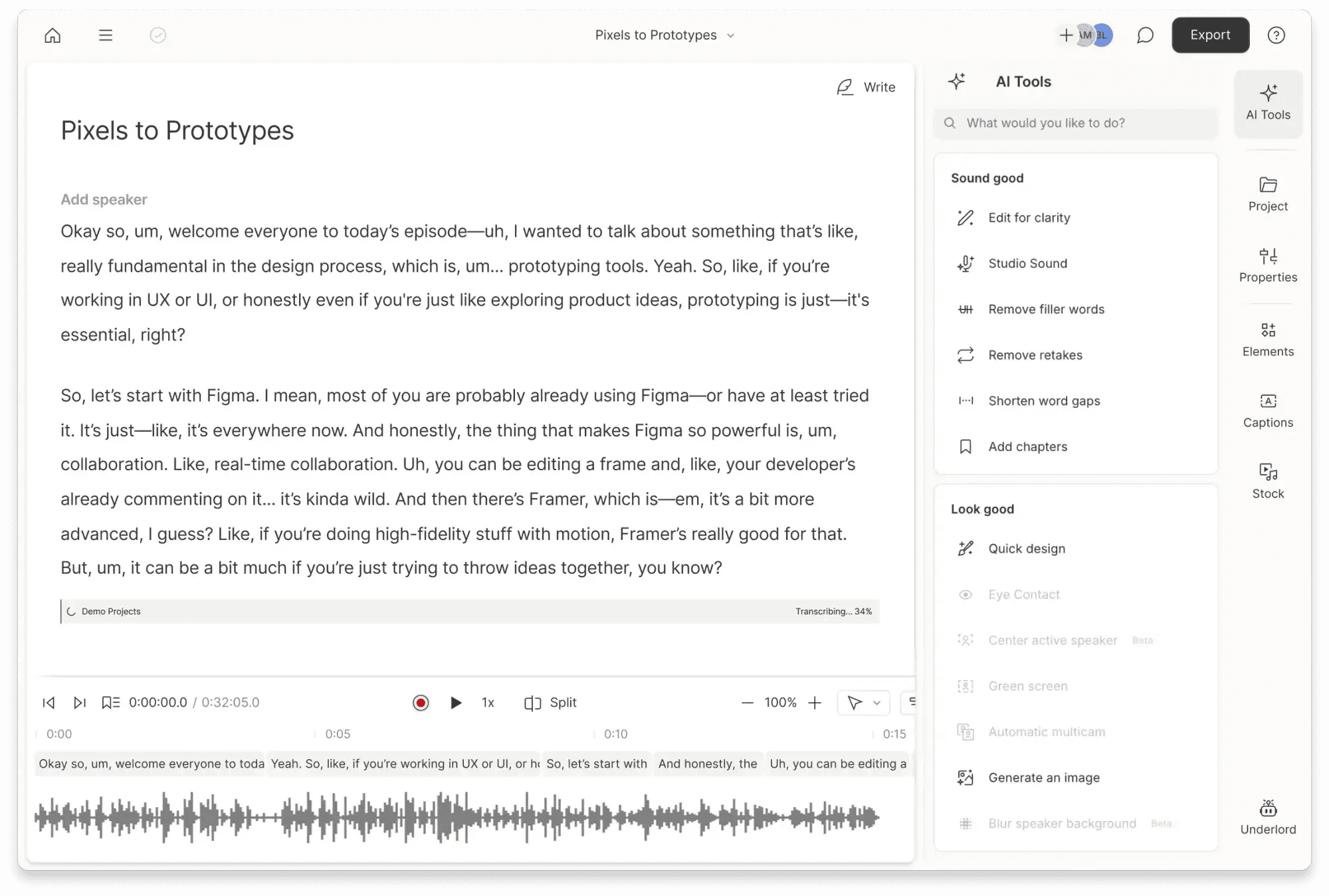
Descript zeichnet sich als Otter AI Alternative dadurch aus, dass es die Transkription als Beginn des Bearbeitungsprozesses behandelt. Sobald eine Datei transkribiert ist, können Benutzer Audio schneiden, Video trimmen, Füllwörter entfernen und Untertitel hinzufügen, indem sie direkt im Text arbeiten.
Dies gibt Erstellern mehr Kontrolle als ein reines Tool für Besprechungsnotizen wie Otter.ai. Es eignet sich besser für Podcasts, YouTube-Videos, Interviews und andere Aufnahmen, die vor der Veröffentlichung bearbeitet werden müssen.
Hauptmerkmale
Textbasierte Bearbeitung: Bearbeiten Sie Audio und Video, indem Sie den Text bearbeiten.
Füllwort-Entfernung: Entfernen Sie "Ähs" und "Ums" mit einem Klick aus den Aufnahmen.
Automatische Untertitel: Erstellen Sie zeitlich synchronisierte Untertitel für soziale Medien und YouTube.
Mehrsprachige Ausgabe: Übersetzen Sie Transkripte für die Bearbeitung und Untertitel in andere Sprachen.
Preise
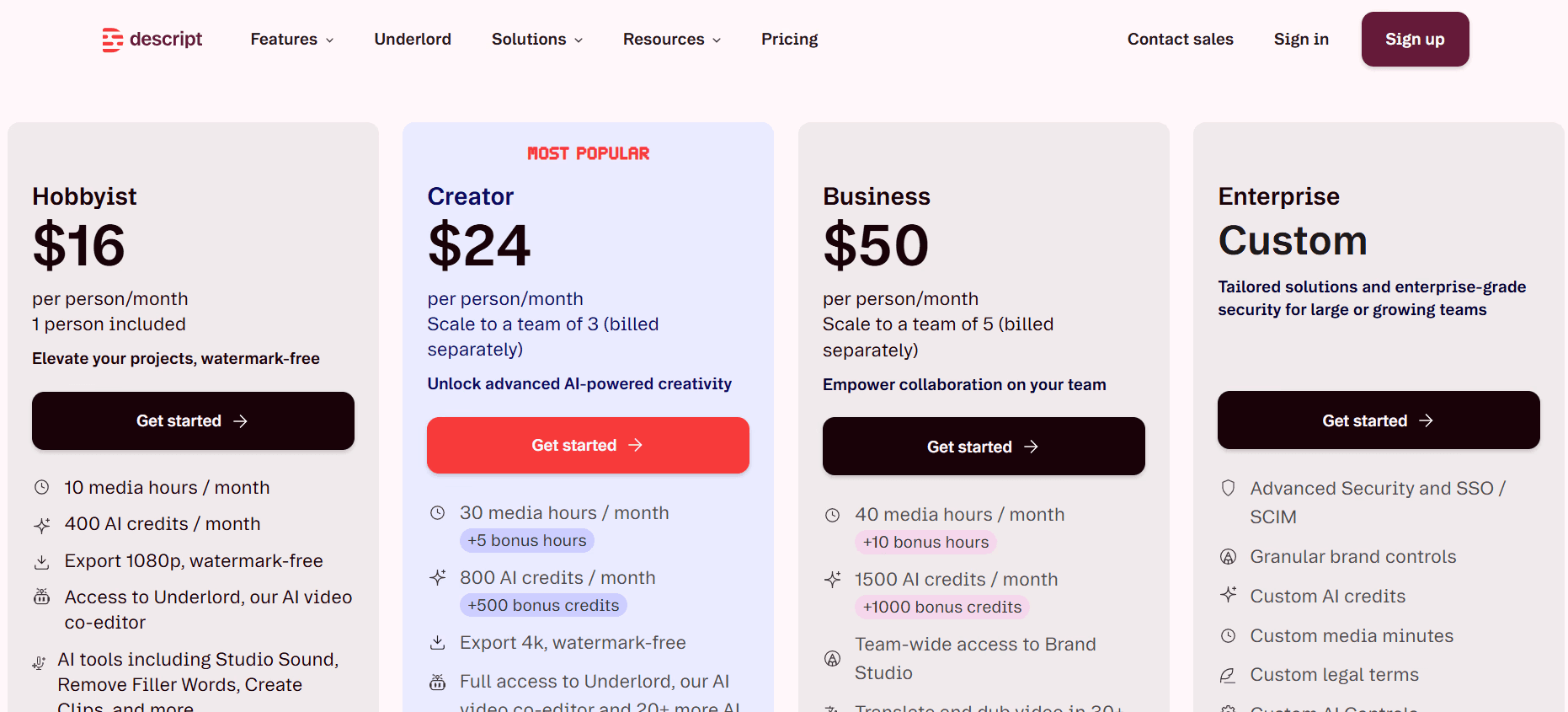
Der kostenlose Plan deckt eine Medienstunde ab. Hobbyist für 16 $/Monat, Creator für 24 $/Monat, Business für 50 $/Monat.
Vorteile
| Nachteile
|
5. Sonix
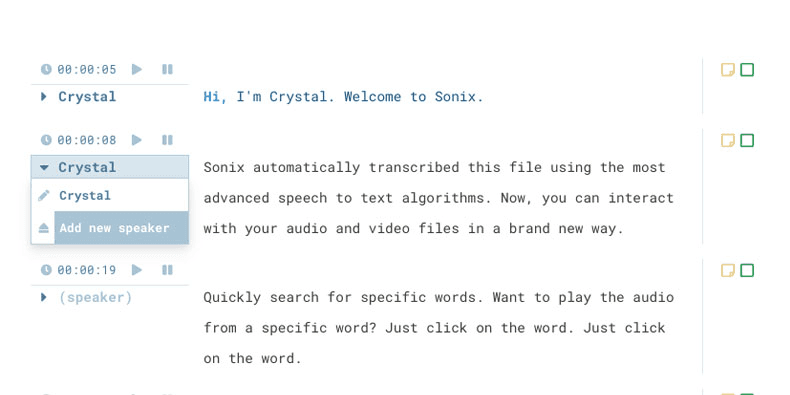
Sonix ist eine solide Alternative zu Otter AI für Nutzer, denen aufgezeichnete Dateien wichtiger sind als Live-Besprechungsnotizen. Es wurde für Journalisten, Medienteams und Postproduktionsteams entwickelt, die saubere Transkripte von Interviews, Podcasts, Webinaren, Dokumentationen und Videodateien benötigen.
Während Otter.ai auf die Erfassung von Besprechungen ausgerichtet ist, ist Sonix bei Publishing- und Lokalisierungsworkflows stärker aufgestellt. Es unterstützt über 53 Sprachen, Transkription, Übersetzung, Untertitelerstellung, Zeitstempel auf Wortebene, benutzerdefinierte Wörterbücher und die Verarbeitung großer Dateien.
Hauptmerkmale
Hochpräzise KI: Zuverlässige Transkription mit starker Leistung bei klarem Audio.
Über 40 Sprachen: Transkription und Übersetzung für globale Inhalte.
Benutzerdefinierte Wörterbücher: Verbessern Sie die Erkennung von Markennamen und Fachjargon.
Untertitel-Export: Erstellen Sie SRT, VTT und zeitgesteuerte Transkripte für Video-Workflows.
Preise
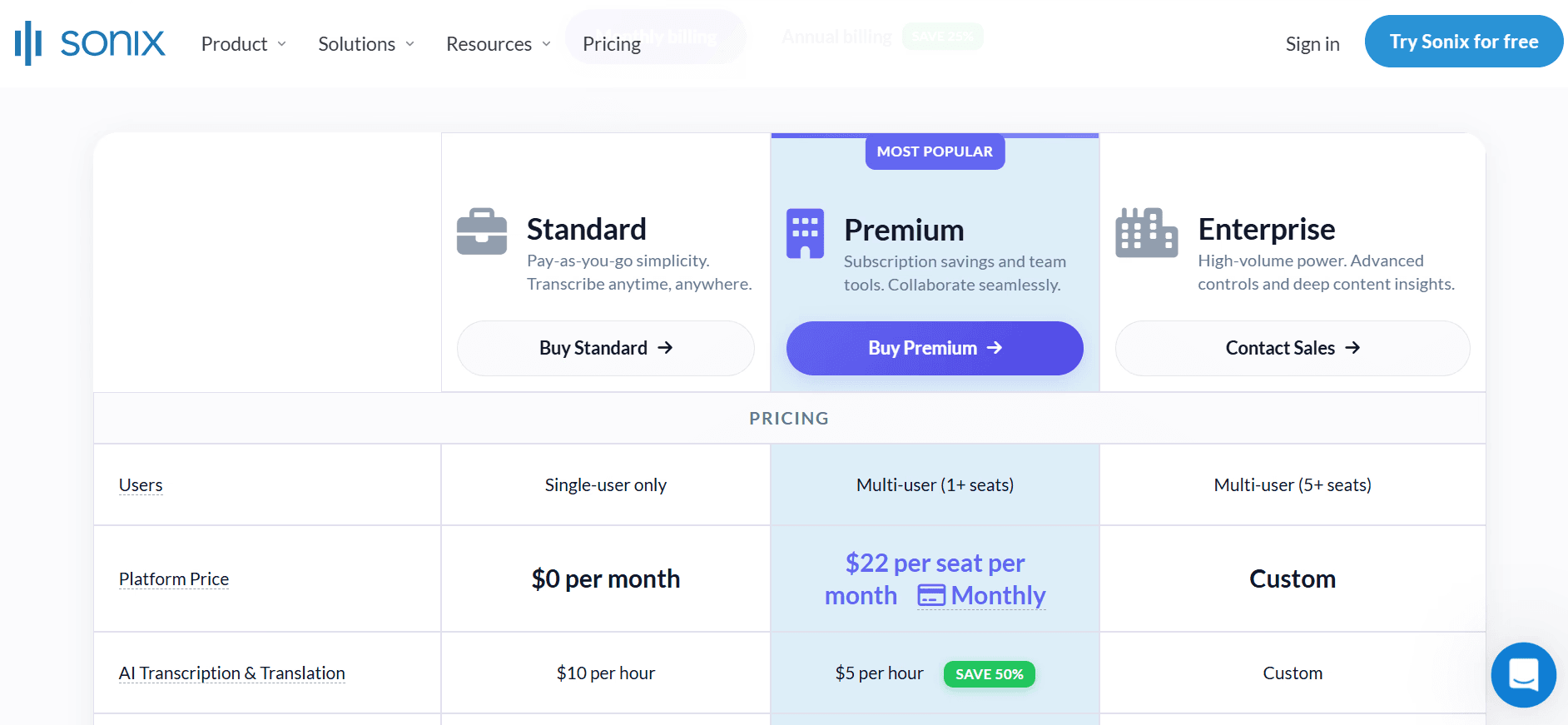
Pay-as-you-go für 10 $/Stunde. Premium-Abonnement für 22 $ / Benutzer / Monat plus 5 $/Stunde, mit Rabatten bei jährlicher Zahlung.
Vorteile
| Nachteile
|
6. Rev
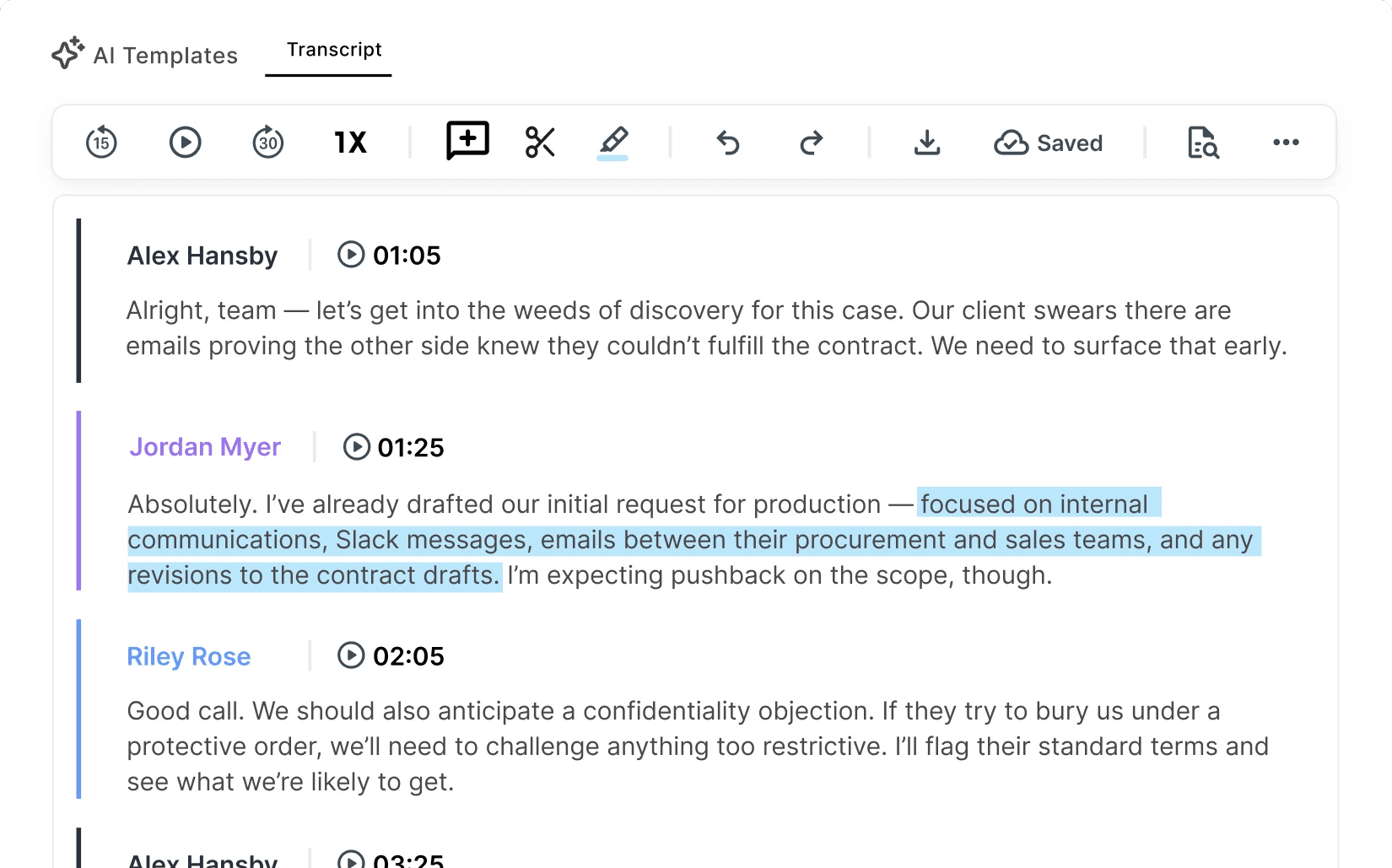
Rev wurde für Nutzer entwickelt, die ein saubereres und zuverlässigeres Transkript benötigen, als KI allein immer liefern kann. Im Gegensatz zu Otter.ai bietet es Nutzern die Möglichkeit, eine menschliche Transkription zu wählen, wenn Genauigkeit wichtiger ist als Geschwindigkeit.
Dies macht Rev zu einer besseren Lösung für juristische Aufzeichnungen, akademische Interviews, Forschungsgespräche, Medienprojekte und andere Dateien, bei denen kleine Transkriptionsfehler größere Probleme verursachen können.
Hauptmerkmale
KI plus Mensch: Wählen Sie pro Datei zwischen KI-Geschwindigkeit oder menschlicher Präzision.
Untertitel und Captions: Erstellen Sie sendefertige Ausgaben für Videos.
Multi-Format-Export: Downloads als SRT, VTT, DOCX und TXT.
Bereit für Compliance: HIPAA-konforme Workflows in berechtigten Plänen verfügbar.
Preise
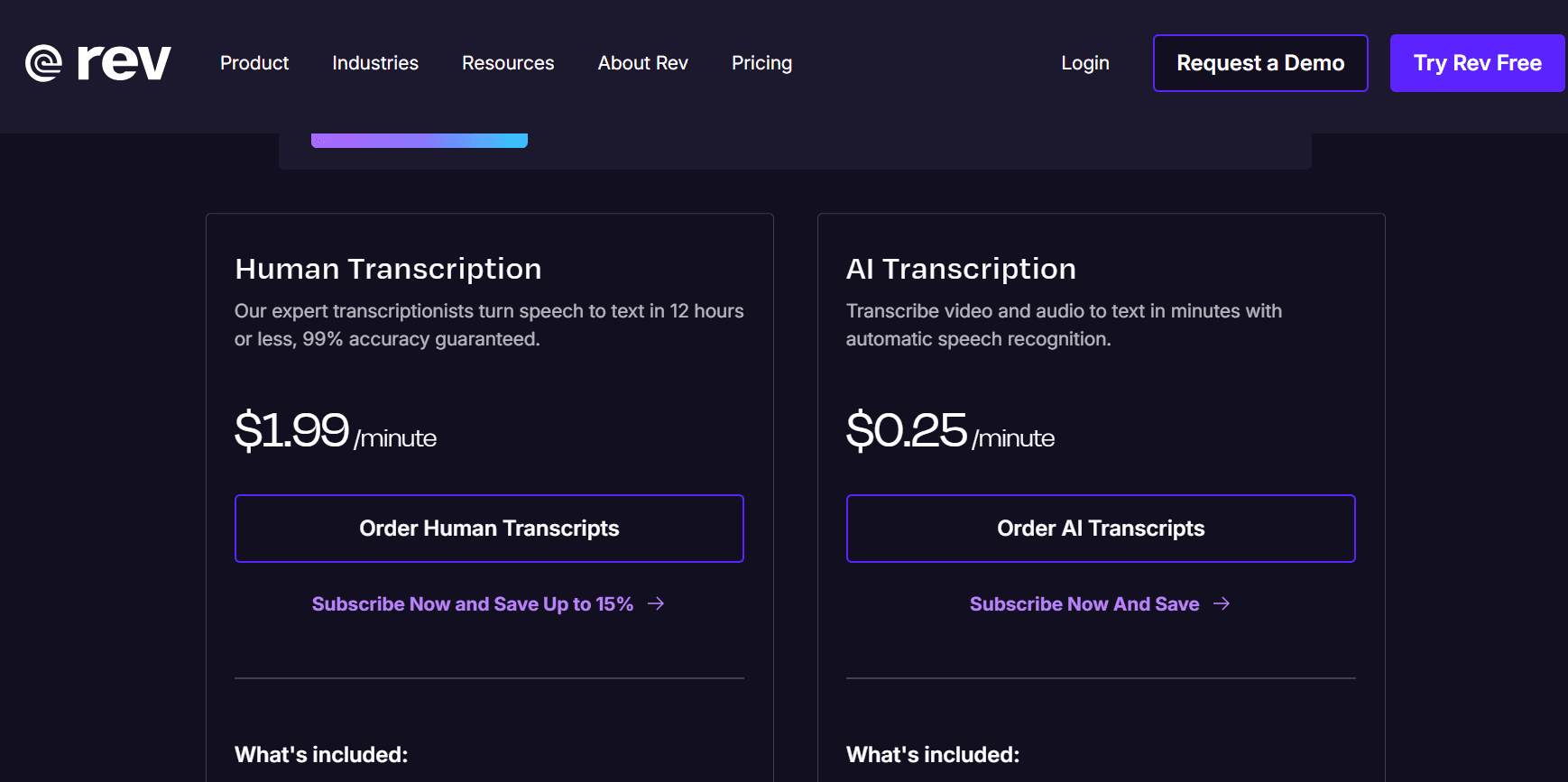
KI-Transkription für 0,25 $/Minute. Menschliche Transkription für 1,99 $/Minute. Abonnement-Stufen sind ebenfalls verfügbar.
Kostenloser Plan verfügbar. Essentials-Plan für 29,99 $ / Benutzer / Monat. Pro-Plan für 59,99 $ / Benutzer / Monat. Individuelle Pläne sind ebenfalls verfügbar.
Vorteile
| Nachteile
|
7. Trint
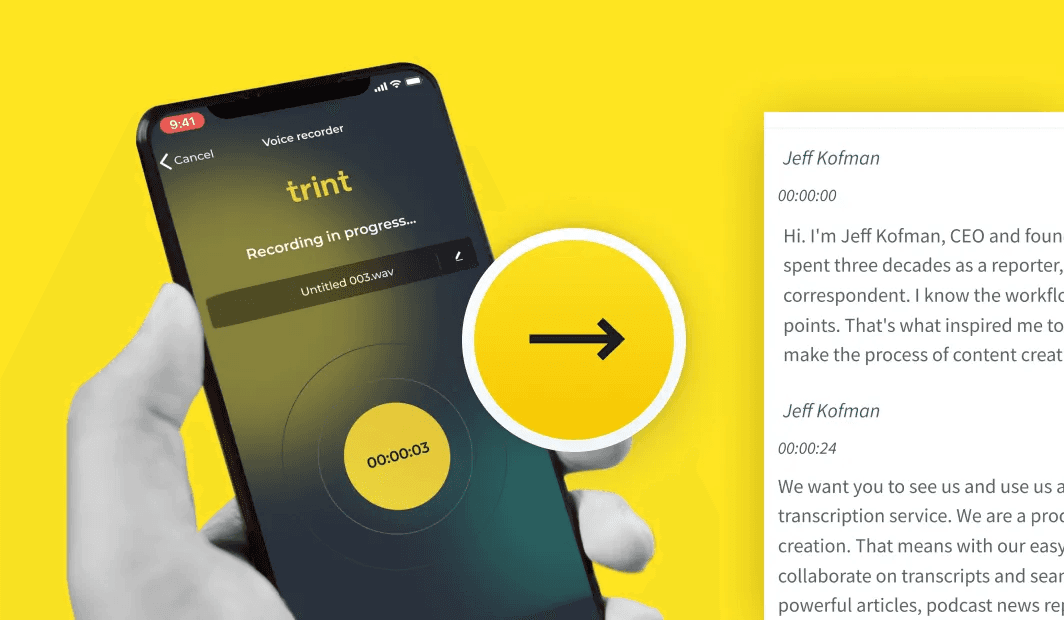
Trint ist eine KI-Transkriptionsplattform, die für Journalisten, Newsrooms und Redaktionsteams entwickelt wurde. Sie unterstützt über 40 Sprachen und wird von Medienorganisationen wie der BBC genutzt.
Ihr Hauptvorteil gegenüber Otter.ai ist der redaktionelle Workflow rund um das Transkript. Anstatt sich auf Live-Besprechungsnotizen zu konzentrieren, hilft Trint Teams dabei, Interviews zu transkribieren, Transkripte gemeinsam in sicheren Arbeitsbereichen zu bearbeiten und aufgezeichnetes Material in veröffentlichungsfähige Inhalte zu verwandeln.
Hauptmerkmale
Redaktioneller Workflow: Entwickelt für Newsrooms und Content-Publisher.
Über 40 Sprachen: Transkription mit Sprecherkennzeichnung und Übersetzungshilfe.
Sicherer Speicher: Zertifiziert nach ISO 27001 und Cyber Essentials.
Benutzerdefiniertes Wörterbuch: Fügen Sie bis zu 100 Fachbegriffe für mehr Genauigkeit bei speziellen Inhalten hinzu.
Preise
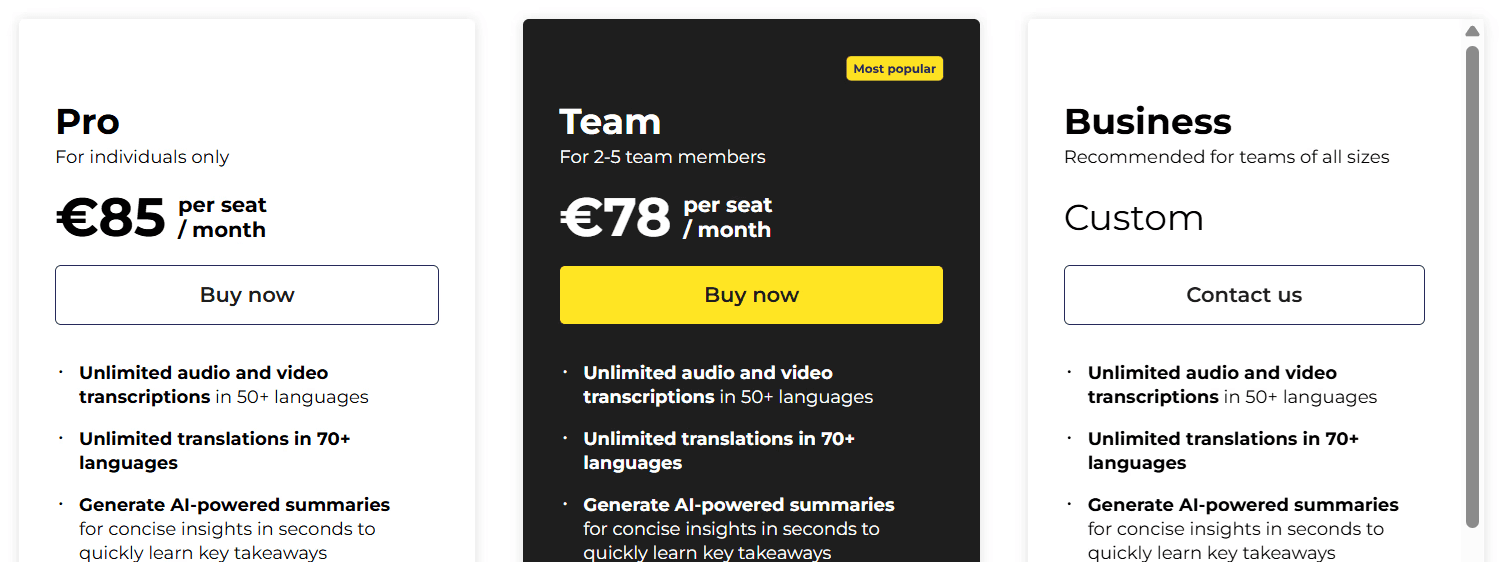
Kostenlose Testversion verfügbar. Pro beginnt bei 85 € / Sitzplatz / Monat bei jährlicher Abrechnung. Die Tarife Team und Business skalieren ab 78 € / Sitzplatz / Monat bzw. mit individuellen Preisen.
Vorteile
| Nachteile
|
8. Happy Scribe
Happy Scribe wurde für die Transkription, Untertitelung und Übersetzung von Audio- und Videoprojekten entwickelt. Es unterstützt über 60 Sprachen und bietet sowohl KI- als auch menschliche Transkription an.
Im Gegensatz zu Otter.ai, das auf Besprechungsnotizen ausgerichtet ist, eignet sich Happy Scribe besser für Medien- und Lokalisierungsworkflows. Video-Editoren, Podcast-Produzenten und Bildungsteams können damit mehrsprachige Untertitel erstellen, Aufnahmen übersetzen und Inhalte für die Veröffentlichung vorbereiten.
Hauptmerkmale
KI- und menschliche Optionen: Wählen Sie Geschwindigkeit oder Genauigkeit je nach Projekt.
Über 60 Sprachen: Transkription und Untertitelübersetzung für verschiedene Märkte.
Untertitel-Editor: Visuelle Timing- und Formatierungstools für Untertitel.
Integrationen: Funktioniert mit YouTube, Zoom und gängigen Bearbeitungstools.
Preise
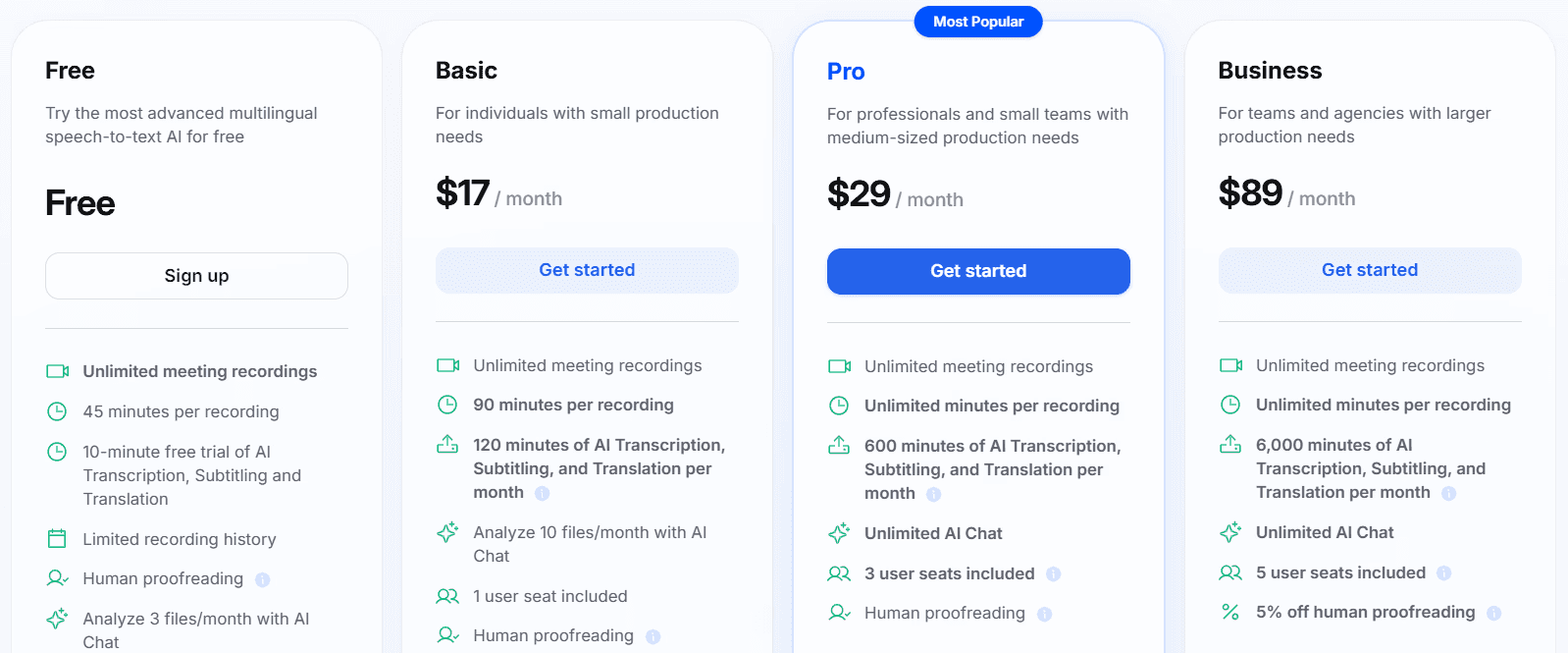
Kostenlose Testversion verfügbar. Abonnements beginnen ab 17 $/Monat, mit Preisen pro Minute für menschliche Dienstleistungen.
Vorteile
| Nachteile
|
9. MeetGeek
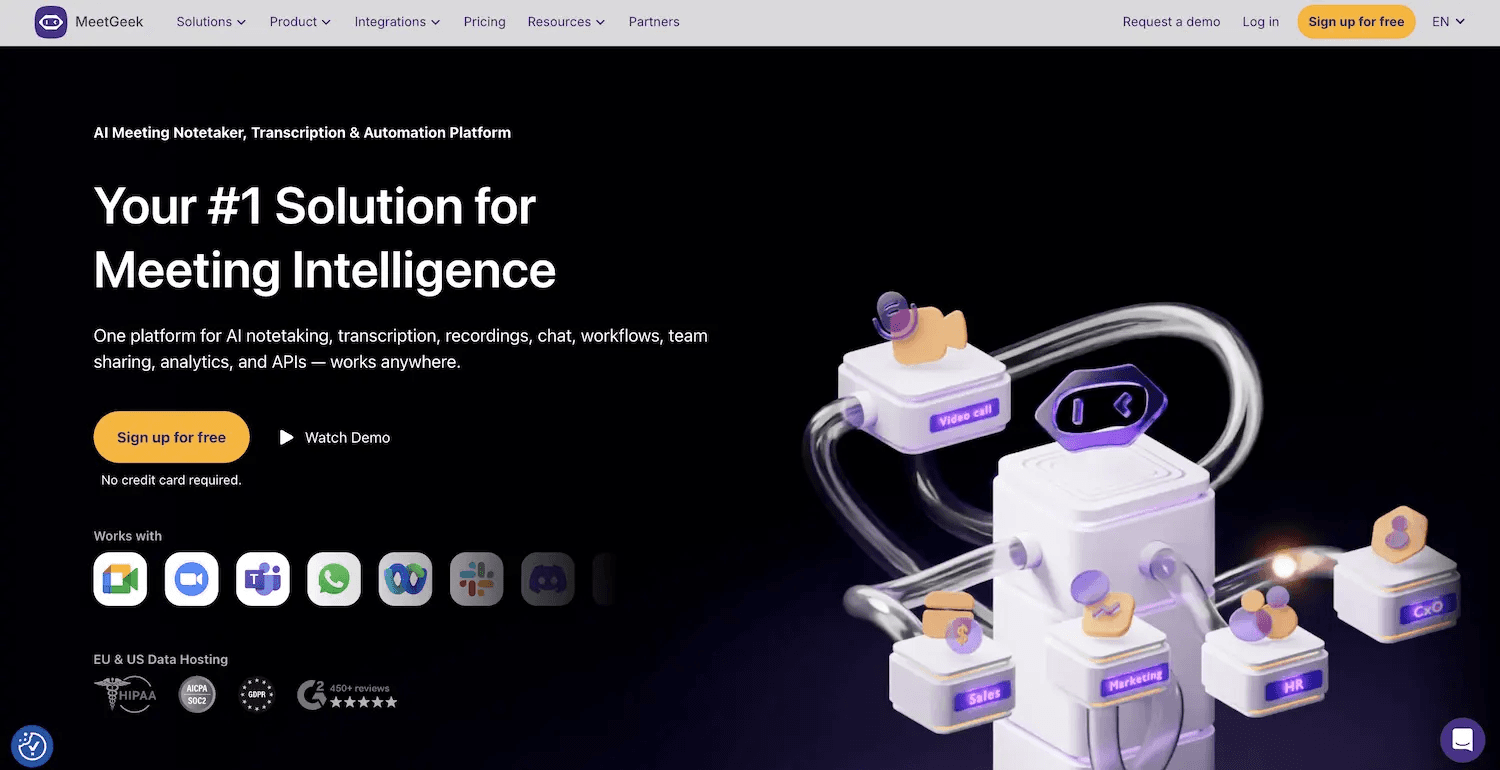
MeetGeek eignet sich für Teams, die möchten, dass die Besprechungsdokumentation direkt in ihre bestehenden Tools einfließt. Es zeichnet Anrufe von Zoom, Google Meet und Microsoft Teams auf und erstellt anschließend Transkripte, Zusammenfassungen, Aufgaben und durchsuchbare Besprechungsprotokolle.
Sein Vorteil gegenüber Otter.ai liegt in der Nachbereitung nach Besprechungen. Mit einer breiteren Sprachunterstützung und Integrationen mit Slack, Notion, HubSpot und ClickUp hilft MeetGeek Teams dabei, Notizen, Aufgaben und Kundendaten direkt an die bereits genutzten Tools zu senden.
Hauptmerkmale
Automatische Transkription: Zeichnet Besprechungen in über 50 Sprachen auf.
KI-Zusammenfassungen: Filtert die wichtigsten Punkte heraus und weist Aufgaben zu.
Workflow-Exporte: Sendet Transkripte an Slack, Notion, HubSpot und Google Drive.
Sicherer Speicher: DSGVO- und SOC 2-konform.
Preise
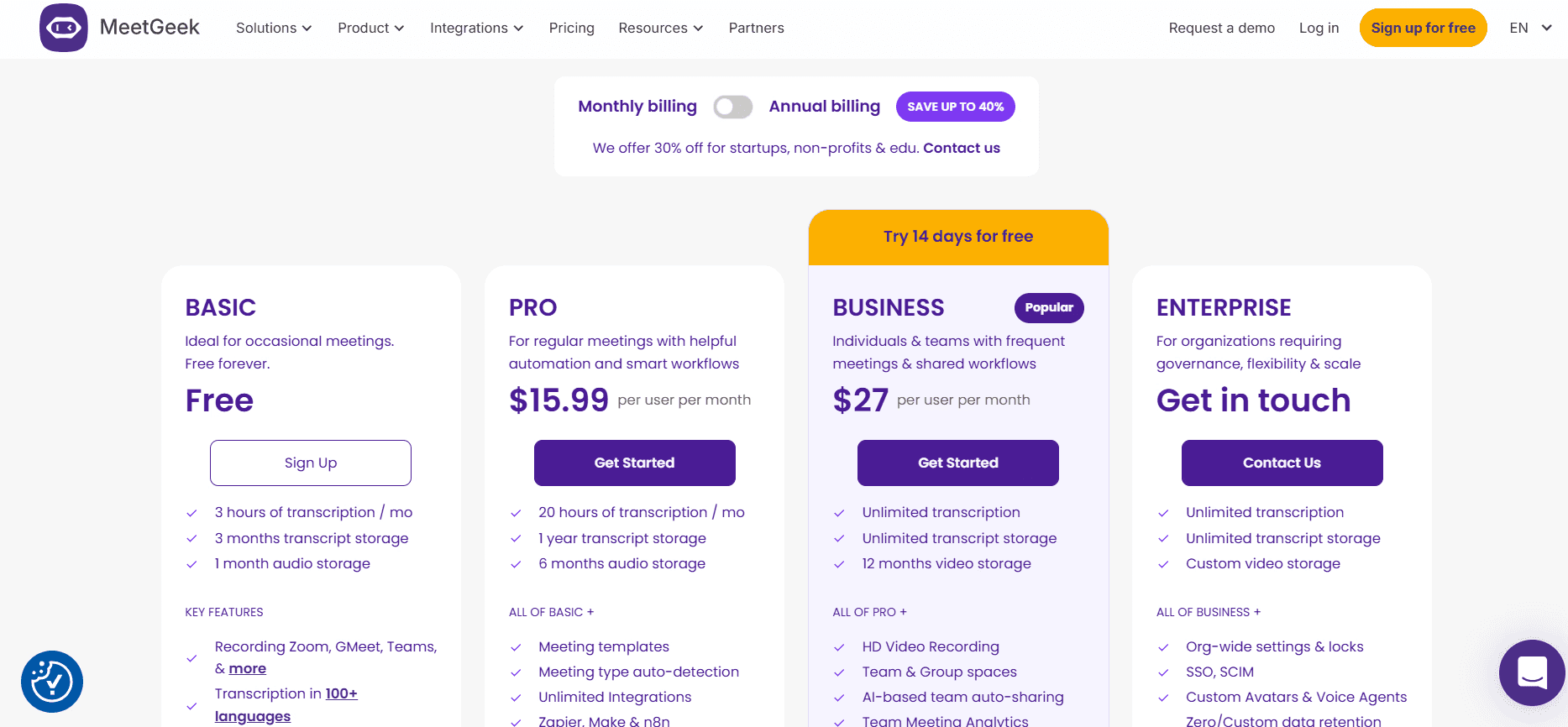
Kostenloser Plan mit begrenzten Monatsminuten. Pro für 15,99 $ / Benutzer / Monat, Business für 27 $ / Benutzer / Monat, Enterprise mit individuellem Preis.
Vorteile
| Nachteile
|
10. TurboScribe
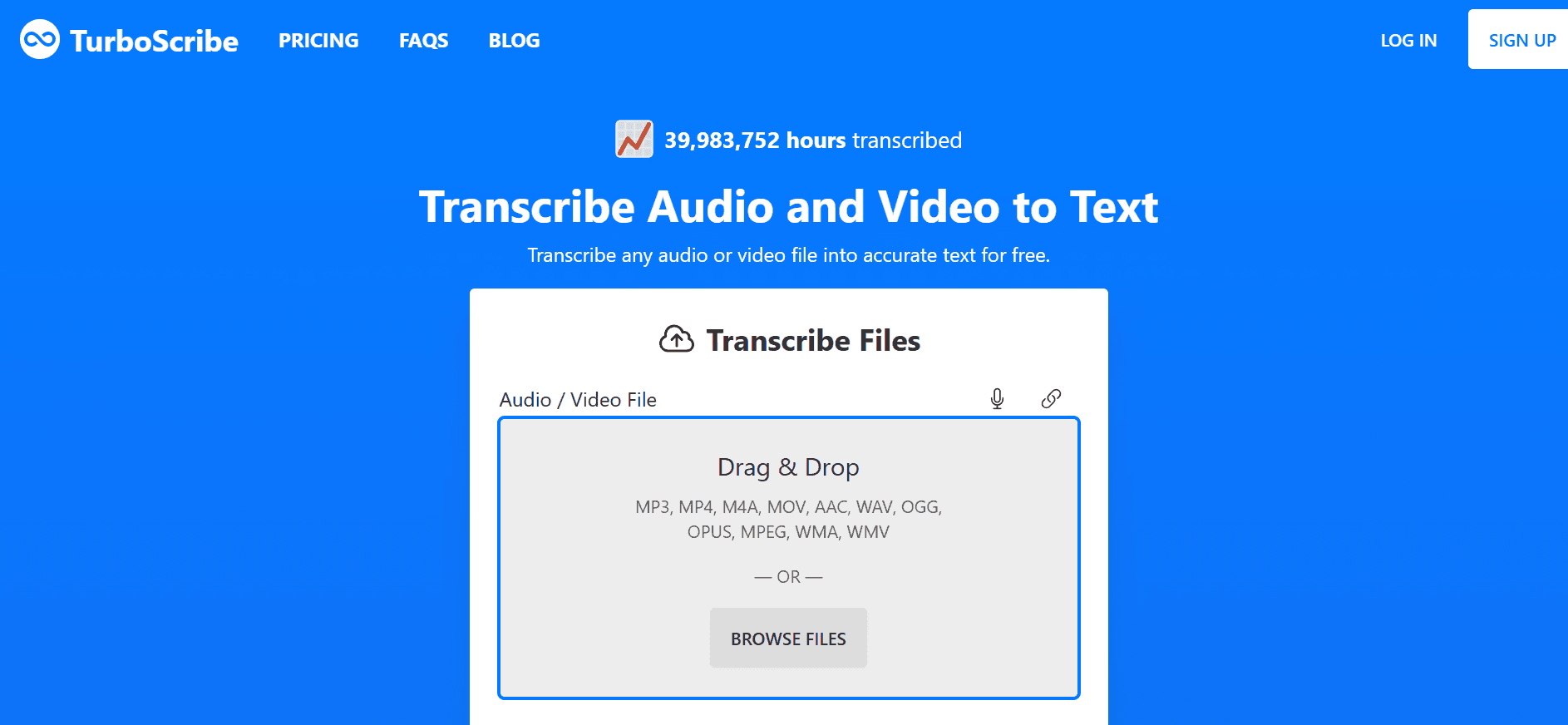
TurboScribe ist eine praktische Wahl für Nutzer mit langen Aufnahmen oder großen Audio-Beständen. Es läuft auf OpenAIs Whisper Large V3 und unterstützt über 98 Sprachen, was eine hervorragende Abdeckung für die Transkription mehrsprachiger Dateien bietet.
Während Otter.ai auf die Live-Erfassung von Besprechungen ausgerichtet ist, eignet sich TurboScribe besser für das Hochladen und Verarbeiten von Audioaufnahmen in großen Mengen. Forscher, Podcaster, Akademiker und Archivare können damit lange Interviews, Vorträge, Podcasts und Audio-Bibliotheken transkribieren, ohne auf einen Besprechungs-Bot angewiesen zu sein.
Hauptmerkmale
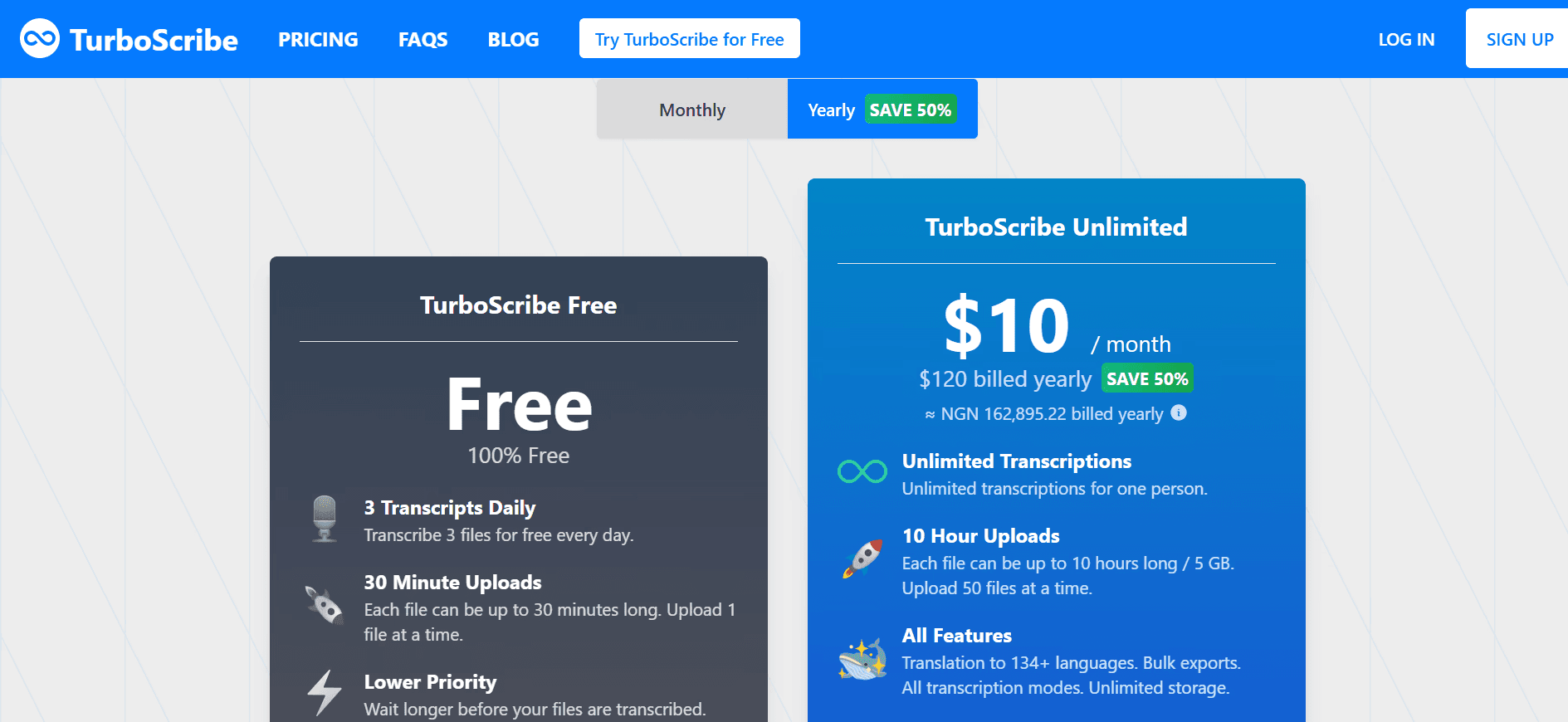
10-Stunden-Datei-Uploads: Verarbeiten Sie Aufnahmen mit einer Größe von jeweils bis zu 5 GB.
98 Sprachen Abdeckung: Transkribieren Sie in jeder gängigen gesprochenen Sprache.
Übersetzungsunterstützung: Übersetzen Sie Transkripte oder Untertitel nach der Transkription.
Massen-Upload: Stellen Sie im Unlimited-Plan bis zu 50 Dateien gleichzeitig in die Warteschlange.
Preise
Der kostenlose Plan deckt drei Transkripte pro Tag mit einer Dauer von jeweils 30 Minuten ab. 20 $/Monat bei monatlicher oder 10 $/Monat bei jährlicher Abrechnung.
Vorteile
| Nachteile
|
Holen Sie mit WhisperTranscribe mehr aus jeder Aufnahme heraus
Die richtige Otter AI Alternative hängt davon ab, wie Sie Audio nutzen. Für Besprechungsnotizen sind Notta und Fireflies besser geeignet als Otter AI. Für Produktions-Workflows eignen sich Descript und Sonix besser.
Für Nutzer, die die Transkription als Startpunkt für einen Content-Workflow betrachten, geht WhisperTranscribe weit über die einfache Transkription hinaus. Sie erhalten Zugriff auf über 55 Sprachen, über 99 Übersetzungsziele, Sprechererkennung, Magic Chat für Fragen zum Transkript und das volle Eigentum an Ihren Daten mit Zugriff über die Desktop-App.
Testen Sie WhisperTranscribe noch heute kostenlos und verwandeln Sie jede Aufnahme direkt in wertvolle Inhalte.