
Skip converting your M4A for transcription. With WhisperTranscribe, you get a M4A transcript in minutes, with up to 95% accuracy in over 55 languages. Simply upload your audio and get a clear, accurate transcript fast in minutes, then reuse it without extra effort.
No credit card needed.


Trusted by 12,700+ customers
Trusted by 1,100+ Creators, Teams, and Professionals


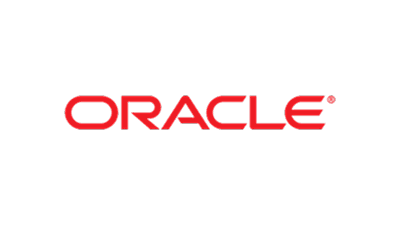






Simple and Accurate M4A Transcription Without Extra Steps
Direct M4A File Support
Upload M4A files straight into WhisperTranscribe without converting to other formats. This removes unnecessary tools and saves time, so you can start transcription immediately and keep your workflow simple.

95% Accuracy with Whisper AI
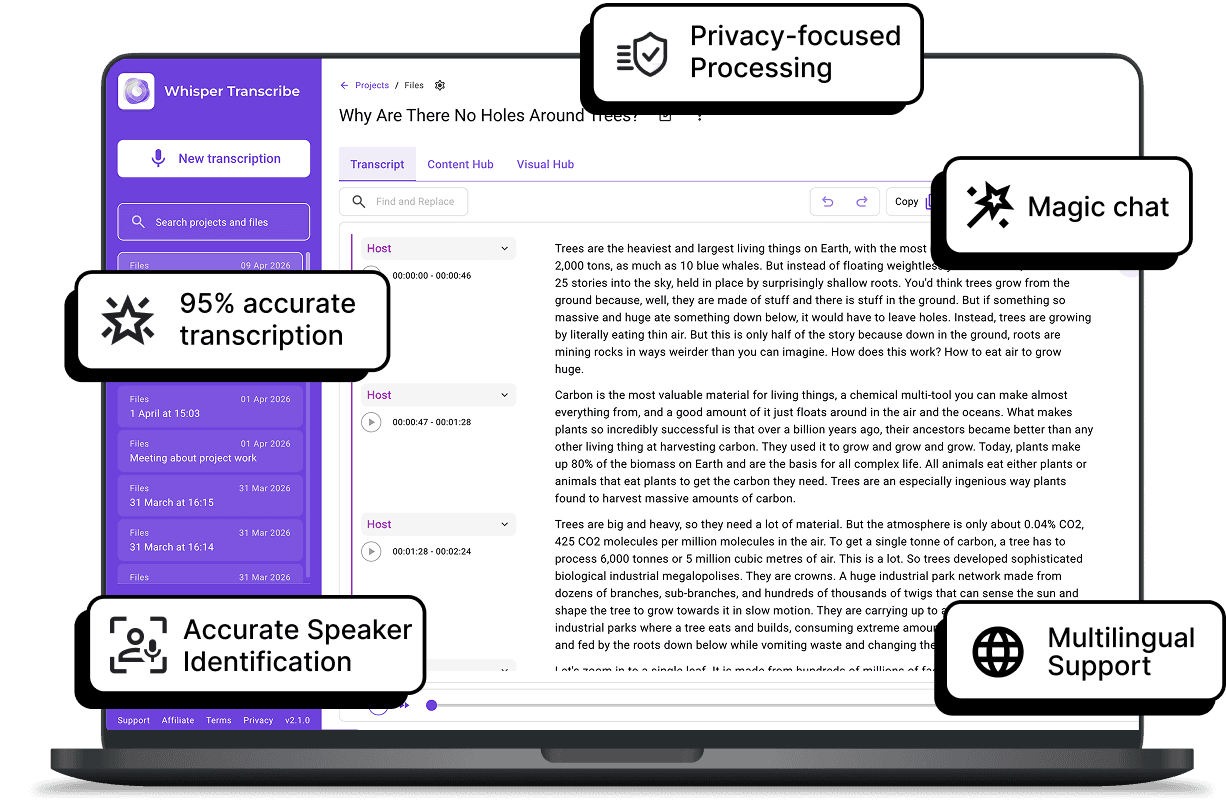
WhisperTranscribe delivers up to 95% accuracy, even with background noise and different accents. Our M4A transcription tool converts your recordings into clean, readable text that is ready for use without heavy editing.

Speaker Detection for Clear Conversations
Are there multiple speakers in your M4A audio file? Not to worry. Our M4A transcription tool automatically identifies speakers in your meetings, interviews, and discussions. You can easily see who said what and when in the audio.

Support for 55+ Languages
You can transcribe M4A audio in dozens of languages. Our M4A transcription tool doesn't just recognize English, but it also understands global dialects and translates your text into 99+ languages in seconds.

Ready for Export and Content Repurposing
Once your M4A transcription is complete, you can download it in SRT, VTT, TXT, or Word formats. You can also instantly turn it into summaries, blog posts, or social content. Now you can get more value from every M4A audio without starting from scratch.

Step 1: Upload Your M4A File
Drag and drop your M4A audio (up to 5GB) from your device or cloud storage. No conversion or preparation is needed before uploading.

Step 2: Set Your Preferences
Select your file and configure your project settings. Choose your primary language, specify if your M4A audio includes multiple languages, and turn on our speaker recognition feature to automatically identify different voices.

Step 3: Let OpenAI Whisper Work Its Magic
Click "Transcribe Now" and watch the system process your M4A file using Whisper AI, delivering accurate text even in noisy recordings or conversations with multiple speakers.
Step 4: Review and Export
Instantly review your transcript, make quick edits if needed, and export it in formats like TXT, Word, or subtitles for immediate use.
From M4A Audios Into Ready-to-Use Content
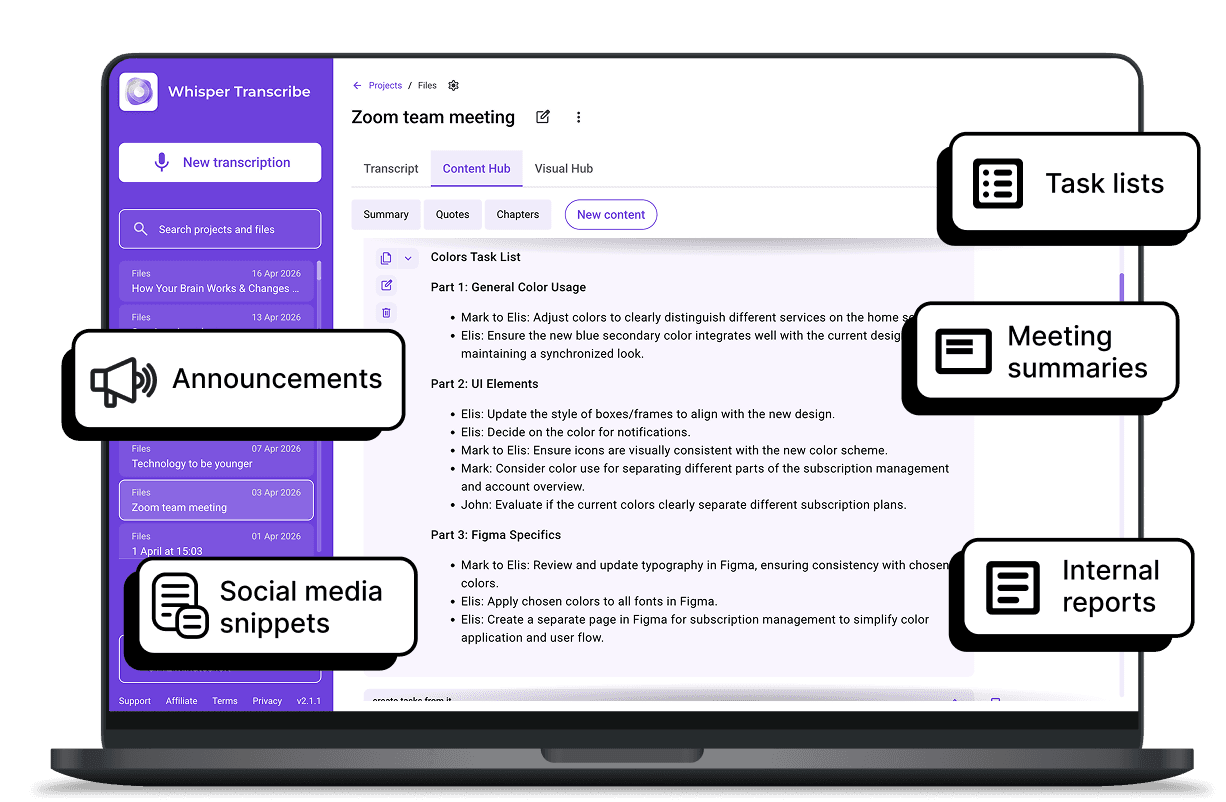
Once your M4A transcription is complete, WhisperTranscribe helps you turn a single recording into multiple content assets without extra effort. Instead of stopping at text, you can reuse your transcript across different channels and formats.
You can use your transcript to create:

Blog posts and articles
Social media posts and captions
Meeting notes and summaries
Newsletters and reports
Short clips and highlight summaries
Our Magic Chat tool also lets you ask questions directly from your transcript, so you can extract insights without having to replay the entire audio.
What Our Users Are Saying



Podcasters and Content Creators
Turn M4A recordings into show notes, blog posts, and social content. Save time and publish more consistently without manual transcription.

Journalists and Interviewers
Convert interviews and voice recordings into accurate text. Easily pull quotes and identify their speakers to speed up article writing.

Business Professionals
Transcribe meetings, voice memos, and discussions from M4A files. Keep clear records and share summaries with your team.

Researchers and Students
Analyze recorded lectures and interviews. Extract key insights and organize findings without replaying long audio files.

Coaches and Consultants
Turn M4A client sessions into structured notes and reports. Track progress and reuse insights for content or documentation.
Start Your M4A Transcription in Minutes
Do I need to convert M4A to MP3 first?
How long does the M4A transcription process take?
Can I transcribe M4A files from my MacBook?
How accurate is the M4A transcription?
Is there a limit on the file size I can upload for my M4A transcription?
How do I get started with M4A transcriptions?
Can I translate my M4A transcript into other languages?
Is my data kept private during M4A transcriptions?
Can I edit my M4A transcripts?
Can I share M4A transcripts with my team?
