The 12 Best Podcast Transcription Software for Creators (2026)

Quick Summary
We tested the top 12 podcast transcription software tools for audio and video podcasts available today.
Our Top Picks:
WhisperTranscribe: Best for accuracy and full workflow automation.
Descript: Ideal for fast audio editing via transcript.
Castmagic / Podsqueeze: Perfect for automated social and blog content.
Otter.ai: Best for real-time transcription during live shows.
For more reviews like this, visit the WhisperTranscribe blog.
Choosing the Right Podcast Transcription Software for Your Production Workflow
Searching for the right podcast transcription software is no longer just about converting audio to text. This set of tools are part of a larger workflow that helps you edit, organize, and repurpose content across multiple platforms.
From improving accessibility to streamlining production, the right software can significantly speed up how you turn episodes into usable content.
This WhisperTranscribe guide is for podcasters who are ready to invest in tools that scale their workflow, improve production quality, and support content repurposing at a professional level.
Why Listen to Us?
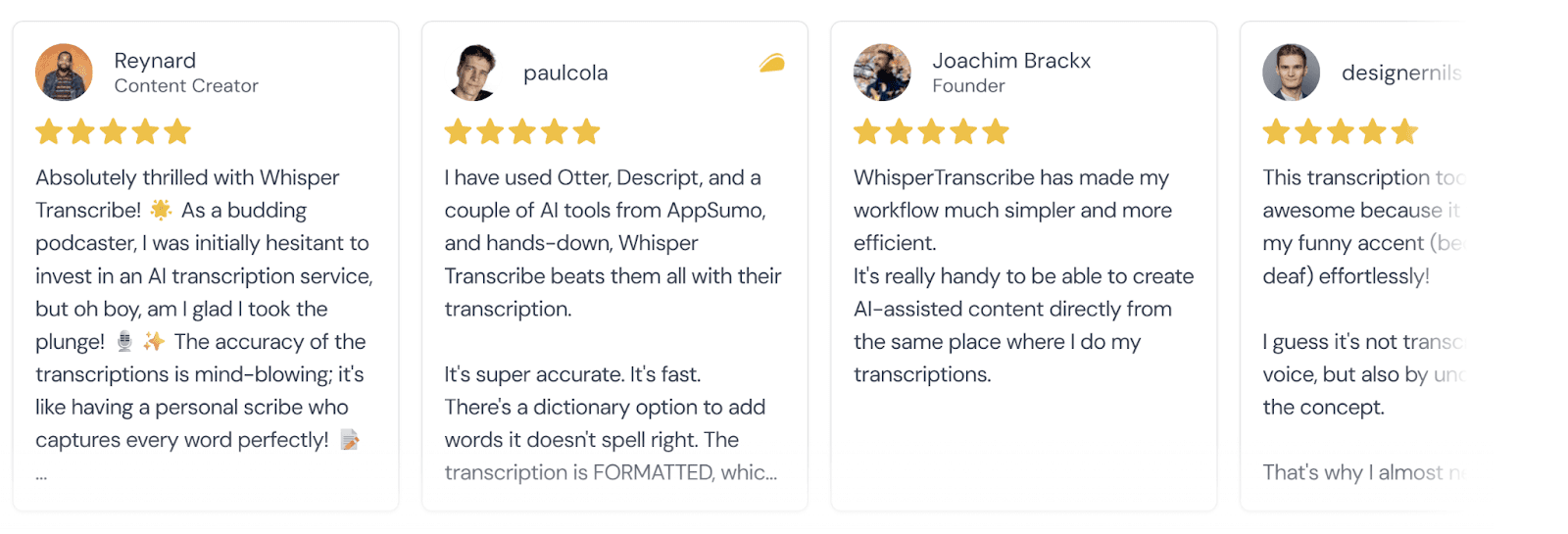
As creators of a podcast transcription solution serving thousands, we’ve tested every major tool in real-world workflows, focusing on accuracy, speed, and usability. By combining hands-on testing with user feedback and official documentation, we provide honest, practical insights to help you choose a tool that saves time, improves accessibility, and makes your podcast content easy to repurpose.
What Makes a Professional Podcast Transcription & Workflow Tool?
Podcast transcription software automatically converts your audio or video episodes into written text. These tools work with pre-recorded files, live recordings, or hosted audio links to remove manual labor from content creation.
A top transcription tool balances accuracy, speed, and usability. Accuracy ensures your transcript reflects what was actually said, which is critical for accessibility and SEO. Speed matters if you’re releasing episodes frequently. Usability means the interface is intuitive, and editing or exporting transcripts is simple.
Other important factors and features include:
Speaker recognition: Helps differentiate voices for multi-host shows.
Multilingual support: Reaches a wider global audience.
AI content features: Automatically generate show notes, quotes, or social snippets.
Integration capabilities: Works with hosting platforms, editing software, or automation tools.
The right combination of these features saves you time, improves accessibility, and opens opportunities to repurpose content efficiently when transcribing a podcast.
Top 12 Podcast Transcription Tools for Editing, Scaling & Content Creation
We will provide more details for each podcast transcription software below. But if you just want to get a quick overview, this table below provides just that:
Tool | Speaker ID | Content Creation | Editing | Languages | Starting Price | Use If You Need… |
WhisperTranscribe | ✅ | ✅ | ✅ | 99+ | $39.99/month | Accuracy + full content workflow |
Buzzsprout | ✅ | ✅ | ❌ | Limited | $5/month add-on | Simple all-in-one inside hosting |
Castmagic | ✅ | ✅ | ❌ | Limited | $29/month | Repurposing content at scale |
Podsqueeze | ✅ | ✅ | ❌ | Limited | $9/month | Fast one-click content creation |
Descript | ✅ | ✅ | ✅ | Limited | $12/month | Editing audio via transcript |
SwellAI | ❌ | ✅ | ❌ | Limited | $29/month | API and scalable workflows |
HappyScribe | ✅ | ✅ | ✅ | 140+ | $17/month | Accuracy + collaboration |
Adobe Podcast | ✅ | ❌ | ✅ | Limited | $9.99/month | Clean editing + audio enhancement |
Otter.ai | ✅ | ✅ | ✅ | Limited | $8.33/month | Live transcription + meetings |
Kapwing | ✅ | ❌ | ✅ | 100+ | $16/month | Video editing + subtitles |
Restream | ✅ | ❌ | ❌ | 36+ | Free | Simple live stream transcripts |
Sonix | ✅ | ✅ | ✅ | 53+ | $10/hour | SEO-focused transcripts |
1. WhisperTranscribe
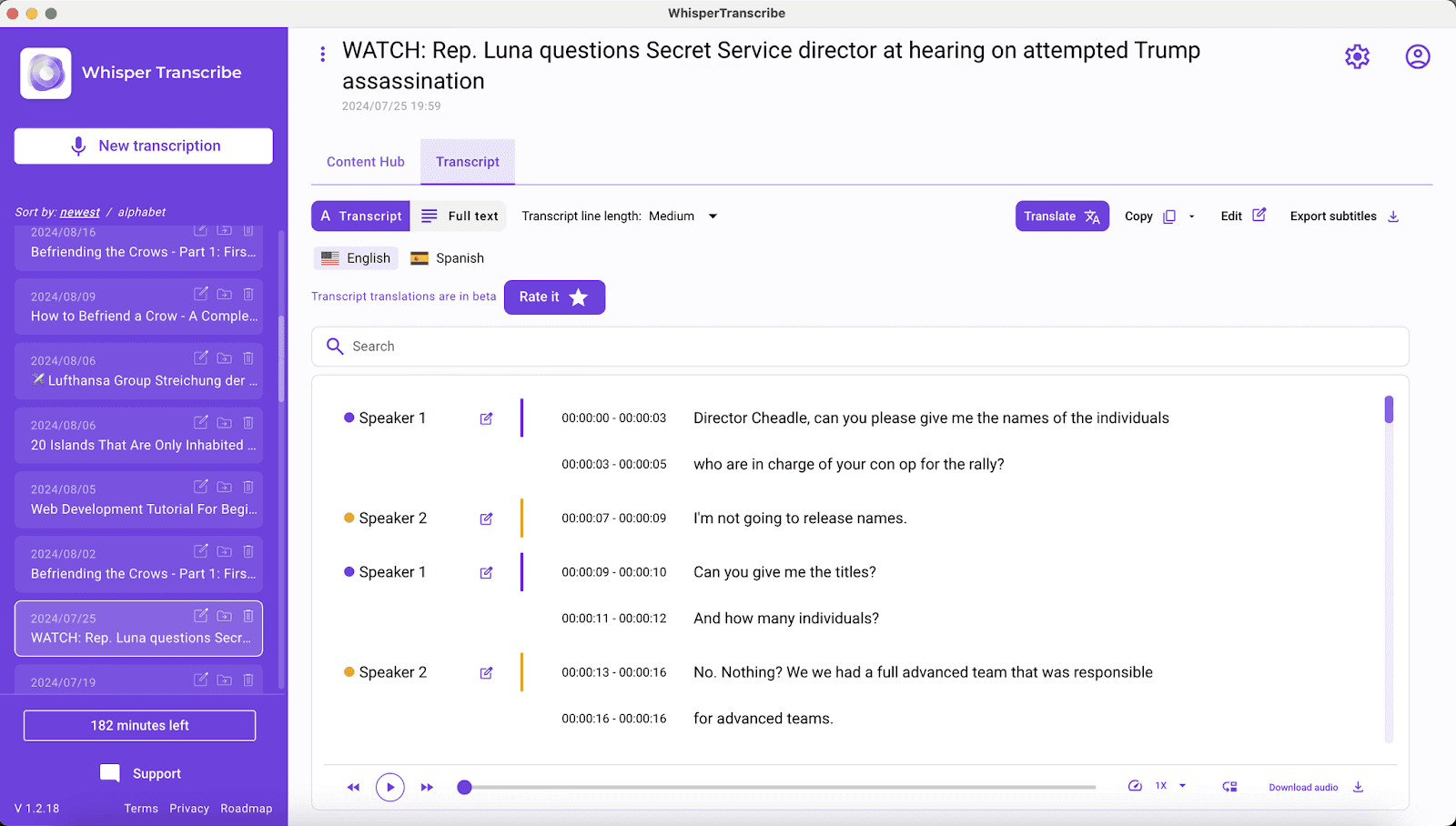
At WhisperTranscribe, we designed our podcast transcript generator tool specifically for podcasters who want accurate, reliable transcripts without technical headaches. Our desktop app supports 99+ languages and generates highly accurate transcripts using OpenAI Whisper models.
Beyond transcription, we let you add your own tone of voice to AI-generated content, so your summaries, show notes, social media posts, or blog excerpts feel yours authentically. Files are stored locally for privacy, and you retain full control over your data.
While we currently don’t provide API access or cloud syncing, our app is built to give podcasters precision, flexibility, and ease in creating transcripts that can be repurposed efficiently.
Key Features
AI Content Hub: Generate SEO blog posts, show notes, newsletters, and social captions from transcripts.
Magic Chat: Ask questions, pull quotes, summarize segments, or generate guest bios from audio.
Speaker Detection: Automatically identifies and tags up to five speakers for organized transcripts.
95% Accuracy: Whisper Large-v3 handles jargon, accents, and background noise with strong precision.
99+ Language Support: Transcribe 55+ languages and translate transcripts into over 99 languages.
Flexible Exports: Download transcripts as SRT, VTT, or Word files for easy publishing.
Pricing
We offer a free trial with 60 minutes of transcription. After that, you can choose from any of our four paid plans:
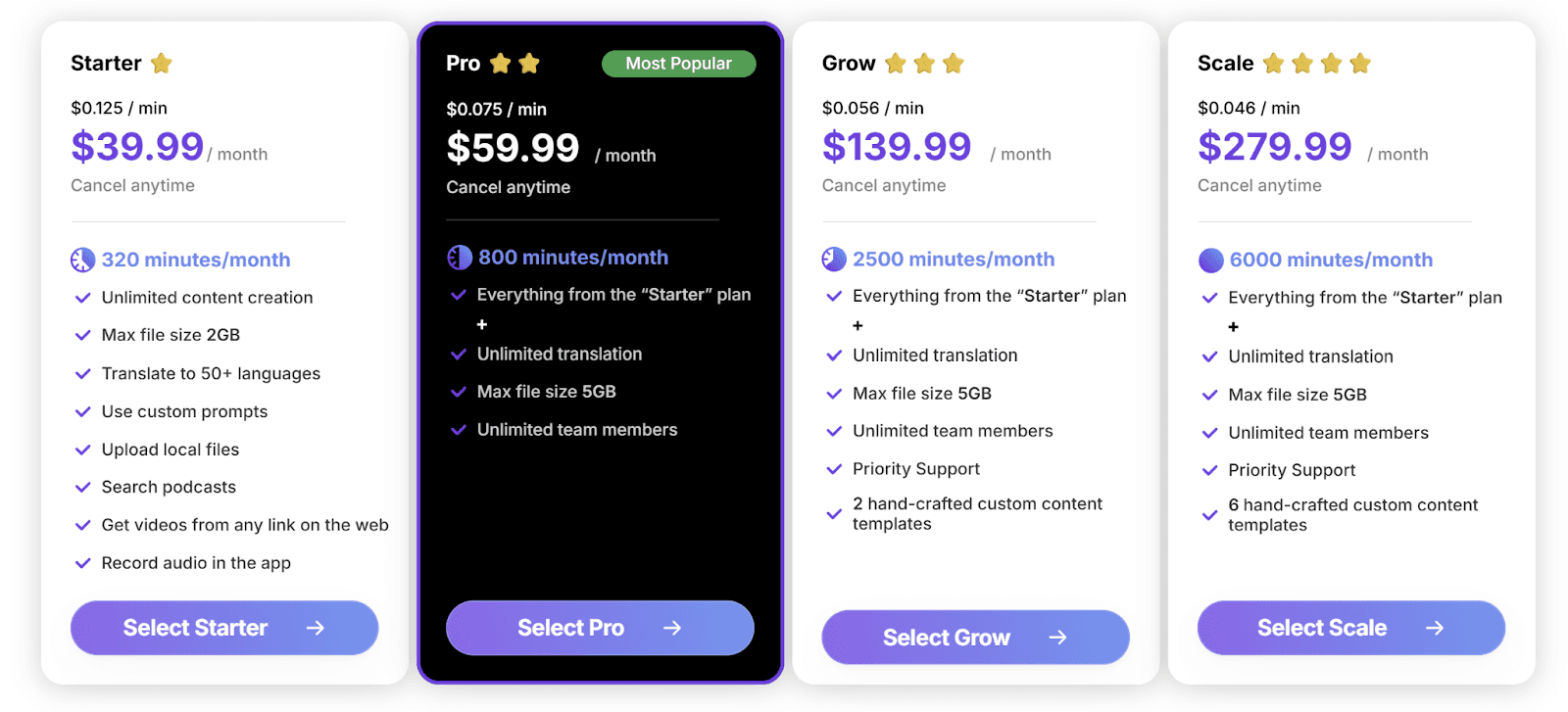
Starter at $39.99/month
Pro at $59.99/month
Grow at $139.99/month
Scale at $279.99/month
We also offer pay-as-you-go options starting at $9/hour, purchasable directly in the app. You can compare all the plans on our pricing page.
Pros | Cons |
|
|
2. Buzzsprout
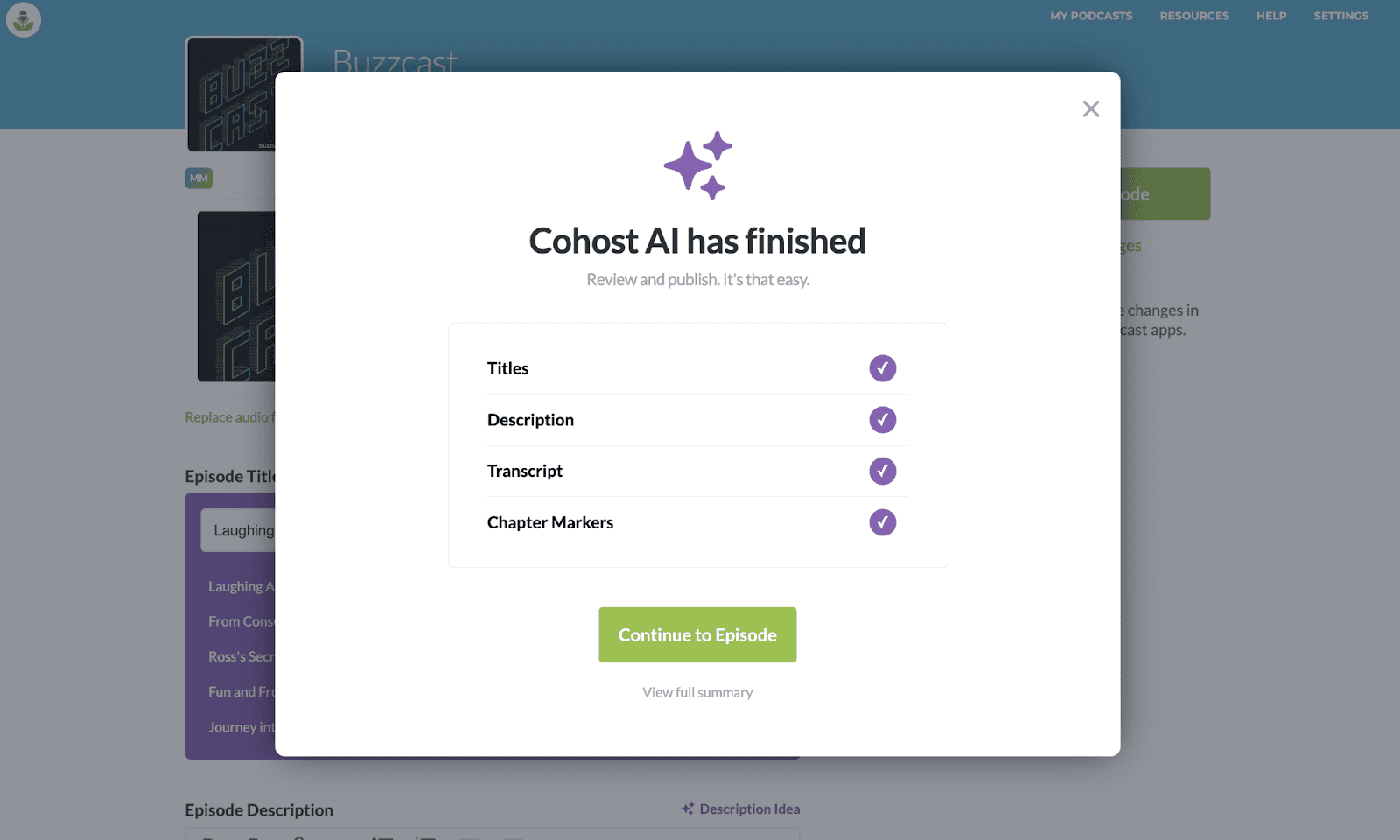
While widely recognized as a podcast hosting giant, Buzzsprout has expanded into the transcription space with its Cohost AI add-on.
Instead of acting as a standalone transcription tool, it works within the Buzzsprout workflow. All you have to do is upload your episode, and the tool will generate transcripts, titles, descriptions, blog drafts, and social posts.
Everything appears in a single summary page where you can review and edit outputs.
Key Features
Automatic Summaries: Draft descriptions and multiple branded title ideas.
Social & Blog Content: Generates posts and full blog drafts.
Smart Chapter Markers: Identifies segments for easier episode navigation.
Integrated Transcript Editor: Edit speakers and transcripts within the episode page.
Pricing
Cohost AI is a paid add-on for Buzzsprout users, starting at $5/month and scaling with your hosting plan.
Pros | Cons |
|
|
3. Castmagic
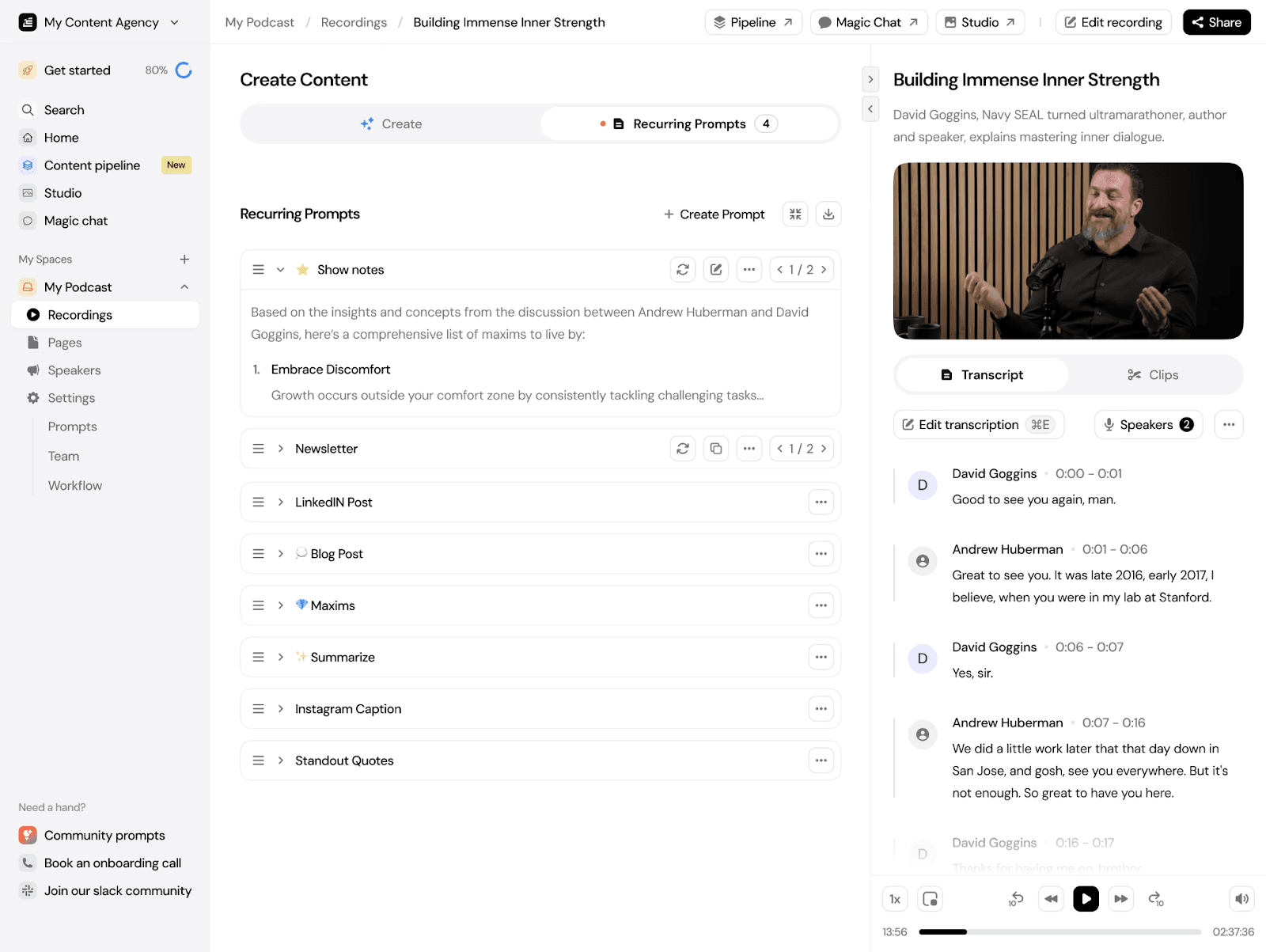
Castmagic is not solely focused on podcasters. But they’ve done a very good job of integrating the different podcasting workflows into one AI transcription service.
You can import files from multiple sources like YouTube, RSS feeds, or Zoom, and the platform handles transcription, speaker separation, and content generation in one flow. Its standout feature is the ability to generate a wide range of assets, from show notes to full-length articles, using customizable prompts.
Key Features
Versatile Media Import: Upload, YouTube, RSS, Zapier, Drive sources.
AI Transcription: Removes speaker split and filler words.
Magic Chat: Generates custom content from each recording.
Timestamped Show Notes: Access detailed summaries with quotes and timestamps.
Pricing
Castmagic starts at $29/month for 5 hours of transcription, with higher tiers at $99 to $999/month. Pricing scales based on usage, so it’s more ideal if you produce content regularly.
Pros | Cons |
|
|
4. Podsqueeze
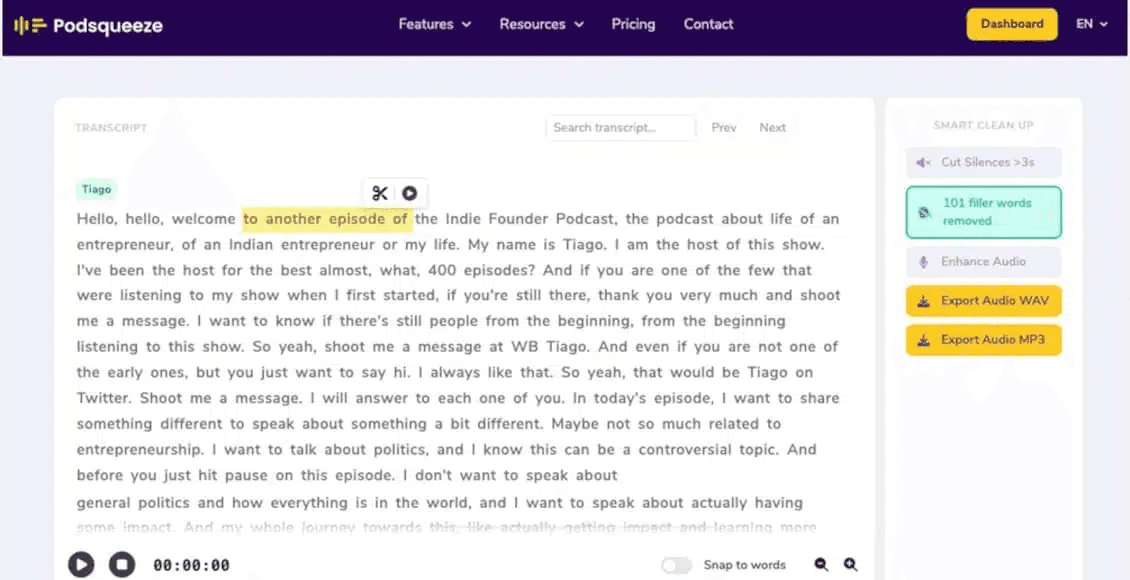
Podsqueeze is a podcast-focused AI tool designed to turn episodes into transcripts and ready-to-use content. Besides the transcripts, it also generates show notes, subtitles, and social media assets from your podcast video or audio, all in just one click.
However, while it’s feature-rich, the transcription accuracy and flexibility are not as strong as more advanced tools, especially for complex audio or larger workflows.
Key Features
AI Transcription: Fast transcripts with speaker labels and filler removal.
Content Generation: Create show notes, blogs, and social posts instantly.
SRT Export: Download subtitles for captions across multiple platforms easily.
Audio Tools: Built-in editor, enhancement, and audiogram creation features included.
Pricing
Podsqueeze lets you transcribe 50 minutes of podcast monthly for free. For more, paid plans range from $9 for 120 minutes and 8 video clips to $89 for 600 minutes and 40 video clips.
Pros | Cons |
|
|
5. Descript
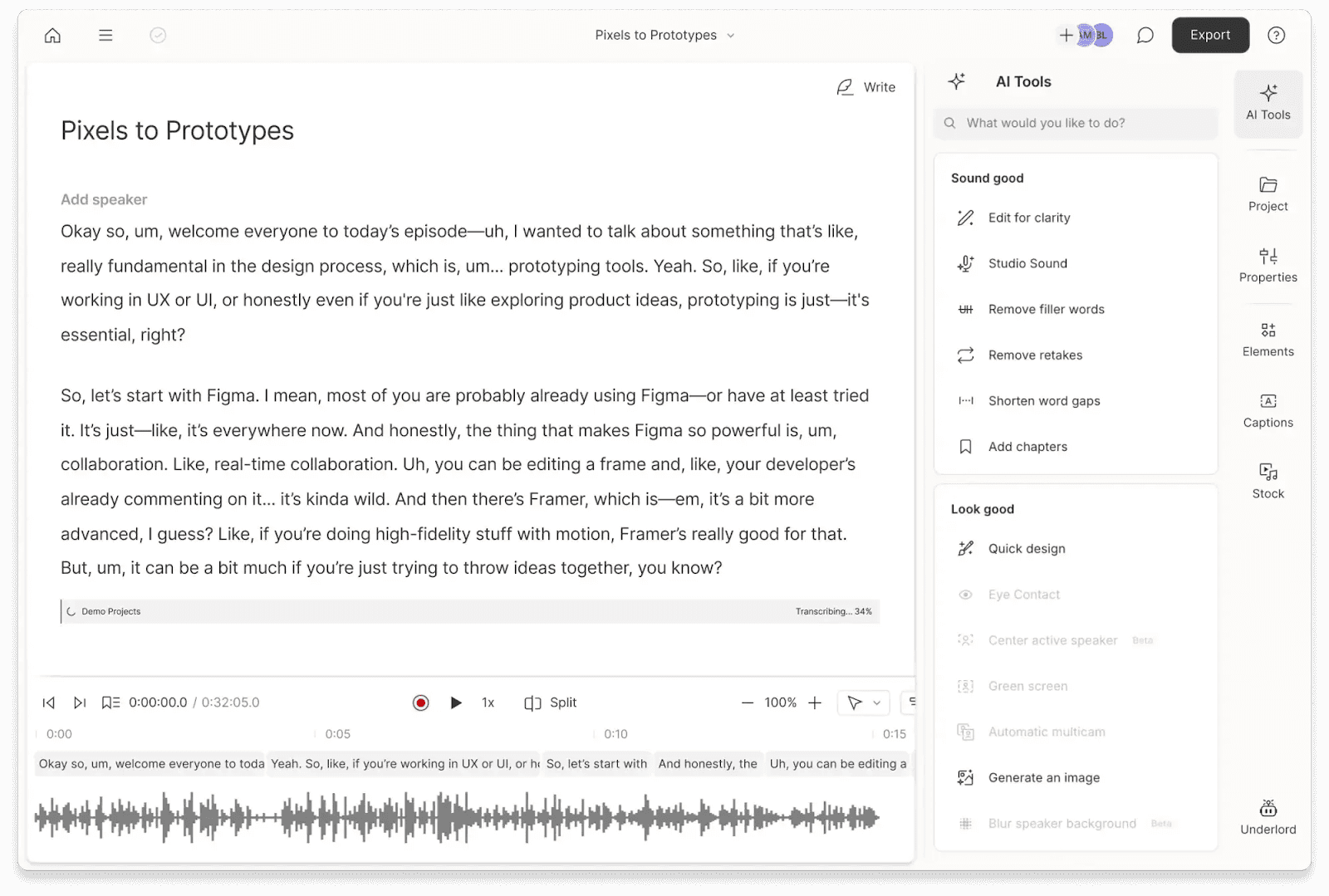
Descript is another podcast transcription you might consider. It goes beyond just generating podcast transcripts to give you tools to edit the podcast video and audio. For example, the “edit by text” lets you cut audio and video simply by deleting words in the transcript.
The tool also recently added the Underlord AI co-editor, which further automates complex tasks like finding highlights and removing filler words across entire transcripts.
Key Features
Text-Based Editing: Edit audio directly by modifying transcript text content.
Speaker Detection: Automatically identifies speakers in multi-host podcast recordings.
Filler Removal: Removes filler words to clean transcripts and audio.
Studio Sound: Enhances audio quality for clearer transcription and playback.
Pricing
Descript offers a free plan with limited transcription hours. Paid plans start at $12/month, with higher tiers unlocking more transcription time, advanced editing features, and collaboration tools.
Pros | Cons |
|
|
6. SwellAI
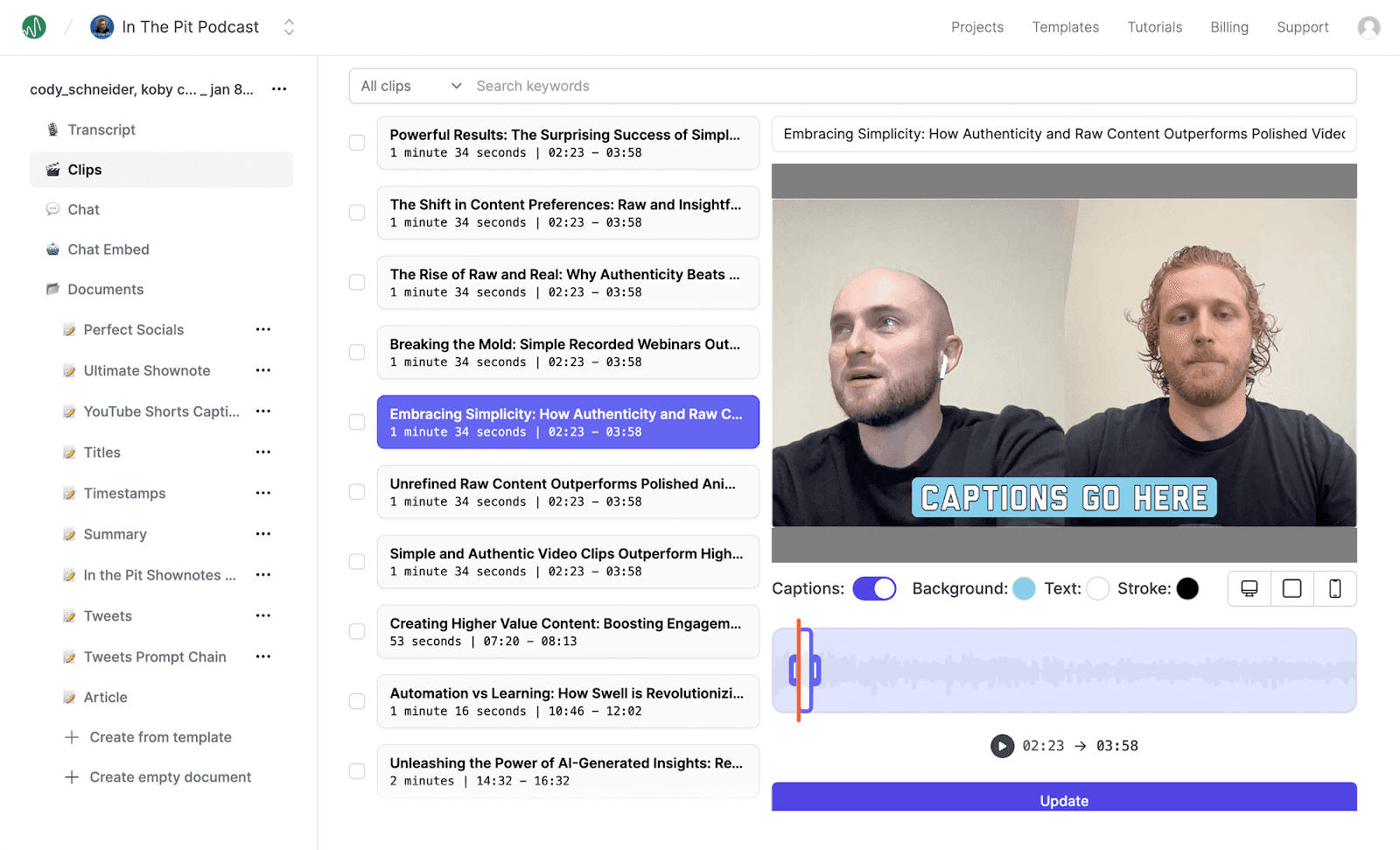
SwellAI is an honorable mention on this list of podcast transcriptions software. The tool offers some unique advantages over other transcription tools.
You can generate transcripts, clips, show notes, articles, newsletters, social posts, intro scripts, and much more, in your preferred tone, from a single podcast video or audio.
But the outstanding feature is its API access. SwellAI offers probably the best API access to their app. This is key if you want to scale your podcast production workflow.
Key Features
Developer-Friendly API: Simple REST API allows for scaling production within custom workflows.
Multi-Format Content Engine: Generates summaries, newsletters, midroll ads, and even book drafts.
Swell Chatbot Integration: Every episode includes a trained chatbot for audience interaction.
Advanced Brand Voice: Set custom tones and reusable templates for consistent output.
Pricing
Swell AI offers a free plan with limited uploads. Paid plans start at $29/month for 300 transcription minutes, with higher tiers offering more minutes and full access to content generation features.
Pros | Cons |
|
|
7. HappyScribe
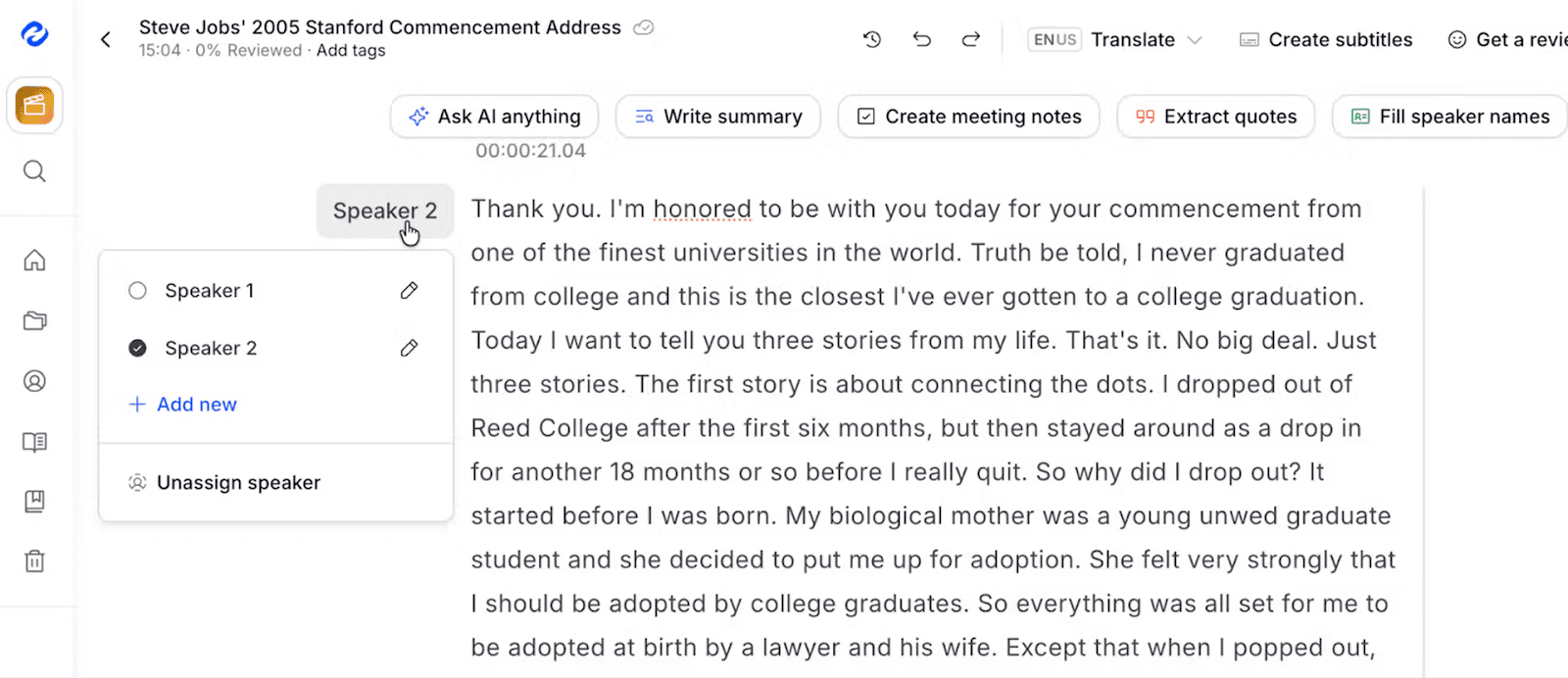
HappyScribe is ideal for podcasters seeking fast, accurate transcripts and easy content repurposing. Upload your episode or share a link, select your language, and choose between “Human-made” or “Machine-generated.”
Within minutes, you get a neatly formatted transcript ready for editing or sharing. The process is simple, beginner-friendly, and scalable for professionals managing multiple episodes.
Key Features
AI Summaries and Drafts: Generate post drafts, social posts, quizzes, and content from transcripts.
140+ Language Support: Transcribe podcasts in over 140 languages, including complex dialects.
Rich Collaboration Editor: Edit transcripts, speaker tags, timestamps, and share with team members.
Translation and Subtitles: Translate transcripts and create SRT files for videos or social media.
Pricing
HappyScribe gives you a 10-minute free trial of AI transcription, subtitling, and translation. Paid plans start at $17 per month for individuals with small production needs, and up to $89/month for businesses.
Pros | Cons |
|
|
8. Adobe Podcast
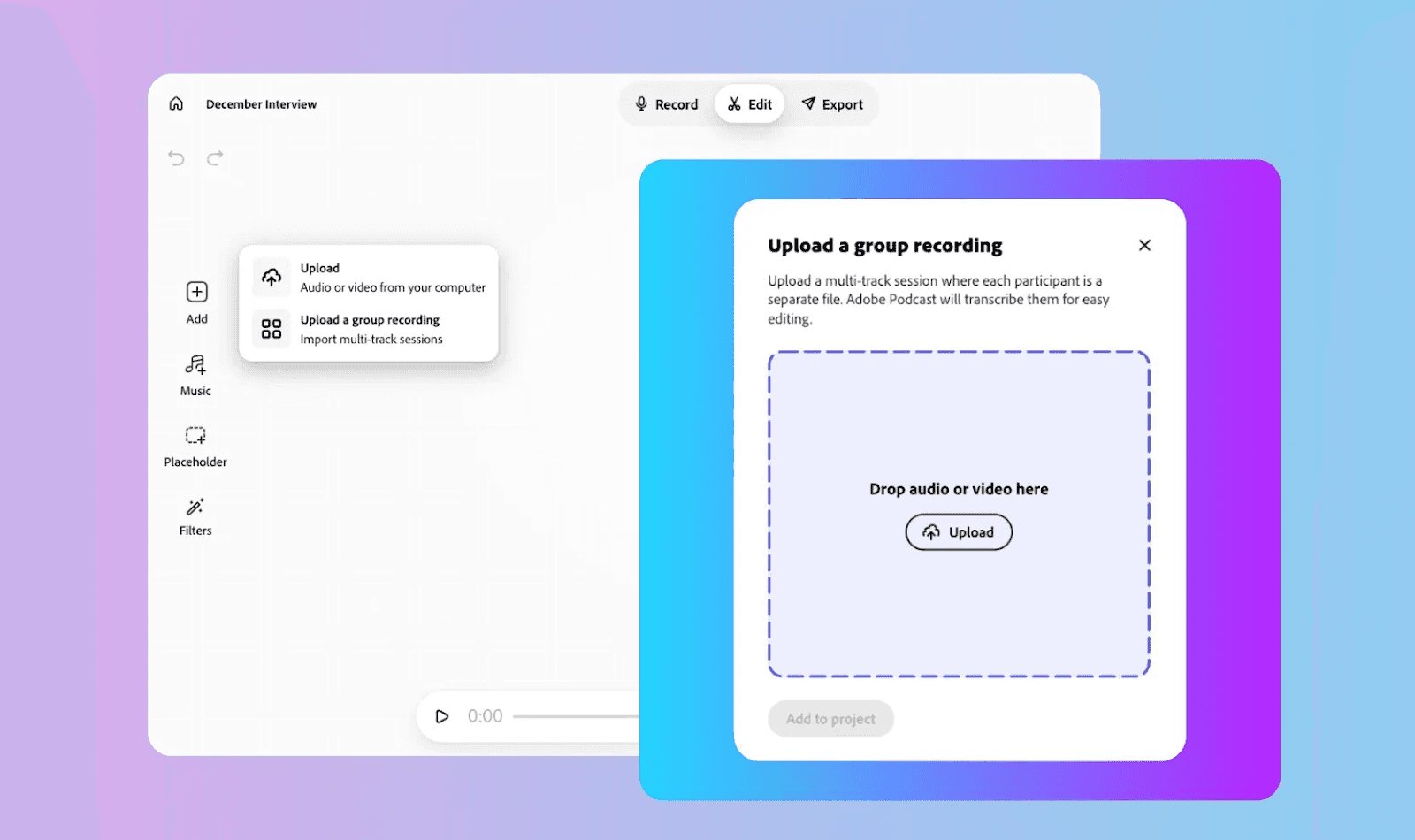
As a podcast transcription software, Adobe Podcast works similarly to Descript. It uses the same transcription engine found in Premiere Pro. This allows you to edit your show as easily as a Word document. Simply delete a sentence in the text to remove it from the audio.
Adobe Podcast also provides audio enhancement, speaker separation, and easy export options, so you get precise transcripts and polished audio in one platform.
Key Features
Super Accurate Transcripts: AI minimizes errors, with easy correction for mistakes.
Multi-Language Support: Transcribe recordings in multiple languages with consistent accuracy.
Flexible Downloads: Export transcripts in PDF, DOCX, or TXT for sharing and collaboration.
Speaker Separation: Identify and tag different speakers for clear transcript organization.
Pricing
Free Plan: Upload up to 30 minutes per file, 1 hour per day; audio enhancement only.
Premium Plan: $9.99/month, includes video support, bulk upload, 4-hour daily processing, and full Studio features.
Pros | Cons |
|
|
9. Otter.ai
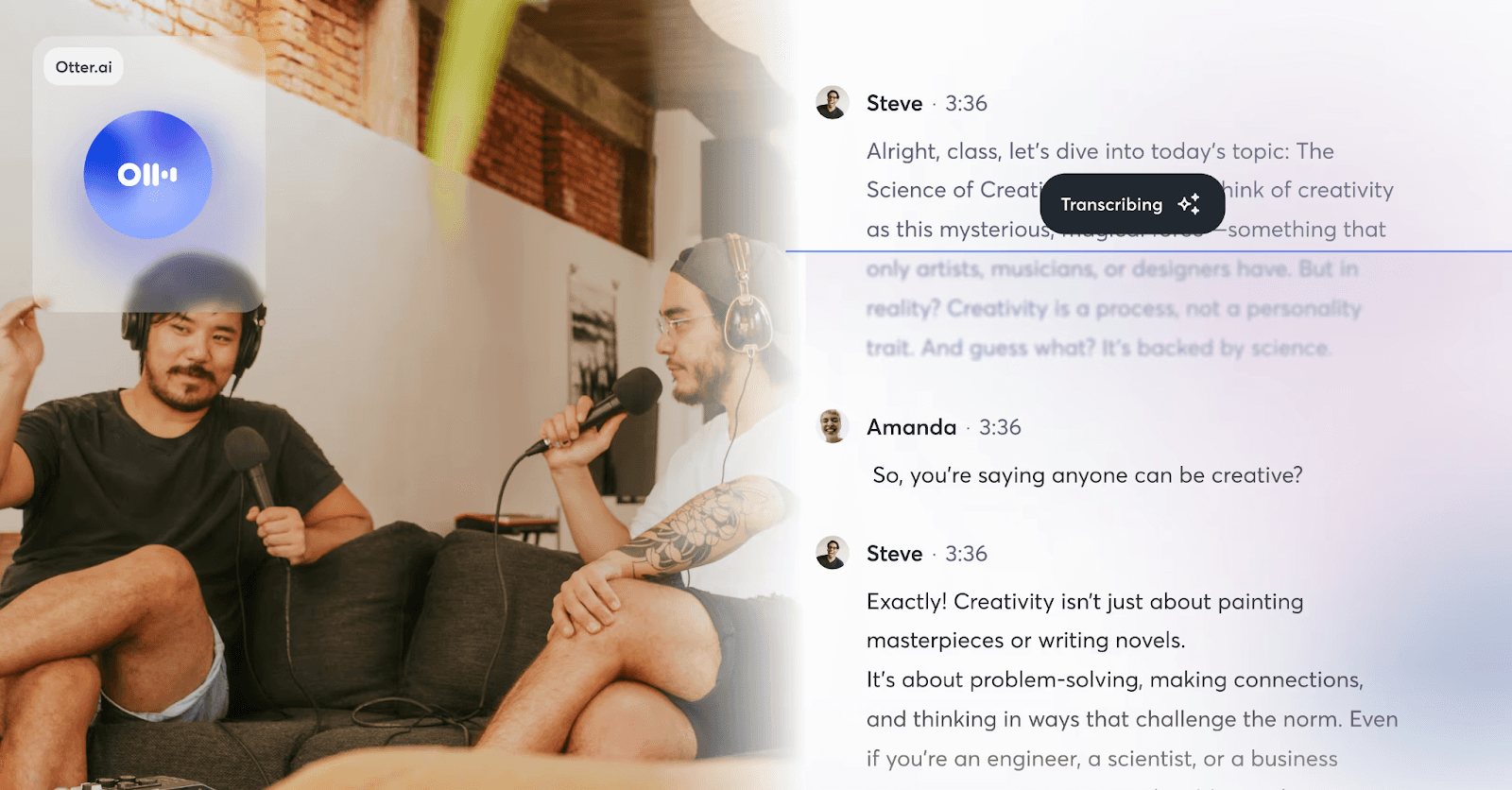
While originally built for meetings, Otter.ai has become a popular choice for podcasters who record live interviews or need instant, searchable text. It stands out for its "live-sync" capability, where you can watch the transcript generated word-for-word during a recording.
It supports multi-speaker identification, timestamped transcripts, and content repurposing such as show notes, social media quotes, and blogs. Plus, the Otter AI Chat has been refined to help creators quickly pull specific quotes and headlines for social media promotion directly from the live feed.
Key Features
Multi-Speaker Identification: Perfect for interviews or podcasts with multiple hosts.
Timestamped Transcripts: Easily locate sections or create caption-ready content.
Supports MP3 & MP4: Works with both audio-only and video podcasts.
Otter AI Chat: Generate summaries, headlines, and episode highlights automatically.
Pricing
There’s a free plan with 300 transcription minutes/month. You can unlock more minutes and features by opting for one of the paid plans, starting at $8.33/month.
Pros | Cons |
|
|
10. KapWing
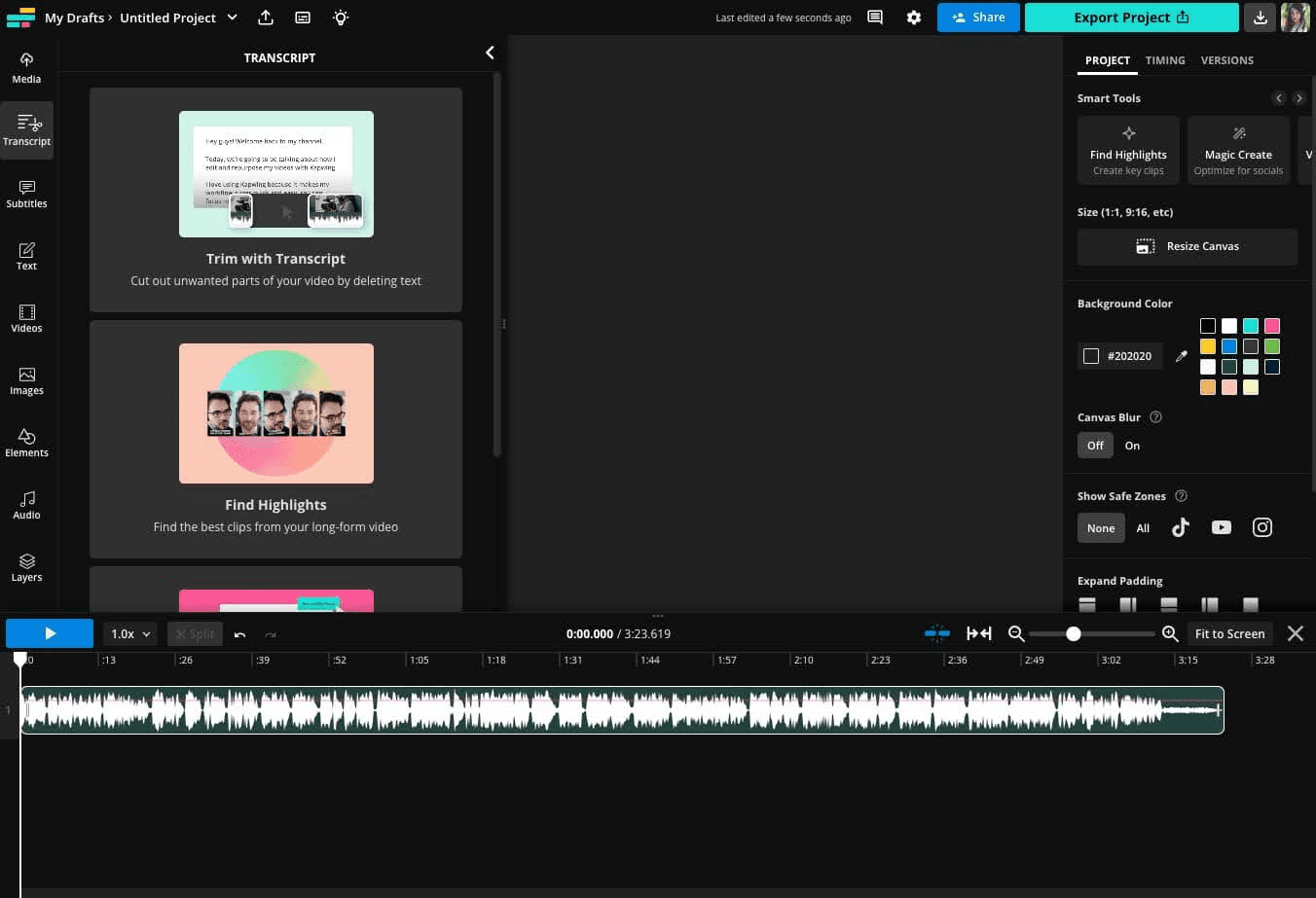
Kapwing is an all-in-one, browser-based video editor that treats transcription as a core part of the creative workflow. Unlike traditional tools, it allows you to edit your podcast audio or video by simply deleting text from the generated transcript.
If you need to quickly turn long-form episodes into subtitled clips for TikTok, Reels, and YouTube Shorts without leaving your browser, this podcast transcription software makes sense.
Key Features
Speaker Detection: Identifies and labels multiple speakers automatically.
Filler Word Removal: Cleans transcripts by removing “um” and similar fillers.
Trim with Transcript: Edit audio or video by editing the transcript.
Translation Studio: Translate transcripts into 100+ languages.
Pricing
Kapwing uses a "credit" system for its AI tools. You get 10 credits for free to test the tool. Paid plans include:
Pro Plan at $16/month for 1,000 credits/month
Business Plan at $50/month for 4,000 credits/month
Enterprise Plan with custom pricing
Pros | Cons |
|
|
11. Restream
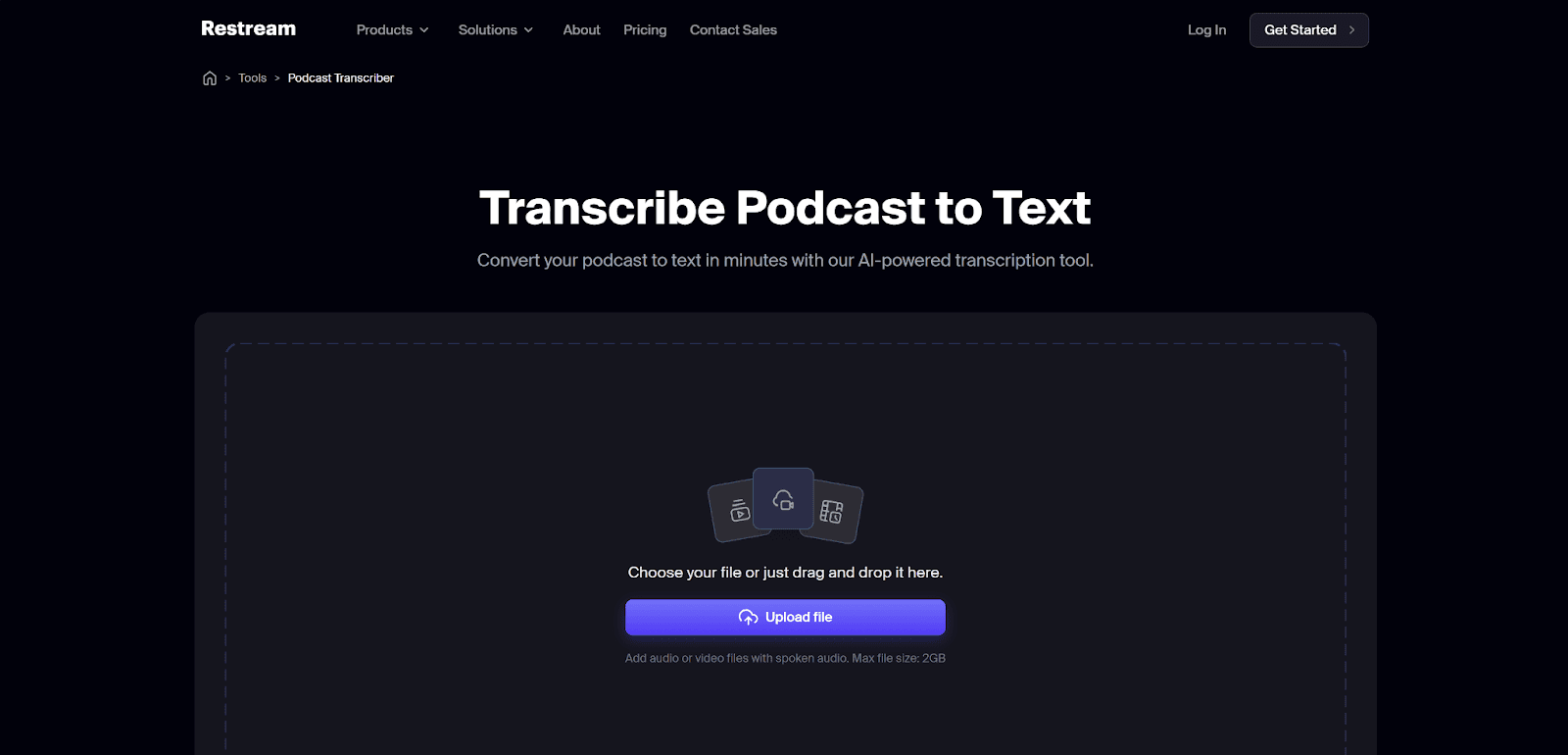
Restream is primarily a powerhouse for live streaming, but its built-in AI transcription tool is a hidden gem for podcasters who broadcast live. It’s designed for speed and simplicity, allowing you to turn a live session or an uploaded recording into a clean text file without leaving the streaming dashboard.
Since it’s a browser-based tool, it’s particularly useful for creators who want to keep their workflow entirely in the cloud.
Key Features
Multi-Language Support: Handles transcription in 36+ languages, including Hindi, Spanish, and Mandarin.
Direct Studio Integration: Record your podcast in "Record-only" mode and transcribe the high-res file immediately.
Split-Track Recording: Captures individual audio tracks for guests, making future transcription even more accurate.
Secure Data Processing: Files are processed privately and can be downloaded instantly in TXT format.
Pricing
You can transcribe one file for free (under 2GB, no duration limit). Paid plans include:
Standard: $19/month with additional streaming features
Professional: $49/month with higher limits and HD streaming
Business: $239/month with team and advanced streaming features
Pros | Cons |
|
|
12. Sonix
The last podcast transcription software on the list is Sonix.
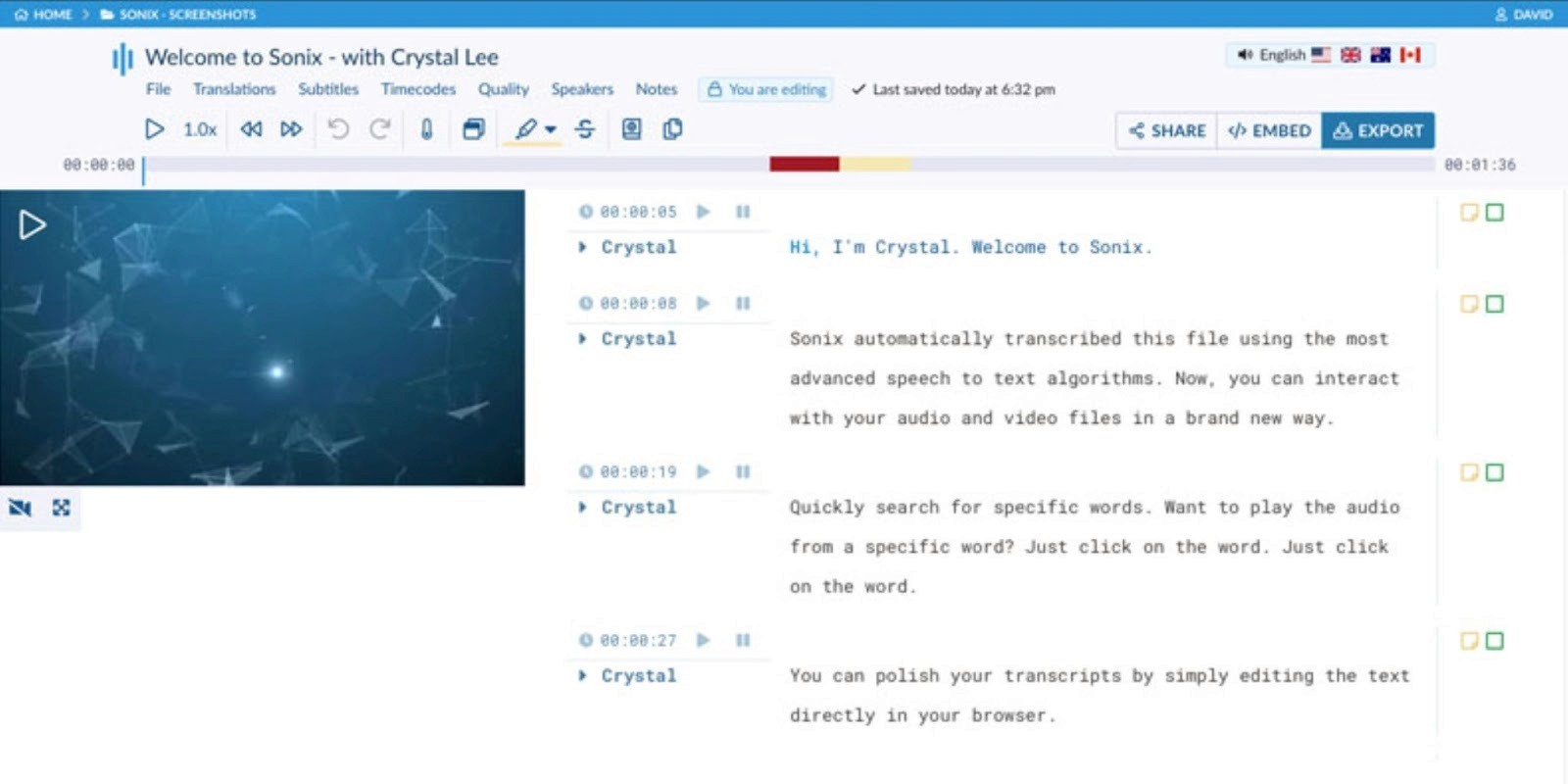
Sonix is built for podcasters who want more than transcripts. It focuses on growth, turning episodes into searchable content that improves SEO and audience reach. The platform delivers fast, high-accuracy transcripts along with automated show notes, captions, and an interactive media player.
It’s especially useful for podcasters who wants to increase discoverability and engagement.
Key Features
High Accuracy Transcription: Delivers up to 99% accurate transcripts quickly.
SEO-Optimized Transcripts: Makes podcast content searchable on Google.
Auto Show Notes: Generates summaries with key points and timestamps.
Speaker Identification: Detects and labels multiple speakers automatically.
Interactive Player: Embed transcripts synced with audio on websites.
Pricing
You get a 30-minute free trial to transcribe your podcast for free. Then you can opt for any of the three paid plans:
Standard: Pay-as-you-go at $10 per hour
Premium: $22/month + $5 per hour transcription
Enterprise: Custom pricing with advanced features
Pros | Cons |
|
|
How We Evaluated These Podcast Transcription Tools
We did not just list tools. We tested how they actually perform in real podcast workflows. Here is what we considered during the evaluation process:
Language and Transcription Accuracy
The hallmark of a great podcast transcript is its accuracy in any language it supports. Therefore, we tested how these tools handle:
Global Range: Whether the tool supports 36+ languages (like Restream) or over 140 (like HappyScribe).
Accuracy: How well it handles accents, background noise, and industry terms. Clean transcripts save time and reduce manual edits.
Speaker Identification
A transcript is useless if you can't tell who is talking. We evaluated how accurately each tool identifies speaker changes, especially during:
Crosstalk: When two or more people speak at once.
Similar Voices: Distinguishing between speakers with similar tones or accents.
Content Creation Capabilities
Podcasters now need more than a transcript. We rated tools based on their ability to turn that text into:
SEO-ready show notes and timestamps.
Social media assets (LinkedIn posts, TikTok, and newsletters).
AI Chat functionality: The ability to "talk" to your transcript to pull specific quotes.
Workflow Integration
We looked at how these tools fit into a busy production schedule:
Editing Capabilities: Can you edit the audio by deleting text (the "Descript" model)?
Export Flexibility: Does it support SRT, VTT, PDF, and DOCX?
Platform Sync: Does it connect directly to your host (like Buzzsprout) or your video editor (like Adobe Premiere)?
Pricing and Overall Value
Finally, we compared the cost of each podcast transcription software against what you actually get. We looked at free tiers, limits, and whether the features justify the price.
Which Podcast Transcription Software Is Right for You?
Not every tool is built for the same type of podcaster. Some prioritize accuracy. Others focus on editing, live transcription, or content repurposing. The right choice comes down to how you actually use your transcripts.
To find your fit, follow this simple decision-making framework:
Identify Your Primary Goal
Need to edit audio fast? If your main challenge is cutting filler words or long pauses, Descript is a strong choice. You can edit audio by simply editing text.
Need content for podcast marketing? If you want to turn one episode into multiple posts, newsletters, or blogs, Castmagic or Podsqueeze are built for that workflow.
Need high accuracy for interviews? For multi-speaker podcasts or heavy accents, Sonix or HappyScribe offer more reliable transcription quality.
Need real-time transcripts? For live sessions or webinars, Otter.ai stands out with its live transcription capabilities.
Check Your Budget Model
The Hobbyist: If you publish occasionally, a pay-as-you-go tool like Sonix helps you avoid monthly costs.
The Power User: If you release episodes regularly, a subscription plan like Podsqueeze and WhisperTranscribe offers better long-term value.
Which Podcast Transcription Software Fits Your Workflow?
WhisperTranscribe strikes a strong balance across the key areas that matter. It delivers reliable accuracy, supports multiple languages, and includes built-in tools for turning transcripts into blogs, show notes, and social content. The workflow stays simple while still giving you control over tone and output.
If you want a tool that handles transcription and content creation in one place, WhisperTranscribe is a practical choice for most podcast workflows.